
Wireless Clients incorrectly displayed as "Wired" (Flat Network / No VLAN)

Hi everyone,
I am reaching out to the community because my topology display issue remains unresolved, even after migrating to the latest controller version (v6.1.0.19).
The issue : On several MSP sites, wireless clients are systematically identified as "Wired". They appear attached to the router's LAN port or a switch port, despite having an active connection to the EAPs.
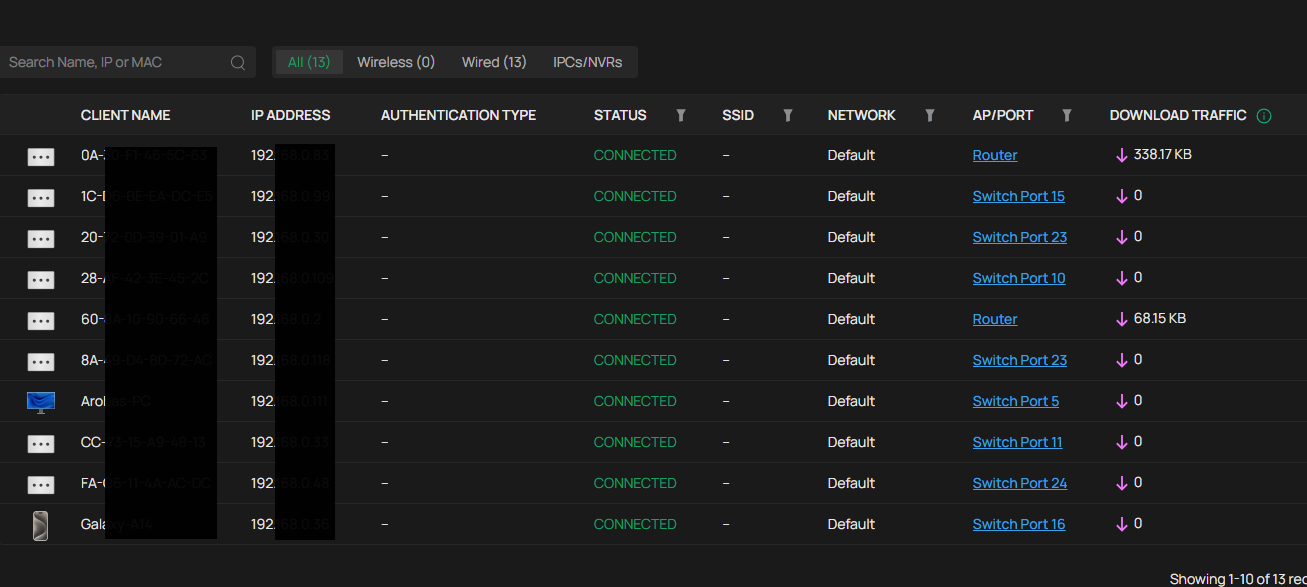
Configuration / Troubleshooting :
-
Infra : "Flat" network configuration with no VLANs.
-
Hardware : Mostly occurring on sites with ER8411 (v1.0) and SG3428XPP-M2 (v1.20).
-
Steps already taken:
-
Disabled DHCP L2 Relay, IGMP Snooping and ARP in LAN settings.
-
Tested by plugging an EAP653 directlu into the ER8411 router : the client still appears as "Wired" on the router port.
-
Verified statistics: Upload/Download traffic correctly shows up on the EAPs, meaning wireless telemetry is being sent, but the icon remains "Wired".
-
Observations : This bug seems linked to the processing power of newer routers (ER8411 / ER7206 v2). The router's ARP/DHCP table appears to "win the race" against the EAP's report in the controller's database. Notably, on a site with an older ER7206 v1.0, the identification is more stable (hybrid display), suggesting a timing or reporting priority issue.
-
Has anyone successfully stabilized the topology display in v6.1.x without implementing VLANs?
-
Is this officially recognized by TP-Link as a priority conflict between L2 (Switch/EAP) and L3 (Router) reporting?
-
Is there an "Early Access" firmware or a hidden setting to force priority for Wireless data?
Thanks in advance for your help!


