Canon printer PIXMA+G3010 connection to AX1500 Gigabit Wi-Fi 6 Router - Archer AX12 v1.0

Canon printer PIXMA+G3010 connection to AX1500 Gigabit Wi-Fi 6 Router - Archer AX12 v1.0

Canon printer PIXMA+G3010 connection to AX1500 Gigabit Wi-Fi 6 Router - Archer AX12 v1.0
Tuesday - last edited Wednesday
Tags: #Feature Request #Printer
Model: Archer AX12  
Hardware Version: V1
Firmware Version: 1.10.0 0.8.0 v6062.0 Build 240511 Rel.44969n

We're having a "Canon IJ printer - PIXMA G3010" which I need to connect with Archer AX12 v1.0. The printer is available as checked and confirmed here: PrinterCompatibilityList_20200430.pdf. Further to the same, I have also verified it on the Canon website. Is there any way that we can directly connect the printer to the Wi-Fi using Bluetooth or any other means? We've connected it to a laptop, and the laptop is a part of the "Printer_Guest" network of the Archer AX12 v1.0 router.

I have downloaded and installed the mobile appln available from here, https://play.google.com/store/apps/details?id=jp.co.canon.bsd.ad.pixmaprint, in order to achieve it.
We've done the following: the Wi-Fi router is made available for both 2.4 GHz [Printer_Guest] and another 5 GHz on the same device, and we've written an email to all support team members on both Canon and tplink.

All three devices—the mobile, and the laptop, which is connected to the printer PIXMA G3010—are all on the same network.
Important limitations (people miss this)

  1. Works only on 2.4 GHz WiFi, NOT 5 GHz
  2. Router security should be WPA2 (WPA3 sometimes fails—observed in real cases, not officially guaranteed).
  3. Printer must be reasonably close to router during setup

Pls check and help ASAP.

  0      
  0      
#1
Options
8 Reply
Re:Canon printer PIXMA+G3010 connection to AX1500 Gigabit Wi-Fi 6 Router - Archer AX12 v1.0
Tuesday

  @EventLife-Blore 


Hi,


Please first confirm if you are indeed using one of the Print Servers to which PrinterCompatibilityList_20200430.pdf applies.
 

  0  
  0  
#2
Options
Re:Canon printer PIXMA+G3010 connection to AX1500 Gigabit Wi-Fi 6 Router - Archer AX12 v1.0
Wednesday

  @woozle Hello! Yes, it is Canon PIXMA G3010.

  0  
  0  
#4
Options
Re:Canon printer PIXMA+G3010 connection to AX1500 Gigabit Wi-Fi 6 Router - Archer AX12 v1.0
Wednesday

  @EventLife-Blore 


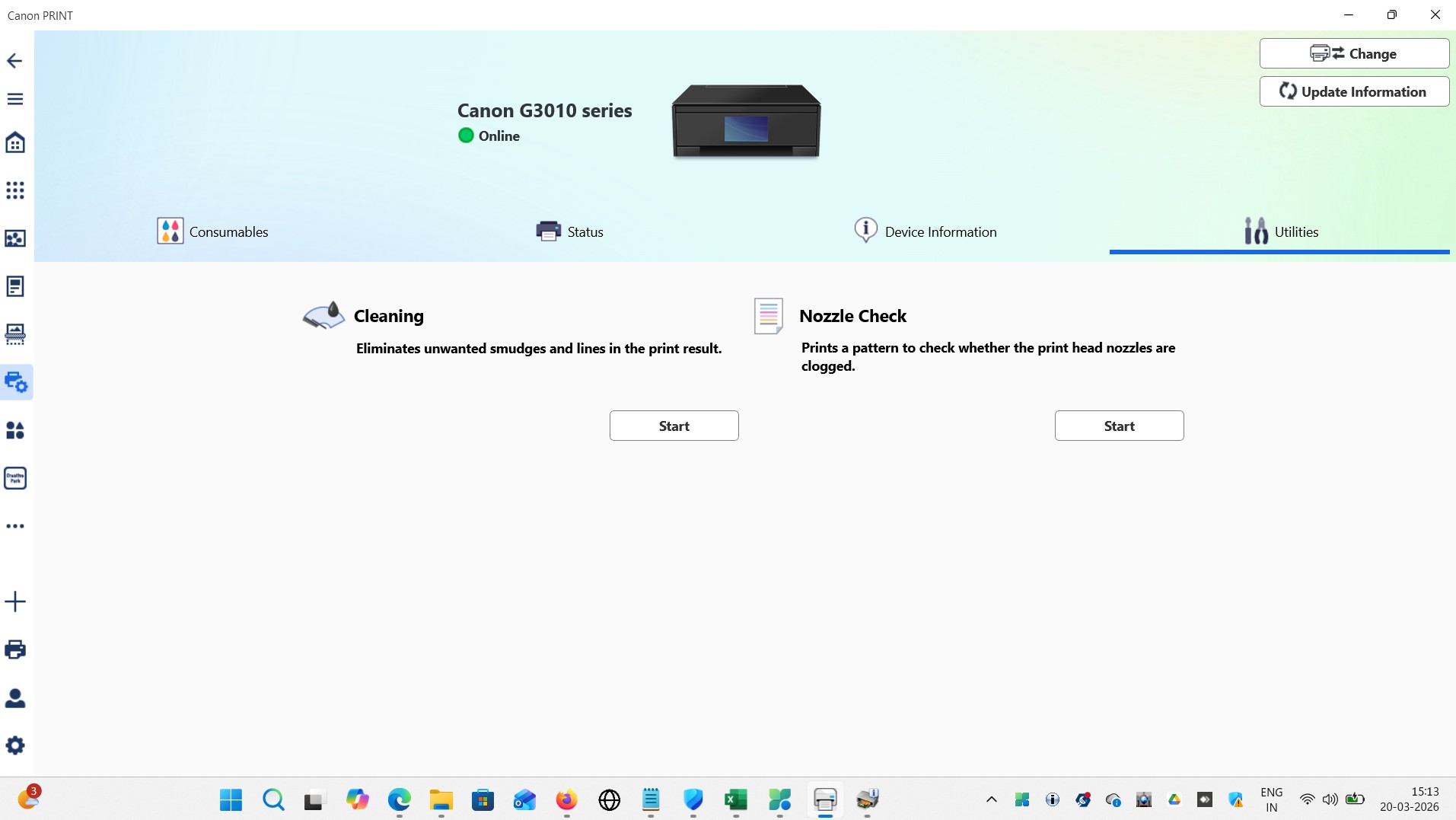
When you run the "Canon PRINT" app and "Search" for devices, does the app find the PIXMA G3010 printer?


Can you maybe post a screenshot of the "Canon PRINT" app that shows us how far you actually get in the setup process?

  0  
  0  
#5
Options
Re:Canon printer PIXMA+G3010 connection to AX1500 Gigabit Wi-Fi 6 Router - Archer AX12 v1.0
Friday - last edited Friday

  @woozle Sure, PFA. This is as checked on the laptop to which I've connected the printer, but it is not available from the Canon PRINT mobile application, which I've installed on the Android phone. I have tried the same on two different versions of Andriod 10 QP1A.190711.020 and Android version 11.

woozle wrote

  @EventLife-Blore 


When you run the "Canon PRINT" app and "Search" for devices, does the app find the PIXMA G3010 printer?


Can you maybe post a screenshot of the "Canon PRINT" app that shows us how far you actually get in the setup process?

  0  
  0  
#6
Options
Re:Canon printer PIXMA+G3010 connection to AX1500 Gigabit Wi-Fi 6 Router - Archer AX12 v1.0
Friday

  @EventLife-Blore 


Was the laptop connected to the wireless network of the Archer AX12 when you took the screenshot that shows "Canon G3010 Series -> Online" ?


If yes, then that would mean the Canon G3010 is properly connected to the Archer AX12.

  0  
  0  
#7
Options
Re:Canon printer PIXMA+G3010 connection to AX1500 Gigabit Wi-Fi 6 Router - Archer AX12 v1.0
Friday

  @woozle Yes.👍🏼

woozle wrote

  @EventLife-Blore 


Was the laptop connected to the wireless network of the Archer AX12 when you took the screenshot that shows "Canon G3010 Series -> Online" ?


If yes, then that would mean the Canon G3010 is properly connected to the Archer AX12.


  0  
  0  
#8
Options
Re:Canon printer PIXMA+G3010 connection to AX1500 Gigabit Wi-Fi 6 Router - Archer AX12 v1.0
Friday - last edited Friday

The printer is connected via USB to the laptop, which is a part of the same network, but it's unreliable as we are not able to connect to it even after sharing it. I've tried printing a test page, but it worked only once.

  0  
  0  
#9
Options
Re:Canon printer PIXMA+G3010 connection to AX1500 Gigabit Wi-Fi 6 Router - Archer AX12 v1.0
Friday

  @EventLife-Blore 


Ok, if you want to be able to use the G3010 printer via your network, then it would be better to connect it by Wi-Fi directly to the Archer AX12 instead of using USB and sharing it from the laptop.


To connect the G3010 via Wi-Fi to the Archer AX12 you could follow the instructions given on this Canon website:

https://ij.manual<dot>canon/ij/webmanual/Tutorial/G3010%20series/EN/TRL/trl-3000-a.html                (replace <dot> with . )

  0  
  0  
#10
Options