
ER605 - Block specifi UDP/TCP ports

Hi!
I'm configuring an ER605 gateway and need to block specific UDP/TCP ports to avoid gaming traffic. Accessing the Firewall ACL configuration, I saw that is only possible to select some services, like SSH, FTP, SMTP, ... but I can't select to block some specific port.
How can I do it?
Thanks
- Copy Link
- Subscribe
- Bookmark
- Report Inappropriate Content


Hi @Estanislau
Thanks for posting here.
Below are the steps:
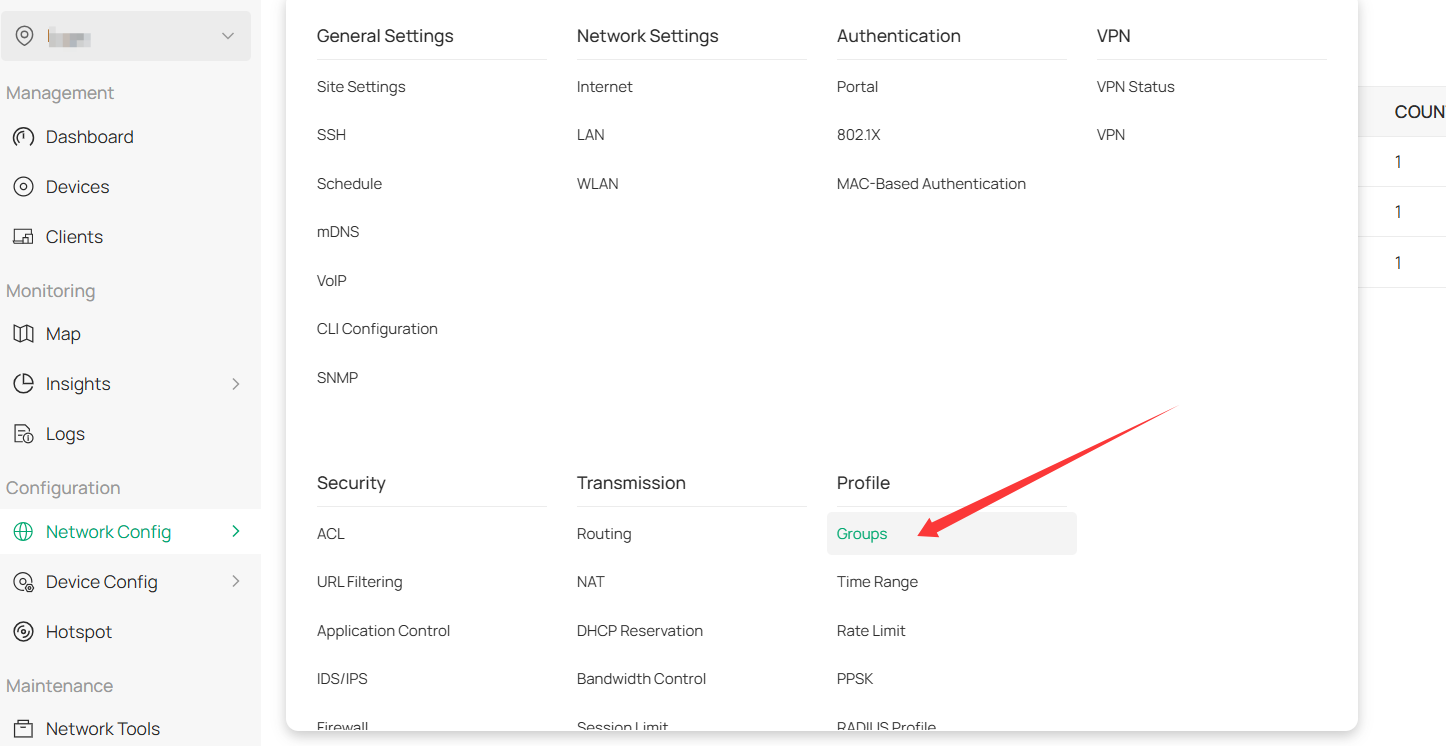
1. go to the Profile page to create the IP-Port Group as you need:
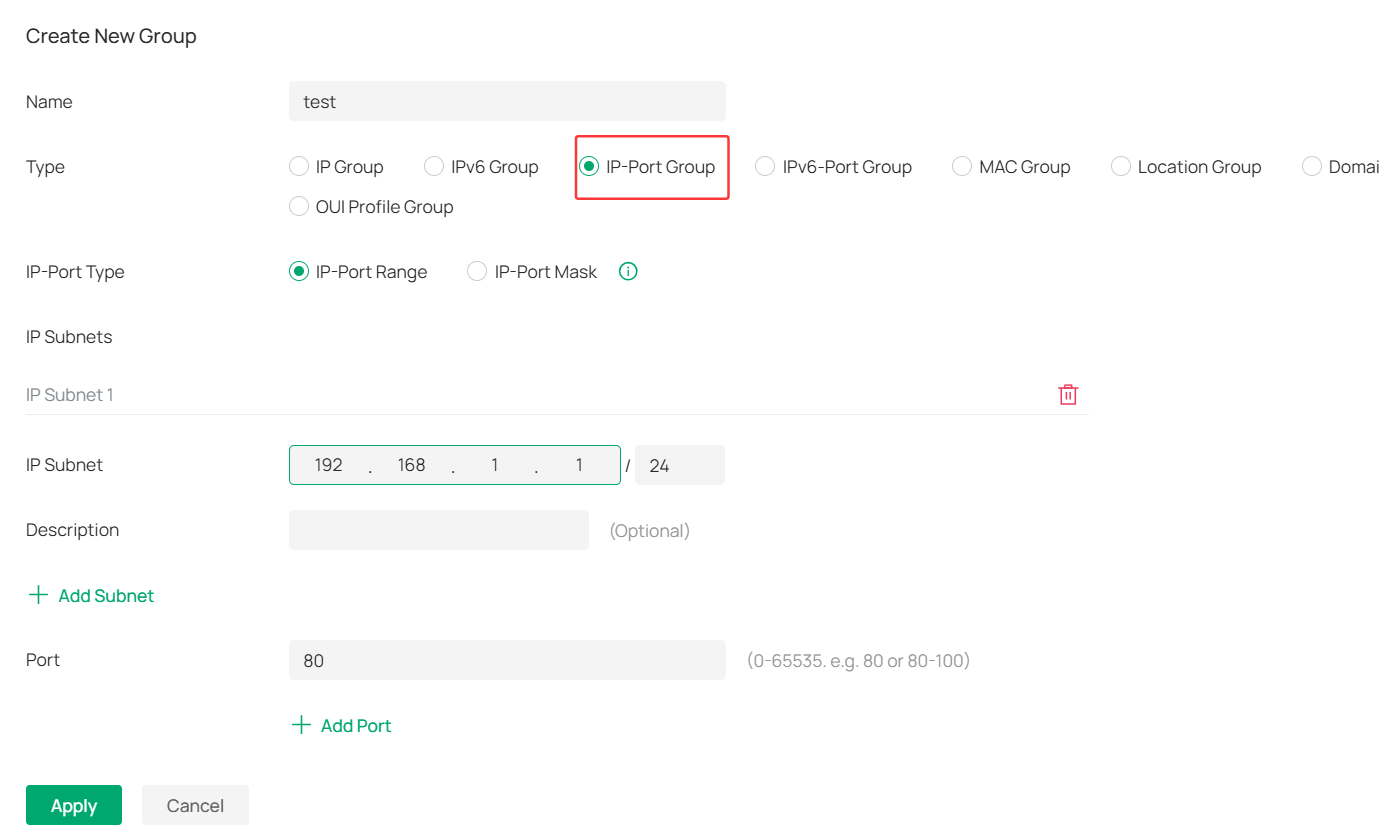
2. Create a new group> choose IP-Port Group
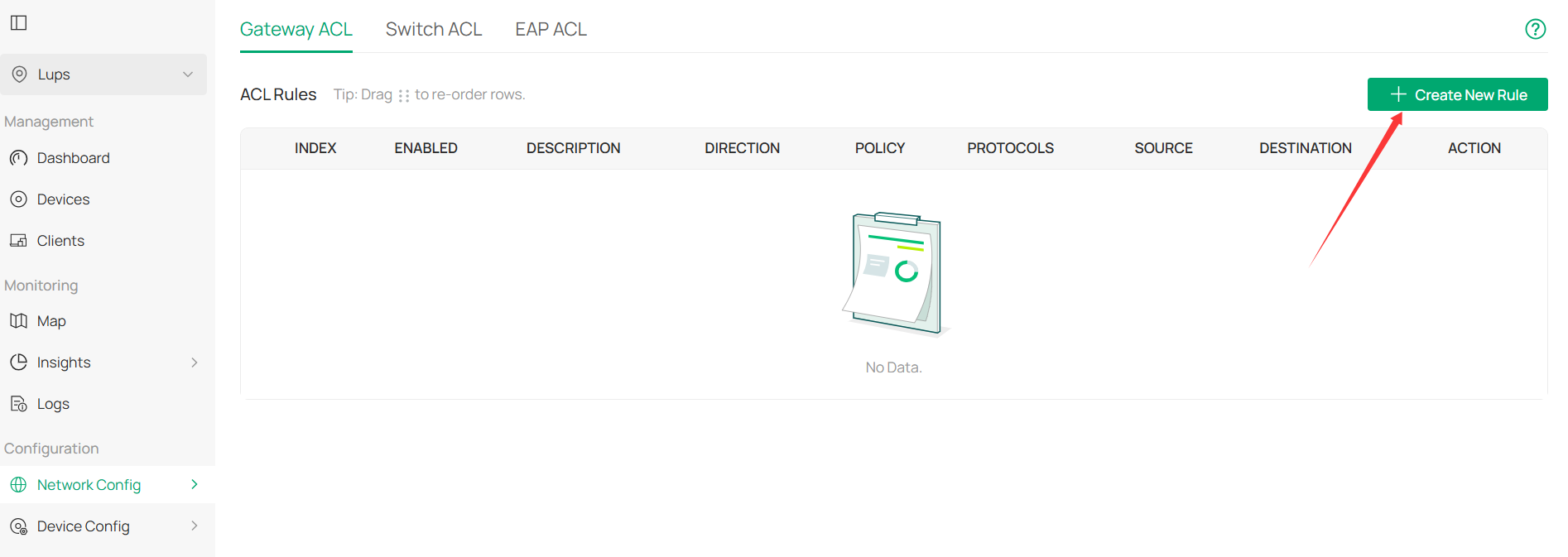
3. Go to Gateway ACL, create New ACL Rule:
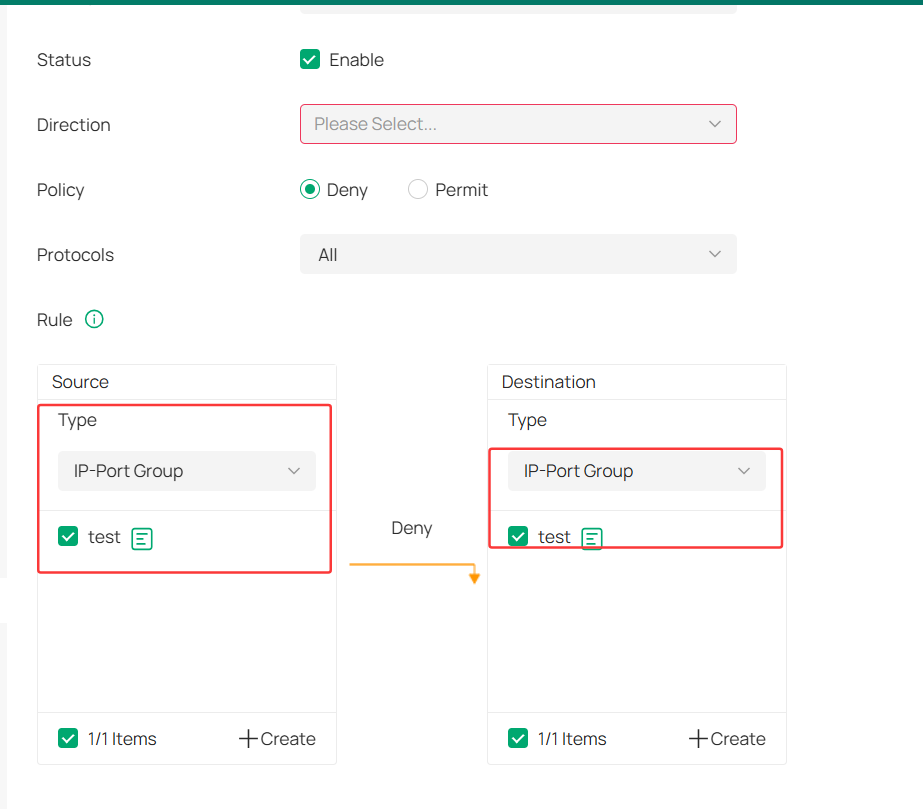
4. You will see the created profile on both Source and Destination:
- Copy Link
- Report Inappropriate Content

@Estanislau Try creating a service type that blocks the specific ports you want, and then using that Service Type in the ACL rules under Firewall.
- Copy Link
- Report Inappropriate Content
Hi @Estanislau
Thanks for posting here.
Below are the steps:
1. go to the Profile page to create the IP-Port Group as you need:
2. Create a new group> choose IP-Port Group
3. Go to Gateway ACL, create New ACL Rule:
4. You will see the created profile on both Source and Destination:
- Copy Link
- Report Inappropriate Content
- Copy Link
- Report Inappropriate Content
Information
Helpful: 0
Views: 395
Replies: 3
Voters 0
No one has voted for it yet.