WAN2 always shows offline on ER707-M2 GW

WAN2 always shows offline on ER707-M2 GW

WAN2 always shows offline on ER707-M2 GW
a week ago - last edited Yesterday
Model: ER707-M2   OC300  
Hardware Version: V1
Firmware Version: 1.4.1 Build 20260325 Rel.78146

Hi all,


Need some help here. I have an ER707-M2 v1 with 2 fiber WAN links connected to it for internet. WAN1 is a 2Gbps and WAN2 is 1Gbps. This GW is managed by an OC300. I'm having issue where WAN2 will always show as Offline, even if the actual link is up. I did not set WAN2 to be a backup link, and I wanted traffic to utilize both WAN links simultaneously. Both WANs are using PPPoe. Load balancing is currently set to 1:1. I did read around and most guides suggested me to check Online Detection Frequency, which was previously set to 1 minute. Whenever I changed it to even a smaller number, like 30 secs or 15 or 5, and hit Apply and go back to the Dashboard, WAN2 will show as online, but after a few minutes, when the dashboard is refreshed, it'll show as offline again.


Kindly assist me. TQ.

0
0
#1
1 Accepted Solution
Re:WAN2 always shows offline on ER707-M2 GW-Solution
a week ago - last edited Yesterday

Hi @Zack_Amin 


Could you please help confirm if the DNS server configured on the two WANs are identical or not?

If the answer is positive, then it may indicate that there is fluctuation within the WAN3 ISP network.

You can wire a PC directly to the WAN3 ISP and perform a continuous ping test to see if any ping loss.

Recommended Solution
0
0
#5
3 Reply
Re:WAN2 always shows offline on ER707-M2 GW
a week ago - last edited a week ago

Hi @Zack_Amin 

Thanks for reaching out to TP-Link Business Forums.


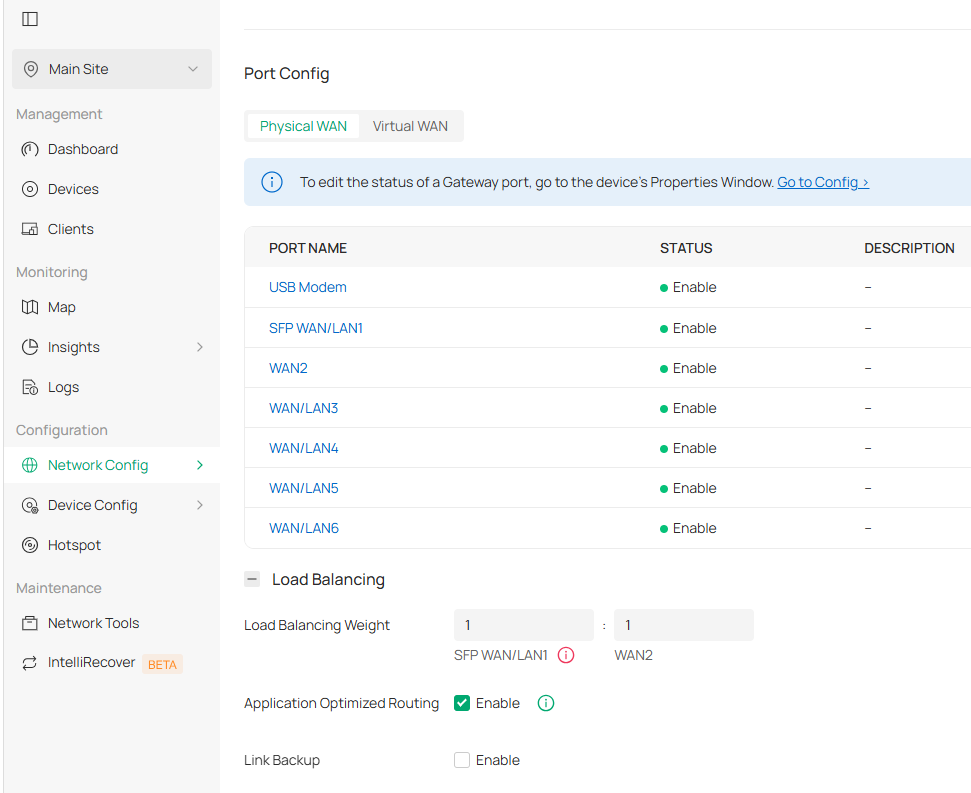
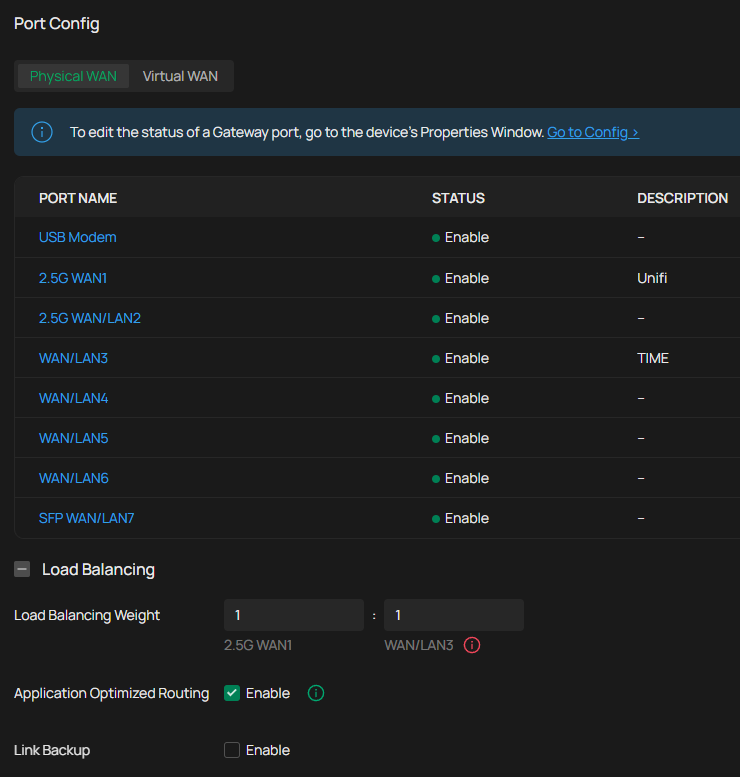
May I confirm if you can navigate to Site View > Network Config > Network Settings > Internet and screenshot that page to us?

And can you also take a short shot of showing the WAN 2 changes from Online to Offline after changing the detection frequency?

If you don't mind, please try connecting a WAN2 to a PC to perform a continuous ping test to see if any ping loss occurs.

Thanks for your understanding.

0
0
#2
Re:WAN2 always shows offline on ER707-M2 GW
a week ago - last edited a week ago

  @Gabriel-TP Hi,


Please refer to the screenshot below as requested.


The port I'm using for WAN2 is actually WAN3 in the GW, but I refer to it as WAN2 in this post for easier understanding.


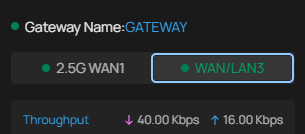
This is what the dashboard shows right after changing the Online Detection Frequency :


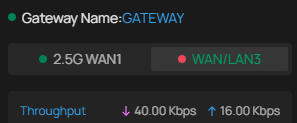
And this is what it will show after the dashboard is refreshed after a few minutes :


0
0
#3
Re:WAN2 always shows offline on ER707-M2 GW-Solution
a week ago - last edited Yesterday

Hi @Zack_Amin 


Could you please help confirm if the DNS server configured on the two WANs are identical or not?

If the answer is positive, then it may indicate that there is fluctuation within the WAN3 ISP network.

You can wire a PC directly to the WAN3 ISP and perform a continuous ping test to see if any ping loss.

Recommended Solution
0
0
#5