
Create VPN connection from windows VPN

I want to make a encrypted connection from windows VPN to my server using my omada controller. I created VPN server type L2TP and a user with L2TP also. But I know that on VPN server type IPsec has more security encryption but I cant add a user account to that type of VPN and I can't make a connection.
Can you please guide me on making that secure connection.
Thanks,


- Copy Link
- Subscribe
- Bookmark
- Report Inappropriate Content


Hi @AngelaGarza
Not sure what do you mean by the "other one (IPsec) ", but when you create a user, you can choose all the servers you created.
Just choose the "other one (IPsec) " as the server.
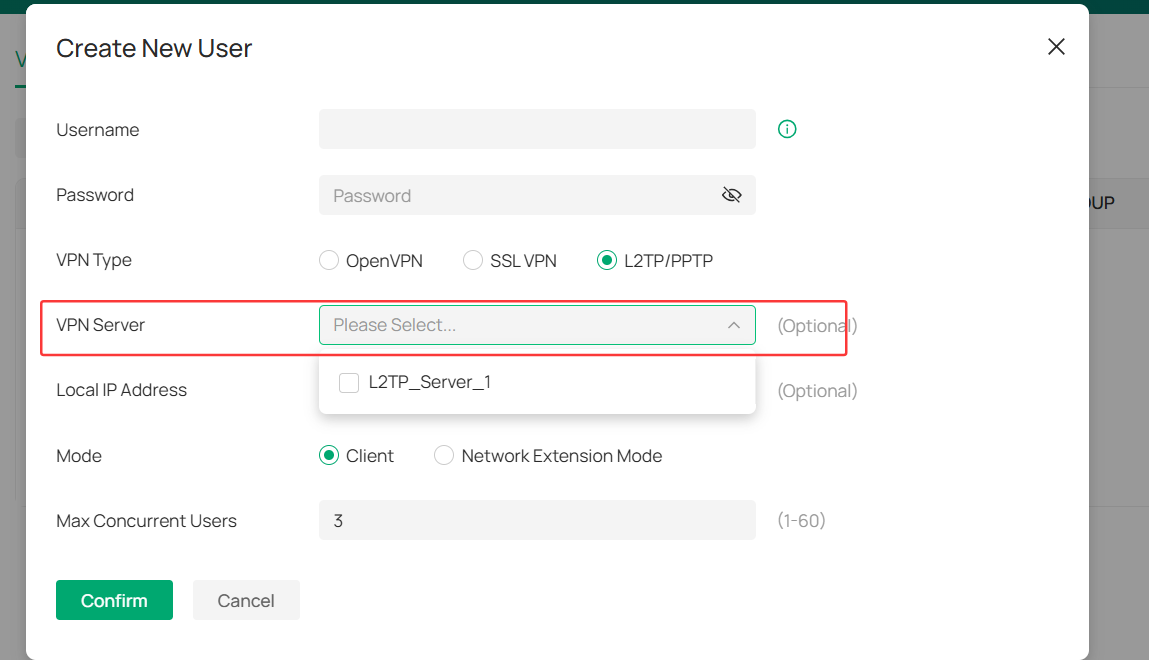
Here is a configuration guide for your reference:
If there is still some misunderstanding, please clarify with the following info:
1. The screenshot of the VPN server config page.
2. Is the SDN gateway router working as the VPN server? If not, please let us know the VPN device.
3. Which/what kind of device will be the new user you want to creat.
AngelaGarza wrote
I already did that as you can see on the pictures attached. I want to know how can I add a user to use with the other one (IPsec) since that one is more secure.
- Copy Link
- Report Inappropriate Content
Hi @AngelaGarza
Thanks for posting here.
To create an L2TP VPN with IPsec encryption, please see the following screenshot:
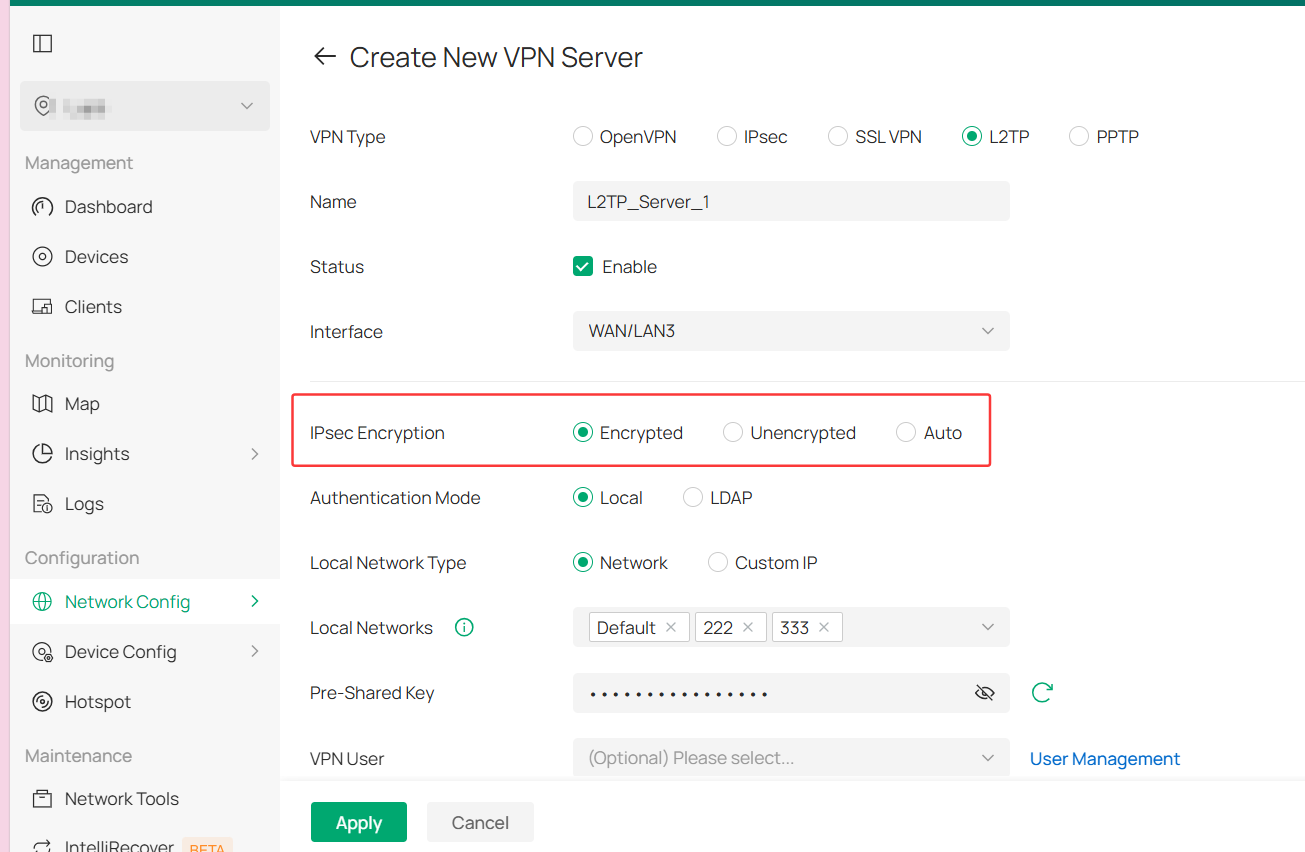
To add a VPN user for the L2TP server, go to VPN Server > User Management > Create New User. Screenshot as below:
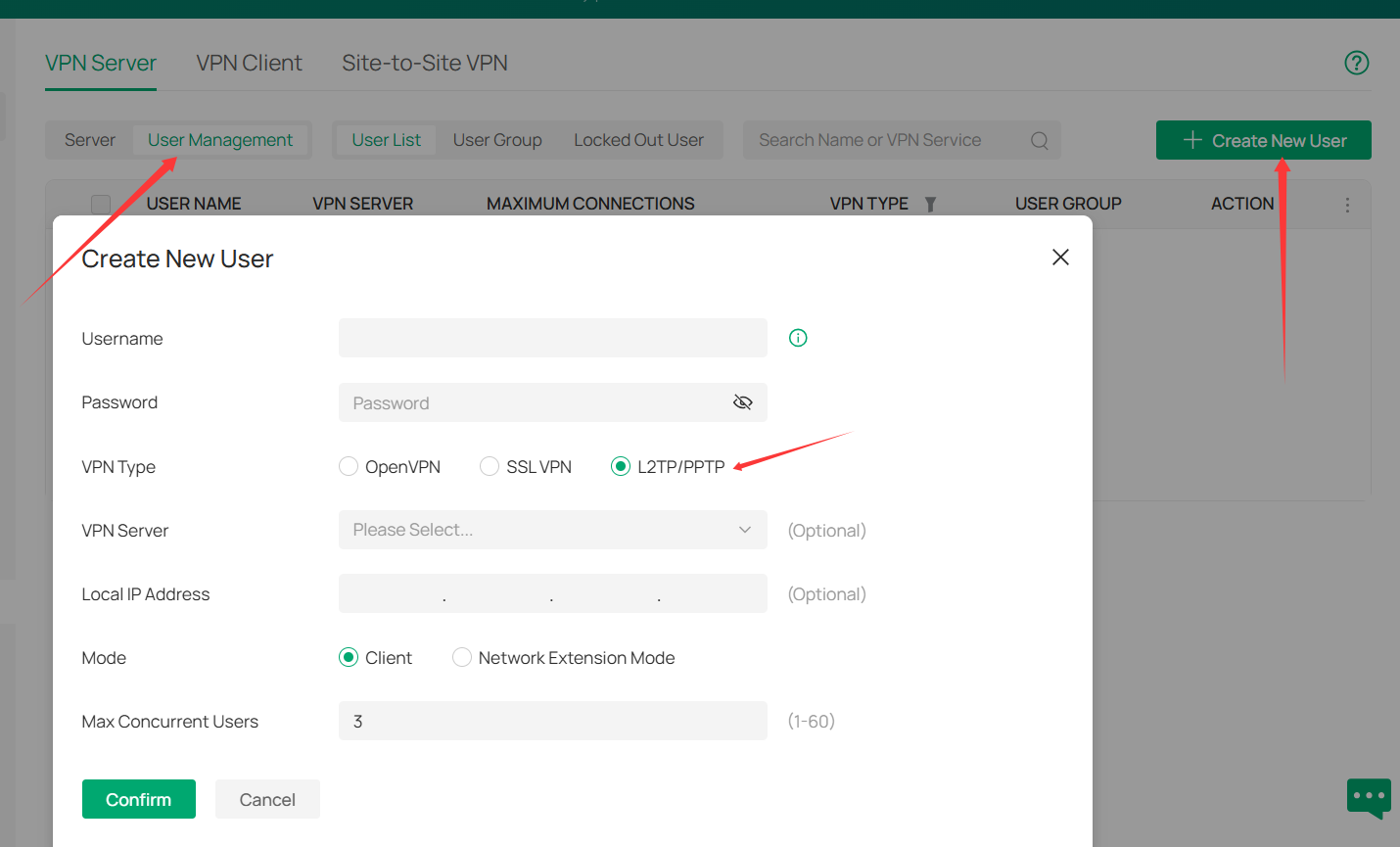
Here is a guide on how to configure it:
How to set up PPTP & L2TP VPN Server with Omada Gateway in Controller Mode
Note: The screenshots were captured from an old controller, but the steps are basically the same.
- Copy Link
- Report Inappropriate Content
I already did that as you can see on the pictures attached. I want to know how can I add a user to use with the other one (IPsec) since that one is more secure.
- Copy Link
- Report Inappropriate Content
Hi @AngelaGarza
Not sure what do you mean by the "other one (IPsec) ", but when you create a user, you can choose all the servers you created.
Just choose the "other one (IPsec) " as the server.
Here is a configuration guide for your reference:
If there is still some misunderstanding, please clarify with the following info:
1. The screenshot of the VPN server config page.
2. Is the SDN gateway router working as the VPN server? If not, please let us know the VPN device.
3. Which/what kind of device will be the new user you want to creat.
AngelaGarza wrote
I already did that as you can see on the pictures attached. I want to know how can I add a user to use with the other one (IPsec) since that one is more secure.
- Copy Link
- Report Inappropriate Content
Information
Helpful: 0
Views: 417
Replies: 3
Voters 0
No one has voted for it yet.