Quick question about the backup functionality in conjunction with an Omada Controller

Quick question about the backup functionality in conjunction with an Omada Controller

Quick question about the backup functionality in conjunction with an Omada Controller
17 hours ago - last edited 11 minutes ago
Model: OC200  
Hardware Version: V2
Firmware Version:

Hi all,


I actually have a very brief question, about the back-up functionality from my devices when being enrolled in an Omada Controller.


Am I right by saying that, if the controller is properly being backed up, this also means all devices (Switches, EAPs, ...) that are managed by that controller are being backed up this way?


In other words, these backups should be sufficient, right



The reason I'm asking this, is to properly understand the recovery process, if, say for example, one of my switches would crash during a power outage, upgrade, ... 


How would this work in pratice, if (hopefully not) ever necessary?


Thanks in advance for your help.


Kind regards


0
0
#1
1 Accepted Solution
Re:Quick question about the backup functionality in conjunction with an Omada Controller-Solution
39 minutes ago - last edited 11 minutes ago

Hi @xSellize 


Yup, your interpretation is correct.

When a gateway, switch, ap, etc., is removed/reset from the controller, you can just re-adopt it to the controller who will then synchronize all previous settings to it.

If the controller itself lose all data/configuration, as long as you still keep the backup file, you can use that file to restore the settings.

Recommended Solution
1
1
#4
3 Reply
Re:Quick question about the backup functionality in conjunction with an Omada Controller
8 hours ago

Hi @xSellize 

Thanks for reaching out to TP-Link Business Forums.


You should be using Backup Schedule Feature which would allow you to save the configuration, user information, etc.

The configuration would be applied to all devices that are adopted to the controller. I mean, yes, the backup is enough.

If your controller crashes and you have to reset it, you can import that backup file to restore all settings.

How to get a backup file on Omada Controller v6 and above | Omada Network Support

0
0
#2
Re:Quick question about the backup functionality in conjunction with an Omada Controller
56 minutes ago - last edited 53 minutes ago

Hi @Gabriel-TP,


Thanks for the swift reaction.


So as per my understanding, my interpretation was correct then, right?


Whenever a switch, eap, or any other device would need to be recovered due to various factors, ensuring it is reachable for the controller should be enough.


If the controller is operational, it will reprovision the device, and basically put the most recent configuration known in the controllers database for that particular device back.


If the controller itself were to go down for whatever reason, then restoring from the most recent back up file would be sufficient in that case.


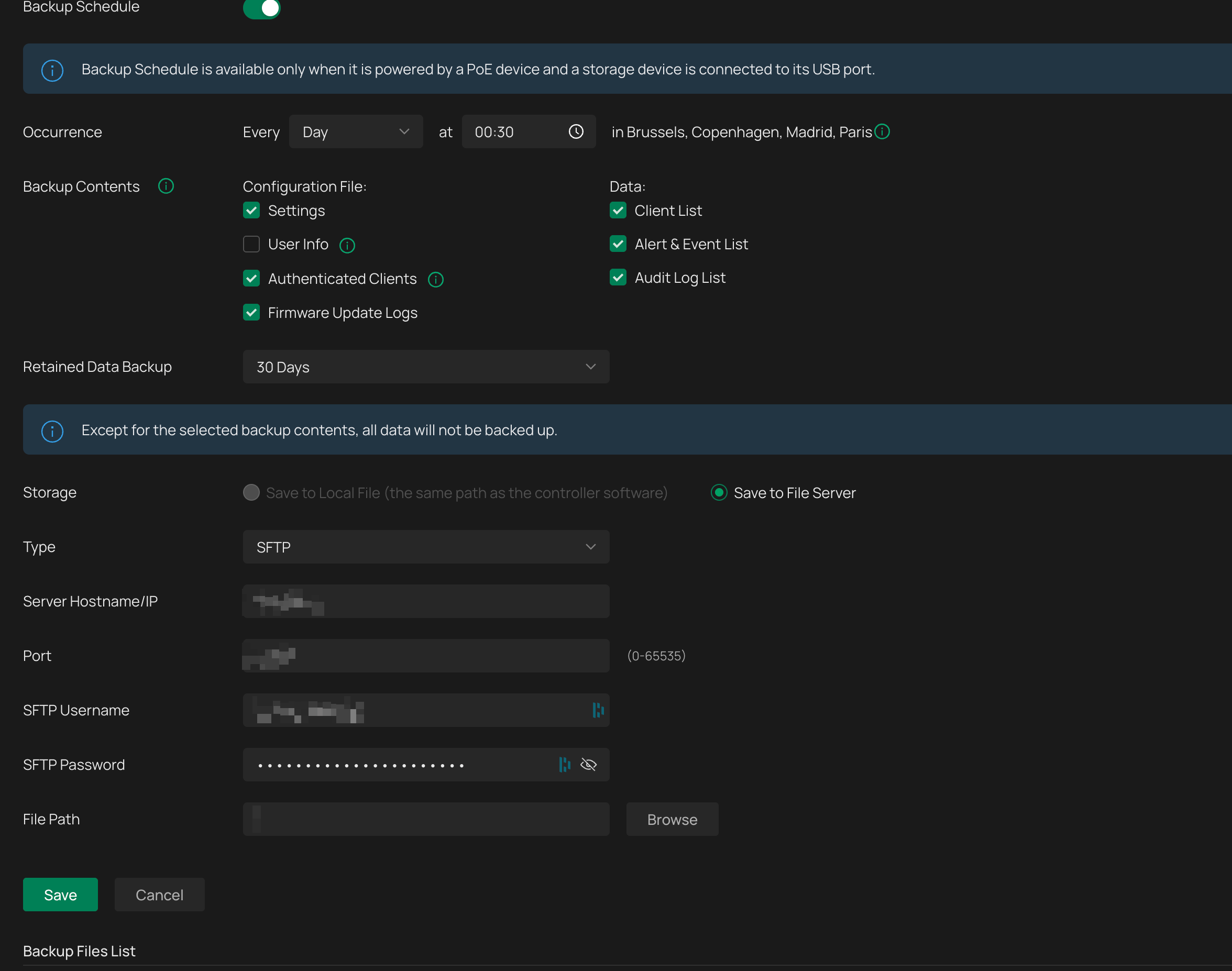
Currently, I have it configured as per following back up schedule to my SFTP server. I think that should be enough?


Thanks for your help so far.


Best regards

0
0
#3
Re:Quick question about the backup functionality in conjunction with an Omada Controller-Solution
39 minutes ago - last edited 11 minutes ago

Hi @xSellize 


Yup, your interpretation is correct.

When a gateway, switch, ap, etc., is removed/reset from the controller, you can just re-adopt it to the controller who will then synchronize all previous settings to it.

If the controller itself lose all data/configuration, as long as you still keep the backup file, you can use that file to restore the settings.

Recommended Solution
1
1
#4