

ER8411 drunk?

ER8411 drunk?

ER8411 drunk?
ER8411 drunk?
16 hours ago - last edited 15 hours ago
Model: ER8411  
Hardware Version:
Firmware Version:

Who is actually assigning the IP address here?
A duplicate assignment?

Completely different addresses have been assigned.
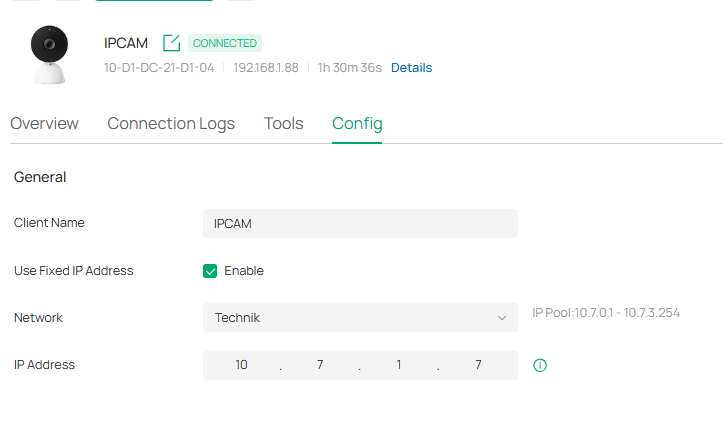
 

and
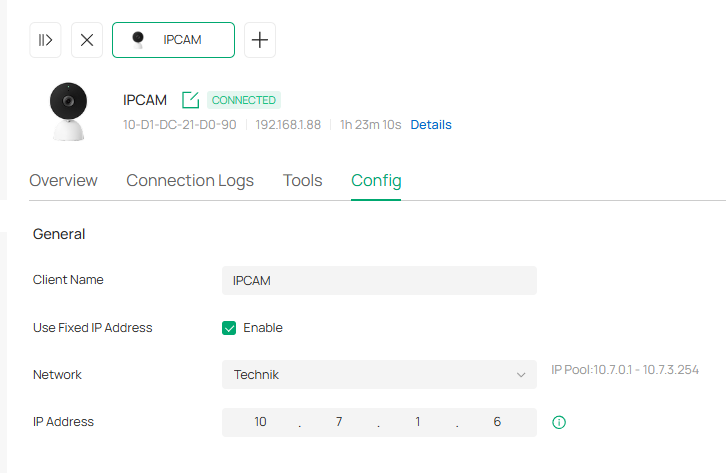


Regardless of this, it is no longer checked whether the assigned IP address matches the specified VLAN.
Programmed chaos!

The AI ​​says that it would have been better if I had spent more money to acquire better equipment.

0
0
#1
2 Reply
Re:ER8411 drunk?
7 hours ago - last edited 7 hours ago

  @VolkerS 


DHCP reserved addresses can only be assigned if the device is on the correct vlan and there are no other DHCP servers serving conflicting addresses within the scope of that vlan

- you may have the incorrect native vlan assigned to the switch ports

- you may have another DHCP server running somewhere that responds first


I have 2 ER8411s and neither behaves in this way over hundreds of devices on 9 vlans.

0
0
#2
Re:ER8411 drunk?
7 hours ago

Hi @VolkerS 

Thanks for reaching out to TP-Link Business Forums.


Would it be helpful if you try to reboot the two cameras? It might be previously assigned by the previous DHCP server and the IP has not been released yet.

Alternatively, you may navigate to Site View > Network Config > Transmission > DHCP Reservation and manually setup a reservation IP for the two IPCs. How to set up DHCP Reservation for clients on Omada Gateway in Controller mode | Omada Network Support

0
0
#3
