ER605 & M7352 4G LTE Failover - Random USB Disconnection

ER605 & M7352 4G LTE Failover - Random USB Disconnection

ER605 & M7352 4G LTE Failover - Random USB Disconnection
a week ago - last edited a week ago
Model: ER605 (TL-R605)  
Hardware Version: V2
Firmware Version: v2.3.3

I have the following configuration:
 

   ER605 v2.20 (with Firmware v2.3.3)
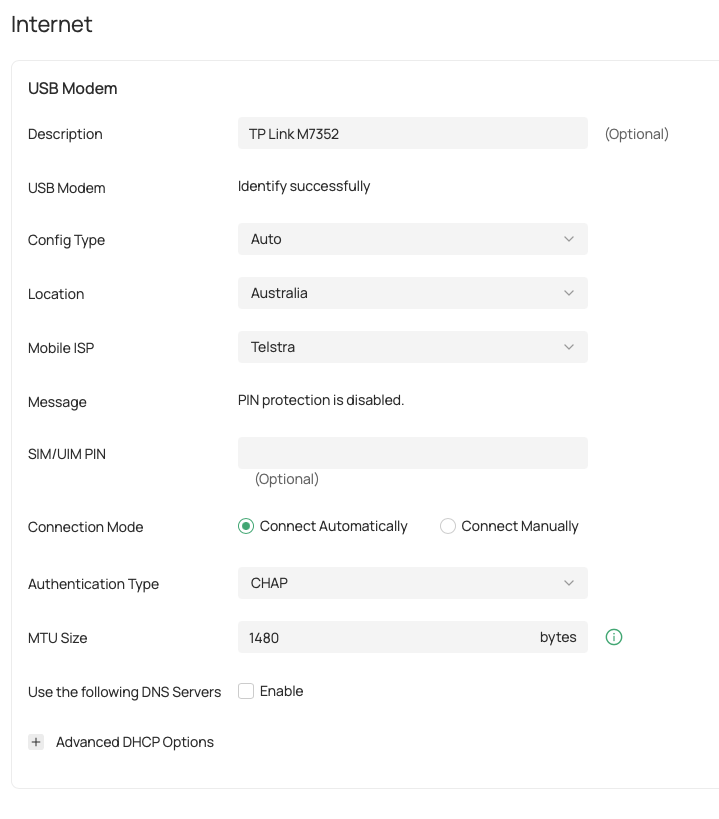
   M7352(EU) v1.0 4G LTE USB device (with Firmware 1.0.3 Build 251111 Rel.1091n) - power save mode disabled.


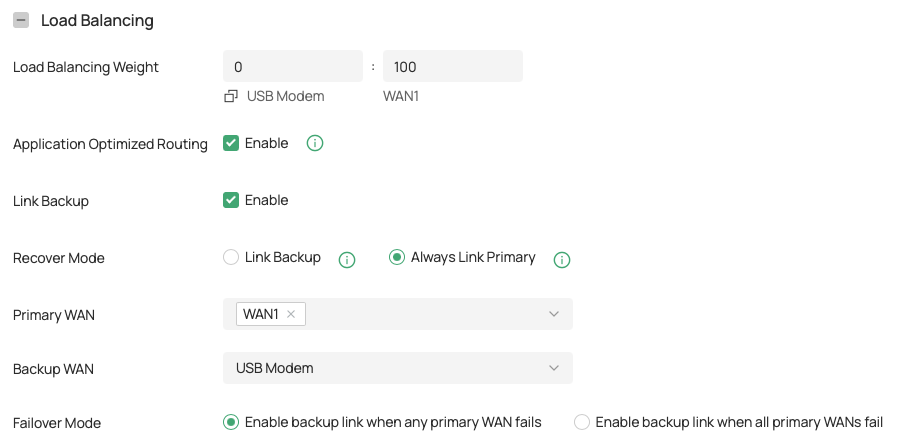
I am using Omada Controller (v6.2.17.10) to manage the ER605 edge gateway router and have configured the USB Modem as failover of my NBN link fails.


The Internet/FailOver configuration is as follows:
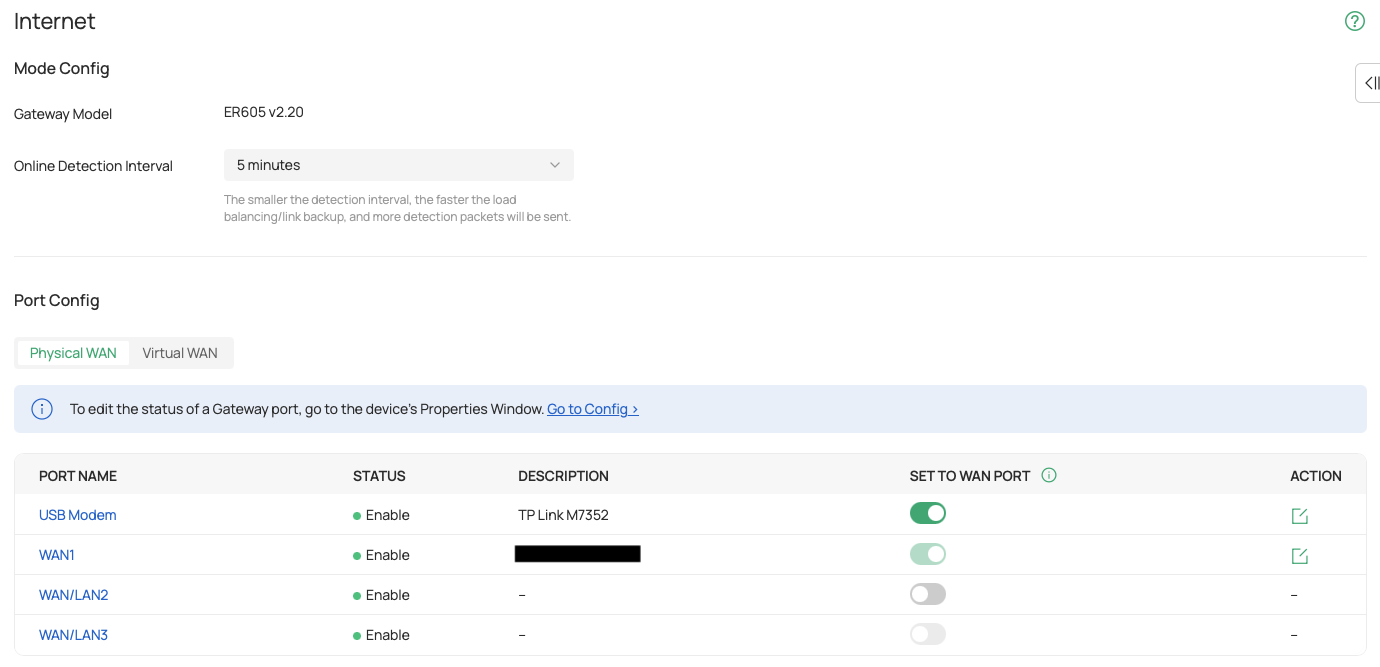
 

Omada Internet Settings

Omada Internet Laod Balancing Settings


USB Modem Settings


On power resetting the ER605, the router boots and the M7352 4G Modem plugged into the USB port is shown with a local IP address assigned (on a seperate address range than the main edge router and the rst of my LAN) and as connected. The Modem is accessible from the main LAN and can be configured via the web interface. Failover works if the NBN connection is manually disabled or fails.
 

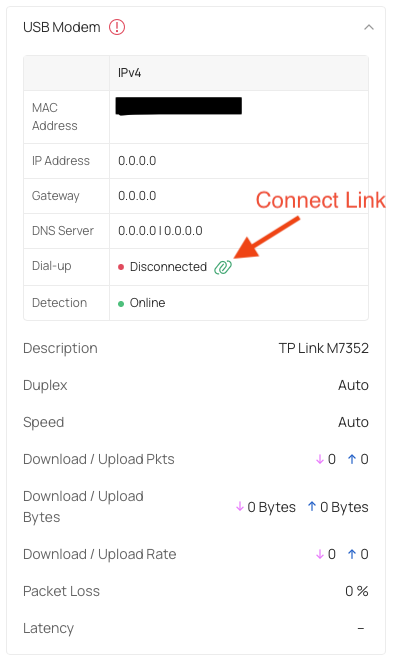
The issue is that after a random period of time, could be hours or could be days, Omada reports that the USB Modem is down. On checking the USB port, it is shown as disconnected. Clicking the "Connect" link appears to be doing something, but eventually returns to to show the port as disconnected and the linka s down. How can I prevent this random disconnection, and have a reliable WAN failover.
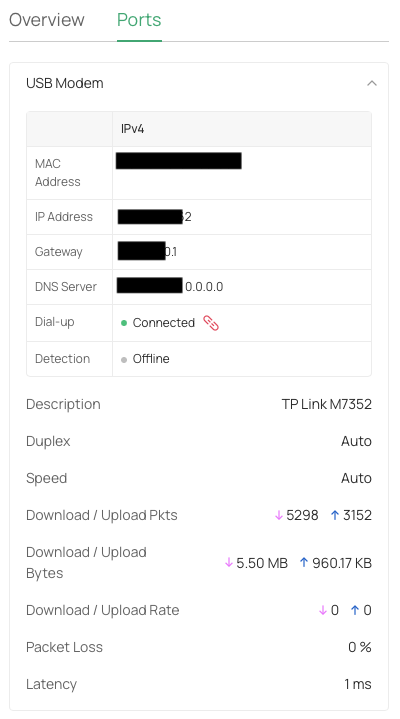
 

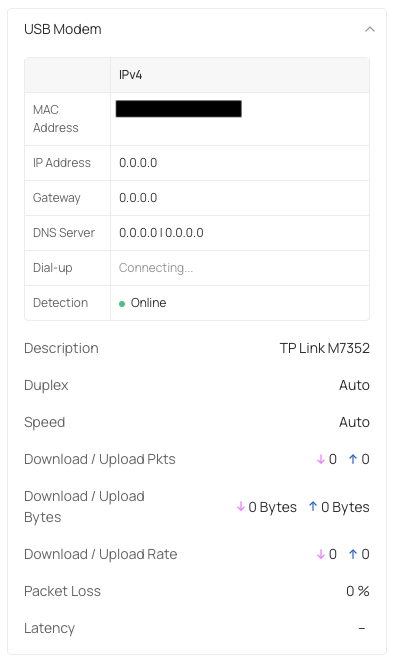
USB Modem ConnectedUSB Modem DisconnectedUSB Modem Connecting

0
0
#1
5 Reply
Re:ER605 & M7352 4G LTE Failover - Random USB Disconnection
a week ago

Hi @CyberHome 


Thanks for reaching out to TP-Link Business Forums.


This is exactly how Link Backup feature should work.

When the Primary WAN is taking effect, the Backup WAN will be offline/disconnected. However, this does not really mean the Backup WAN is not working. The Omada Controller will still send some packets to ping some hostnames or IP addresses to detect if the Backup WAN is working or not.

If you want to keep both online/connected, you can simply disable Link Backup and just enable Load Balancing.

You may refer to this article: Common Questions About the Load Balancing, Link Backup(Failover) & Online Detection - Business Community

0
0
#2
Re:ER605 & M7352 4G LTE Failover - Random USB Disconnection
a week ago

  @Gabriel-TP 


The issues is that the ER605 randomly disconnects the M7352 from the USB port and it is no longer accessible.


If the WAN1 link then fails, the failover does not work, as the USB device is no longer connected to the USB port and cannot be communicated with.


I also receive error notifications such as:


Modem Down Error


0
0
#3
Re:ER605 & M7352 4G LTE Failover - Random USB Disconnection
a week ago

Hi @CyberHome 


This seems that the USB dongle is not working stably.

What's the model of it?

Can you set it as the primary WAN to check if the connection will last long?

Or if you have another one, could you swap it to have a try? Same issue?

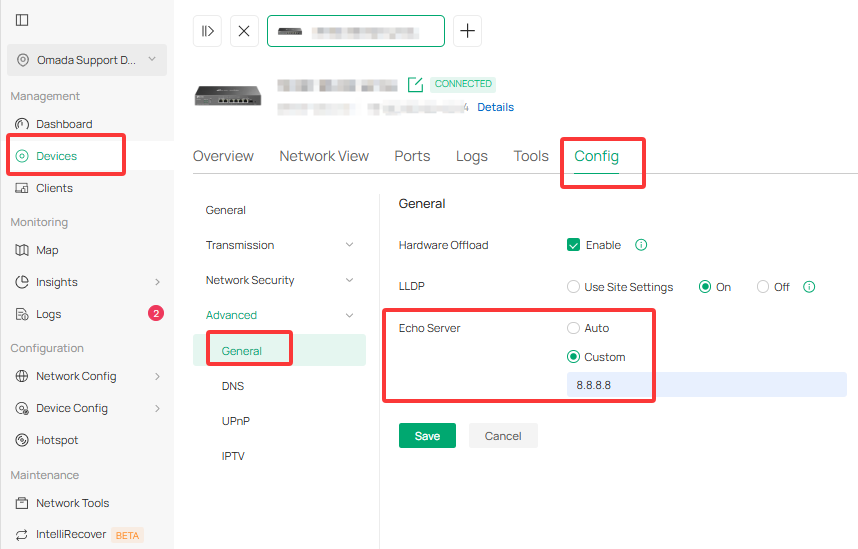
You may change the Online Detection mechanism by navigate to Site View > Devices > ER605 > Manage Device > Config > Advanced > General > Echo Server to custom 8.8.8.8. This modification will allow the controller to detect if the WAN is online by pinging 8.8.8.8.

0
0
#4
Re:ER605 & M7352 4G LTE Failover - Random USB Disconnection
a week ago - last edited a week ago


@Gabriel-TP 

The modem is a TP Link M7352 4G LTE Mobile Wifi device (https://www.tp-link.com/au/home-networking/all-mifi/m7352/). It is configured to NOT use "Power Saving" mode. and is on a separate LAN (192.168.0.0/24) rather than the main LAN address range (192.168.2.0/24).

The M7352 Web configuration interface is accessible, via it's 192.168.2 address from the main. LAN, when the device is shown as "Connected" but not when it randomly disconnects, and Omada Controller states that the device is down and disconnected.

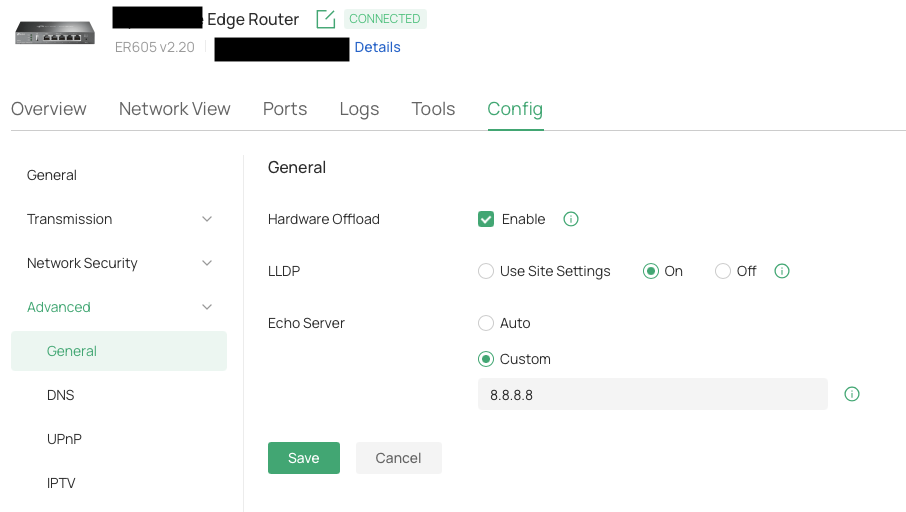
I have already configured the Echo Server to be "Custom" with a value of 8.8.8.8


Config Advanced Echo Server


Unfortunately, I don't have another M7352 with which to test whether the issue still occurs.

As for testing the uptime of the USB Modem as the primary WAN, I will need to do this outside of normal business hours ( after 18:00 AEST), as it I do not want to impact normal business operations.


0
0
#5
Re:ER605 & M7352 4G LTE Failover - Random USB Disconnection
a week ago

Hi @CyberHome 


In my opinion, this seems to be the MiFi device itself not works stably as the controller can still detect the primary WAN which is working with no issue. Also, you have set the Echo Server to 8.8.8.8 which helps identify if the WAN is online.

To identify if this is caused by the MiFi or the ER605, please help perform some tests when you are available:

1. Change the LET WAN DNS server to 8.8.8.8 / 8.8.4.4

2. Please refer to this article to connect the MiFi to your PC directly and confirm the connectivity pinging 8.8.8.8 -t : How to access Internet via USB cable with TP-Link Mobile Wi-Fi

3. Swap a different USB cable to connect the MiFi to the ER605; you may also switch the WAN port on the ER605.

4. Confirm if only LET WAN is actived will the connectivity lost.

0
0
#6