
OC300 working CPU temperature

What is standard working CPU temperature of OC300 v1.0?
Mine is working at ~62 °C (chassis temp is ~35 °C) and I would like to confirm that's normal or not (I feel something is wrong).
At the same time and location my ER7412-M2 has CPU temp. at barely 42 °C.
- Copy Link
- Subscribe
- Bookmark
- Report Inappropriate Content


@KrispPL The working temperature is 0-50 Celsius, so it's running a little hot. Is there anything that could be causing that in your network environment?
Is this a relatively new device, or has it been running for a good amount of time?
- Copy Link
- Report Inappropriate Content
@NeilR_M It's a brand new OC300 less than a month old.
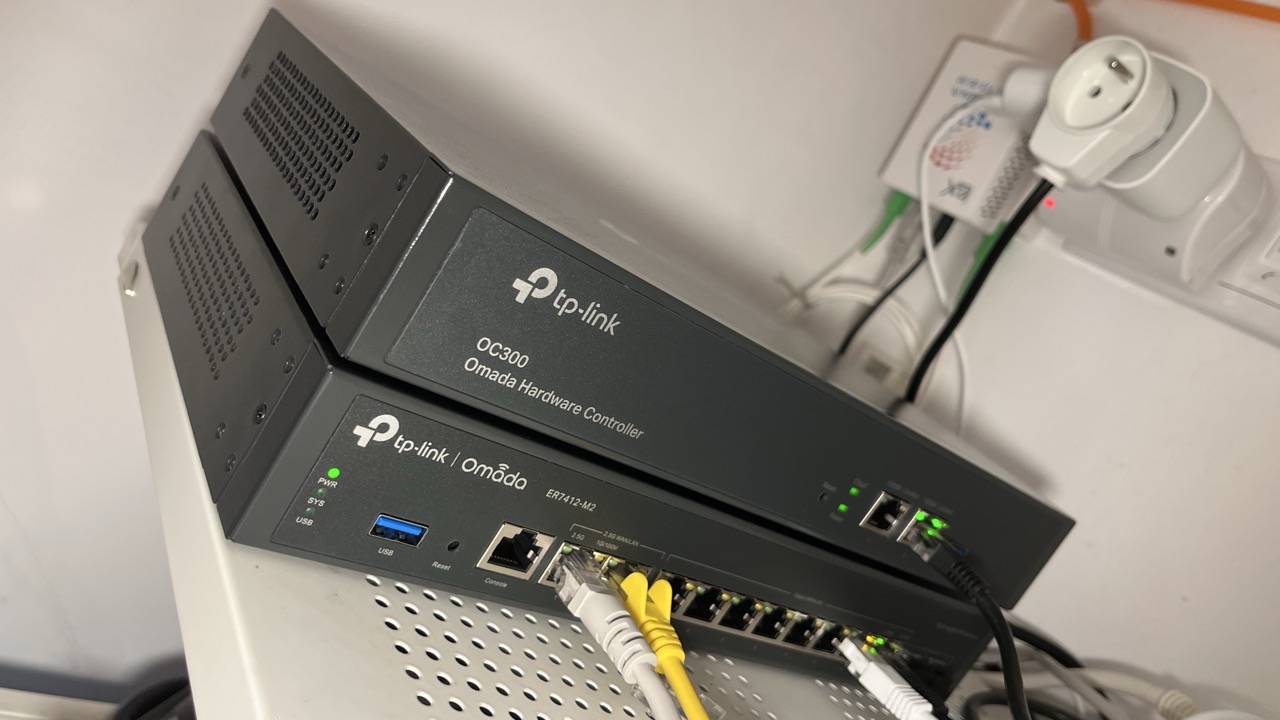
There is nothing special in the environment - OC300 is stacked with ER7412-M2 on the bottom as shown on the photo below.
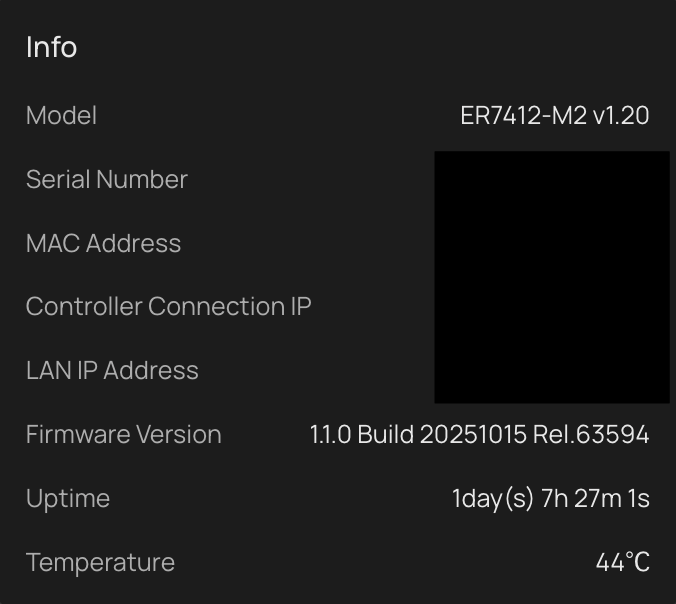
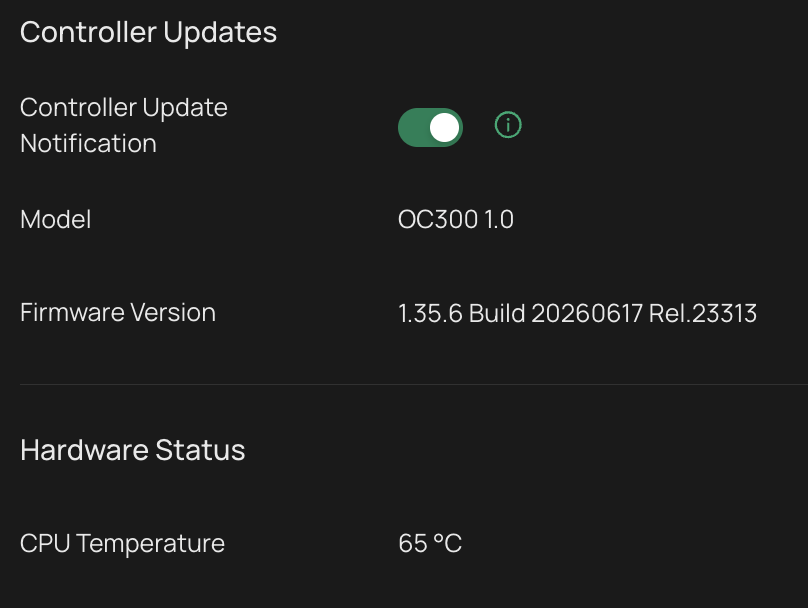
Right now ER has CPU temp. 44 °C and OC has CPU temp 65 °C (captures attached below).
Reversing stack sequence (OC at the bottom) does not change much - temp. drops to 64 °C.
- Copy Link
- Report Inappropriate Content
@KrispPL I see you're on the pre-release firmware; if you revert to the latest stable firmware, can you see if the issue persists?
- Copy Link
- Report Inappropriate Content
@NeilR_M I had the same results on previous firmware (from the very beginning).
- Copy Link
- Report Inappropriate Content
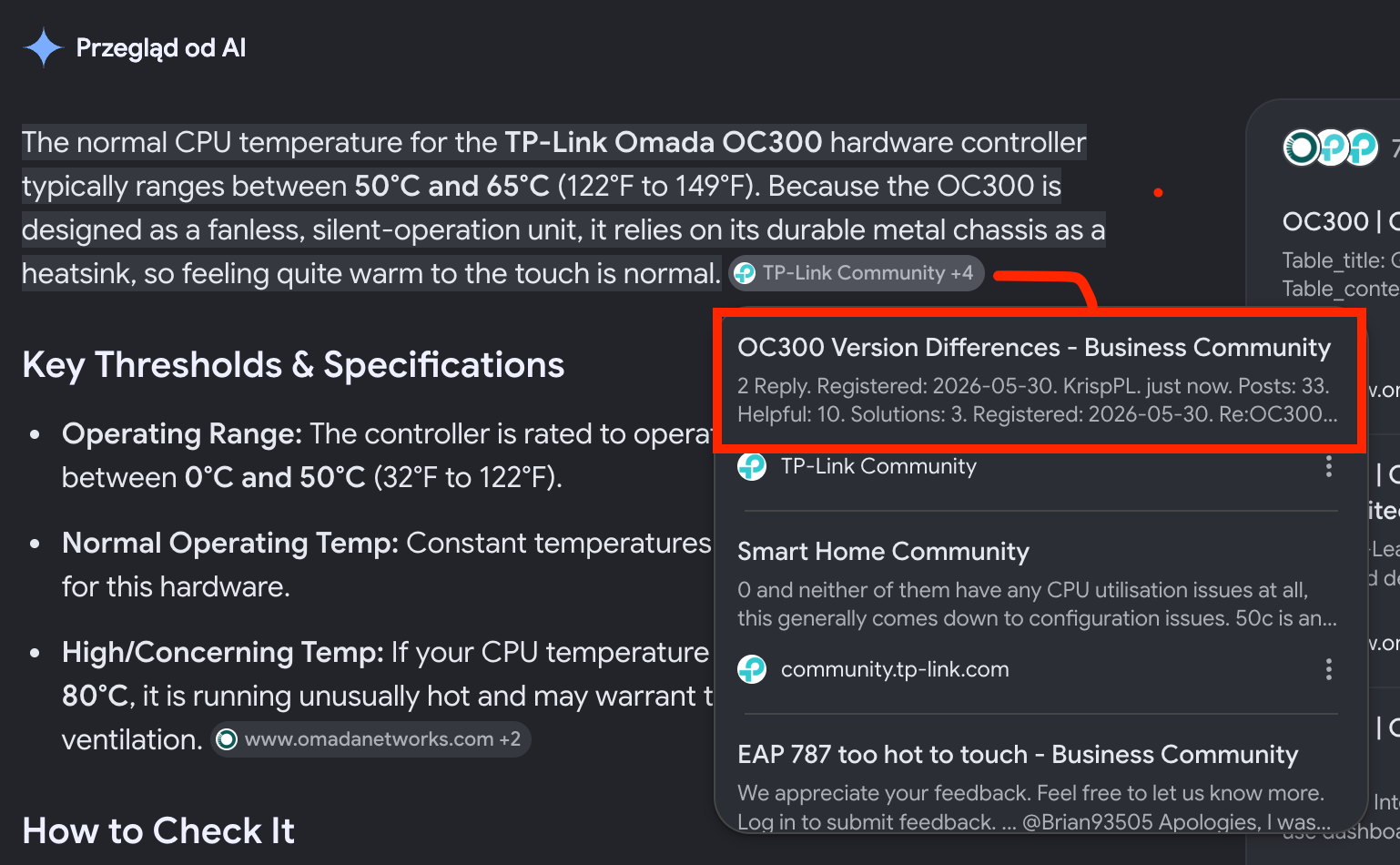
A fun fact posted here to warn against AI.
Gemini asked about OC300 working temp. made its answer up based on my other post here with similar question.
Never ever trust to AI.
- Copy Link
- Report Inappropriate Content

Hi @KrispPL
Thanks for reaching out to TP-Link Business Forums.
Upon checking, the OC300 can run under the temperature below: Specifications - OC300 | Omada Hardware Controller | Omada by TP-Link

Hence, it's indeed now running in a relatively high temperature.
Can you help check the ambient temperature and whether the installation environment is poorly ventilated?
Did you configure any advanced setup?
- Copy Link
- Report Inappropriate Content

In taking a look at this, my OC300 V1.0 always has a CPU temperature of around 56°C. The router-controller combination is mounted in an under-desk mount as shown below.
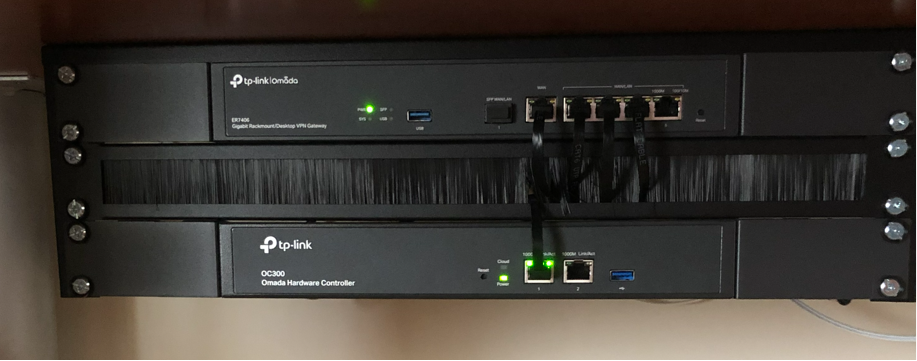
The ambient temperature is currently around 25°C and the warmest point on the OC300 underside measures 42°C. The underside is warm to the touch but not what I would consider hot, Everything has been working perfectly since the installation and I believe that I read somewhere that the CPU temperature in the mid 50's was normal.
The ER7406 is mounted at the top of the stack with very liitle room between the top of the unit and the underside of the desk. Its temperature is 45°C.
A Google search for "What is the normal CPU temperature of a network device?" had the following response:
"The normal CPU temperature for a standard network device (like a router, switch, or firewall) typically ranges between 45°C and 75°C (113°F to 167°F). Because many network appliances use passive cooling (heatsinks without fans), running warm to the touch is a normal characteristic of their design."
- Copy Link
- Report Inappropriate Content
Currently:
- Ambient temperature is 30 °C. Room has passive gravity ventilation.
- OC300 chassis temp is 35 °C.
- OC300 CPU temp is 63 °C.
- Gateway CPU temp is 45 °C.
- Stack photo already provided above (no vantilation obstructions).
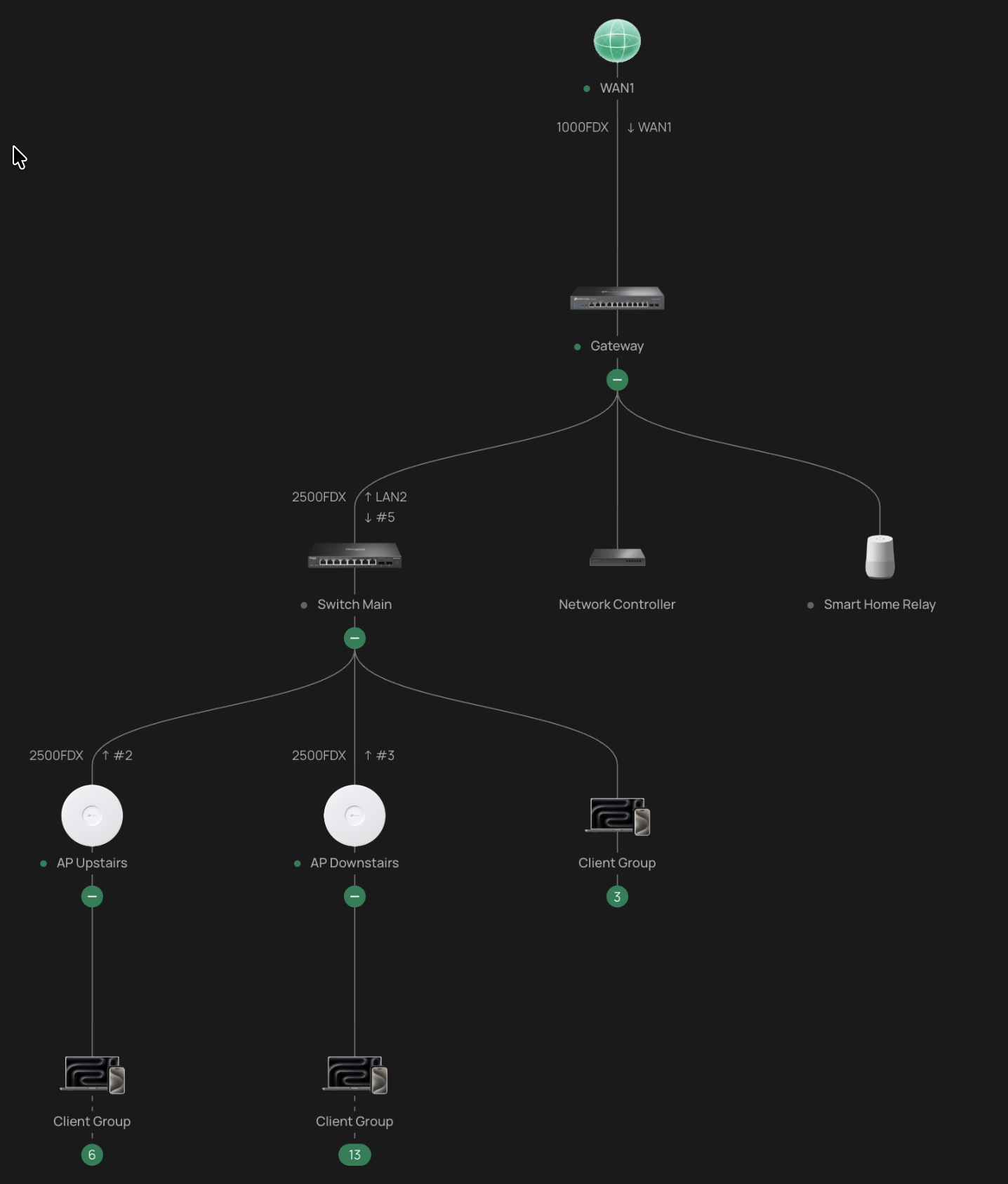
Network topology is quite simple (screenshot attached).
Features turned on: IPS, Application Filtering and Logging, WiFi Calling, IPv6, Mapbox API. 24 clients. Nothing fancy.
Is it an extensive setup that makes OC300 reporting CPU 63 °C?
- Copy Link
- Report Inappropriate Content
Information
Helpful: 0
Views: 196
Replies: 8
Voters 0
No one has voted for it yet.