Need help with configuring IPv6 on ER605 v2.0

Need help with configuring IPv6 on ER605 v2.0

Need help with configuring IPv6 on ER605 v2.0
Monday - last edited Monday
Model: ER605 (TL-R605)  
Hardware Version: V2
Firmware Version: 2.4.3 Build 20260512 Rel.09923

Hi,
 

I'm trying to configure IPv6 on the ER605. With all IPv6 connection types except Pass-Through, the router appears to obtain an external IPv6 address. when I check using "What Is My IP" services or run an IPv6 speed test, it reports that IPv6 is not supported except for pass-through.


When using Pass-Through mode, each device connected to the ER605 receives an IPv6 address directly from the ISP, and IPv6 connectivity works as expected.


Could you help me understand why IPv6 is not functioning correctly with the other IPv6 configuration options?

  0      
0
#1
Options
2 Reply
Re:Need help with configuring IPv6 on ER605 v2.0
Tuesday

Hi  @HelloDv 


Thanks for reaching out to TP-Link Business Forums.

May I know how do you manage this gateway? Standalone GUI or Controller mode?

Also, did you set up IPv6 on the LAN page? LAN should use the prefix obtained from WAN from the ISP.

You can also refer to the first part in this FAQ to setup IPV6: How to configure IPv6 Access Control on Omada Gateway | Omada Network Support

  0  
0
#2
Options
Re:Need help with configuring IPv6 on ER605 v2.0
Yesterday - last edited Yesterday

Thank you, @Gabriel-TP for responding.

The config on the link you shared aren't in sync with what i see on the my ER605.

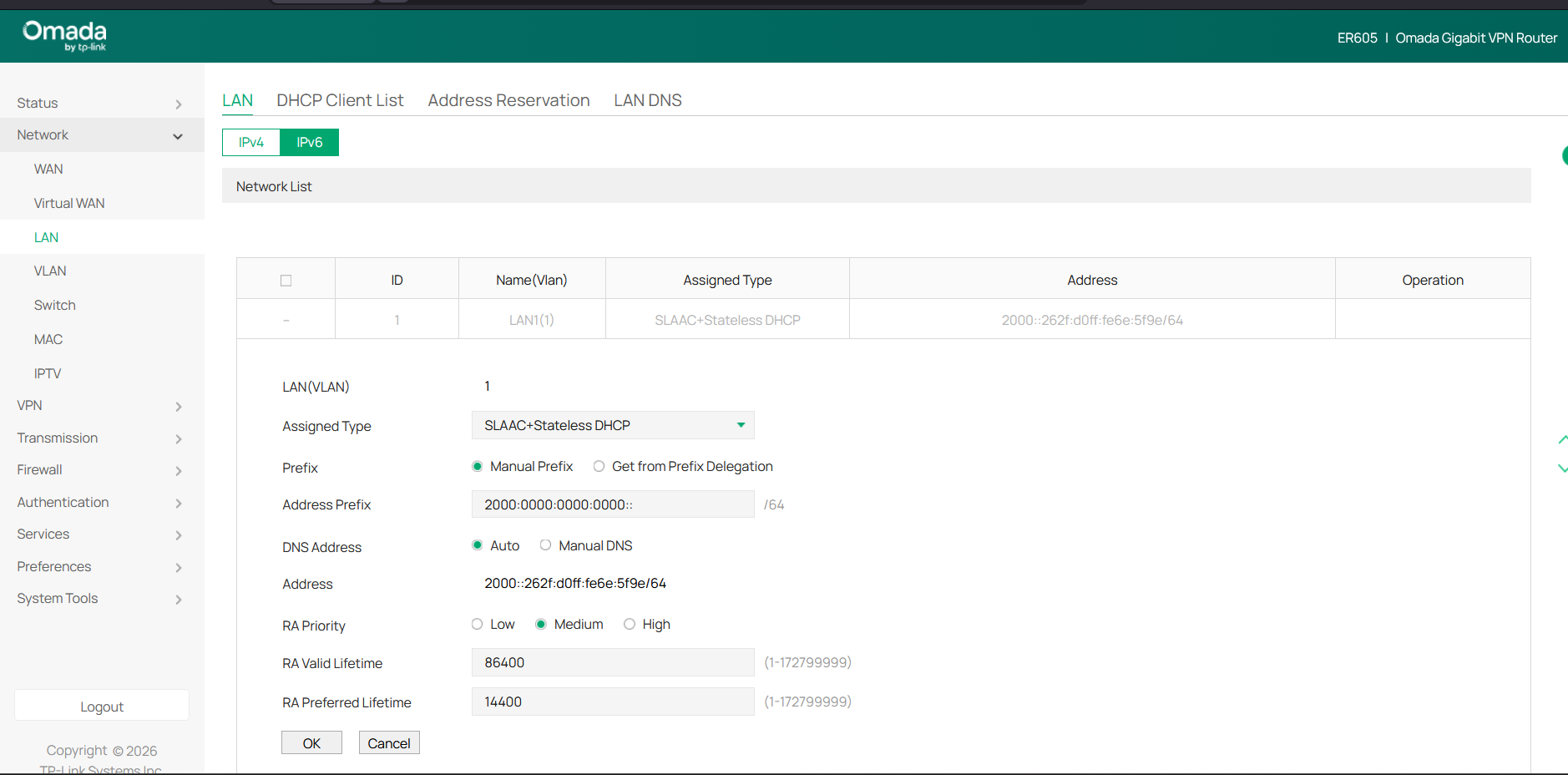
LAN INFO:

- - - - - - - - -
i have already setup IPv6 LAN Config


WAN INFO: 

- - - - - - - - 
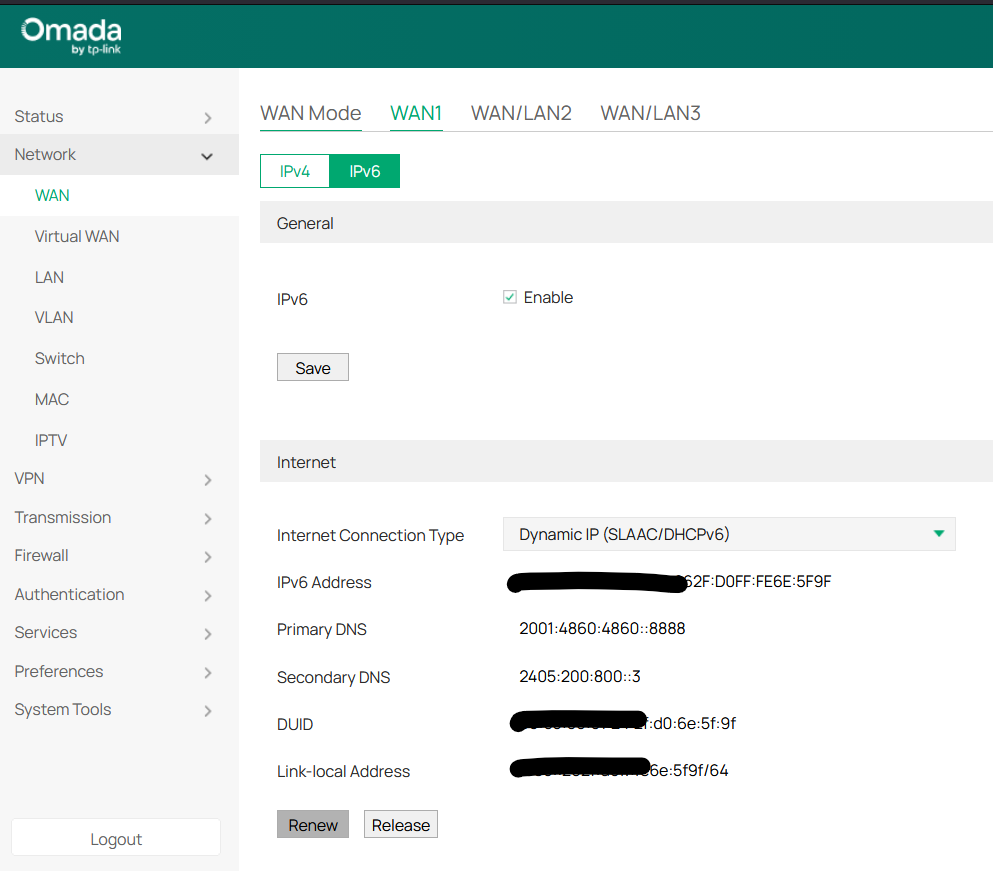
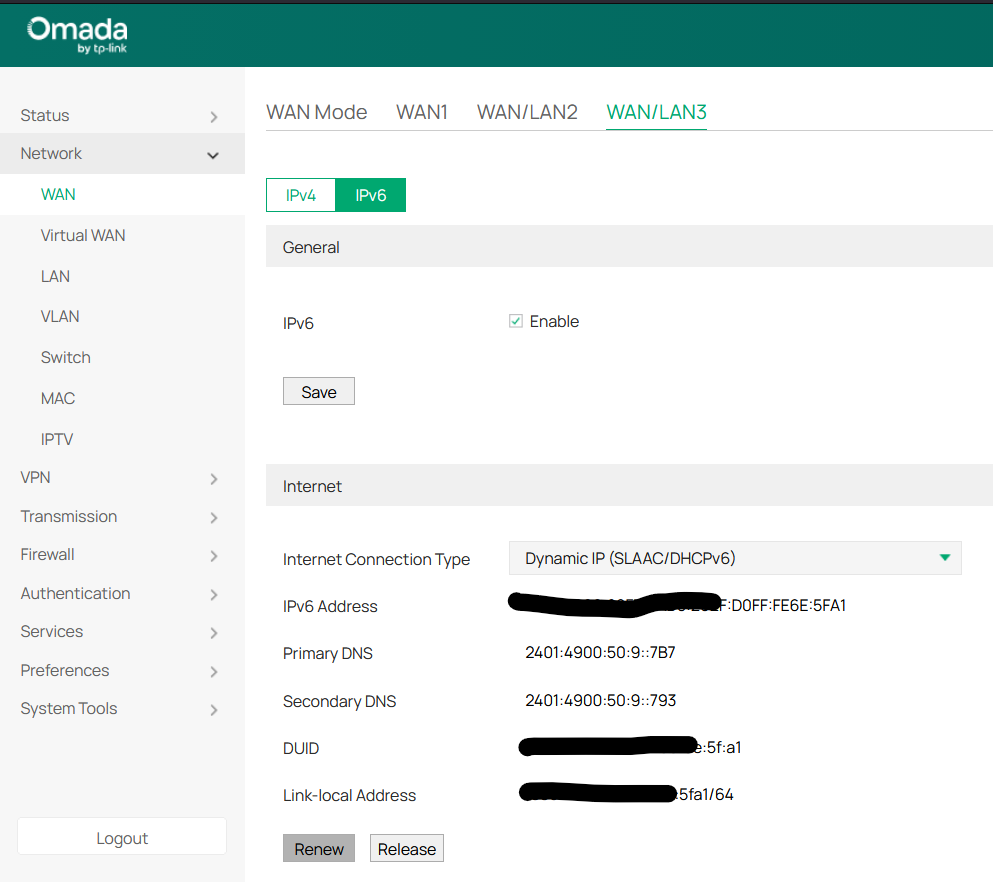
I have two WAN's (WAN1 and WAN/LAN3)

WAN1


WAN/LAN3:


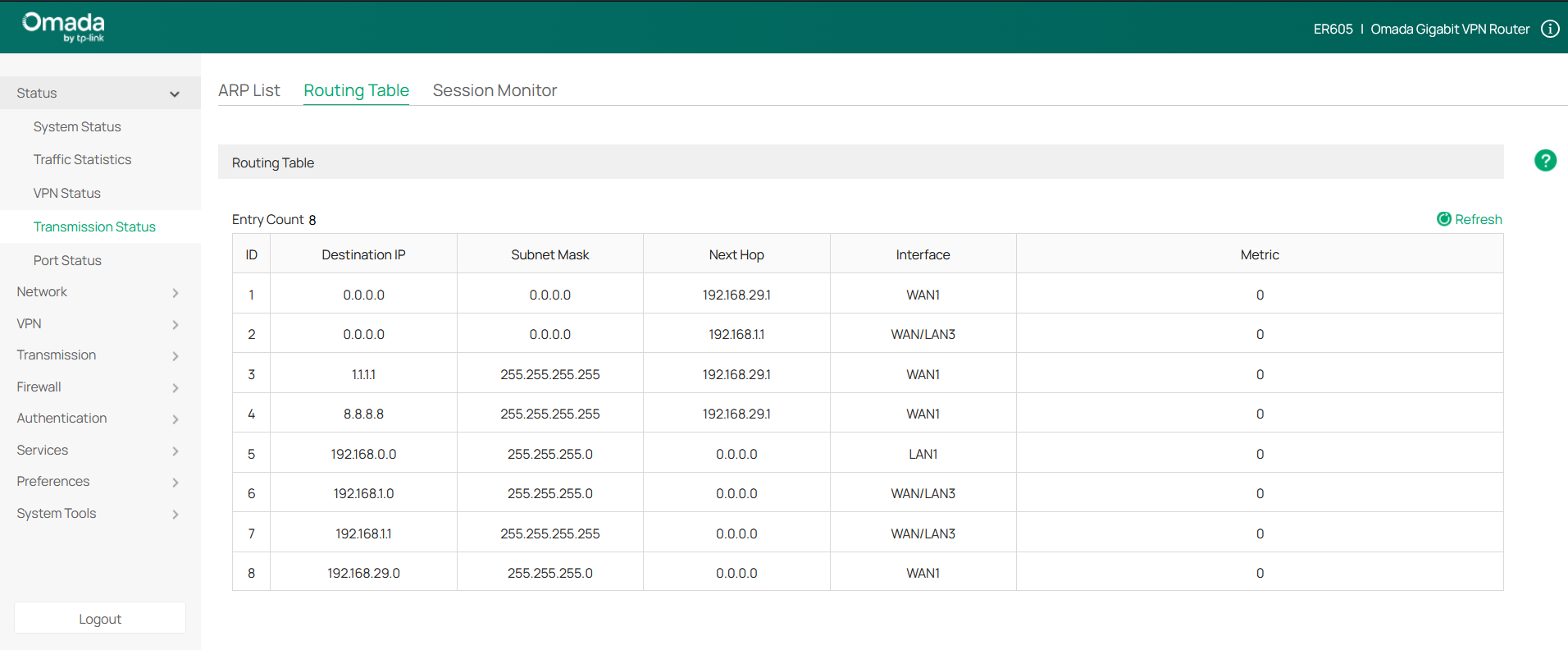
ROUTE TABLE INFO:

- - - - - - - - - - - - - - - -
in the Route Table there is not entry w.r.t to IPv6 at all. i think there is not Route for IPv6 to commuicate from LAN to WAN's


Gabriel-TP wrote

Hi  @HelloDv 


Thanks for reaching out to TP-Link Business Forums.

May I know how do you manage this gateway? Standalone GUI or Controller mode?

Also, did you set up IPv6 on the LAN page? LAN should use the prefix obtained from WAN from the ISP.

You can also refer to the first part in this FAQ to setup IPV6: How to configure IPv6 Access Control on Omada Gateway | Omada Network Support

Could you please let me know if you would be available to assist via a Google Meet session? If so, kindly share your time zone and a few convenient time slots.

Note:  Prefix Delegation on WAN  seem to be now working, when i enable it, the WAN link for IPv6 always shows down.

  0  
0
#3
Options