
[ARCHER C1200] Can't connect to network in ethernet port 3 and 4
 This thread has been locked for further replies. You can start a new thread to share your ideas or ask questions.
I have the following setup at home (schema below):
Internet coming trough a router from my telecom provider, ethernet cable to a computer and to the archer c1200 (router 2). Wifi enabled on the router 2.
The pc has internet and wirelessly i can also connect withouit problems. I have the DHCP server disabled on the archer c1200 (router 2).
The problem I have is that every device I connect trough ethernet on port 1 and 2 on the Archer C1200 (router 2) have access to internet/LAN, but the devices connected to port 3 and 4 don't. It has been like this since I bought the device. It's updated with the last firmware.
What could be the problem?

- Copy Link
- Subscribe
- Bookmark
- Report Inappropriate Content

Have you ever changed the LAN IP of the Archer C1200 to the same subnet as the router 1?
With computer connected to the port 3, please click here to verify its IP address and gateway. And show us a screenshot of it.
Please try to ping the gateway of the gateway and show us the picture of ping result.
Besides, have you ever tried to hard reset the Archer C1200 and reconfigure it as an access point?
Good day.
- Copy Link
- Report Inappropriate Content
My gateway's IP is 192.168.1.1
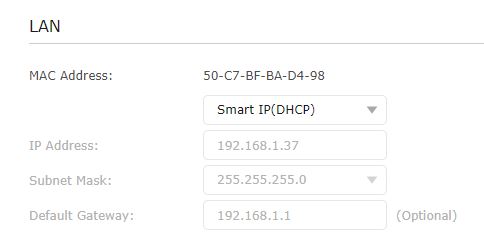
My Archer C1200 IP is 192.168.1.37
here are screenshots you asked for, connected to port 3

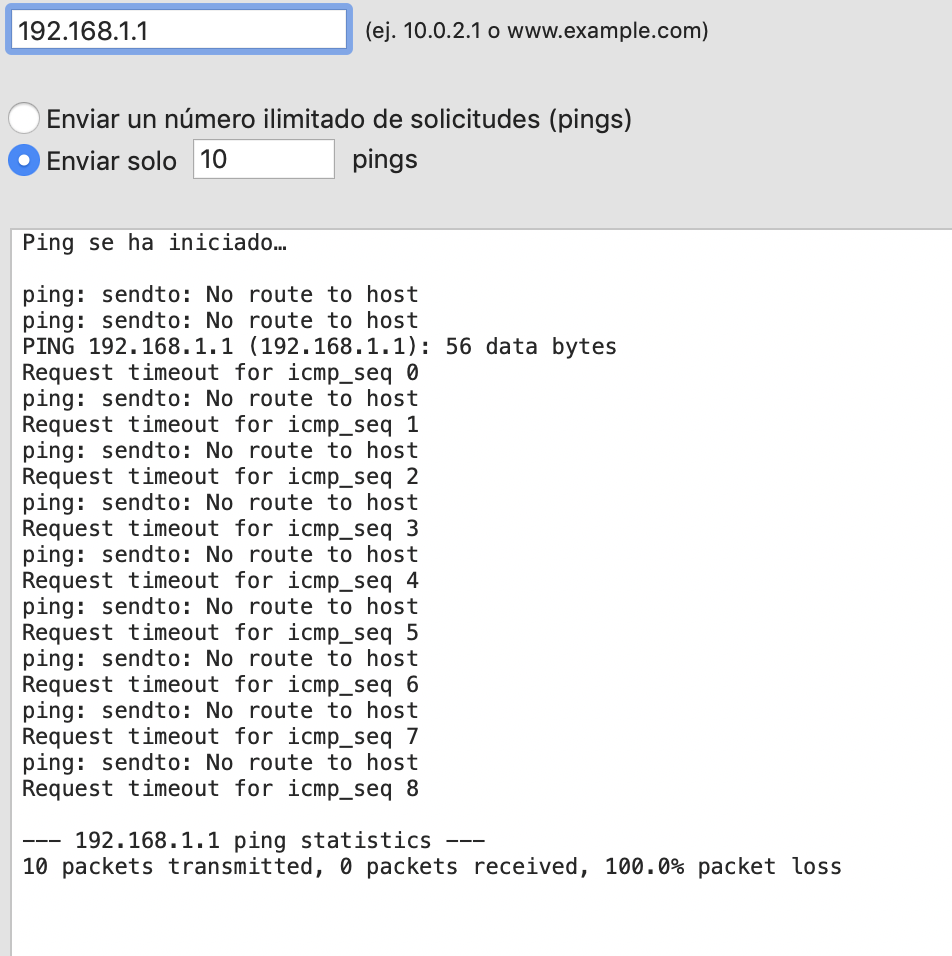
I suppose this is normal since the IP assigned isn't in the same subnet. What I fail to understand is why the devices connected to port 1 and 2 do get correct IP addresses.
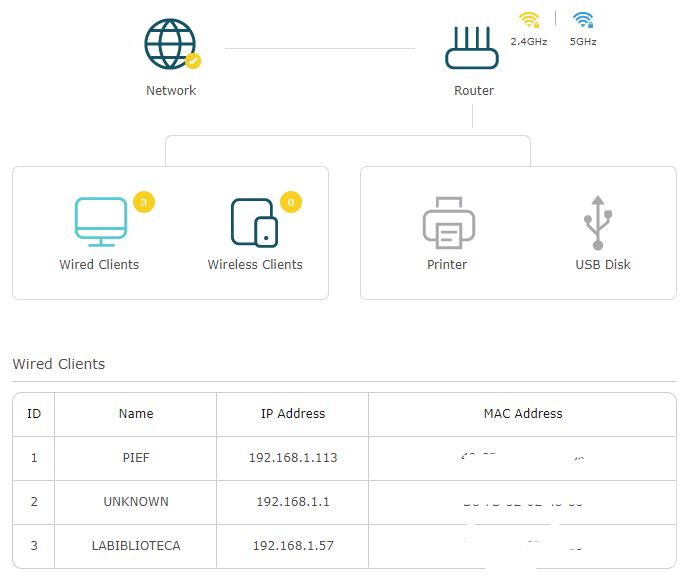
Here are screenshots from the TPLink configuration panel
- Copy Link
- Report Inappropriate Content

Thanks for your reply.
Please click here to get the instruction to assign static IP for your computer.
With it connected to port 3 or port4, please ping the gateway again and check whether it work.
Besides, you can change another ethernet cable or computer to do a comparison analysis.
Still the same, I'm afraid that the ports may be faulty, you can contact our tech support to verify whether a replacement is qualified.
https://www.tp-link.com/support/contact-technical-support/#E-mail-Support
Good day.
- Copy Link
- Report Inappropriate Content
Thank you @Kevin_Z,
I'll contact tech support, tried it with different computers/devices without anything working.
Thank you for your time and help!
- Copy Link
- Report Inappropriate Content
Hi @ief , thanks for your reply and your effor to do the troubleshooting with us.
Please feel free to contact our tech support with the thread link attached and the serial number and proof of purchase, I believe that they will give you a specific answer.
Have a great day.
- Copy Link
- Report Inappropriate Content
Information
Helpful: 0
Views: 3024
Replies: 5
Voters 0
No one has voted for it yet.