2.4 won't connect, 5 is still working

This thread has been locked for further replies. You can start a new thread to share your ideas or ask questions.

2.4 won't connect, 5 is still working

This thread has been locked for further replies. You can start a new thread to share your ideas or ask questions.

2.4 won't connect, 5 is still working
2020-08-07 11:05:57 - last edited 2020-08-07 12:39:25
Model: Archer CR500  
Hardware Version: V1
Firmware Version: v1.0.0 Build 20160829 Rel249990

No problems at all with the 5GHz, there is only an issue with the 2.4GHz. The problem is that almost every two days, the 2.4 GHz network kicks all the connected devices off of it and it won't let anything connect. It still appears on your phone or computer when searching for networks, but if you try to connect to it, it shows an error sign. 
 

I have found out that if I change the wifi password to the 2.4GHz network to something different, and then immediately change it back to what it was originally, everything connects again. But then two days later the issue starts over. 
 

Does anyone know how to permanently fix this issue?

  0      
  0      
#1
Options
5 Reply
Re:2.4 won't connect, 5 is still working
2020-08-10 01:38:13

@Andrew_06 

Good Day,

Thank you very much for your feedback.

For your case, could you please check the following information:

  1. What is the error sign that would appear when you tried to reconnect the Wi-Fi? And can I have a picture?

If possible, please try to refer to the following link to change some wireless settings:

By the way, how long did you have the modem, did this issue just start recently?

Thank you~

Nice to Meet You in Our TP-Link Community. Check Out the Latest Posts: Archer GE550 - BE9300 Tri-Band Wi-Fi 7 Gaming Router EasyMesh Is Available When Wi-Fi Routers Work in AP Mode as A Controller. Archer BE550 New Software Enhances System Stability and Optimizes MLO Network Stability. TL-WA3001 Supports EasyMesh, Speed Limit, Guest Network in AP Mode and/or Multi-SSID Mode. If you found the post or response helpful, please click Helpful. If an answer solves your problem, click "Recommended Solution" so that others can benefit from it.
  0  
  0  
#2
Options
Re:2.4 won't connect, 5 is still working
2020-08-10 02:17:19

@Sunshine the error message just says "cannot connect to network" I will get a screenshot the next time it happens. But it is the standard message on iPhone or any other device when you try to connect to a network and enter the wrong password. 
 

I have had the router for a little over a year and this problem started about 3 months ago. 
 

I will check the settings and make the changes you suggested and see if the issue persists. 

  0  
  0  
#3
Options
Re:2.4 won't connect, 5 is still working
2020-12-03 19:40:16

@Sunshine 


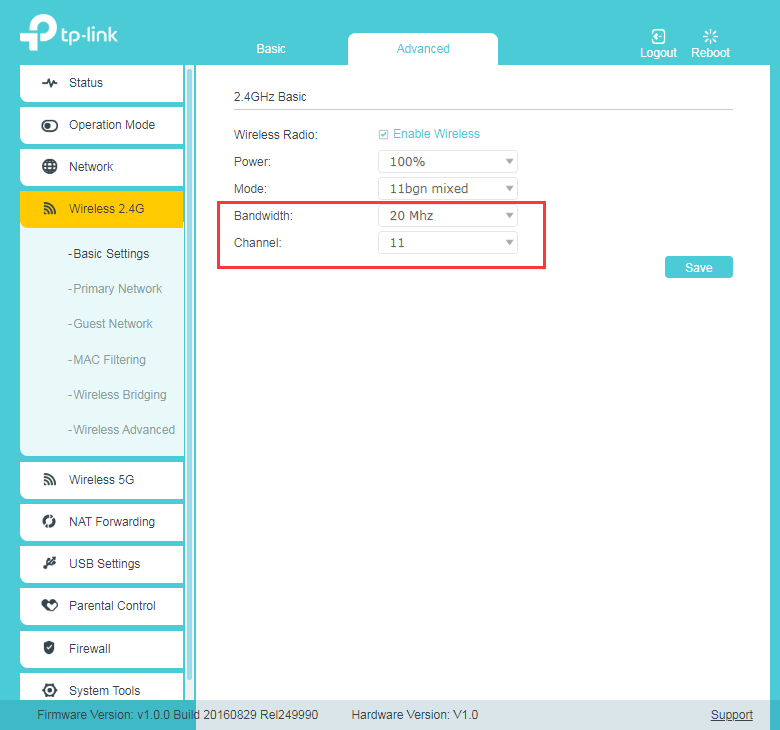
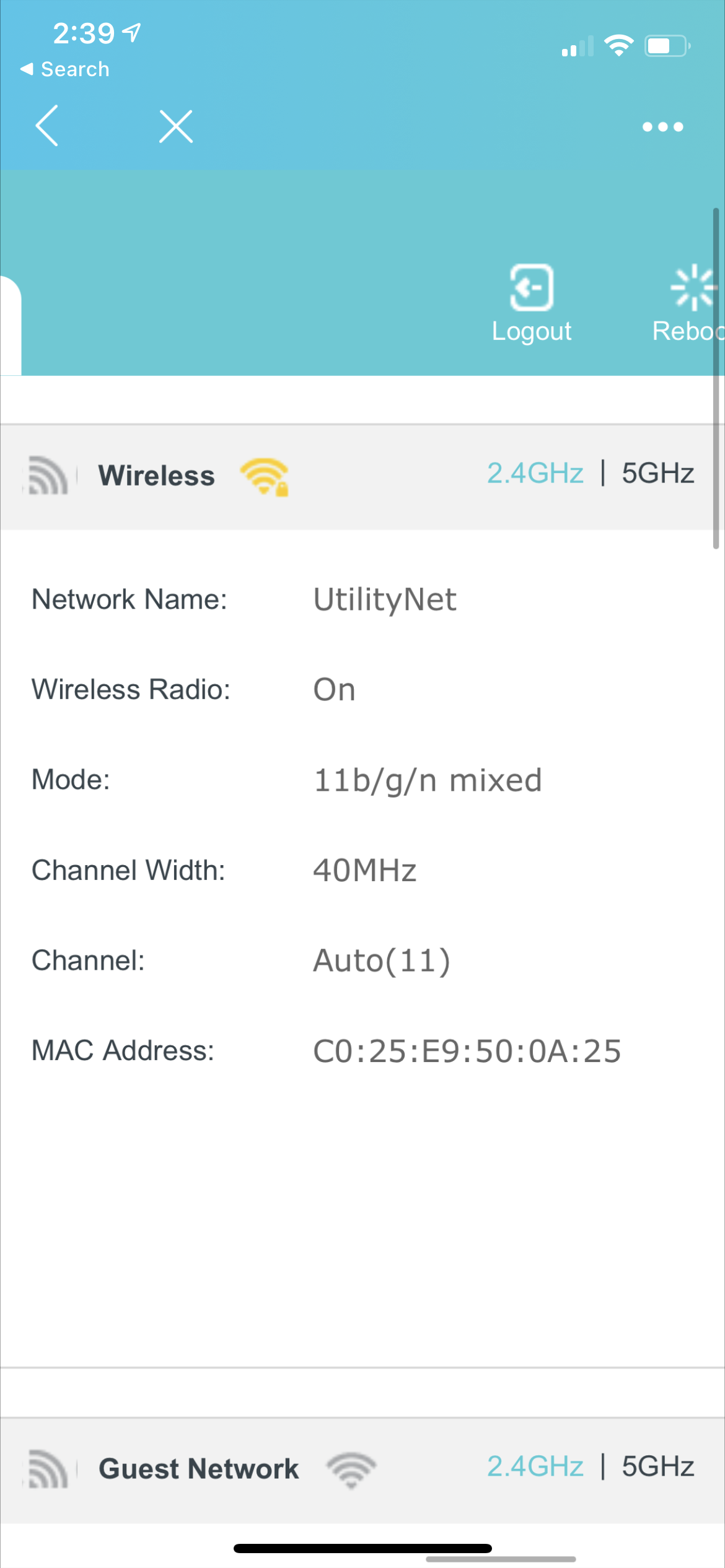
So sorry for the delay. The problem went away for a while but now it is happening almost two times every day. Here is an image of the current settings.

  0  
  0  
#4
Options
Re:2.4 won't connect, 5 is still working
2020-12-09 01:27:39

@Andrew_06 


Have you tried the previous suggestions provided by Sunshine? If that doesn't help, it is suggested to reset the router to factory defaults, then reconfigure it from scratch to confirm, thanks.

Nice to Meet You in Our TP-Link Community. Check Out the Latest Posts: Introducing AI QoS: Elevate Your Gaming Experience on the Archer GE800 Gaming Router! Connect TP-Link Archer BE550 to Germany's DS-Lite (Dual Stack Lite) Internet via WAN Archer GE550 - BE9300 Tri-Band Wi-Fi 7 Gaming Router Archer AX90 New Firmware Added Support for EasyMesh and Ethernet Backhaul If you found a post or response helpful, please click Helpful (arrow pointing upward icon). If you are the author of a topic, remember to mark a helpful reply as the "Recommended Solution" (star icon) so that others can benefit from it.
  0  
  0  
#5
Options
Re:2.4 won't connect, 5 is still working
2020-12-09 03:03:09

@Kevin_Z I have done the advises change and I have not had an issue in the past couple days. We will see how it goes. 

  0  
  0  
#6
Options