Archer A7 unstable after firmware update

This thread has been locked for further replies. You can start a new thread to share your ideas or ask questions.

Archer A7 unstable after firmware update

This thread has been locked for further replies. You can start a new thread to share your ideas or ask questions.

Archer A7 unstable after firmware update
2021-01-13 10:40:35
Model: VIGI C400HP  
Hardware Version: V5
Firmware Version: 1.10

Hi,


I updated the firmware recently via the Tether application.


It went fine although lost all settings so had to be set up again.


It also lost all my device name settings.


I attempted to edit the device names but the router froze and needed a reboot.


Since then it's been unstable and the internet connection lost a few times and several WiFi issues with devices loosing connection.


It is showing no updates available.


Any suggestions would be gratefully received as prior to this it was very reliable.

  0      
  0      
#1
Options
3 Reply
Re:Archer A7 unstable after firmware update
2021-01-14 06:15:24

@Aussi55 


Hello, thank you for reporting the issue to the community.


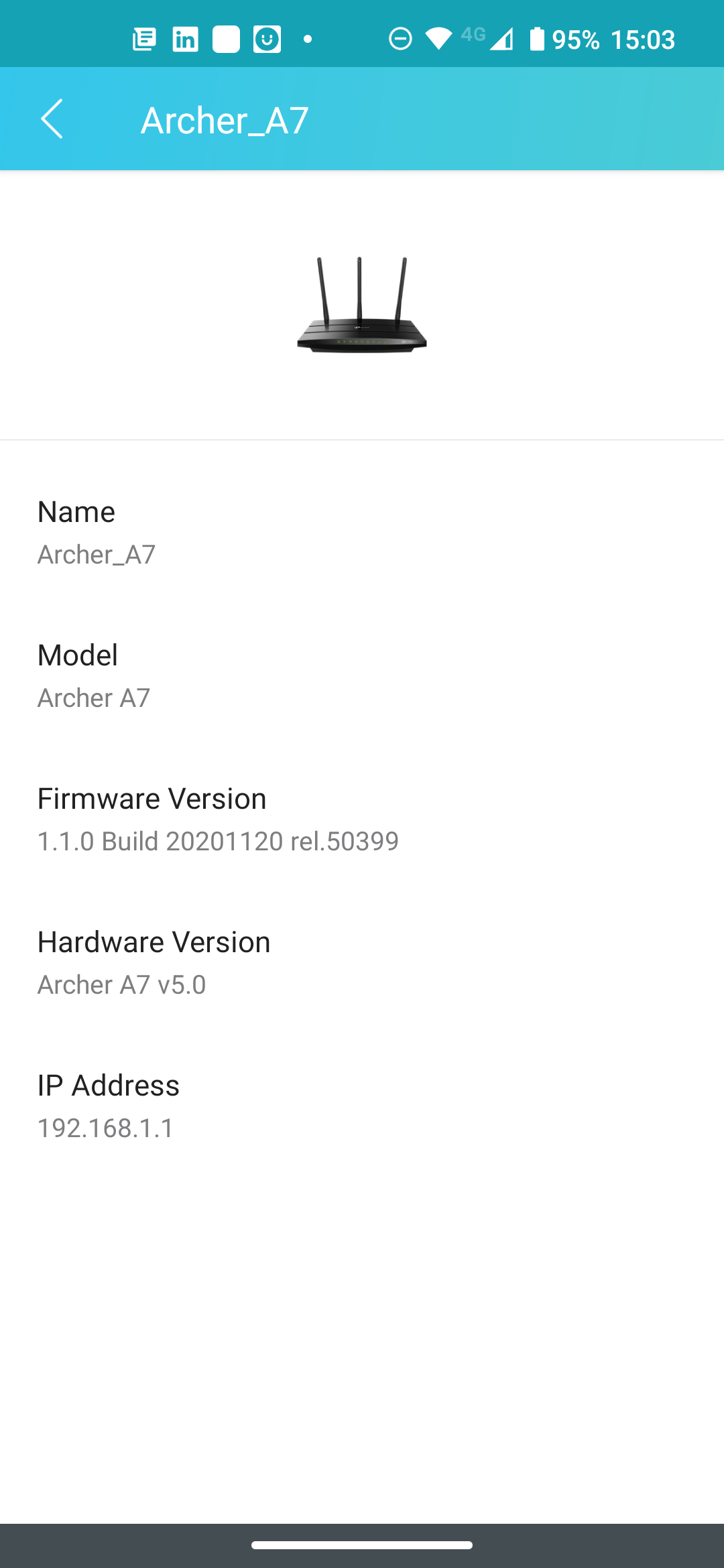
Just to confirm, is the router model Archer C7 or Archer A7? Can I have a screenshot of the firmware version?


After the firmware update, have you tried to reset it to factory defaults, then reconfigure it from scratch? If not yet, give it a go.


Who is your ISP? What is the light status of the C7/A7 when the connection drops out? Can you get internet from it via wired cable at that time? Please login to the web UI of the C7/A7 and take a full screenshot of the Status page when there is no internet on it, and go to Advanced-System Tools-System Log to save and export it to us.


Besides, please follow the instruction below to do some test and tell me which case you belong to:
https://www.tp-link.com/support/faq/2237/

Nice to Meet You in Our TP-Link Community. Check Out the Latest Posts: Introducing AI QoS: Elevate Your Gaming Experience on the Archer GE800 Gaming Router! Connect TP-Link Archer BE550 to Germany's DS-Lite (Dual Stack Lite) Internet via WAN Archer GE550 - BE9300 Tri-Band Wi-Fi 7 Gaming Router Archer AX90 New Firmware Added Support for EasyMesh and Ethernet Backhaul If you found a post or response helpful, please click Helpful (arrow pointing upward icon). If you are the author of a topic, remember to mark a helpful reply as the "Recommended Solution" (star icon) so that others can benefit from it.
  0  
  0  
#2
Options
Re:Archer A7 unstable after firmware update
2021-01-14 15:04:50

@Kevin_Z 


Thanks Kevin,


When I have issues all lights stay green, and both wired and wireless clients are affected.


My ISP is virgin media, I use the hub3 in modem mode.


I will do a factory reset and reconfigure, then do as you suggest if I have another issue.


Screenshot attached.

  0  
  0  
#3
Options
Re:Archer A7 unstable after firmware update
2021-01-15 03:03:58

@Aussi55 


Thank you very much for getting back, please try my previous suggestions and confirm if it will help with the disconnect, then get back to the community with more details if there is still an issue.


Have a nice day.

Nice to Meet You in Our TP-Link Community. Check Out the Latest Posts: Introducing AI QoS: Elevate Your Gaming Experience on the Archer GE800 Gaming Router! Connect TP-Link Archer BE550 to Germany's DS-Lite (Dual Stack Lite) Internet via WAN Archer GE550 - BE9300 Tri-Band Wi-Fi 7 Gaming Router Archer AX90 New Firmware Added Support for EasyMesh and Ethernet Backhaul If you found a post or response helpful, please click Helpful (arrow pointing upward icon). If you are the author of a topic, remember to mark a helpful reply as the "Recommended Solution" (star icon) so that others can benefit from it.
  0  
  0  
#4
Options