PLEASE HELP

This thread has been locked for further replies. You can start a new thread to share your ideas or ask questions.

PLEASE HELP

This thread has been locked for further replies. You can start a new thread to share your ideas or ask questions.
PLEASE HELP
PLEASE HELP
2021-01-13 16:04:43

PLEASE HELP!! 
 

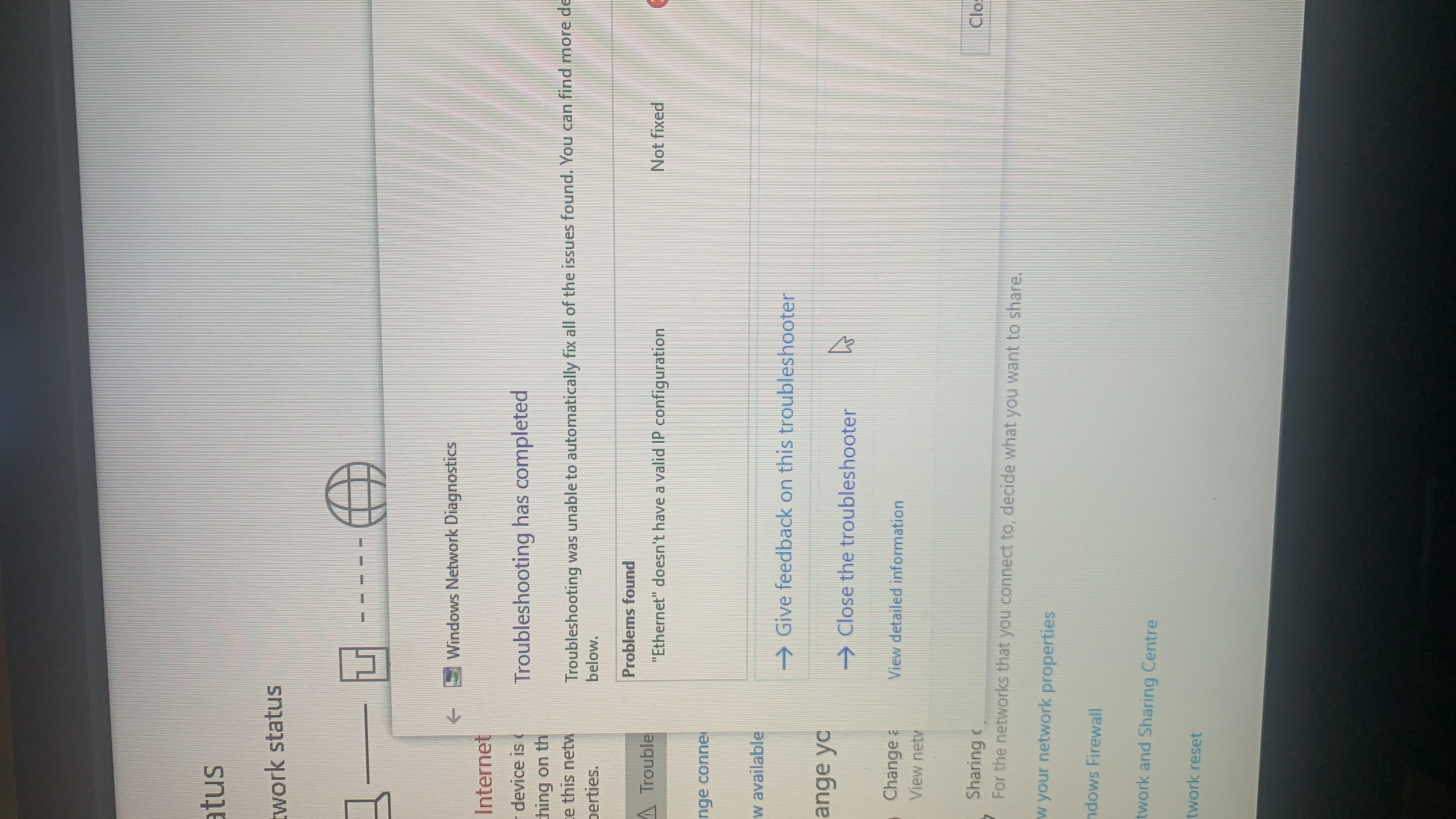
ive been working from home now the last while and I've been using a range extender to connect my work pc to through Ethernet. It's been terrible and very tempermental and hardly ever connects and it's going to cost me my job :( I'm very stressed about this and I've tried a few fixes suggested but nothing works! it comes and goes all day but mostly just does not work if someone could please tell me a fix I will be very grateful! The error I get repeatedly is Ethernet does not have valid ip configuration.
  0      
  0      
#1
Options
3 Reply
Re:PLEASE HELP
2021-01-15 07:58:54

@Chantellle98 

Hi,

May I know the model number of your range extender?

Did the wireless connection work well?

Did you set up the static IP address on the laptop, or get IP address automatically?

Do the 2.4ghz/5ghz or RE and signal lights lit up on the extender?

Thanks and wait for your reply.

  0  
  0  
#2
Options
Re:PLEASE HELP
2021-01-18 12:06:20

@TP-Link 


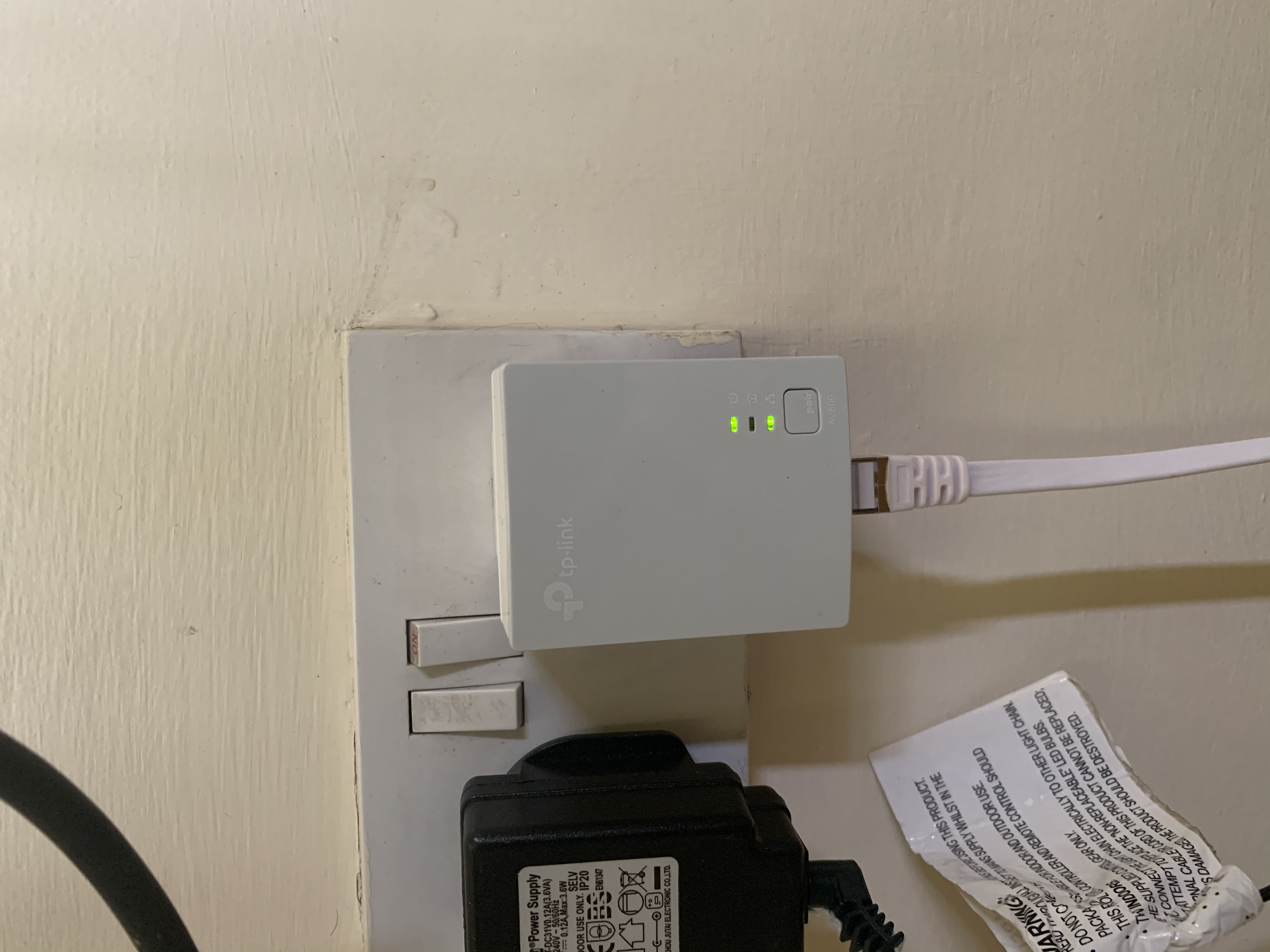
here attached is a photo of the device, I didn't set up a static ip as I don't know how to do this if you could instruct me how I'd be very grateful. It connects for a few hours at a time and then disconnects for long periods it's very stressful! 

  0  
  0  
#3
Options
Re:PLEASE HELP
2021-01-21 06:34:27

@Chantellle98 

Hi, sorry for the delay.

Based on the pictures, I guess the model is TL-PA4010

--it is on the back label and could you please have a check?

And it seemed that the powerline adapters are not paired with each other since the middle powerline light is still off;

Have you tried to press the two pair buttons on the front to pair them first

By the way, how long have you had the powerline adapters?

Thank you very much!

  0  
  0  
#4
Options