Wallbox pulsar 2
 This thread has been locked for further replies. You can start a new thread to share your ideas or ask questions.
 This thread has been locked for further replies. You can start a new thread to share your ideas or ask questions.
Hi,
I'm trying to get my wallbox pulsar 2 on the deco M5 network and I can't.
I search and some fóruns tell that he wallbox doesn't like some wifi channels.
How can I change the channels on devo M5?

@Fidalgbf Hi, welcome to the community.
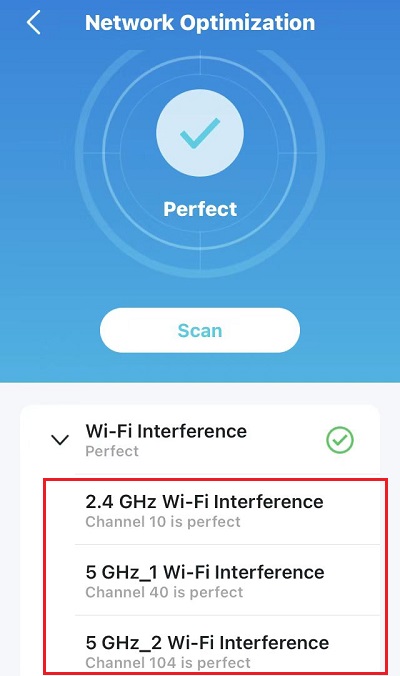
You could run a network optimization on the Deco APP to see the current wireless channels on Deco M5:
Does your Wallbox pulsar 2 support 5ghz?
If it is 2.4ghz only, there are some suggestions for your reference:
1. Temporarily disable 5ghz on the Deco APP>Wi-Fi settings>Advanced>Band.
2. Turn off "Beamforming" under Deco APP>More>Advanced>Beamforming.
Wait for your reply.
Best regards.
@Fidalgbf Did you manage to fix this I have the same problem. I can't get the wallbox to link. I can see the network on the wifi list but when I select it indicates that the wallbox can't connect at this time and to try again later.
Helpful: 0
Views: 314
Replies: 2
No one has voted for it yet.
We use cookies and browser activity to improve your experience, personalize content and ads, and analyze how our sites are used. For more details, please read our Privacy Policy.

