
New Release EasyMesh Range Extenders Start Supporting Building a EasyMesh Network via Ethernet Backhaul


This Article Applied to:
| RE205_V4 | 1.0.50 Build 250821 |
| RE220_V3 | 1.0.50 Build 250821 |
| RE230_V2 | 1.0.50 Build 250821 |
| RE200_V5 | 1.0.50 Build 250821 |
| RE215_V1 | 1.0.50 Build 250821 |
| RE305_V4 | 1.0.50 Build 250821 |
| RE330_V1 | 1.0.50 Build 250821 |
| RE365_V2/V3 | 1.0.50 Build 250821 |
| RE315_V1 | 1.0.30 Build 230919 or later |
| RE700X(US)_V2 | 1.2.4 Build 20250304 |
| RE705X(US)_V2 | 1.2.0 Build 20241210 |
| RE705X(TW,CA)_V2 | 1.2.6 Build 20250428 |
| RE705X(KR)_V2 | 1.2.6 Build 20250605 |
| RE700X(Non US)_V1 | 1.2.10 Build 20250627 |
| RE705X(Non US)_V1 | 1.2.10 Build 20250627 |
| RE780X(EU)_V1 | 1.2.7 Build 20250430 |
| RE780X(EU)_V2 | 1.2.0 Build 20250808 |
| RE3000X(DE)_V1 | 1.2.10 Build 20250627 |
| RE600X(UK,JP,AS)_V3 | 1.2.4 Build 20250304 |
| RE605X(UK,JP,AS)_V3 | 1.2.4 Build 20250304 |
| RE900XD_V1 | 1.0.10 Build 20240411 |
| RE6000XD(DE)_V1 | 1.0.10 Build 20240411 |
| RE715X_V2 | Supported by the factory firmware |
| RE615X(US)_V2 | |
| RE600X(US/CA) _V4 | |
| RE605X(US/CA) _V4 | |
| RE655BE_V1 | |
| RE235BE_V1 | |
| RE220BE_V1 | |
| RE405BE(EU/US)_V1 |
EDIT: Updated on October 27th.
Moderator Note:
1. The models included in this list are based on currently available official information and may not be exhaustive.
2. This list is updated on an ad-hoc basis, and the information may sometimes be delayed. It is recommended that you refer only.
3. For the most accurate and up-to-date information, please take a look at official regional announcements and firmware update notifications.
4. We welcome your input and suggestions for discussion.
------------------------------------------------------------------------------------------
What is EasyMesh with Ethernet Backhaul and Why we need it?
EasyMesh with Ethernet Backhaul refers to the Main router and the satellite device are connected via an Ethernet cable to establish an EasyMesh network. Ethernet Backhaul offers a more reliable and faster option compared to EasyMesh with Wi-Fi, ensuring a robust and efficient EasyMesh network setup.
How to create EasyMesh with Ethernet Backahul?
Pre-configuration Notice:
1.Ethernet Backhaul is supported only when both your main router and satellite extender support EasyMesh with Ethernet Backhaul.
>>Router Support List of EasyMesh with Ethernet Backhaul
2.The extender needs to be under wireles range extender mode, not Access Point.
3.Once the Ethernet backhaul is successfully established, the wireless backhaul will be automatically disconnected. Conversely, if the Ethernet backhaul connection gets interrupted, the devices will automatically reestablish the mesh network using the wireless backhaul.
Scenario 1: Change wireless backhaul to Ethernet backhaul
Scenario 2: Add a new satellite Range Extender to EasyMesh
EasyMesh with Ethernet Backhaul stars with RE315_V1, which features an Ethernet Port with a speed of up to 100 m/s. This functionality will gradually be extended to other EasyMesh-supported extenders. We encourage you to share your feedback below regarding your current models of EasyMesh extenders and routers. This feedback will help us prioritize the implementation of EasyMesh on different product models.
Updated Logs:
Oct 27,2025: Extended support to select AX models;
Mar 10,2026: Extended support to select AC models.
- Copy Link
- Subscribe
- Bookmark
- Report Inappropriate Content

@IDontSpeakMonky hi, i did nothing , the device updated automatically, because I'm using automatic updates. I looked at official tplink site of my country and there is no such fw version like after automatic update, there are only older versions. i don't understand that.
- Copy Link
- Report Inappropriate Content

In this case I am in USA. I'm not sure I want to risk putting the EU image on the USA device. It looks like from your experiment above it is also not working. I'll hold off for now, since I don't feel like buying a new $200 device for my bedroom (mostly kindle and alexa). So I can live with slower WIFI backhaul instead of wired.
- Copy Link
- Report Inappropriate Content

- Copy Link
- Report Inappropriate Content
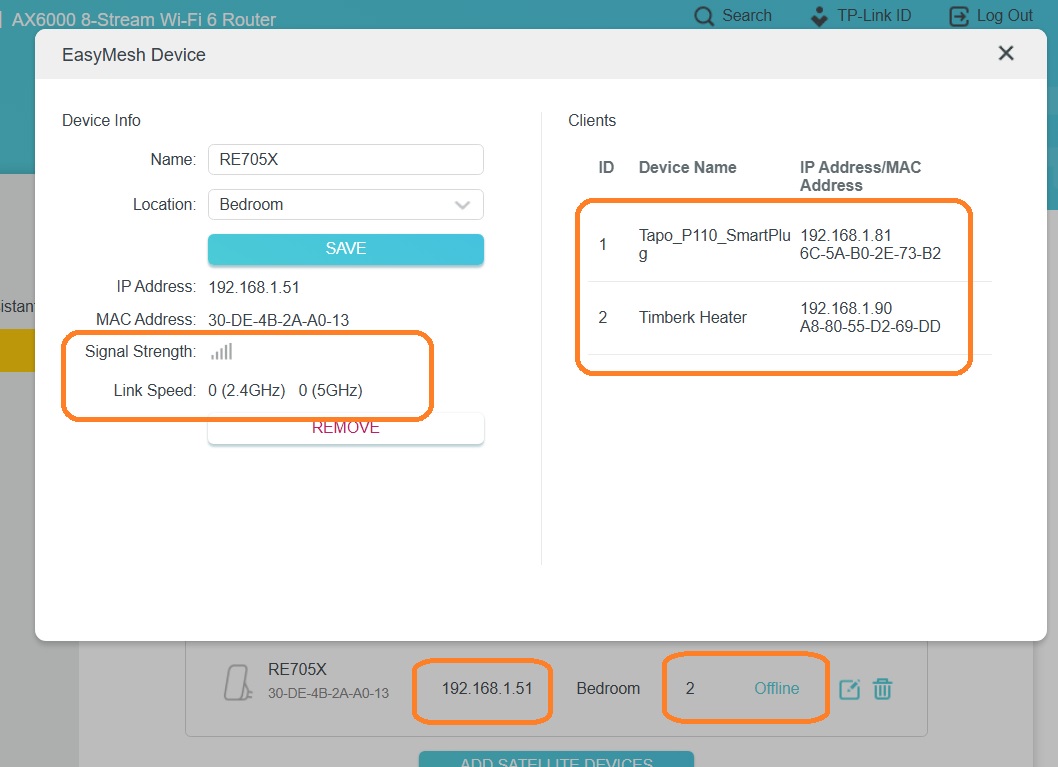
Oddly enough, nothing helped in my case. There must be another factor at play.
AX80RU still writes that the extender is offline, although it is working and there are clients.
- Copy Link
- Report Inappropriate Content

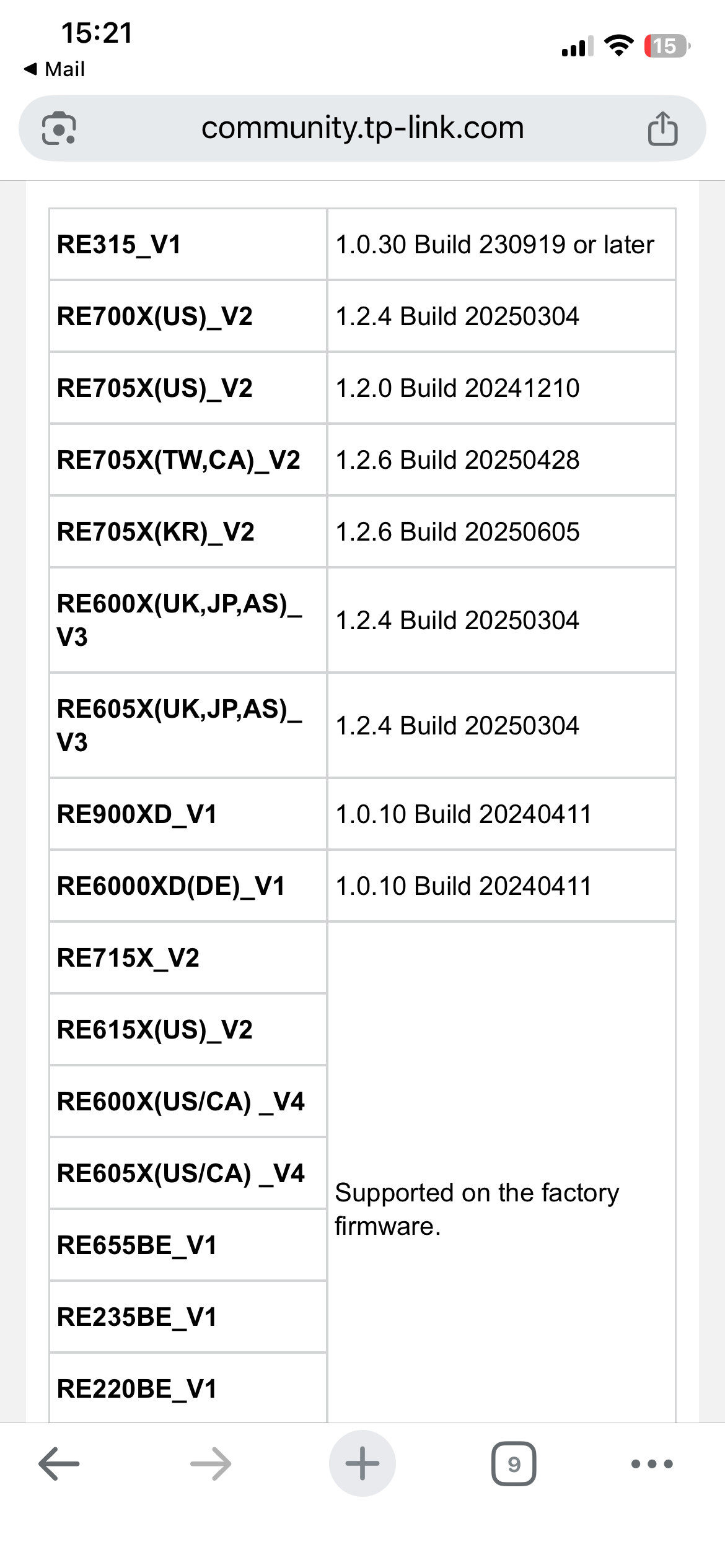
No it is not supported in RE705X v1.0 fw. version: 1.2.10 Build 20250627.
EU v1 is still not supported. Up list of supported devices and versions
- Copy Link
- Report Inappropriate Content
I don't have that option available to update. Did you somehow force that on V1 are you certain you have V1.0 Hardware (as opposed to say v1.6?
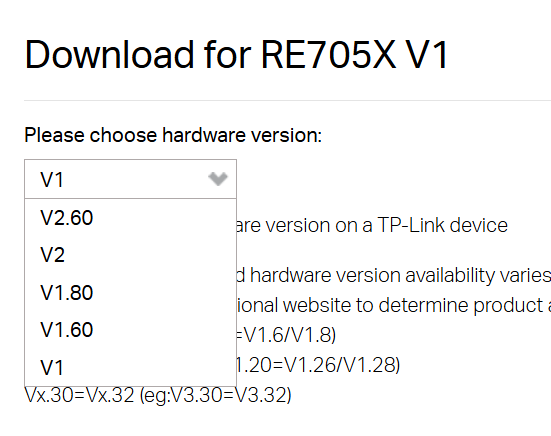
1.1.9 Build 20240426 Rel. 51213
When I try firmware update via the device it says up to date
- Copy Link
- Report Inappropriate Content
@IDontSpeakMonky it's supported, i have RE705X v1.0 fw. version: 1.2.10 Build 20250627 Rel. 66328 and it works.
- Copy Link
- Report Inappropriate Content
- Copy Link
- Report Inappropriate Content
@BossaNegra New firmware for RE700x EU/2.0 has been released. Ethernet Backhaul rocks!
- Copy Link
- Report Inappropriate Content
@STN Maybe try turn it off one by one. i turned off all at once. So the problem can be twt or ofdma. i have problem with my playfi wireless soundround speaker, so i turned off everything (what chatgpt recommend to turn off). now the speaker looks working normal and the rest with the connection problem and tether app too.
- Copy Link
- Report Inappropriate Content
Information
Helpful: 8
Views: 78731
Replies: 196
Voters 5




