
Can't connect
 This thread has been locked for further replies. You can start a new thread to share your ideas or ask questions.
Have a network which was a router plus x73 dsl plus 3 * ex75 pro. Says working fine, then added a tp link home hub for a camera but app then said network not available. Changed main hub to ex75 then reset x73. Blue light flashing but it won't recognize. Tried all the steps in.
https://youtu.be/iVgDzoo16T4
But won't recognize even when setting up a new network.
Help please..
- Copy Link
- Subscribe
- Bookmark
- Report Inappropriate Content


Hi, welcome to the community.
Deco X73-DSL is a DSL modem router and when it is the main Deco, may I know which port is connected to the internet service provider, the DSL or WAN Ethernet Port?
If you are using the DSL service, you can't replace the main Deco with Deco XE75 pro since it has no DSL socket.
As for the TP-Link Home Hub for cameras, can I have its model number?
Could you please share a screenshot of the error message about "network not available"?
Thank you very much and best regards.
- Copy Link
- Report Inappropriate Content
Hi, welcome to the community.
Thankyou
Deco X73-DSL is a DSL modem router and when it is the main Deco, may I know which port is connected to the internet service provider, the DSL or WAN Ethernet Port?
It was connected via the Ethernet Port, to the Modem. We had Fiber installed, so got a new modem and the X73 became a satalite (rather than the modem) + the 3 EX75pro units.
If you are using the DSL service, you can't replace the main Deco with Deco XE75 pro since it has no DSL socket.
As for the TP-Link Home Hub for cameras, can I have its model number?
Could you please share a screenshot of the error message about "network not available"?
I'm afrdid I cant as the X73 is no longer in use, as I could not get it despite factoy reset (video with cable to modem etc..) to be recognised by the app.
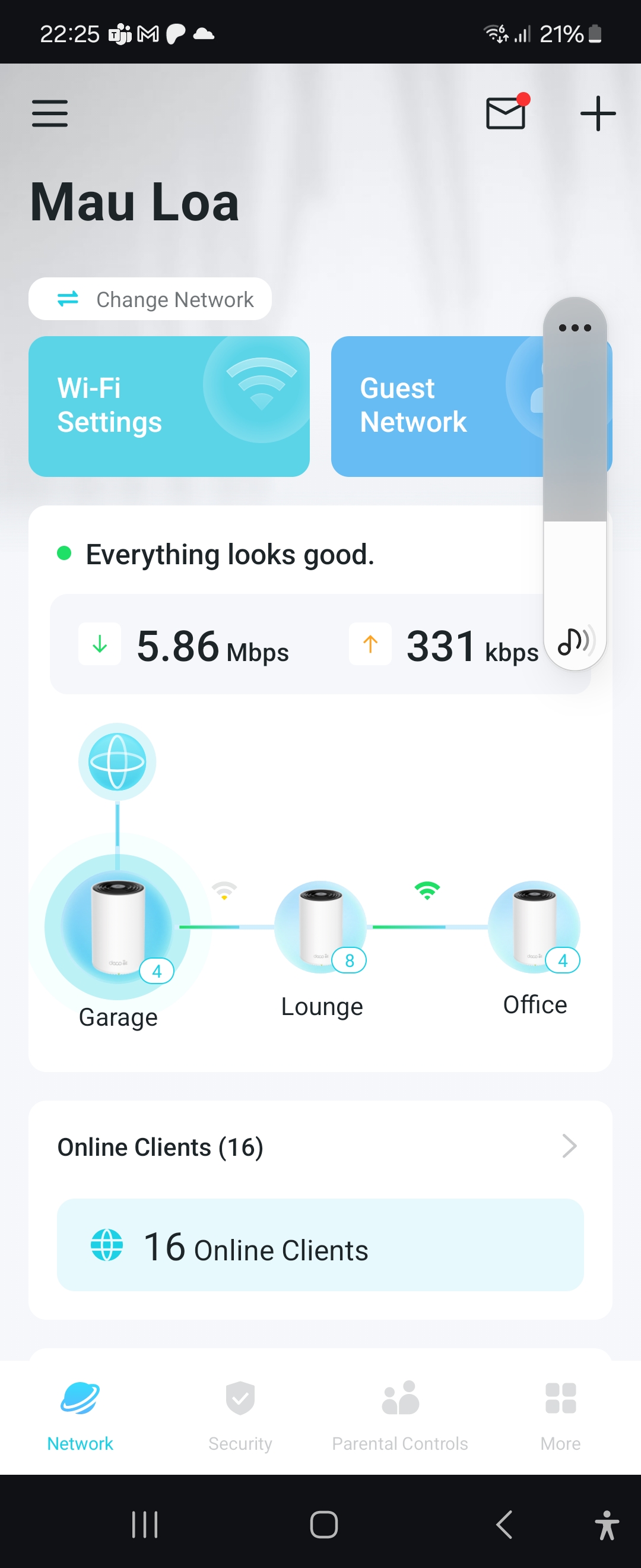
So the network now just uses the 3 x EX75 pro, with one of them being connected to the modem via cat cable. The X73 isnt connected.
Screen shot of the current set up attached. Garage was the X73, but no longer works..
Hope this helps figure it out..
Thanks
Chris
 Thank you very much and best regards.
- Copy Link
- Report Inappropriate Content
Hi Chris, sorry for the delay.
Do you want to use Deco X73-DSL as a satellite Deco with 3*Deco XE75 Pro?
If yes, you could refer to this link to add Deco X73-DSL back as an additional Mesh unit.
How to add an additional unit to your Deco network
When I checked your TP-Link email ID, I noticed your Deco XE75 Pro(EU) V2 is still on 1.0.0, which is the factory firmware.
And the latest firmware version now is Deco XE75 Pro(EU)_V2_1.2.7 Build 20231011
You could consider manually updating the firmware to the latest version first:
How to Update the Firmware of Deco
By the way, previously you mentioned that " added a tp-link home hub for a camera but app then said network not available.". Are you still having this issue after setting Deco XE75 Pro as the main Deco?
Thank you very much and best regards.
- Copy Link
- Report Inappropriate Content
Hi,
The TP hub is fine with the X75 Pro. Thank you for letting me know about upgrading the software, I'll do it soon.
Re the X73DSL re your suggestions, the issue is I cant get it to show up on the app in any form.
I have tried the reset and the method with the CAT cable as per previous post.
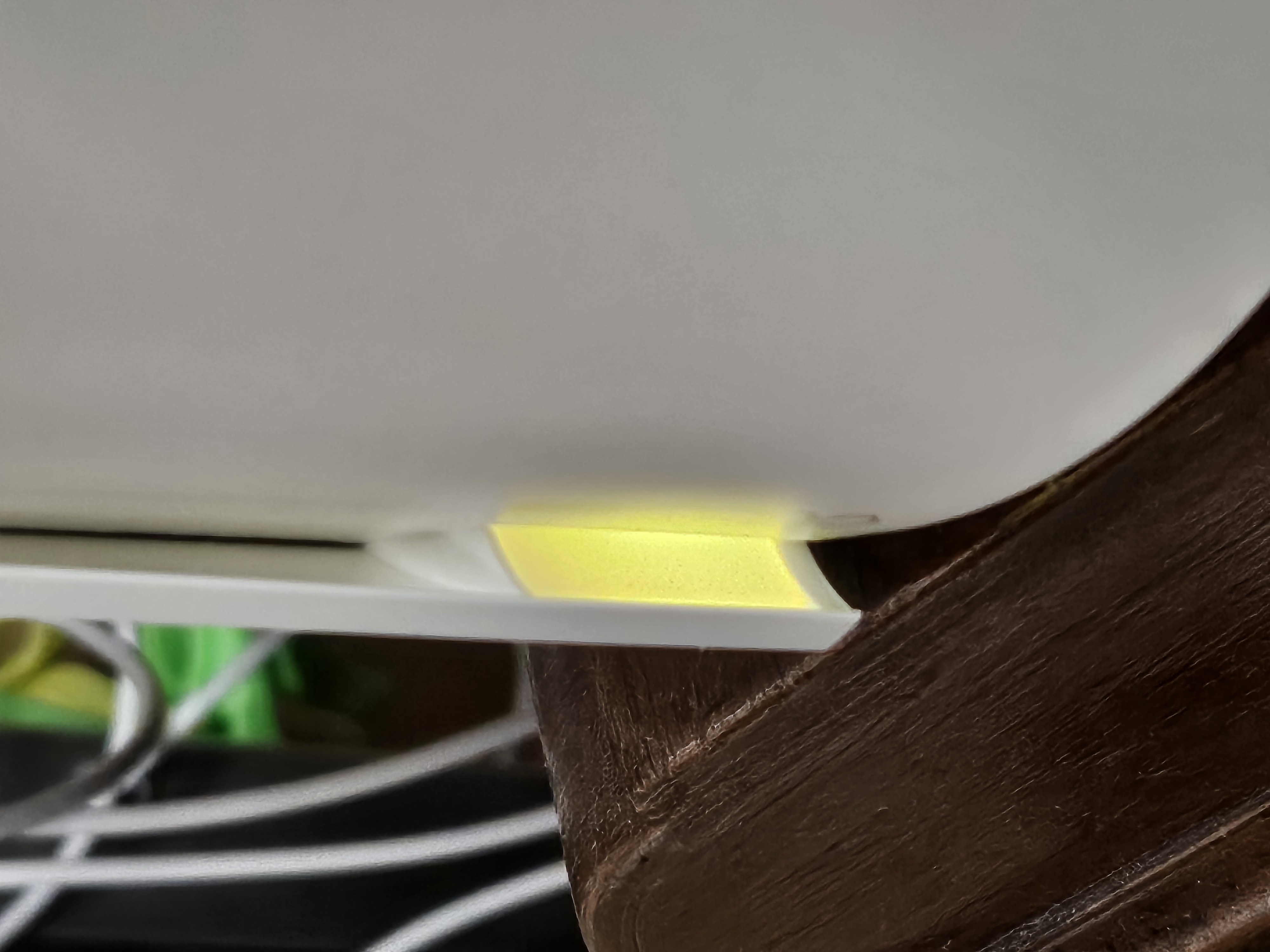
The light just stays on yellow, I've left it for 10 min and it does not show on the app.
Same after doing the reset.
Picture attached.
I am thinking the X73DSL is broken?
Hi Chris, sorry for the delay.
Do you want to use Deco X73-DSL as a satellite Deco with 3*Deco XE75 Pro?
If yes, you could refer to this link to add Deco X73-DSL back as an additional Mesh unit.
How to add an additional unit to your Deco network
When I checked your TP-Link email ID, I noticed your Deco XE75 Pro(EU) V2 is still on 1.0.0, which is the factory firmware.
And the latest firmware version now is Deco XE75 Pro(EU)_V2_1.2.7 Build 20231011
You could consider manually updating the firmware to the latest version first:
How to Update the Firmware of Deco
By the way, previously you mentioned that " added a tp-link home hub for a camera but app then said network not available.". Are you still having this issue after setting Deco XE75 Pro as the main Deco?
Thank you very much and best regards.
- Copy Link
- Report Inappropriate Content
Hi,
Did the LED still stay on solid yellow even during reset? or Would there be any change to the LED status after pressing the reset for 1s?
You could also run a firmware recovery on Deco X73-DSL:
https://www.tp-link.com/en/support/faq/2958
(Its LED status should be like Deco X60)
If it can't get into firmware recovery mode, It is very likely the hardware is broken and it is suggested to contact the shop retailer for warranty.
Thank you very much and best regards/
- Copy Link
- Report Inappropriate Content
Information
Helpful: 0
Views: 602
Replies: 5
Voters 0
No one has voted for it yet.