
Teksavvy & TPLink TD-W9970 v1 Bridged Mode
 This thread has been locked for further replies. You can start a new thread to share your ideas or ask questions.
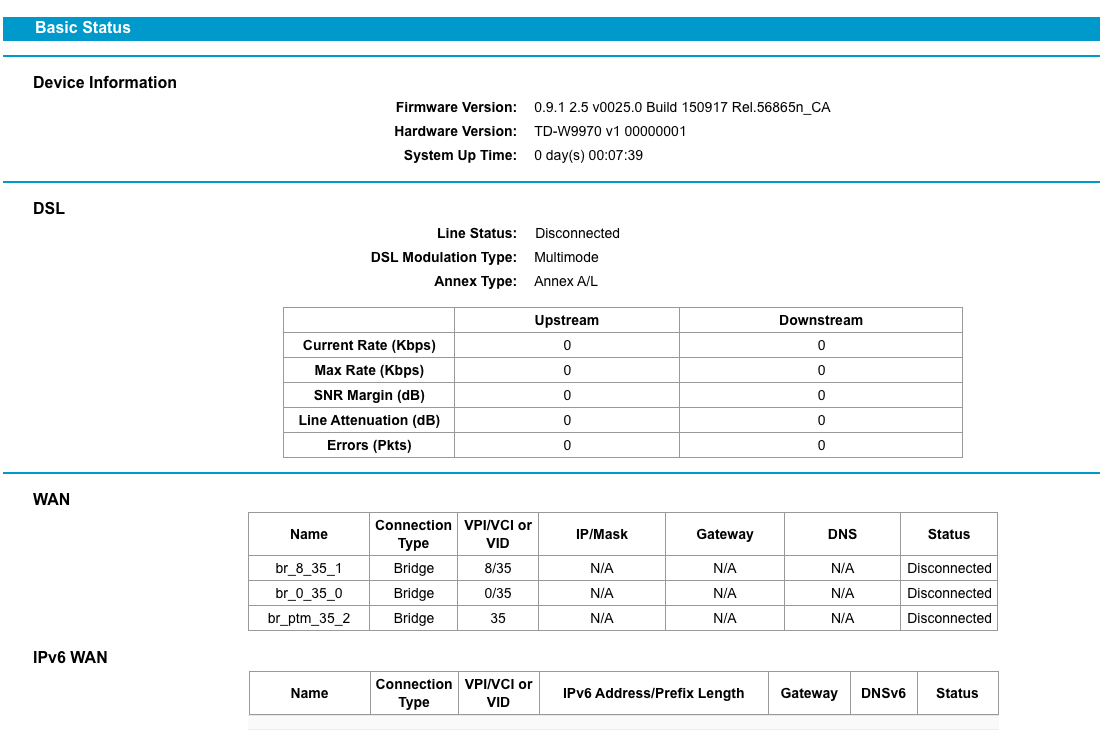
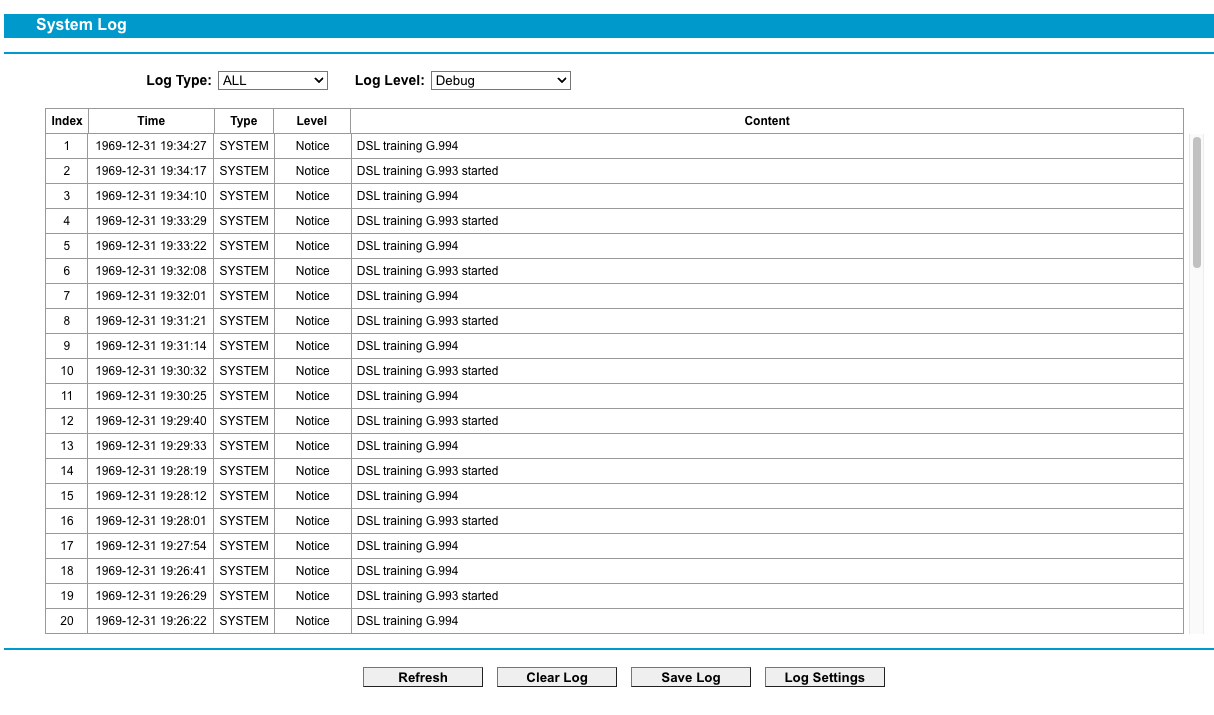
Hi folks. I can't get this setup to work. DSL won't connect. I was even on the phone with Teksavvy and they said it was the modem as it wasn't even getting bloc sync with DSL. Any insight appreciated. Cheers



- Copy Link
- Subscribe
- Bookmark
- Report Inappropriate Content

- Copy Link
- Report Inappropriate Content
@terziyski No. I was told this is the way it needs to be done.
I'll have to give it a try early tomorrow morning as I need my DSL up. Thanks for the link. I'll have a look today.
- Copy Link
- Report Inappropriate Content
@terziyski So you used the modem to authenticate? You sure that's needed? Your first and last images are confusing. Historically with other modems, they just get bridged and no authentication.
I'm using my router (Archer C7) to authenticate, behind the modem.
A bridged modem is just a single unit that passes everything through to the faster router.
- Copy Link
- Report Inappropriate Content
That's exactly what I'm doing - bridged TD-W9960 in front of an Archer C80 authenticating through PPPoE session - the last image is from Archer C80.
- Copy Link
- Report Inappropriate Content
@terziyski Turns out my modem is pooched. Won't get DSL.
- Copy Link
- Report Inappropriate Content
Have you tried without setting a VLAN ID ?
If it doesn't build the DSL connection either way then probably something else goes wrong.
- Copy Link
- Report Inappropriate Content
@terziyski There has to be a VLAN ID. Otherwise it doesn't know what network to connect to.
There's never been any DSL block sync. It's pooched.
- Copy Link
- Report Inappropriate Content
Information
Helpful: 0
Views: 1400
Replies: 7
Voters 0
No one has voted for it yet.