
Unable to add Deco. Please try again later :(

This thread has been locked for further replies. You can start a new thread to share your ideas or ask questions.

Unable to add Deco. Please try again later :(

This thread has been locked for further replies. You can start a new thread to share your ideas or ask questions.

Unable to add Deco. Please try again later :(
2024-05-28 20:06:33 - last edited 2024-05-29 10:46:55
Model: Deco X50  
Hardware Version: V1
Firmware Version:

Hi,


Sorry if this topis was covered elsewhere but I couldn't find it. So here is my issue:


I have 3 x X50 Deco v.1.0. App version 3.7.54 android. Newest firmware.


I did reset one Deco and wanted to add it again to the network but I can't do it. The blue light is flashing - supposedly ready to setup but my app shows "unable to add deco, pls try again later". And suprisingly this deco is discovered by the app, it shows as device but I am unable to reboot it, change name, refresh page etc. I can only remove it within app...but it appears again few seconds later. And blue light still flashing...


Is there any fix? Any help guys?

BTW, previous Deco app versions worked usually without any issues. I could easily change name of devices and add Decos after reconfigured my network.


What I tried so far without success:

- reinstall app few times

- log in log out from app many times

- turn off/on deco few times

- tried removing and adding deco zillion times within app
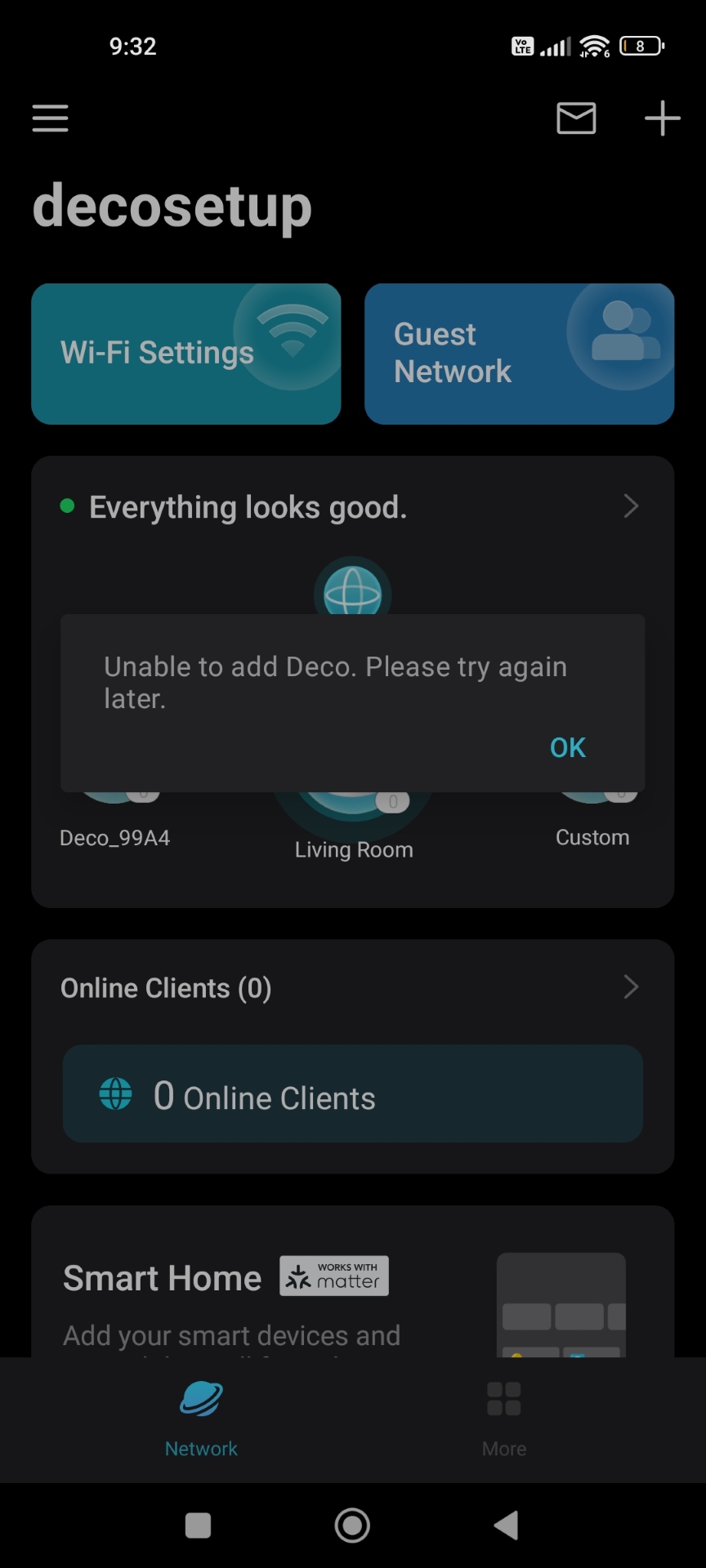


thx

borys

  2      
  2      
#1
Options
1 Accepted Solution
Re:Unable to add Deco. Please try again later :( (SOLVED)-Solution
2024-05-29 08:05:46 - last edited 2024-05-29 10:46:55

  @David-TP Thank you. I tried many different versions, even the oldest available there (3.2.5) but nothing changed. Looks like it was not an app issue.


UPDATE: Just to make sure in the meantime I also disabled "EasyMesh" function in my main TPLINK router then I restarted it. And after that I also restarted Main Deco unit (named "LivingRoom") and all of sudden everything is working again normally. I have full access to all devices, I can rename them, get more details etc. I also turned off ECO MODE which was activated 30 days ago I could not change it before. Issue seems to be fixed. If anything changes I will update.


Thank you a lot for help. Another issue solved for now :)


cheers

borys

Recommended Solution
  1  
  1  
#3
Options
4 Reply
Re:Unable to add Deco. Please try again later :(
2024-05-29 01:50:36

  @borys991 

Hi, Thank you very much for the feedback.

I know some APK websites saved the older version of Deco APP, the last version 3.7.34 for example.

If possible, could you mind trying to install the 3.7.34 version to test whether it helps to add the satellite Deco X50?

https://apkpure.com/tp-link-deco/com.tplink.tpm5/versions


Wait for your reply and best regards.


  0  
  0  
#2
Options
Re:Unable to add Deco. Please try again later :( (SOLVED)-Solution
2024-05-29 08:05:46 - last edited 2024-05-29 10:46:55

  @David-TP Thank you. I tried many different versions, even the oldest available there (3.2.5) but nothing changed. Looks like it was not an app issue.


UPDATE: Just to make sure in the meantime I also disabled "EasyMesh" function in my main TPLINK router then I restarted it. And after that I also restarted Main Deco unit (named "LivingRoom") and all of sudden everything is working again normally. I have full access to all devices, I can rename them, get more details etc. I also turned off ECO MODE which was activated 30 days ago I could not change it before. Issue seems to be fixed. If anything changes I will update.


Thank you a lot for help. Another issue solved for now :)


cheers

borys

Recommended Solution
  1  
  1  
#3
Options
Re:Unable to add Deco. Please try again later :( (SOLVED)
2024-05-29 10:46:51

  @borys991 

Hi, Thanks for the good news!yes

By the way, may I know the model number of your EasyMesh router?

Thank you again and best regards.

  0  
  0  
#4
Options
Re:Unable to add Deco. Please try again later :( (SOLVED)
2024-05-29 11:50:21

  @David-TP Thx again for help. My main router is TP-Link ARCHER AX73 AX5400. cheers

  1  
  1  
#5
Options