Archer c6 v4 - WDS not working properly
 This thread has been locked for further replies. You can start a new thread to share your ideas or ask questions.
Hello
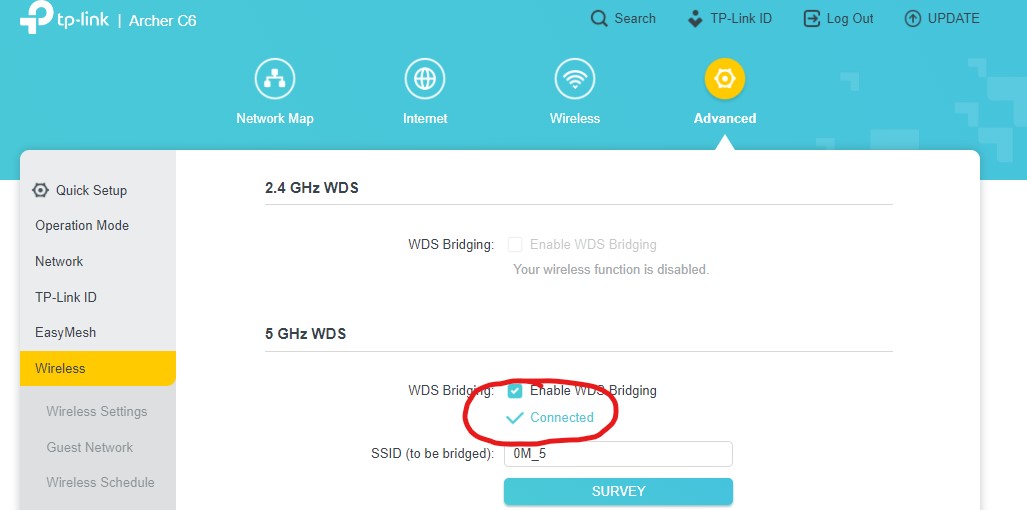
I bought the Archer C6 V4 router because I need to extend the Wi-Fi network from my ISP using the WDS option. I followed the instructions provided in the link, but despite the router establishing a WDS connection with the ISP router, it does not work as expected. In the WDS options, I see that the connection has been established. In the summary view of connected clients, I see devices connected to the main router with a green dot for 2-3 seconds, but then the dots turn gray as if the connection has been lost. The IP of the main router: 192.168.0.1 (DHCP on), the IP of the AC6 router with WDS: 192.168.0.2 (DHCP off) - both assigned statically. WIFI channel numbers are same. Device with IP 192.168.0.100 connected with AC6 (IP from ISP router DHCP). Device with IP 192.168.0.4 connected with ISP router. Tested with ping from AC6 router to ISP and from ISP to AC6 - both failed (100% packet lost).
Any ideas on what could have gone wrong?