
QoS service did not include downloading bandwidth
 This thread has been locked for further replies. You can start a new thread to share your ideas or ask questions.
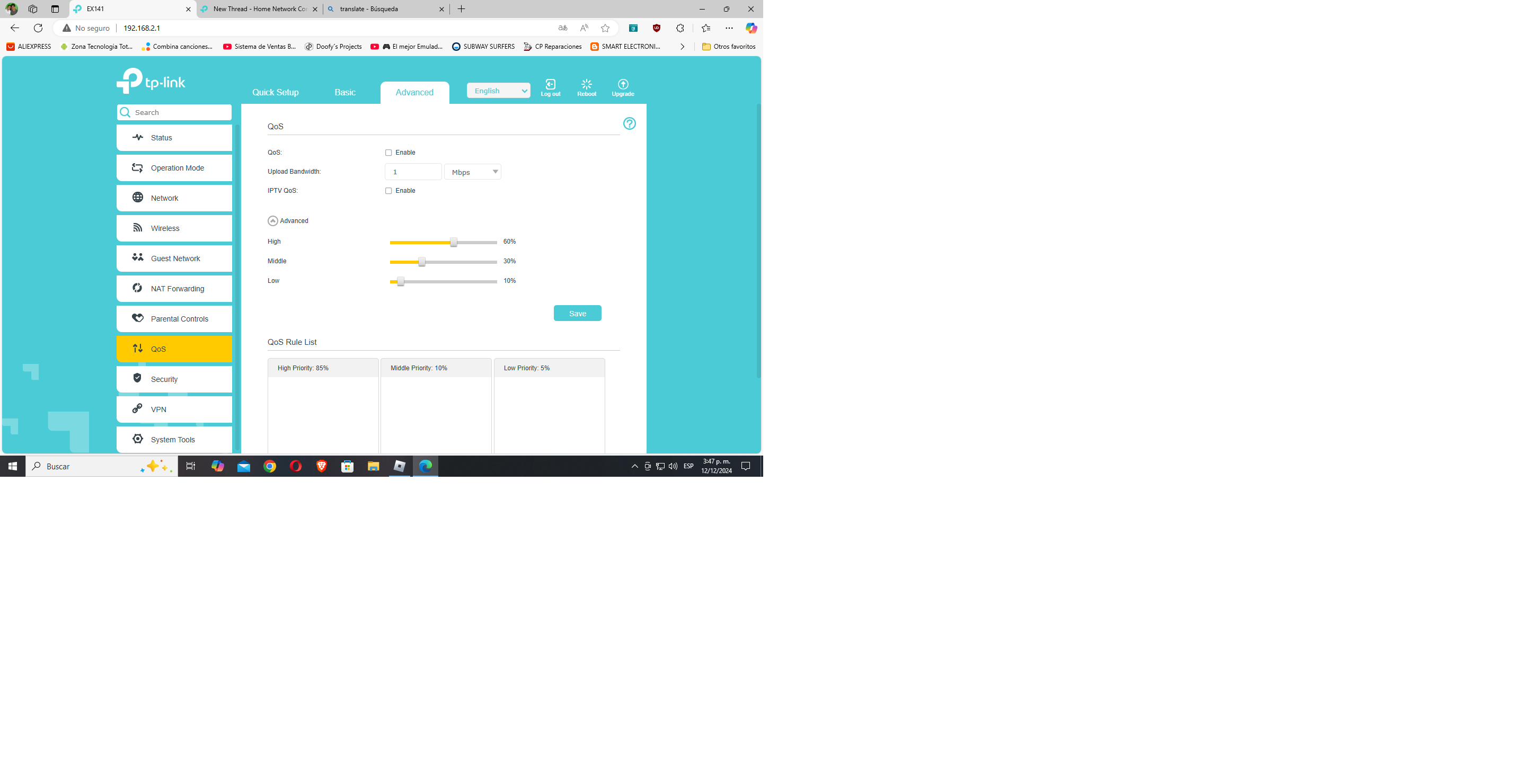 QoS Service did not include downloading bandwidth to limit it. I need it to limit Clients.
- Copy Link
- Subscribe
- Bookmark
- Report Inappropriate Content

Hi @Stigma ,
EX141 is an ISP specialized model. As the parameters may be different from the generic router, and we are not familiar with it. Our technical support team is adept at providing general guidance and suggestions for products with standard, generic firmware.
So to solve the issue more efficiently, it suggests you contact your internet service provider to guide you to set up this modem router.
Hoping for your kind understanding.
- Copy Link
- Report Inappropriate Content
Hi @Stigma ,
EX141 is an ISP specialized model. As the parameters may be different from the generic router, and we are not familiar with it. Our technical support team is adept at providing general guidance and suggestions for products with standard, generic firmware.
So to solve the issue more efficiently, it suggests you contact your internet service provider to guide you to set up this modem router.
Hoping for your kind understanding.
- Copy Link
- Report Inappropriate Content
Information
Helpful: 0
Views: 335
Replies: 1
Voters 0
No one has voted for it yet.