
Cant access all settings in Router browser site

This thread has been locked for further replies. You can start a new thread to share your ideas or ask questions.

Cant access all settings in Router browser site

This thread has been locked for further replies. You can start a new thread to share your ideas or ask questions.

Cant access all settings in Router browser site
2025-05-08 06:41:15 - last edited 2025-06-23 03:13:49
Model: Deco X50 - PoE  
Hardware Version: V2
Firmware Version: 1.4.9

Hi all,

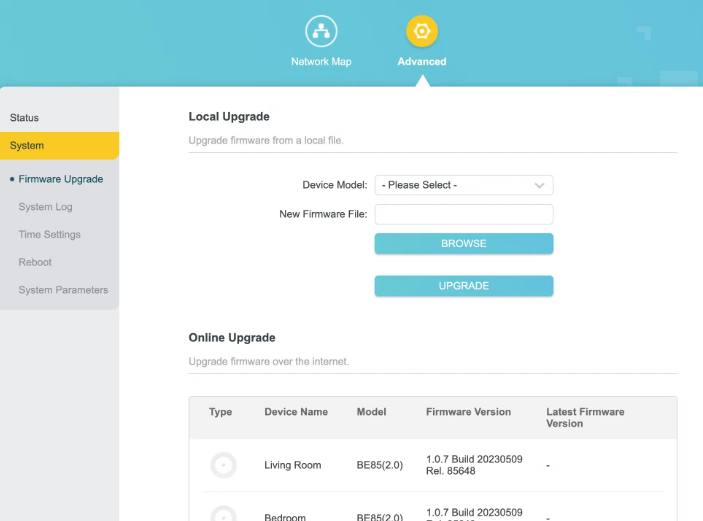
I have now tried a number of times to login to the TP Link router page, but all i get is in the menu System and Settings, but i am not available to edit any parameters.

This is the only thing I can see in the browser
 

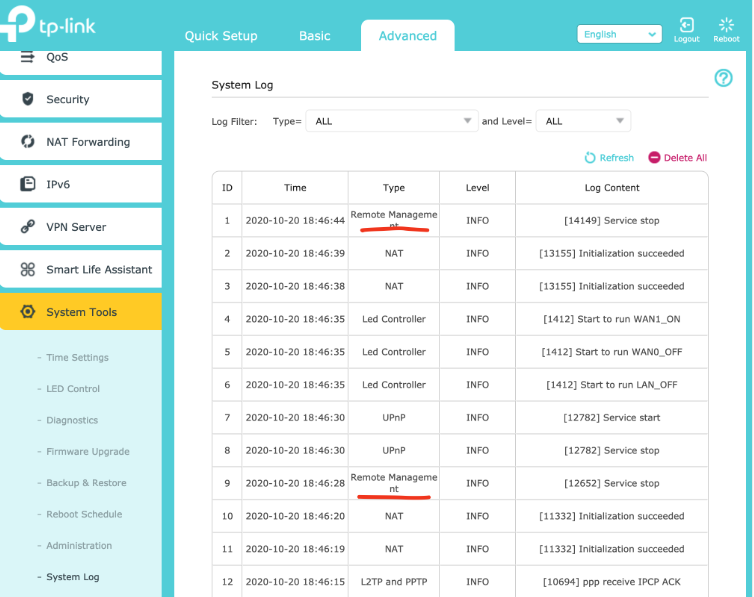
So I lack all the things you can see in the below image. What am I doing wrong?
 

  0      
  0      
#1
Options
1 Accepted Solution
Re:Cant access all settings in Router browser site-Solution
2025-05-09 08:07:49 - last edited 2025-06-23 03:13:49

  @ThomasUll 

Hi, for Deco Mesh products, network management goes through the Deco APP, and the web UI only displays basic network information and is mainly used for local firmware upgrade, which would be one of the key differences from the Archer series.

Thank you very much.

Best regards.

Recommended Solution
  0  
  0  
#2
Options
1 Reply
Re:Cant access all settings in Router browser site-Solution
2025-05-09 08:07:49 - last edited 2025-06-23 03:13:49

  @ThomasUll 

Hi, for Deco Mesh products, network management goes through the Deco APP, and the web UI only displays basic network information and is mainly used for local firmware upgrade, which would be one of the key differences from the Archer series.

Thank you very much.

Best regards.

Recommended Solution
  0  
  0  
#2
Options