
New Arrival M8550: 5G Mobile Wi-Fi with Touch Screen


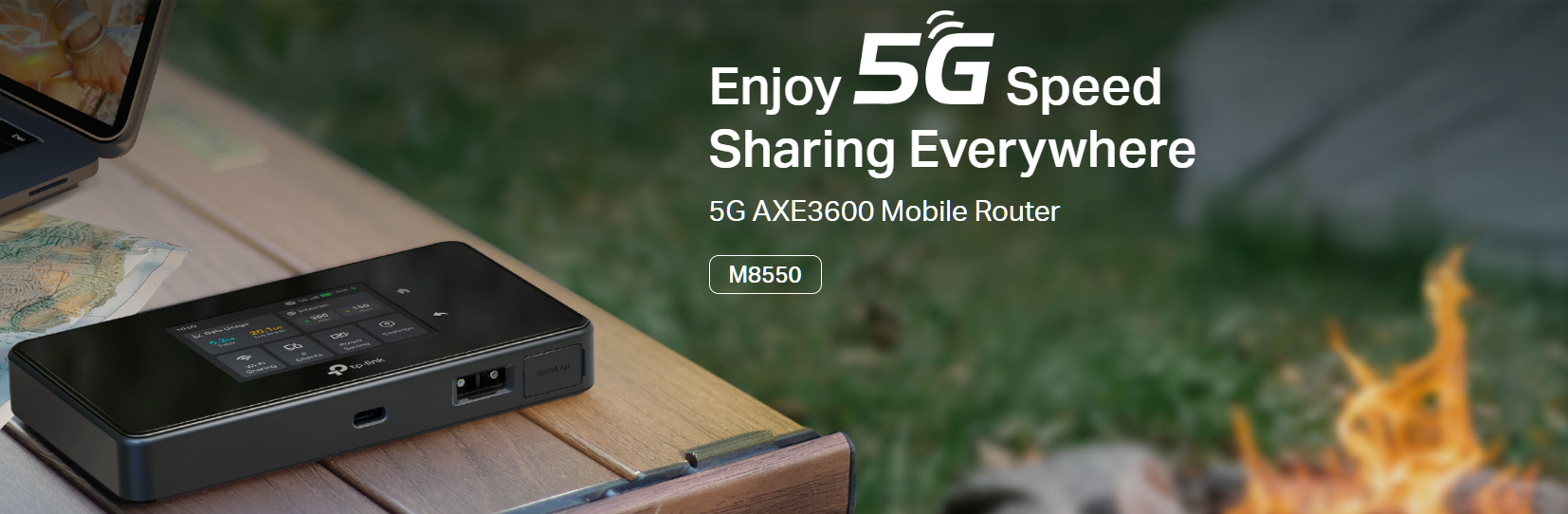
With the revolutionary power of cutting-edge 5G technology, our Mobile WiFi has transcended into a new era of connectivity. The M8550, equipped with advanced WiFi 6E technology, is meticulously crafted to provide an unparalleled enhancement in coverage, lightning-fast speed, and unmatched total capacity, ensuring a superior wireless experience for you.
With M8550, you will have:
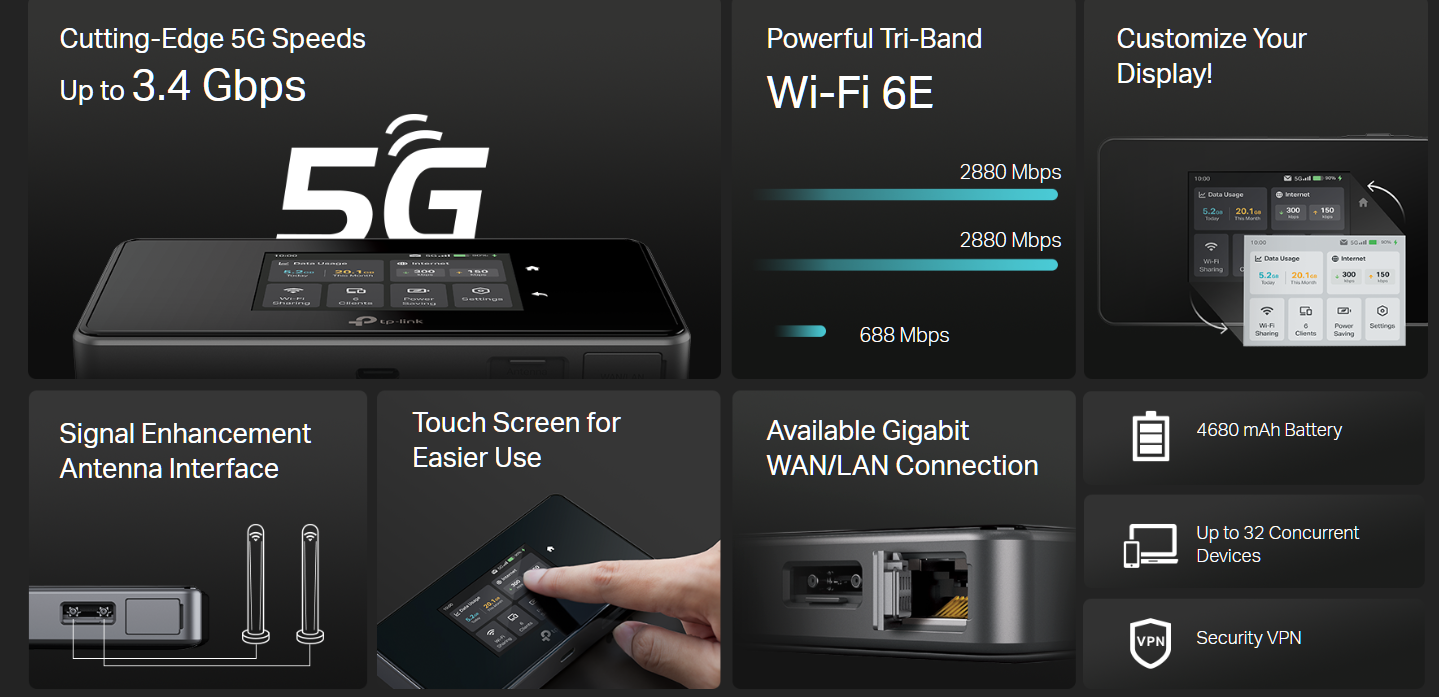
 Superior 5G - Up to 3.4 Gbps Download Speed Powerful Wi-Fi 6E - Tri-Band AXE3600 Network
Gigabit WAN/LAN Port - Provide Stable and Versatile Wired Connection Touch Screen - Easy Management at your fingertips
VPN Encryption - Secure Access to Remote Servers Easy Network Sharing - Supports up to 32 devices
More Technical Specifications:
 |
|
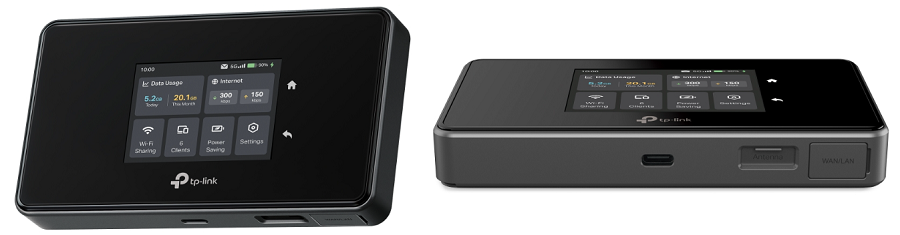
| Hardware Interface | 1× USB-C Port for Power Supply 1× Gigabit WAN/LAN Port 1× Nano SIM Card Slot 1× Micro SD Card Slot, Up to 2 TB (*SD card sold separately) 2× TS-9 Antenna Ports |
| WiFi Specification |
• 688 Mbps at 2.4 GHz
• 2.4 GHz Only |
| Network Bands | US Version • 5G: N2/N5/N12/N14/N25/N29/N30/N41/N48/N66/N71/N77 EU Version • 5G: N1/N3/N5/N7/N8/N20/N28/N38/N40/N41/N71/N75/N76/N77/N78 |
| Advanced Features | WireGuard VPN, Wireless MAC Filtering, Power Saving, and more |
| Power Supply | 4680 mAh Rechargeable Battery Charge Voltage: 5V-3A, 9V-2A, 12V-1.5A |
Feel free to comment below if you want to know more about this product.
Related Articles:
- Copy Link
- Subscribe
- Bookmark
- Report Inappropriate Content

@David-TP
M8550 can combine with certain bands up to 5 bands in Download (DL) using Carrier Aggregation as far as I understand it by the file provided. See attached filtered for 5DL:
| Mode | NR | Sub-Category | CA & EN-DC Combination |
| EN-DC | TDD | 5DL + FR1 | DC_1A-3C-7C_n78A |
| EN-DC | TDD | 5DL + FR1 | DC_1A-42E_n78A |
| EN-DC | TDD | 5DL + FR1 | DC_3A-42E_n78A |
| EN-DC | TDD | 5DL + FR1 | DC_1A-3A-42D_n78A |
| EN-DC | TDD | 5DL + FR1 | DC_1A-41C-42C_n77A |
| EN-DC | TDD | 5DL + FR1 | DC_1A-41C-42C_n78A |
| EN-DC | TDD | 5DL + FR1 | DC_3A-41C-42C_n77A |
| EN-DC | TDD | 5DL + FR1 | DC_3A-41C-42C_n78A |
| EN-DC | TDD | 5DL + FR1 | DC_1A-3A-28A-42C_n77A |
| EN-DC | TDD | 5DL + FR1 | DC_1A-3A-28A-42C_n78A |
| EN-DC | TDD | 5DL + FR1 | DC_1A-3A-41A-42C_n77A |
| EN-DC | TDD | 5DL + FR1 | DC_1A-3A-41A-42C_n78A |
| EN-DC | TDD | 5DL + FR1 | DC_1A-3A-41C-42A_n77A |
| EN-DC | TDD | 5DL + FR1 | DC_1A-3A-41C-42A_n78A |
| EN-DC | TDD | 5DL + FR1 | DC_1A-3A-5A-7A-7A_n78A |
| EN-DC | FDD | 5DL + FR1 | DC_1A-3C-7C_n5A |
| EN-DC | TDD | 5DL + FR1 | DC_1A-3C-7A-28A_n78A |
| EN-DC | TDD | 5DL + FR1 | DC_1A-3A-7C-28A_n78A |
| EN-DC | TDD | 5DL + FR1 | DC_3C-7C-28A_n78A |
| EN-DC | TDD | 5DL + FR1 | DC_1A-3A-28A-40C_n78A |
| EN-DC | FDD | 5DL + FR1 | DC_1A-3C-7A-28A_n7A |
| EN-DC | FDD | 5DL + FR1 | DC_1A-1A-3A-3A-28A_n7A |
| EN-DC | FDD | 5DL + FR1 | DC_1A-1A-3A-7A-28A_n7A |
| EN-DC | FDD | 5DL + FR1 | DC_1A-1A-3C-28A_n7A |
| EN-DC | FDD | 5DL + FR1 | DC_1A-3A-3A-7A-28A_n7A |
| EN-DC | FDD | 5DL + FR1 | DC_1A-3C-7C_n28A |
| EN-DC | TDD | 5DL + FR1 | DC_3A-3A-7A-7A-8A_n78A |
| EN-DC | FDD | 5DL + FR1 | DC_3A-3A-7A-7A-8A_n1A |
| EN-DC | FDD | 5DL + FR1 | DC_3C-7C-20A_n1A |
| EN-DC | TDD | 5DL + FR1 | DC_1A-3A-8A-40C_n78A |
| EN-DC | TDD | 5DL + FR1 | DC_1A-3A-8A-42C_n77A |
| EN-DC | FDD | 5DL + FR1 | DC_1A-1A-3C-7A_n7A |
| EN-DC | TDD | 5DL + FR1 | DC_1A-3A-7A-20A-32A_n78A |
| EN-DC | 2TDD | 5DL + 2FR1 | DC_1A-3C-7C_n78(2A) |
| EN-DC | 2TDD | 5DL + 2FR1 | DC_1A-3A-8A-40C_n78(2A) |
| EN-DC | TDD | 5DL + FR1 | DC_1A-3C-7A-8A_n78A |
Thats surprisingly good if correct. I was expecting lower CA results given the device "only" supports 3GPP Release 16. Honestly I would have expected 3GPP Release 17 or 18 as given with such CA results. Maybe the information about 3GPP 16 is wrong? Anyways on the CA side it is good news :-)
Please note, I´m not a technician. Maybe I´m also wrong with my statements. Thanks to confirm therefore.

- Copy Link
- Report Inappropriate Content

@LutzB I cannot even get mine to connect. It just keeps cycling through the connecting phase after eliminting the string errors after downloading the file from my Draytek.
On this basis, I'm sending mine back with the marketing hype on this "tri band" (but not simultanesly operation), I may as well get something a bit more reputable for the money. I managed to get a re-badged AMIT with firmware fixes to at least dial in to a server and work two ways, this is looking very much like that situation where they fix one thing and introduce half a dozen problems, albeit breaking what was once fixed. Shame becuase the unit itself looks nice.
- Copy Link
- Report Inappropriate Content
Hi, welcome to the community.
May I know your SIM ISP?
I noticed you also commented here:https://community.tp-link.com/en/home/forum/topic/852464?replyId=1652352.
Did you also plan to set M8550 as a WireGuard VPN Client to connect to the Draytek router?
I've left a message with a beta firmware for M8550. Could you please test whether it helps?
Furthermore, if you would like to spend a little more time, it is recommended to send an email to support.forum@tp-link.com with the following details. And our senior engineer would love to provide further assistance.
Subject: [Forum Escalation][ID 826380]M8550 WireGuard VPN connection
- A copy of the WireGuard VPN config file.
- A copy of the web UI system log.
Wait for your reply.
Best regards.
- Copy Link
- Report Inappropriate Content
Thank you for coming back to me.
If I could get this working, I'd be willing to keep the product. I'll check my messages and test the firmware.
Grateful
Pete
- Copy Link
- Report Inappropriate Content
Hi David
Many thanks for coming back to me, I will try this out. I believe Evan (in the other post) is still struggling to establish a tunnel.
Tried to reply to your message, but it wouldn't let me due to a lack of following.
Regards
Pete
- Copy Link
- Report Inappropriate Content
- Copy Link
- Report Inappropriate Content
Hi David
I'm not sure if you have seen my post in the other thread, but to just let you know that my M8550 is on its way back to my supplier. Many thanks for your time to come back to me, but I feel my days of playing Guinea Pig are over.
This morning I thought I'd piggy back to my home router to save pulling the Sim card out of my mobile phone and upload the firmware. The unit decided to connect and disconnect when it felt like it, and I really feel disapointed at the price point.
Please see the post with @
Regards and thanks again
Pete
- Copy Link
- Report Inappropriate Content

Just got the M8550 yesterday and am running into all the same problems mentioned here, especially with the VPN functionality. Followed Pete's and Evan's thread linked above and installed the beta firmware (M8550(EU)v1_1.3.0_3.0.0_Build_260126_Rel.57813n_UP_BOOT_beta_2026-01-27_10.20.00). Now I *can* establish a tunnel but with problems:
1. WireGuard config is still not loaded properly and sets MTU to 0 and one of the DNS values to "d" (!??)
2. The "Allowed IPs" section for the VPN Client WireGuard configuration seems to be completely ignored
3. Can't view any devices on the VPN (the same WireGuard config on another device lets me see them)
4. Backlight turns on randomly even when the screen is black
5. Device gets very warm and loses battery very quickly (50% in 3 hours) with just 2 clients
Not to mention the weird "Tri-Band" marketing which allows 5/2.4 and 6/2.4 but not actually 6/5/2.4 simultaneously.
Is there any hope for site-to-site VPN?
Is there any hope for WiFi offloading (instead of just via Ethernet)?
Is there any hope for proper WireGuard support?
I first tried the Nighthawk M7 and returned it because it had zero VPN client support. Thought this might do better but seeing all my problems being reported in August already and still not being fixed many months later for what is claimed to be a flagship product, I feel like I made the wrong decision again.
- Copy Link
- Report Inappropriate Content

@David-TP does the M8550 share its network via the USB-C port?
- Copy Link
- Report Inappropriate Content

Hi @Tomdk ,
I can confirm that connection via USB is working fine - M8550 is recognized as network adapter.
- Copy Link
- Report Inappropriate Content
Information
Helpful: 1
Views: 31711
Replies: 95
Voters 1
