TL-MR6400 4G doesn't connect to mobile 4G band

TL-MR6400 4G doesn't connect to mobile 4G band

TL-MR6400 4G doesn't connect to mobile 4G band
2025-06-26 12:07:52
Model: TL-MR6400  
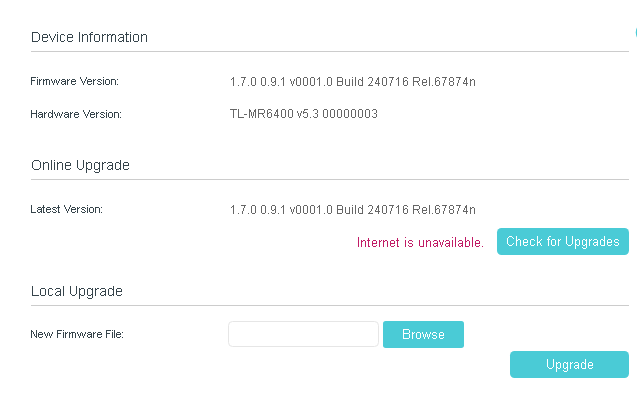
Hardware Version: V5
Firmware Version: TL-MR6400(EU)v5_1.7.0_0.9.1_[240716-rel67874]_up_boot_All_Release_2024-07-17_17.59.34

Hi,

I bought a TL-MR6400 and doesn't connect to mobile 4G band.

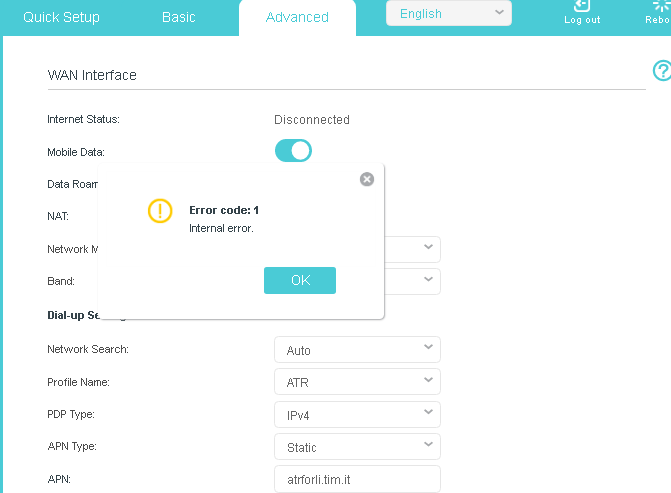
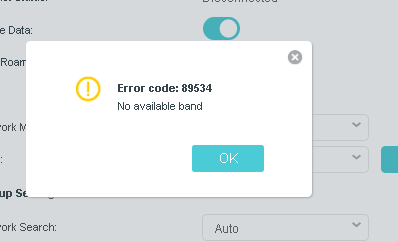
No possibility to set  manual band (error 89534), nor set 4G only (error code 1 - internal error).

I tried all firmware versions available on official website.

I read several threads on forum without solving.

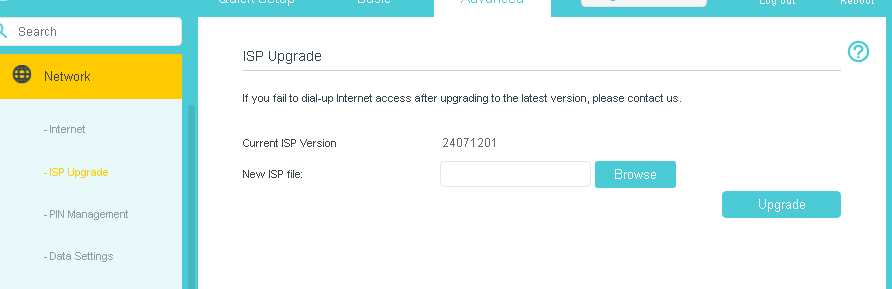
Last ISP file is outdated compared to firmware versione.

Sim is OK and tested on other devices.


Router hw version 5.30 - EU

I have 5 TL-MR6400 , two with hardware V.1 and three with 5.0 : with these no problems, but with the last one (v. 5.3) I can't get connection.


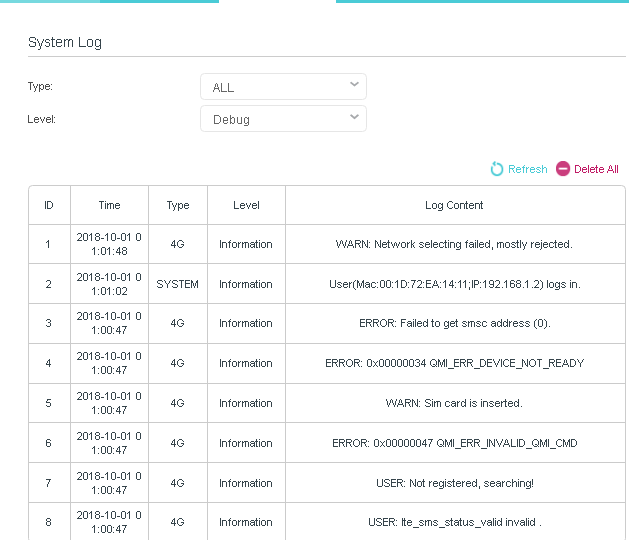
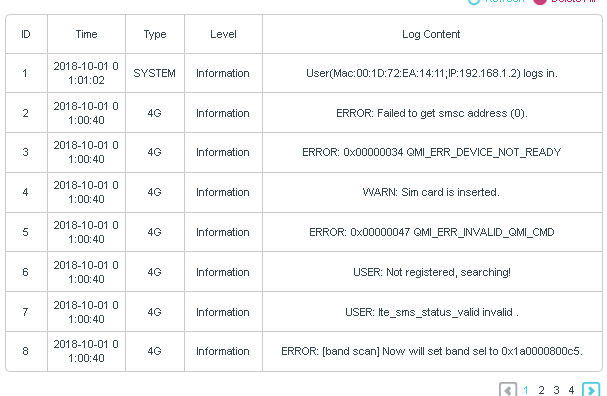
System log:

1 2025-06-26 13:58:20 4G Information ERROR: QMI NAS Set preferred network failed, ret = 0.
2 2025-06-26 13:57:31 4G Information ERROR: [band scan] Set pref net failed for pci scan!!!
3 2025-06-26 13:57:31 4G Information ERROR: QMI NAS Set preferred network failed, ret = 0.
4 2025-06-26 13:57:17 SYSTEM Information

User(Mac:00:1D:72:EA:14:11;IP:192.168.1.2) logs in.


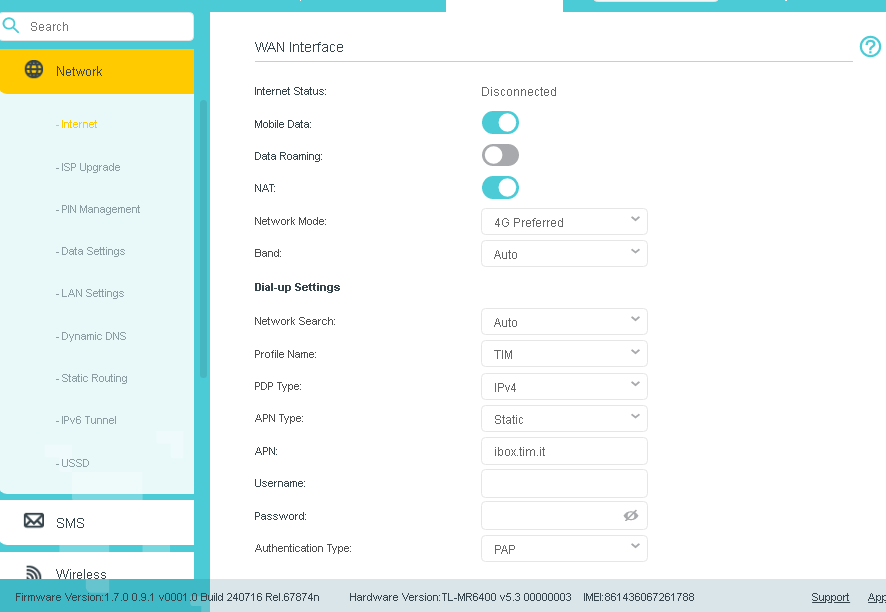
In menu advanced\network\internet after checking sim, the status is disconnected

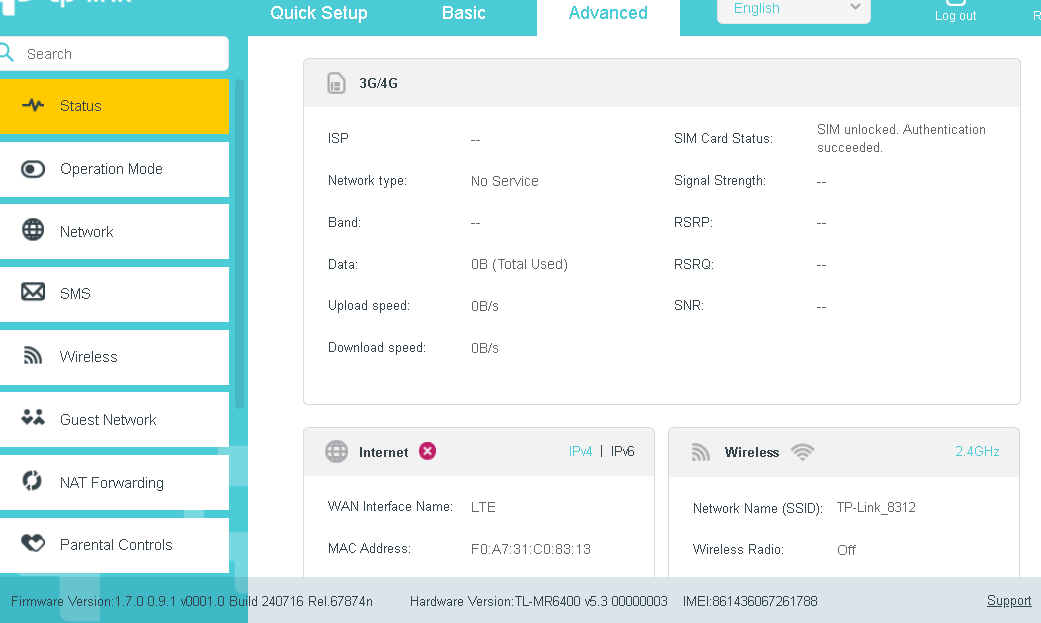
In advanced\status the network type is "no service"


How can I solve ?


thank you

 

  0      
  0      
#1
Options
9 Reply
Re:TL-MR6400 4G doesn't connect to mobile 4G band
2025-06-27 07:32:54

Hi@CLA-ATR,

Welcome to our community.


For your issue, would you mind trying different SIM cards for this new router? 

Also, you can try the following FAQ troubleshooting suggestions:
No internet connection when using TP-Link Wireless 4G LTE Router working as 3G/4G Router Mode


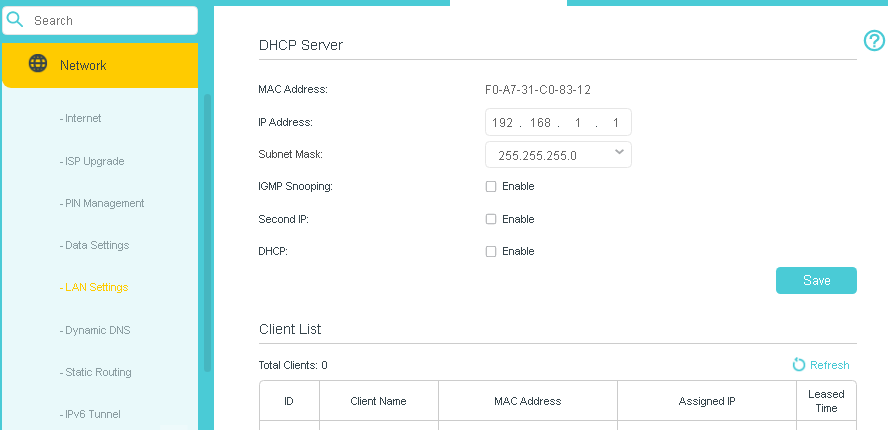
If you don't mind, please take some screenshots of the Advanced page, we can check the status of router to locate the issue.


Nice to Meet You in Our TP-Link Community. Check Out the Latest Posts: △New Firmware Update for Archer BE260/Archer BE400 to Support VPN Merge, New ECO Mode, and More △Connect TP-Link Archer BE550 to Germany's DS-Lite (Dual Stack Lite) Internet via WAN △Tether KidShield Test Recruitment - Safeguarding Children's Online Experience If you found the post or response helpful, please click Helpful. If an answer solves your problem, click "Recommended Solution" so that others can benefit from it.
  0  
  0  
#2
Options
Re:TL-MR6400 4G doesn't connect to mobile 4G band
2025-06-27 08:47:24

  @Joseph-TP 

Hi Joseph, thank you.ù

I already tried different Sims and I already seen and checjed the FAQ link you posted.

I'm out of office for some days, when I'll come back I'send you screenshots.

As said, I have other five MR6400 with the some SIms and network carrier and in that case no problems.


Claudio


  0  
  0  
#3
Options
Re:TL-MR6400 4G doesn't connect to mobile 4G band
2025-06-27 08:54:46

Thanks@CLA-ATR, Please take your time. 

Nice to Meet You in Our TP-Link Community. Check Out the Latest Posts: △New Firmware Update for Archer BE260/Archer BE400 to Support VPN Merge, New ECO Mode, and More △Connect TP-Link Archer BE550 to Germany's DS-Lite (Dual Stack Lite) Internet via WAN △Tether KidShield Test Recruitment - Safeguarding Children's Online Experience If you found the post or response helpful, please click Helpful. If an answer solves your problem, click "Recommended Solution" so that others can benefit from it.
  0  
  0  
#4
Options
Re:TL-MR6400 4G doesn't connect to mobile 4G band
2025-07-03 06:34:21

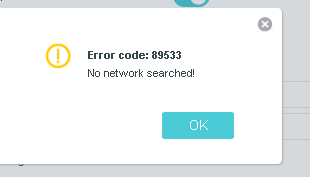
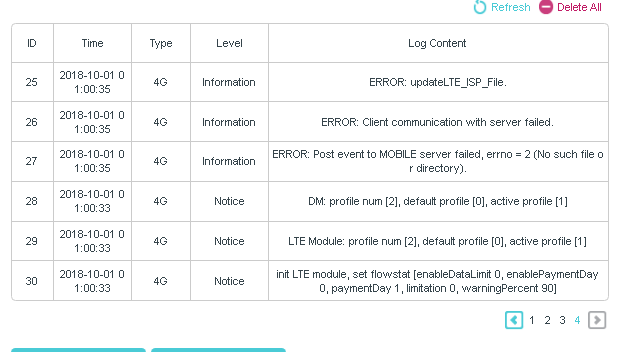
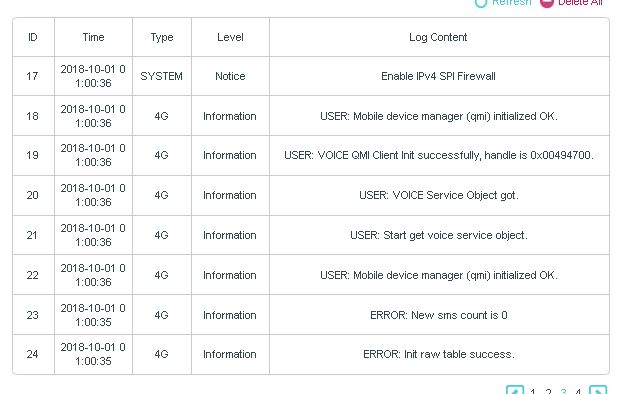
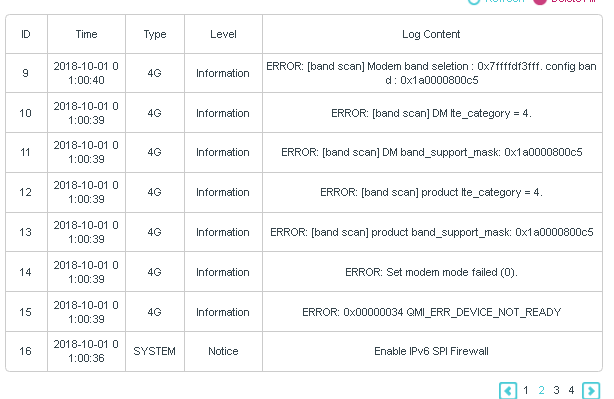
  @Joseph-TP Hi, here are the screenshots :


if SET “4g only”


IF SET “MANUAL BAND”


IF NETWORK SEARCH MANUAL


  0  
  0  
#5
Options
Re:TL-MR6400 4G doesn't connect to mobile 4G band
2025-07-03 06:42:56 - last edited 2025-07-03 06:43:32

COMPLETE DEBUG LOG AFTER CLEANING LOGS AND REBOOT


  0  
  0  
#6
Options
Re:TL-MR6400 4G doesn't connect to mobile 4G band
2025-07-03 06:43:48 - last edited 2025-07-03 06:44:40


.

  0  
  0  
#7
Options
Re:TL-MR6400 4G doesn't connect to mobile 4G band
2025-07-04 01:44:02

Hi@CLA-ATR,

Thank you for getting back to me.


Please hard reset the TL-MR6400:

Press and hold WPS/RESET button until the Power LED starts flashing to reset the router to its factory default settings


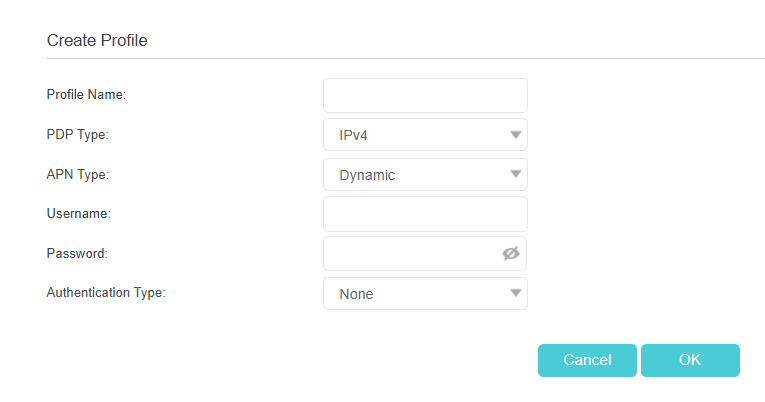
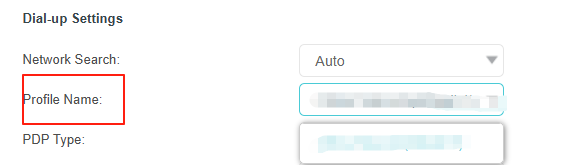
Have you created a new profile for a try? Please set the APN Type to Dynamic.

Then go to change to the new profile at the Profile Name option.


If it still doesn't work, contact your retailer for a replacement.


Nice to Meet You in Our TP-Link Community. Check Out the Latest Posts: △New Firmware Update for Archer BE260/Archer BE400 to Support VPN Merge, New ECO Mode, and More △Connect TP-Link Archer BE550 to Germany's DS-Lite (Dual Stack Lite) Internet via WAN △Tether KidShield Test Recruitment - Safeguarding Children's Online Experience If you found the post or response helpful, please click Helpful. If an answer solves your problem, click "Recommended Solution" so that others can benefit from it.
  0  
  0  
#8
Options
Re:TL-MR6400 4G doesn't connect to mobile 4G band
2025-07-10 08:52:59

  @Joseph-TP 

No luck.

I tried with "dynamic APN" but It doesn't work

I'll ask for replacement


thank You

Claudio

  0  
  0  
#9
Options
Re:TL-MR6400 4G doesn't connect to mobile 4G band
2025-07-11 02:57:16

Thanks@CLA-ATR ,

Please feel free to contact us if you have any update.

Nice to Meet You in Our TP-Link Community. Check Out the Latest Posts: △New Firmware Update for Archer BE260/Archer BE400 to Support VPN Merge, New ECO Mode, and More △Connect TP-Link Archer BE550 to Germany's DS-Lite (Dual Stack Lite) Internet via WAN △Tether KidShield Test Recruitment - Safeguarding Children's Online Experience If you found the post or response helpful, please click Helpful. If an answer solves your problem, click "Recommended Solution" so that others can benefit from it.
  0  
  0  
#10
Options