
Archer BE230 NO SE ASIGNA IPV6

This thread has been locked for further replies. You can start a new thread to share your ideas or ask questions.

Archer BE230 NO SE ASIGNA IPV6

This thread has been locked for further replies. You can start a new thread to share your ideas or ask questions.

Archer BE230 NO SE ASIGNA IPV6
2025-08-15 12:35:46 - last edited 2025-09-14 09:22:17
Tags: #IPv6
Model: Archer BE230  
Hardware Version: V1
Firmware Version: 1.1.4 Build 20250318 rel.31873(5553)

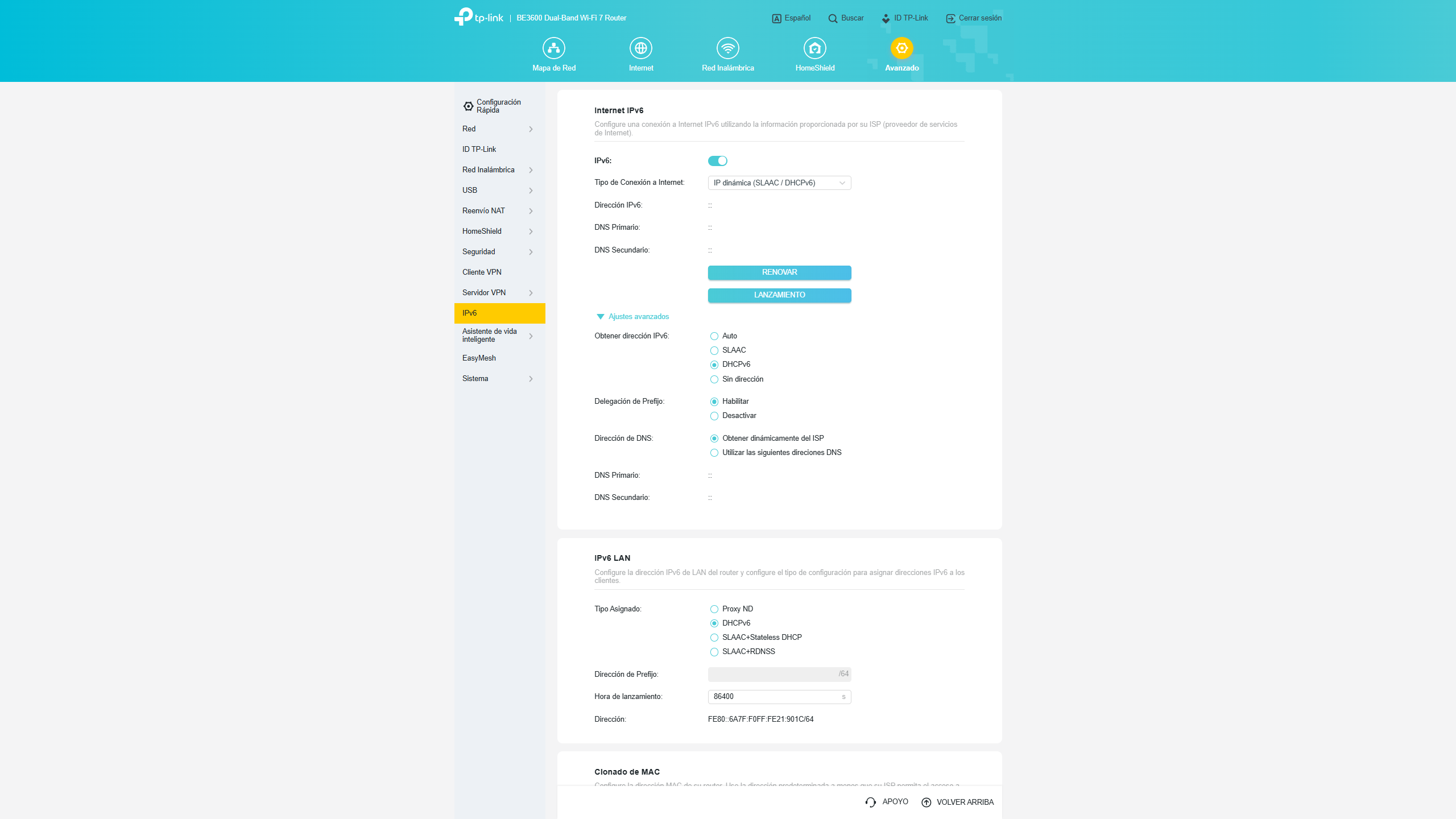
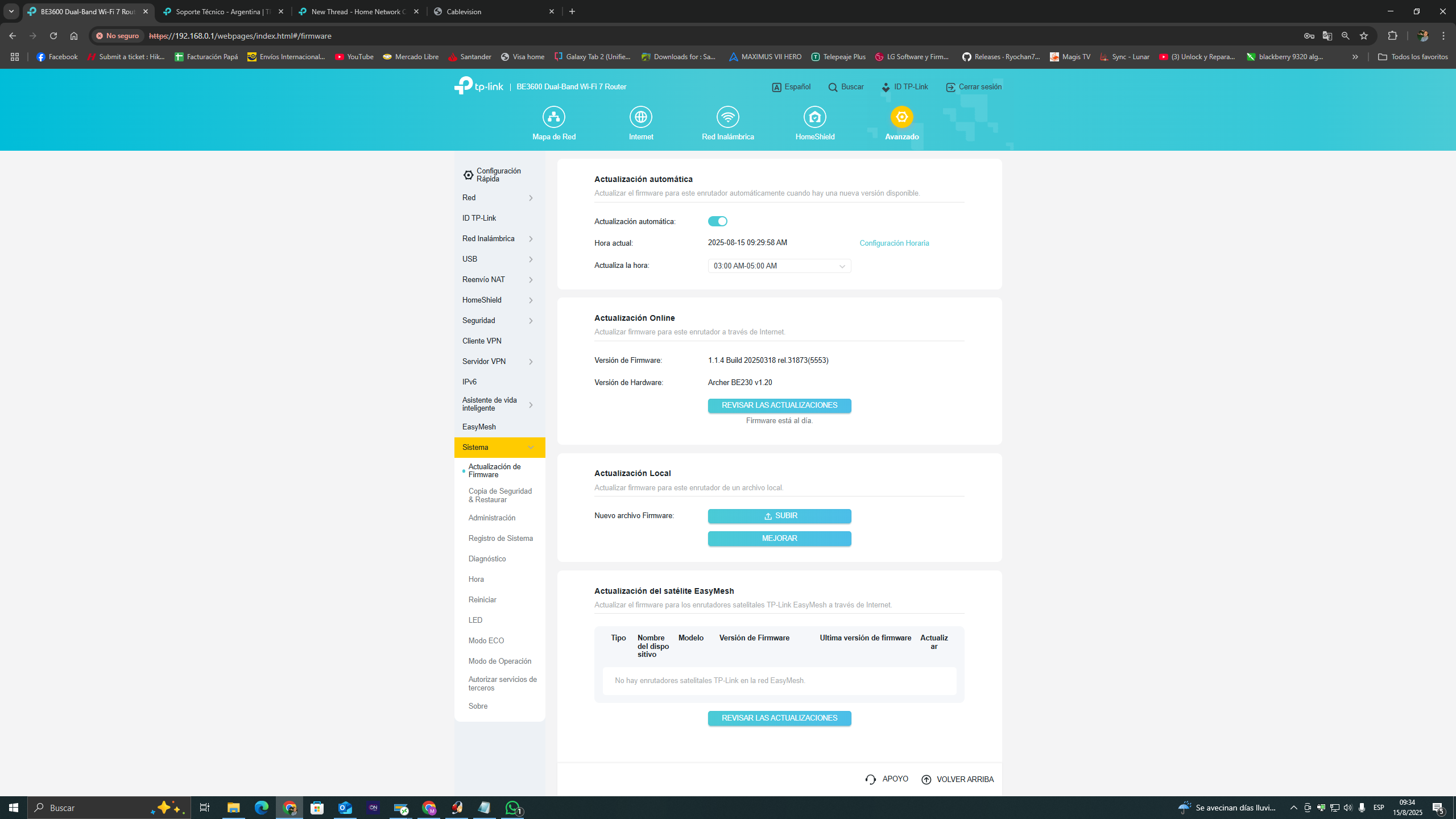
Soy de Argentina, mi proovedor de internet es Personal (Fibertel) actualmente tengo un cm docsis 3.1 Sagemcom F@st 3890 v3 en modo Bridge, el cual cuando esta conectado al router no se me asigna ipv6 a pesar de haber probado todas las configuraciones posibles, cuando el modem es conectado directamente a la PC la misma conecta ipv6 sin problemas. Comparto capturas a continuación:


  0      
  0      
#1
Options
1 Accepted Solution
Re:Archer BE230 NO SE ASIGNA IPV6-Solution
2025-08-18 05:57:07 - last edited 2025-09-14 09:22:17

Hello  @mrblasterdj ,

Welcome to our community.


According to Google Translate, your question is that the router failed to access IPv6 IP address. If there is any discrepancy, please describe it in English.


May I know the network topology? For example: ISP modem—router—main deco )))((( client devices

(Note: — stands for wired connection,)))((( stands for wireless connection )

This FAQ will help you with correctly configuring IPv6 Internet connection: How to set up an IPv6 Internet connection on the TP-Link Wi-Fi Routers


Best Regards.

Welcome to Community! Get the latest posts: △New Firmware for Archer GE550/GE650 V1 Introduces AI-QoS, EasyMesh IoT Expansion, and More! △New Firmware Releases for Archer BE805 V1/BE450 V1 to Support VPN Merge, New ECO Mode, and More! More posts, please see: △ Get the Ongoing Pre-release Firmware for Wi-Fi Routers Here— Subscribe for Updates! Urgent problems with your Wi-Fi Router, Range Extender, or DSL Modem? Please reach out via private Messages or @Joesph-TP in your new thread directly. Click Or ☆Recommended Solution if the post/answer helps.
Recommended Solution
  0  
  0  
#2
Options
1 Reply
Re:Archer BE230 NO SE ASIGNA IPV6-Solution
2025-08-18 05:57:07 - last edited 2025-09-14 09:22:17

Hello  @mrblasterdj ,

Welcome to our community.


According to Google Translate, your question is that the router failed to access IPv6 IP address. If there is any discrepancy, please describe it in English.


May I know the network topology? For example: ISP modem—router—main deco )))((( client devices

(Note: — stands for wired connection,)))((( stands for wireless connection )

This FAQ will help you with correctly configuring IPv6 Internet connection: How to set up an IPv6 Internet connection on the TP-Link Wi-Fi Routers


Best Regards.

Welcome to Community! Get the latest posts: △New Firmware for Archer GE550/GE650 V1 Introduces AI-QoS, EasyMesh IoT Expansion, and More! △New Firmware Releases for Archer BE805 V1/BE450 V1 to Support VPN Merge, New ECO Mode, and More! More posts, please see: △ Get the Ongoing Pre-release Firmware for Wi-Fi Routers Here— Subscribe for Updates! Urgent problems with your Wi-Fi Router, Range Extender, or DSL Modem? Please reach out via private Messages or @Joesph-TP in your new thread directly. Click Or ☆Recommended Solution if the post/answer helps.
Recommended Solution
  0  
  0  
#2
Options
