
Extender wifi
 This thread has been locked for further replies. You can start a new thread to share your ideas or ask questions.
I reset my extender , but i can't reconnect to it because it's asking for a password
Please what is the password of extender connection
- Copy Link
- Subscribe
- Bookmark
- Report Inappropriate Content

Hi,
After a successful reset the RE220 should broadcast a Wi-Fi network with the name "TP-Link_Extender". This network should not require a password.
If that is not the case, then the reset was apparently not successful. Please try again. (press and hold the little "Reset" button for a few seconds)
- Copy Link
- Report Inappropriate Content
Hi,
After a successful reset the RE220 should broadcast a Wi-Fi network with the name "TP-Link_Extender". This network should not require a password.
If that is not the case, then the reset was apparently not successful. Please try again. (press and hold the little "Reset" button for a few seconds)
- Copy Link
- Report Inappropriate Content
- Copy Link
- Report Inappropriate Content
After you release the "Reset" button, do the lights of the RE220 all turn off and then on for a brief moment? That is usually the indication that the reset has been initiated successfully.
- Copy Link
- Report Inappropriate Content
- Copy Link
- Report Inappropriate Content
That sounds correct.
Can you please check again (perhaps with a few different devices, like smartphones or computers) that there really is no Wi-Fi network with the name "TP-Link_Extender" to be found? Make sure you scroll through the whole list of nearby Wi-Fi networks, all the way to the bottom.
- Copy Link
- Report Inappropriate Content
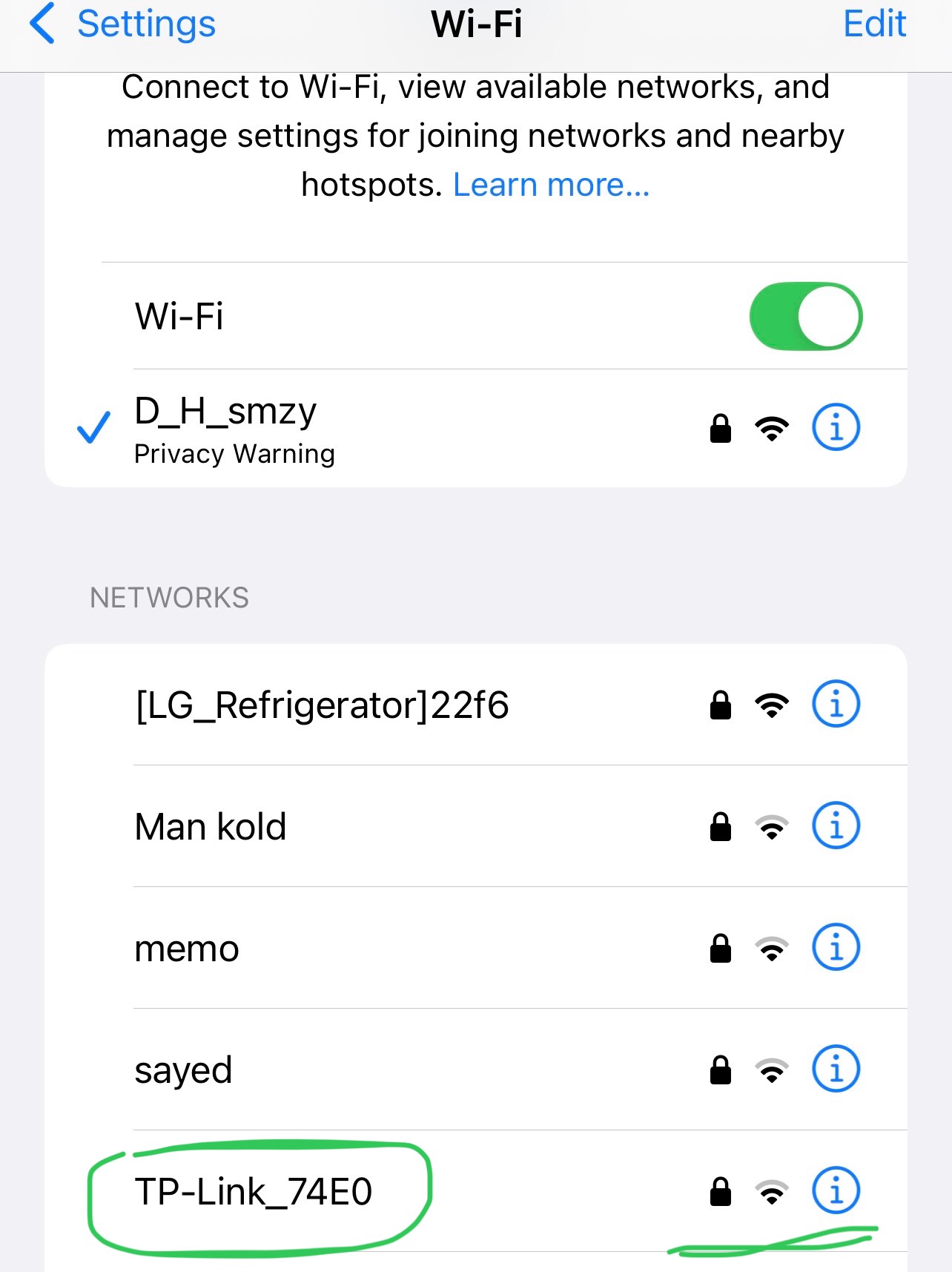 @woozle this is from another device and just showed up ,could it be this one?
also there is a password ...but i don't know what it is
- Copy Link
- Report Inappropriate Content
Network names in the format "TP-Link_1234" are commonly the default Wi-Fi names of TP-Link's Wi-Fi routers. TP-Link range extenders will not show something like this after a reset.
I guess TP-Link_74E0 must be one of your neighbor's routers.
- Copy Link
- Report Inappropriate Content


Hello@salam09 ,
Welcome to our community.
If you cannot see “TP-Link_Extender” after resetting as Woozle suggested.It may be the extender's WiFi broadcast function stop function.
Please feel free to contact local support for further help.
Thanks.
- Copy Link
- Report Inappropriate Content
Information
Helpful: 0
Views: 935
Replies: 8
Voters 0
No one has voted for it yet.