0
Votes

Leds On Front TPLink BE 550

 
0
Votes

Leds On Front TPLink BE 550

Leds On Front TPLink BE 550
2025-11-04 10:17:23
Model: Archer BE550  
Hardware Version: V1
Firmware Version: 1.2.1 Build 20250813 rel.27119(4555)

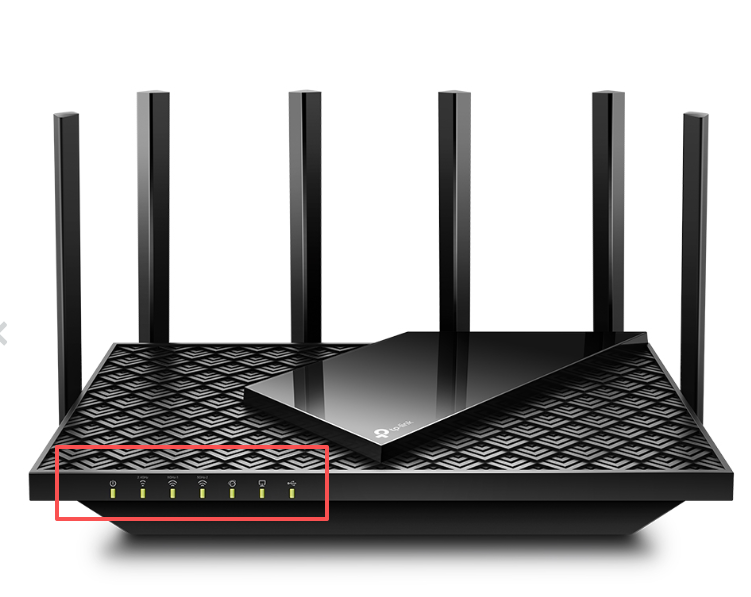
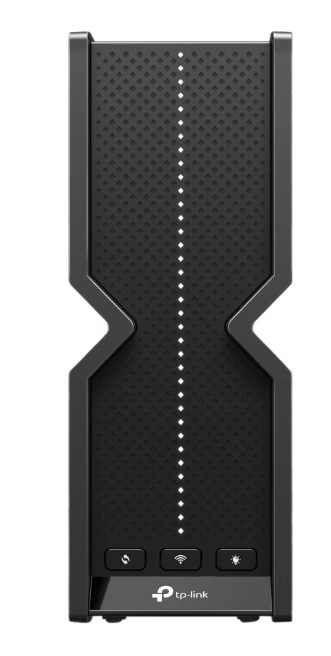
Bought it recently without knowing that V1 & V2 have rather different firmware versions. Due to practical (Cabling) reasons, my new TPlink is on my desk. The box high led row does look like a Christmas tree instead of a Pro on/off attention led. The only option there is right now is to put them off totally, which also turns off a fast on/off check. So it would be nice, if the one led only option would be build in into to the firware too.  THANKS!!

#1
Options
2 Reply
Re:Leds On Front TPLink BE 550
2025-11-05 03:32:48

Hello @516616666109887 ,

Thanks for contacting our community.

Do you mean you want to control different LED lights separately? For example:


Actually, you can refer to the LED Explanation on the Archer BE550_V1_User Guide (From Page 4) to learn more about LED status displays


Nice to Meet You in Our TP-Link Community. Check Out the Latest Posts: △Pre-release Firmware for Archer AX50 Introduces New Parental Control Features and Enhancements △Introducing AI QoS: Elevate Your Gaming Experience on the Archer GE800 Gaming Router △Connect TP-Link Archer BE550 to Germany's DS-Lite (Dual Stack Lite) Internet via WAN △Tether KidShield Test Recruitment - Safeguarding Children's Online Experience If you found the post or response helpful, please click Helpful. If an answer solves your problem, click "Recommended Solution" so that others can benefit from it.
#2
Options
Re:Leds On Front TPLink BE 550
2025-11-05 07:08:27

No, if LEDs have a function, then it's ok. The BE 550 has about 60 of them on it's front. Looks like a Christmas tree. Just one is enough for mledse

#3
Options