TL-PA8010P and TL-PA7027P

TL-PA8010P and TL-PA7027P

TL-PA8010P and TL-PA7027P
2025-11-09 21:34:57 - last edited Thursday
Hardware Version:
Firmware Version:

Hi


I'm wonderring if the powerlines TL-PA8010P and TL-PA7027P are compatible with each other if they are, would there be any issues with pairing them together.


As I'm looking for a mixture of powerlines with the ethernet port at the top and on the bottom

  0      
  0      
#1
Options
1 Accepted Solution
Re:TL-PA8010P and TL-PA7027P-Solution
3 weeks ago - last edited Thursday

Hello @DarkSmoggie ,

Welcome to our community.


Generally, most TP-Link powerline adapters are compatible with each other. It is recommended to use adapters from the same series or with similar specifications.

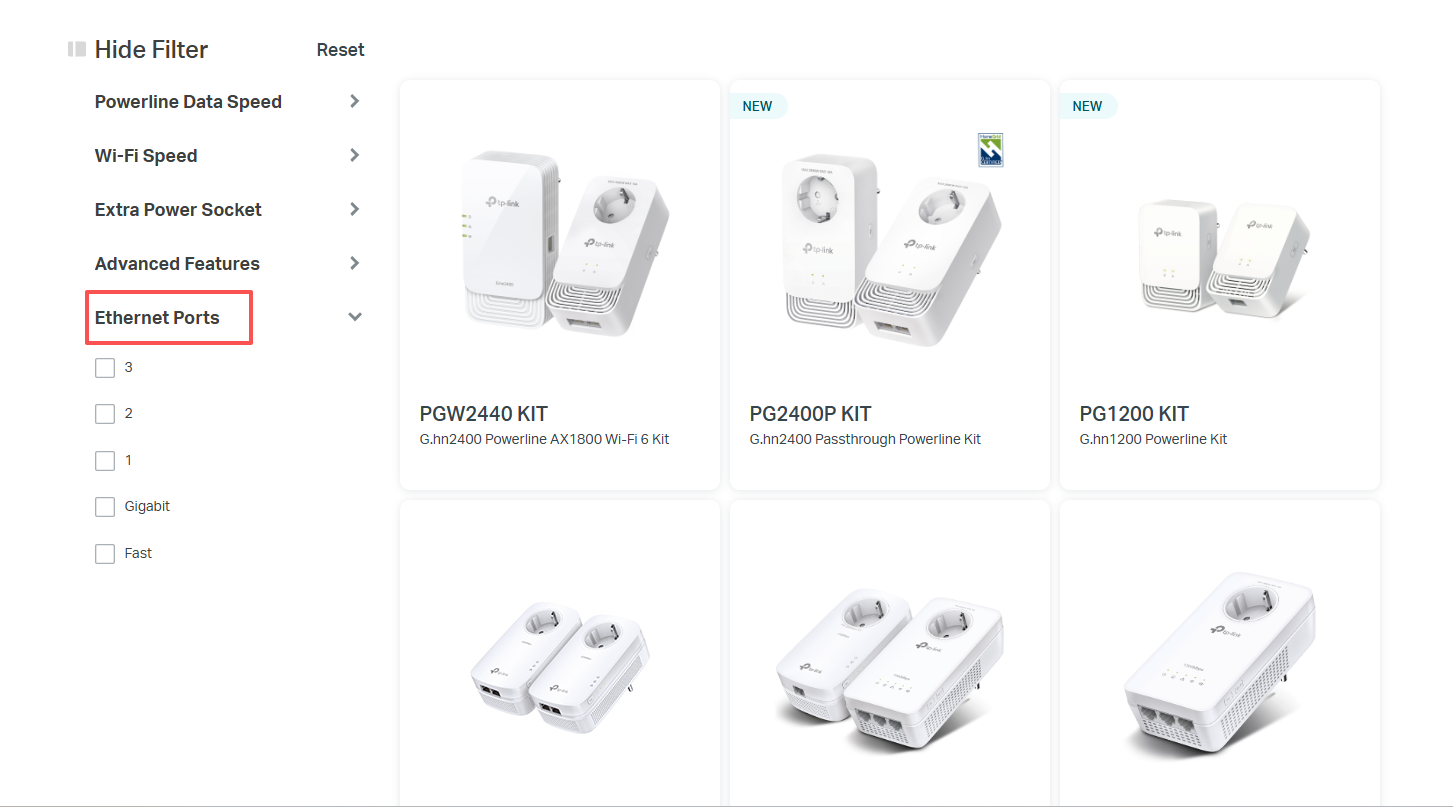
Currently, most of the Ethernet ports on our powerline adapter are located on one side of the device. However, if you need more ports, you can filter by Ethernet Ports in the left-hand menu on the Powerline List.

Nice to Meet You in Our TP-Link Community. Check Out the Latest Posts: △Pre-release Firmware for Archer AX50 Introduces New Parental Control Features and Enhancements △Introducing AI QoS: Elevate Your Gaming Experience on the Archer GE800 Gaming Router △Connect TP-Link Archer BE550 to Germany's DS-Lite (Dual Stack Lite) Internet via WAN △Tether KidShield Test Recruitment - Safeguarding Children's Online Experience If you found the post or response helpful, please click Helpful. If an answer solves your problem, click "Recommended Solution" so that others can benefit from it.
Recommended Solution
  0  
  0  
#2
Options
1 Reply
Re:TL-PA8010P and TL-PA7027P-Solution
3 weeks ago - last edited Thursday

Hello @DarkSmoggie ,

Welcome to our community.


Generally, most TP-Link powerline adapters are compatible with each other. It is recommended to use adapters from the same series or with similar specifications.

Currently, most of the Ethernet ports on our powerline adapter are located on one side of the device. However, if you need more ports, you can filter by Ethernet Ports in the left-hand menu on the Powerline List.

Nice to Meet You in Our TP-Link Community. Check Out the Latest Posts: △Pre-release Firmware for Archer AX50 Introduces New Parental Control Features and Enhancements △Introducing AI QoS: Elevate Your Gaming Experience on the Archer GE800 Gaming Router △Connect TP-Link Archer BE550 to Germany's DS-Lite (Dual Stack Lite) Internet via WAN △Tether KidShield Test Recruitment - Safeguarding Children's Online Experience If you found the post or response helpful, please click Helpful. If an answer solves your problem, click "Recommended Solution" so that others can benefit from it.
Recommended Solution
  0  
  0  
#2
Options