
Deco Could'nt Switch WiFi Channels
Deco Could'nt Switch WiFi Channels

Hey TP-LINK !!
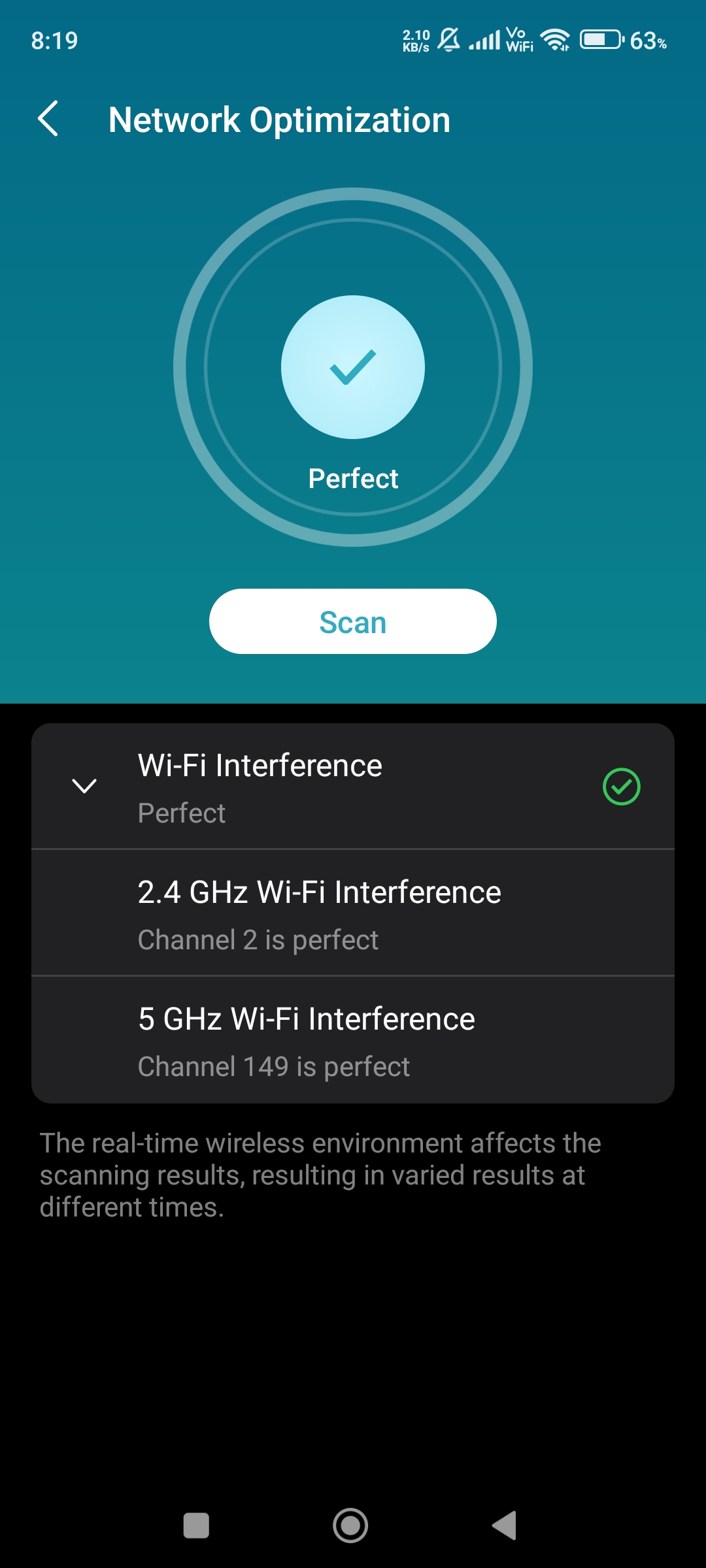
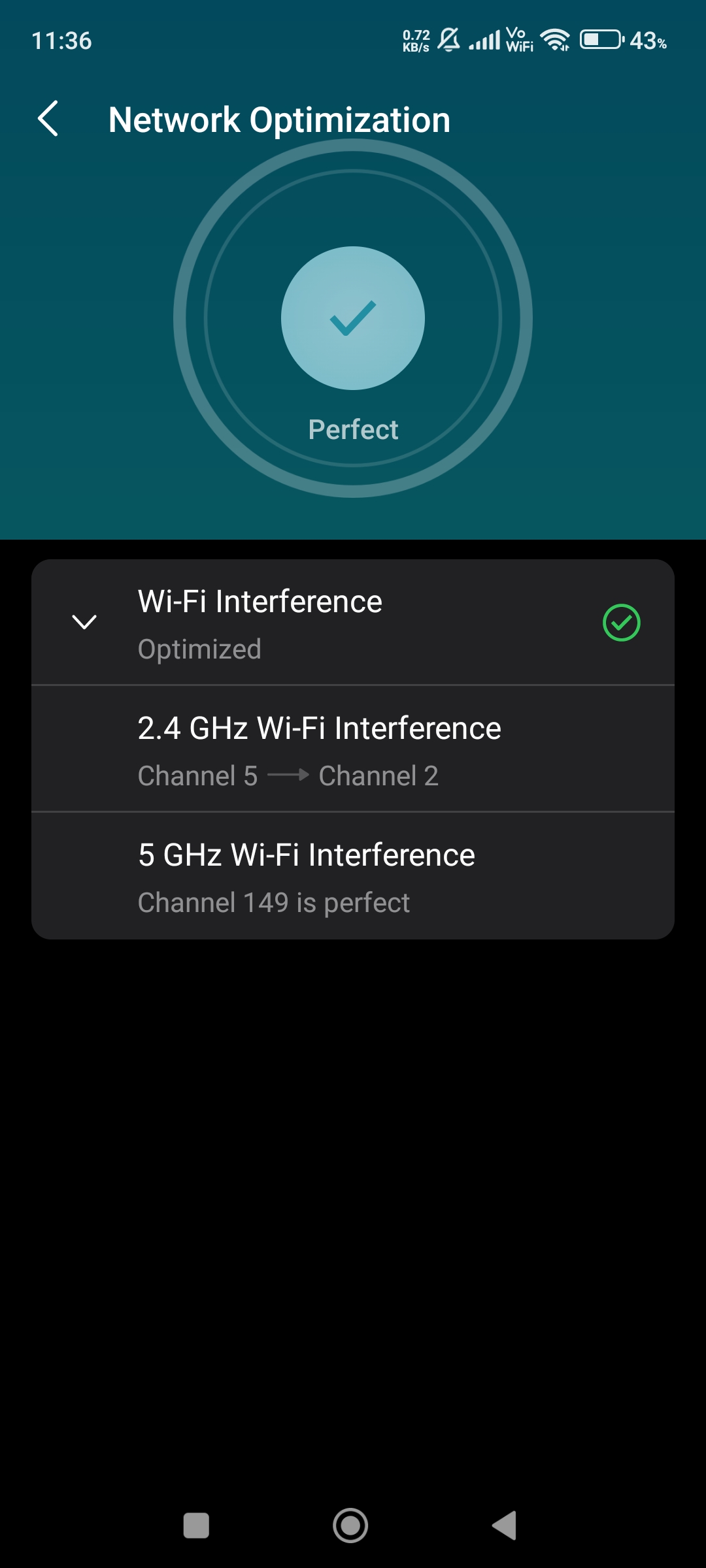
After i updated to 1.8.1 my Deco M4 could'nt change 2.4 GHz channels. Always use (5) or (2) on 40 MHz. Before that Deco choose any channel in 2.4 GHz between 1 to 11 and i tried Network Optimization from Deco App but still same and after reboot still same and also 5 GHz is stick to channel 149 and even i do factory reset but still not changed. Both 2.4 GHz and 5 GHz channels are not changing. Kindly fix it ASAP.
- Copy Link
- Subscribe
- Bookmark
- Report Inappropriate Content

@ARGamingPK1 Just as it says, "real-time wireless environment" is the reason here.
Probably your neighbors' WiFi network is using other channels, so Deco is staying on those.
- Copy Link
- Report Inappropriate Content
@ImtiazAli No i have'nt faced this issue on older firmwares and there is no 5 GHz network around me.
- Copy Link
- Report Inappropriate Content
@ARGamingPK1 My 2.4 GHz goes to channel 10 and 5 GHz jumps between channel 149 & 153
- Copy Link
- Report Inappropriate Content
@ImtiazAli Okay and are you facing Satellite Deco Showing Offline in Deco App problem?
- Copy Link
- Report Inappropriate Content
@ARGamingPK1 No
- Copy Link
- Report Inappropriate Content
@ImtiazAli Are you use in AP Mode or Router Mode?
- Copy Link
- Report Inappropriate Content
@ARGamingPK1 Router mode
- Copy Link
- Report Inappropriate Content
@ImtiazAli Are you using Ethernet Backhaul? Or any devices which is connected to Main Deco on ethernet? Because my Main Deco could'nt show bandwidth consumption and traffic usage of ethernet connected devices which is connected through Main Deco and also those devices which are connected on Ethernet Backhaul Deco Unit.
- Copy Link
- Report Inappropriate Content
- Copy Link
- Report Inappropriate Content
@ImtiazAli Okay......Btw where u from?
- Copy Link
- Report Inappropriate Content
Information
Helpful: 0
Views: 612
Replies: 12
Voters 0
No one has voted for it yet.