
Question About Deco X10 5GHz Behavior When Using Wireless Backhaul
Question About Deco X10 5GHz Behavior When Using Wireless Backhaul

I’m using a TP-Link Deco X10 mesh system and have encountered an issue with the 5GHz band when wireless backhaul (wireless bridging) is involved.
My main Deco is connected to the second Deco via Ethernet, and in this setup, everything works normally — all devices can use the 5GHz band without any issues.
However, when I add a third Deco that connects wirelessly, the problem appears. The Deco units that use wireless backhaul cannot provide a usable 5GHz network to client
Only the main (wired) Deco continues to broadcast a normal, usable 5GHz network.
I also tested turning off the 2.4GHz band entirely, but even then, client devices still cannot connect to the Wi-Fi broadcasted by the two wirelessly-connected Deco units.
Even if I place the Deco units very close to each other, the two wireless-backhaul units still cannot provide a stable 5GHz network.
Before upgrading, I was using the Deco M5 and didn’t have this issue.
I’d like to check that:
-
Is it a known limitation that the Deco X10 dedicates the 5GHz band for backhaul when wireless bridging is enabled?
-
Does this behavior completely prevent client devices from connecting to 5GHz on the wirelessly-connected units, or should it only reduce available bandwidth?
-
Are there any settings or troubleshooting steps that can help maintain 5GHz connectivity on wireless-backhaul units?
I’m trying to figure out whether this is normal behavior for the Deco X10, or if there might be a configuration or hardware issue.
- Copy Link
- Subscribe
- Bookmark
- Report Inappropriate Content


Hi, thank you very much for the feedback.
The 5GHz Backhaul among Deco units should not affect the 5GHz wireless connection with mobile clients.
So, when you mentioned "The Deco units that use wireless backhaul cannot provide a usable 5GHz network to clients",
as there is only one satellite that is on 2.4+5GHz Backhaul, do you mean "the 5GHz band on this Deco is unstable" or "this Deco can't broadcast 5GHz WiFi"?
Have you tried to factory reset this satellite by holding the reset pinhole for 1s, then manually add it again on the Deco APP>"+" on the top right>"Add a Deco unit"?
As you only mentioned the 5GHz band, did the 2.4GHz band properly connect to the third Deco X10?
By the way, may I know how long you have had the Deco X10?
Thanks a lot.
Best regards.
- Copy Link
- Report Inappropriate Content
Hi, thank you very much for the feedback.
The 5GHz Backhaul among Deco units should not affect the 5GHz wireless connection with mobile clients.
So, when you mentioned "The Deco units that use wireless backhaul cannot provide a usable 5GHz network to clients",
as there is only one satellite that is on 2.4+5GHz Backhaul, do you mean "the 5GHz band on this Deco is unstable" or "this Deco can't broadcast 5GHz WiFi"?
Have you tried to factory reset this satellite by holding the reset pinhole for 1s, then manually add it again on the Deco APP>"+" on the top right>"Add a Deco unit"?
As you only mentioned the 5GHz band, did the 2.4GHz band properly connect to the third Deco X10?
By the way, may I know how long you have had the Deco X10?
Thanks a lot.
Best regards.
- Copy Link
- Report Inappropriate Content
Hi @David-TP
Let me clarify the situation. I have three Deco X10 units.
Deco A and B are wired, and B and C are connected via wireless backhaul.
When B and C establish the wireless backhaul, the Deco app shows that they are using a 2.4GHz backhaul, and at that moment both B and C stop broadcasting the 5GHz Wi-Fi.
Here is the unstable behavior I observed:
-
After rebooting, before B and C complete the wireless backhaul connection, B can broadcast both 2.4GHz and 5GHz normally.
-
But once the backhaul is established, the 5GHz SSID disappears from both B and C.
The 2.4GHz band can connect properly to the third Deco X10.
Also, I just received this set of Deco units recently.
These Deco units were already factory-reset before installation.
Best regards,
Charlie
- Copy Link
- Report Inappropriate Content

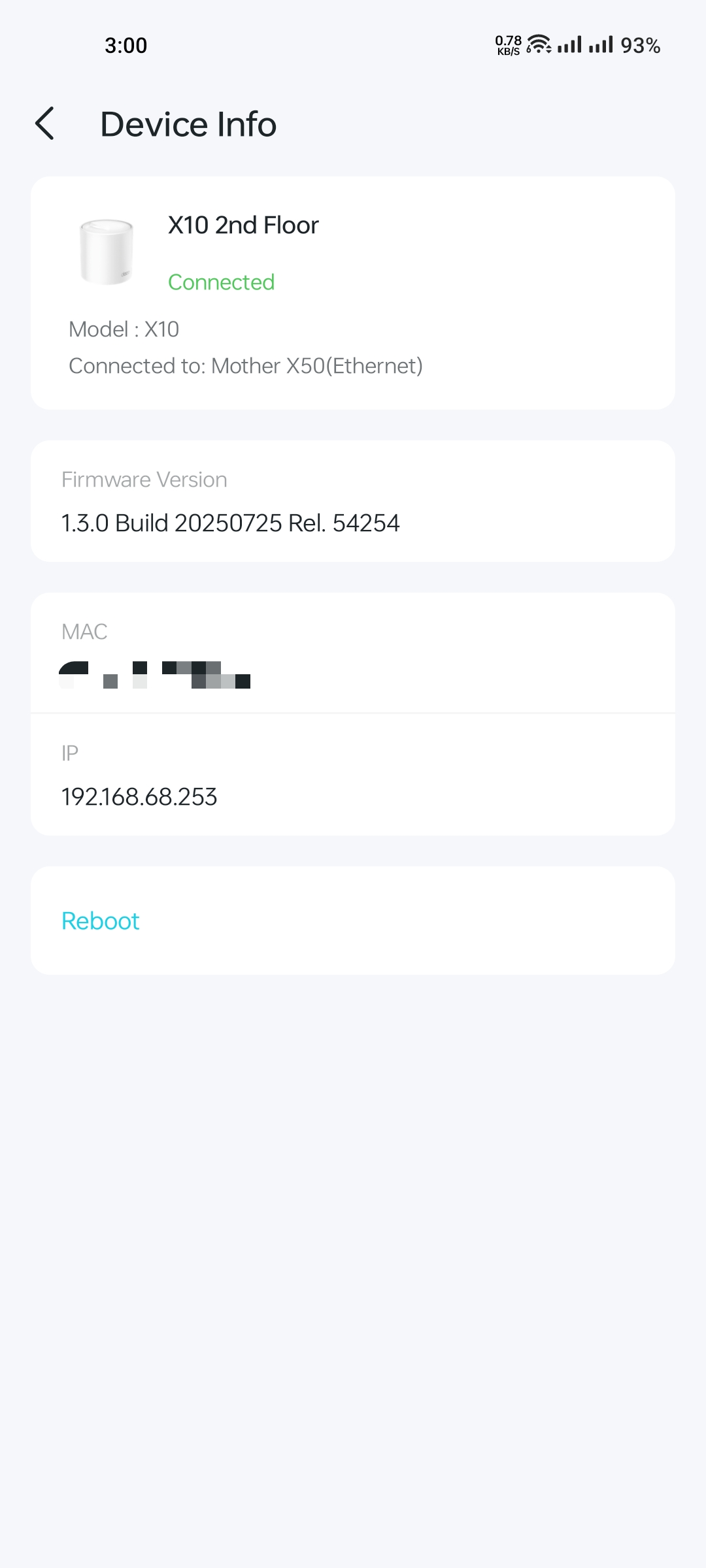
@LCharlie There is a latest firmware (1.3.0) you can download from the link below and install it directly from Web UI.
🔴 First Unzip the Zip file and install .bin file 🔴
https://static.tp-link.com/upload/firmware/2025/202508/20250818/X10_X1500_W4500_X15_W3000_1.0_en_1.3.0_Build_20250725_Rel.54254_up.zip
- Copy Link
- Report Inappropriate Content

- Copy Link
- Report Inappropriate Content
Thank you very much for the update.
I'd like to escalate your case to the senior engineer for further analysis. Please check whether you have received my email.
Thanks a lot.
Best regards.
- Copy Link
- Report Inappropriate Content
Hi @ARGamingPK1,
ARGamingPK1 wrote
@LCharlie There is a latest firmware (1.3.0) you can download from the link below and install it directly from Web UI.
🔴 First Unzip the Zip file and install .bin file 🔴
https://static.tp-link.com/upload/firmware/2025/202508/20250818/X10_X1500_W4500_X15_W3000_1.0_en_1.3.0_Build_20250725_Rel.54254_up.zip
Thank you for providing this information. However, I’m not sure whether this would violate the warranty, as my hardware is the US 1.0 version.
By the way, they have opened a ticket for this case and recommended that I contact one of the local service centers for repair or replacement.
I received the new Deco X10 today, but the same issue is still occurring. : (
- Copy Link
- Report Inappropriate Content
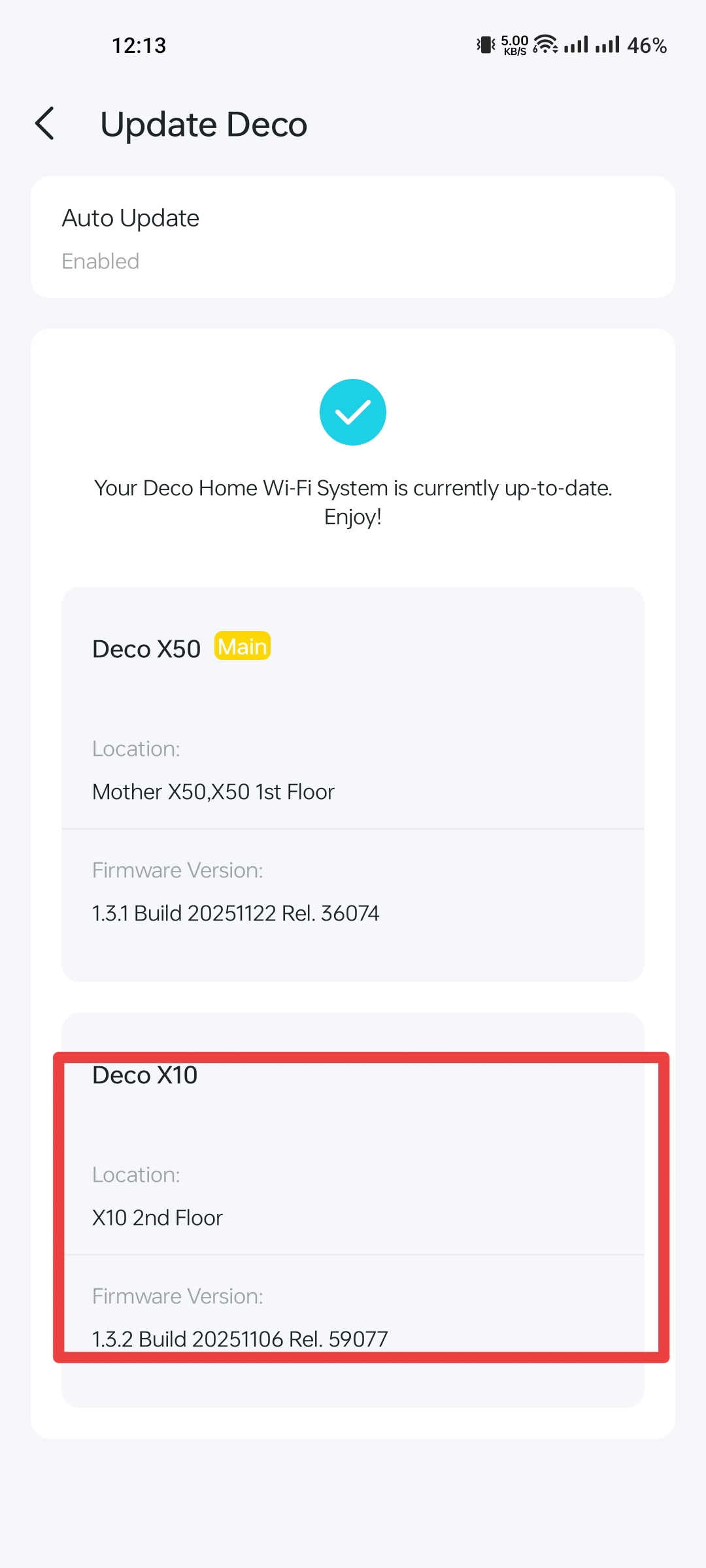
@LCharlie Yeah this firmware is for both US and EU region. You can check @SayeemAhmed is also using on US region.
- Copy Link
- Report Inappropriate Content
@ARGamingPK1 Yes, same and updates come first in EU/Global and EU, then other regions.
- Copy Link
- Report Inappropriate Content
- Copy Link
- Report Inappropriate Content
Hi @SayeemAhmed,
Thank you for letting me know! I didn’t expect that a new firmware would be released in the past few days. I’m currently testing version 1.3.0.
I also noticed that when the device was on firmware version 1.0.0, it was able to establish a 2.4 GHz / 5 GHz wireless backhaul connection with my Deco M5. However, after upgrading the firmware, this is no longer possible, even though the devices are placed in the same locations as before.
- Copy Link
- Report Inappropriate Content
Information
Helpful: 0
Views: 1428
Replies: 14
Voters 0
No one has voted for it yet.