
Guest and main network - see clients logged into each?

I hear - albeit with little real detail as to the benefit - we should all use the Guest network feature for, well, yeah, guests.
It seems frustrating, then, that there's no apparent means of reviewing who is currently (or even has previously) connected to the Guest network and so by the same principle, those connected to the main network.
The router's Client list gives everyone as being connected under the name of the main network.
How can I distinguish between the two, in monitoring who is connected to each?
- Copy Link
- Subscribe
- Bookmark
- Report Inappropriate Content

Hi,
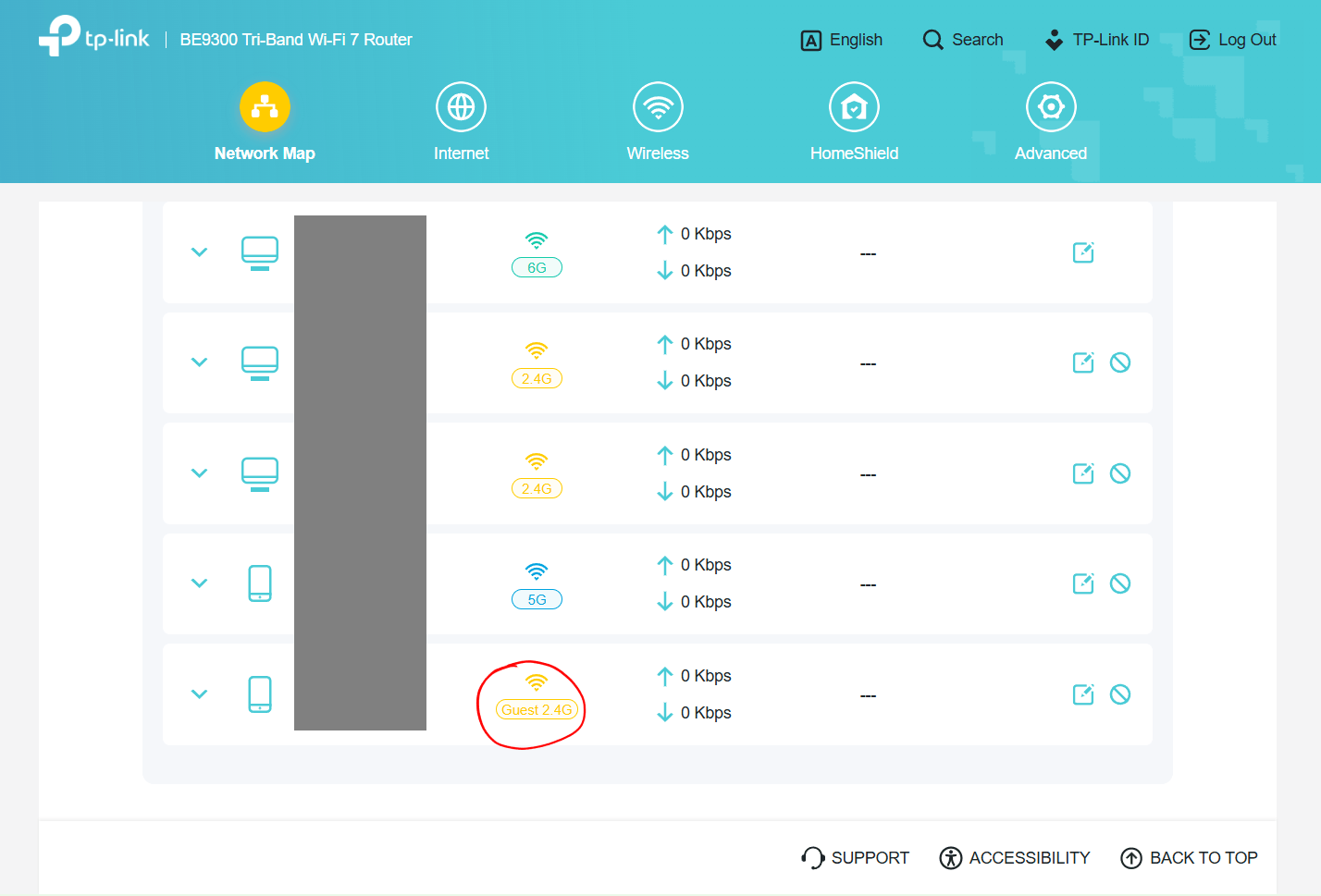
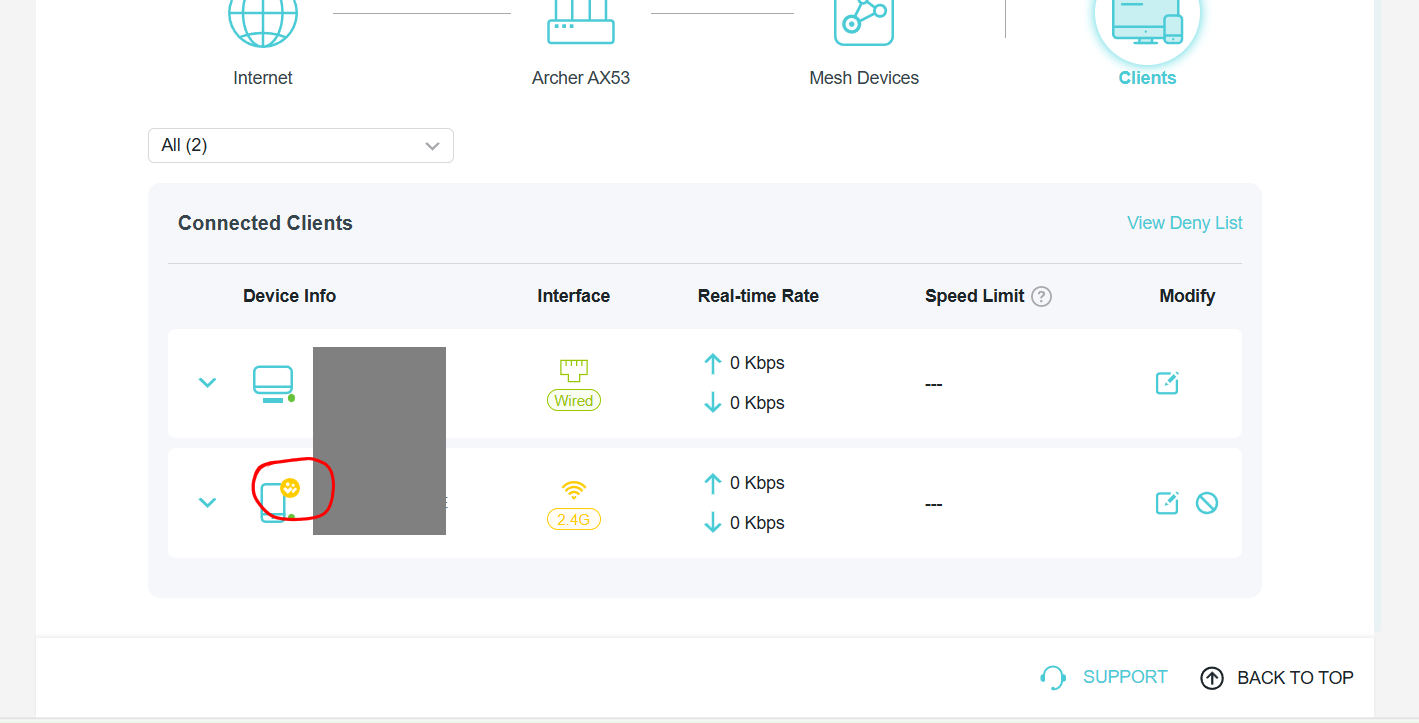
On routers that use the new GUI there is usually either a yellow mark at the upper right corner of the device icon for devices connected to the Guest network or the word "Guest" is written directly. If you see none of those, then perhaps TP-Link hasn't implemented it yet on the AX6000.
- Copy Link
- Report Inappropriate Content


Hello @AndrewTonkin ,
Welcome to our community.
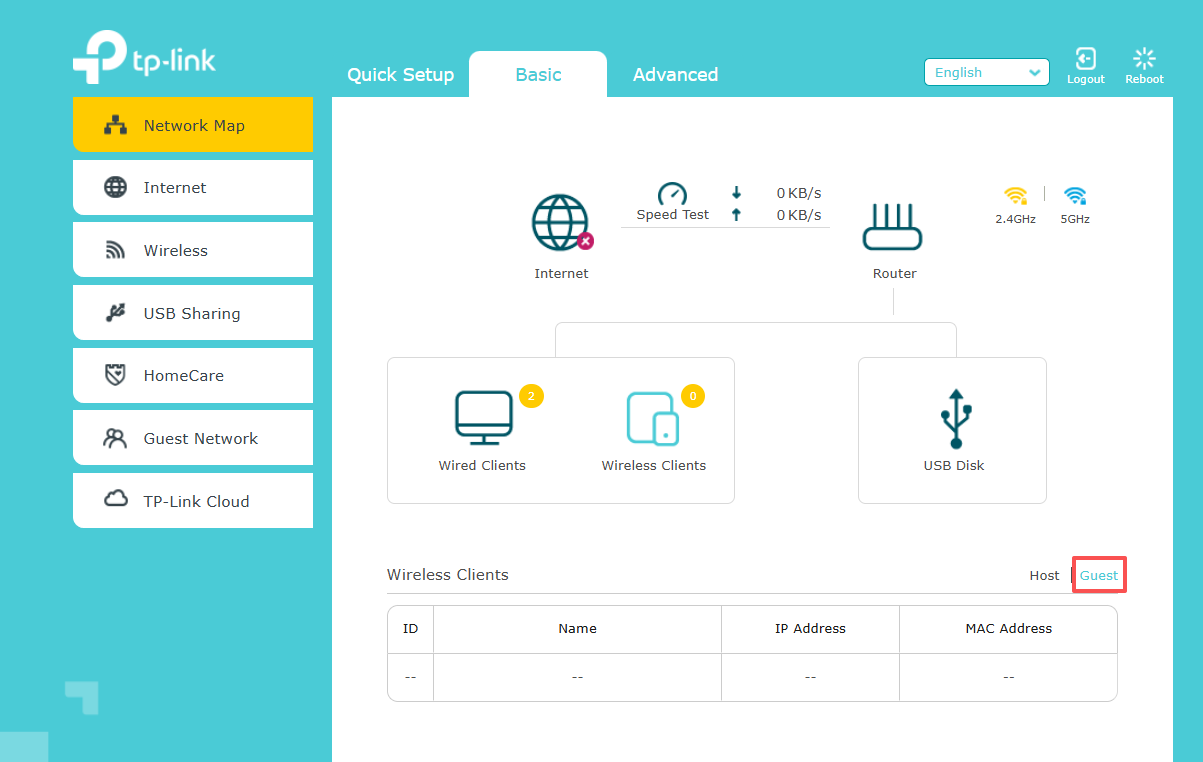
Please go to Basic-->Network Map-->Wireless Clients, and you will see clients of the guest network.
- Copy Link
- Report Inappropriate Content
@Joseph-TP my control panel is slightly different but going to the Network Map certainly shows the Guest devices. But the question remains, seeing as it also shows the non-guest ones too, how to distinguish one from the other?!?!
- Copy Link
- Report Inappropriate Content
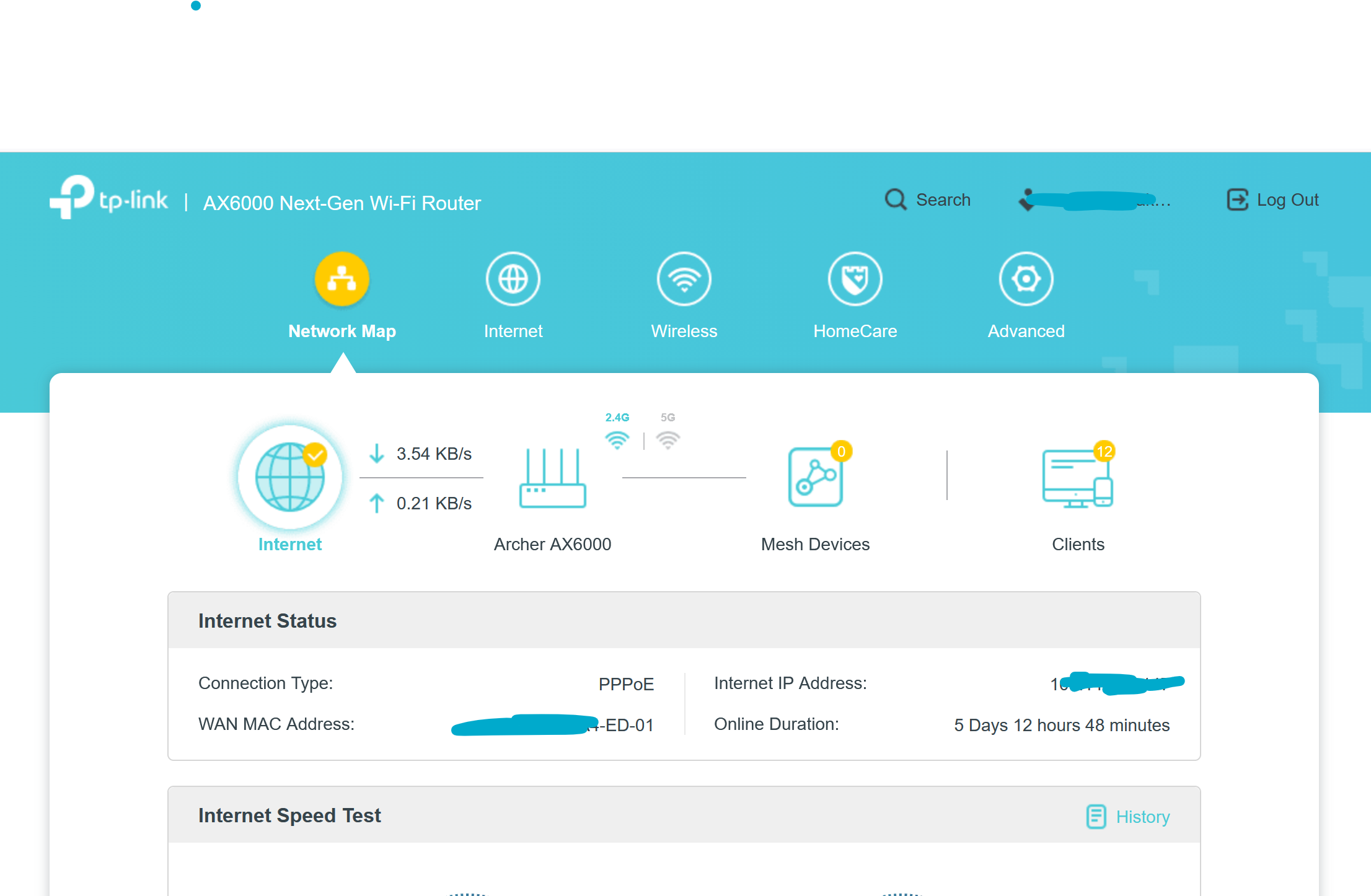
Typical Client list view ...
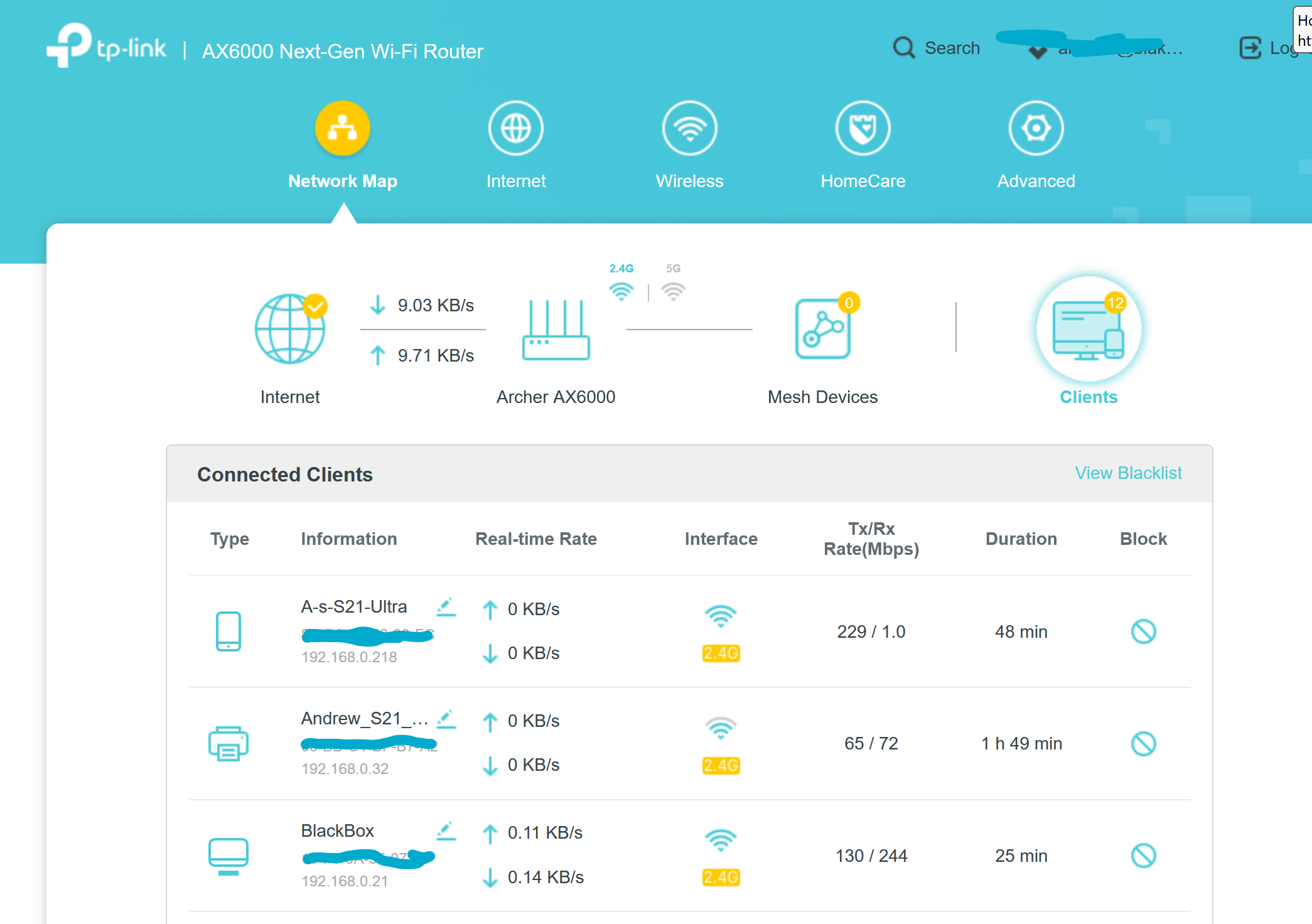
- Copy Link
- Report Inappropriate Content
Hi,
On routers that use the new GUI there is usually either a yellow mark at the upper right corner of the device icon for devices connected to the Guest network or the word "Guest" is written directly. If you see none of those, then perhaps TP-Link hasn't implemented it yet on the AX6000.
- Copy Link
- Report Inappropriate Content
@woozle Your comment about possible AX6000 update made me look on their website for a y firmware downloads (even though the router itself said things were up to date).
I then, not very optimistically, asked the online chat bot how I may distinguish main and guest networks clients and, to my great surprise, not only did it recognise the question but it came back with some suggestions one of which was to use the TP Tether app.
Ta da! That does give separate lists for main and guest. So I guess that's case closed!
- Copy Link
- Report Inappropriate Content
Information
Helpful: 0
Views: 903
Replies: 5
Voters 0
No one has voted for it yet.