
DECO X50 connection problems at 2.4GHz - doesn't show options to set channel and channel width
DECO X50 connection problems at 2.4GHz - doesn't show options to set channel and channel width

Hi, I'm having troubles with my new Deco X50 (2-pack) that I've bought a one month ago.
I live in a apartment with two floors and I choose the Deco X50 thinking that is one of, apparently, the best options for a good and easy mesh wifi network solution, replacing my two access points that run separately one on each floor. Advanced isn't a problem to me, but we don't have many options here in Brazil and I thought that this one of the best options because the gracefullness of many people.
Unfortunately, now I realise that my network is worse than before, showing many connection instable and hangs, even with a strong signal, the connectivity just go away. In my old two access points, one with a basic quality of my internet provider (claro net in Brazil) and one NETGEAR Wifi 5 access point WAX214PA.
One point is that, the new devices were installed exacly at the same position on each floor than my olds devices. In the olds I changed the channel of the 2.4GHz network to a better channel and I've best results in connection stability limiting the channel width to 20MHz, avoiding interferances of others WiFi from next doors neighboors. Now, I couldn't find these settings on my new Deco X50, both in the app and on the web interface.
Than this became a very disappointment and problem, because this setting make the things working and without than, is possible that just isn't is possible to use this device to my network.
Resumely, my network it's worse than before with my olds devices.
Those settings are very common even in the worse, old and basics devices on the all market. It's just unaccpectable not just doesn't have the setting, but this device run worse than before. If the auto resolution / selection works well, maybe I could accpect this, but with this problems no.
Please, could someone support me?
- Copy Link
- Subscribe
- Bookmark
- Report Inappropriate Content
- Copy Link
- Report Inappropriate Content
@wolvsg Please don't forget to share screenshot of 2.4 GHz 5 GHz channels because im thinking to buy this Deco.
- Copy Link
- Report Inappropriate Content
- Copy Link
- Report Inappropriate Content
@wolvsg Okay thanks 🥰❤️
- Copy Link
- Report Inappropriate Content
- Copy Link
- Report Inappropriate Content
@wolvsg Okay sure
- Copy Link
- Report Inappropriate Content
Hi @ARGamingPK1
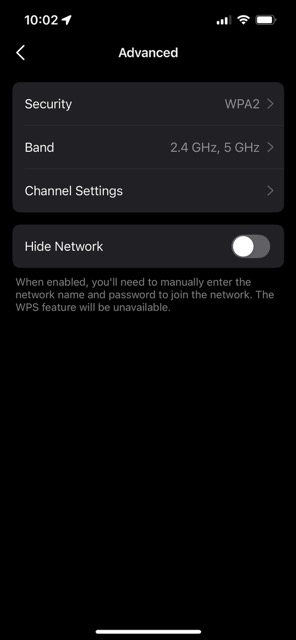
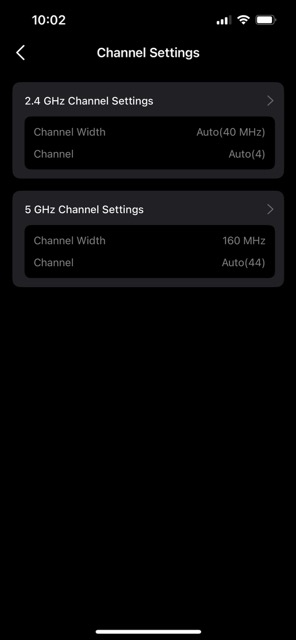
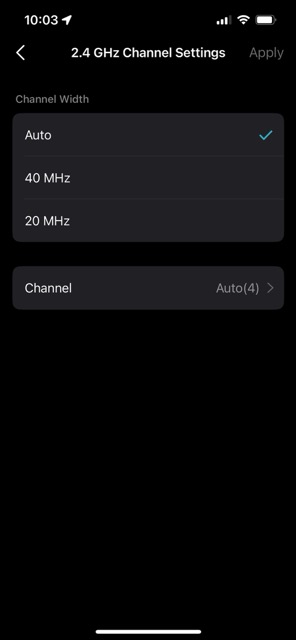
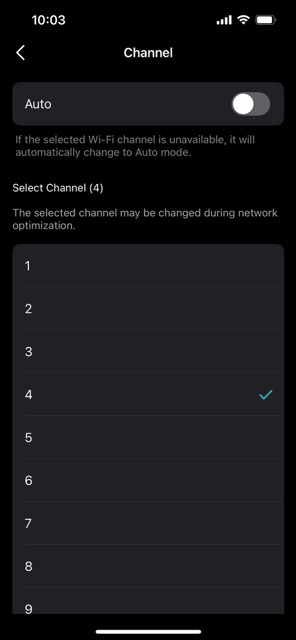
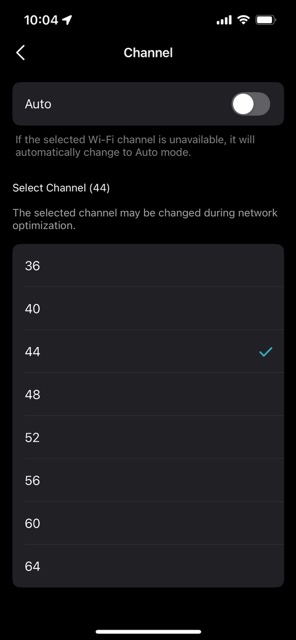
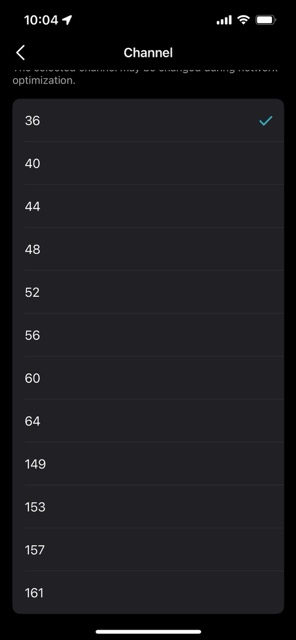
The options about channel selection and band width show up now!
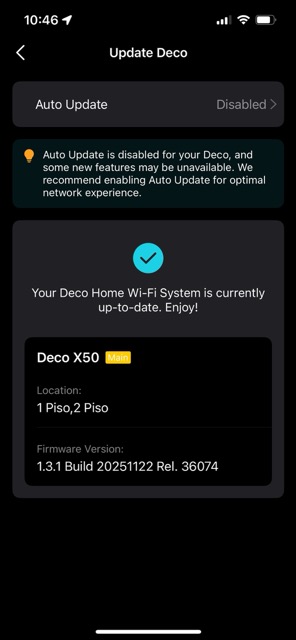
Thanks @David-TP !!! Beyond this feature, the upgrade has a a lot of new features that are very cool and I think I'll use many of them.
Setting the 160MHz in 5 GHz the channel options are reduced, using 80MHz the full list are presented.
- Copy Link
- Report Inappropriate Content
@wolvsg So are you using High Capacity Mode ? And keep 2.4 GHz on 20 MHz for better performance.
- Copy Link
- Report Inappropriate Content
Yes, I think I'm , acctually I don't knew about it before, but I'm using an ethernet backhoul connection and I have some 2.4GHz old devices.
- Copy Link
- Report Inappropriate Content
@wolvsg Okay
- Copy Link
- Report Inappropriate Content
Information
Helpful: 2
Views: 1322
Replies: 20
Voters 2

