
Slow Speed on TP Link XX530v main router over Airtel 1 Gbps Plan

Hello Community members,
I am facing severe slowness on TP Link XX530v as main router connected directly to the Airtel Line. I am getting speeds nearly 300 Mbps at a distance of 5-6 Meters from the router. I am using Static IP as mode of connection. On LAN I am getting speed of 900 Mbps. What can be the issue
- Copy Link
- Subscribe
- Bookmark
- Report Inappropriate Content

@AlokJain Test in some other devices, to rule out the laptop.
- Copy Link
- Report Inappropriate Content
@IfranAli Almost same tried on iPhone 16
- Copy Link
- Report Inappropriate Content
@Irfanali is there a way to check how much download speed the ISP is transmitting, or is there any cap
- Copy Link
- Report Inappropriate Content
@AlokJain even with stock ONT, it's same result?
If not, check with any extra router you have.
If still the same, then contact Airtel for assistance.
Nothing much you can do bout it
- Copy Link
- Report Inappropriate Content
@IfranAli With Stock ONT you meant TP Link
With the Airtel Router just beside the Laptop, the Download speed is 504 Mbps, and the Upload is high at 750 Mbps
- Copy Link
- Report Inappropriate Content
@IrfanAli, I have noticed that when I connect the laptop via a LAN cable to an Airtel Router, the download and upload speeds are high, but when I connect the same laptop via a LAN cable to a TP-Link router, the download is 350 Mbps, while the upload is 800 Mbps+. Do I need to make any settings on the Router for LAN?
- Copy Link
- Report Inappropriate Content
@AlokJain I meant the Airtel Router
And as I asked, did you change the default speedtest.net servers and choose anything apart from Jio-Indore? The server could be a bottleneck and I request you to do a local openspeedtest and check the local WiFi throughput (setup is easy and steps are available at YouTube)
If locally is as expected, I request you to kindly ask Airtel to fix it from their side. If locally is also slow, then TP-Link will see about that
PS: Post all the screenshots of the problematic devices and your problems, while redacting the obvious.
- Copy Link
- Report Inappropriate Content
@AlokJain Check if you have QoS enabled on the TP-Link router. Reset the device to factory state, and do everything all over again.
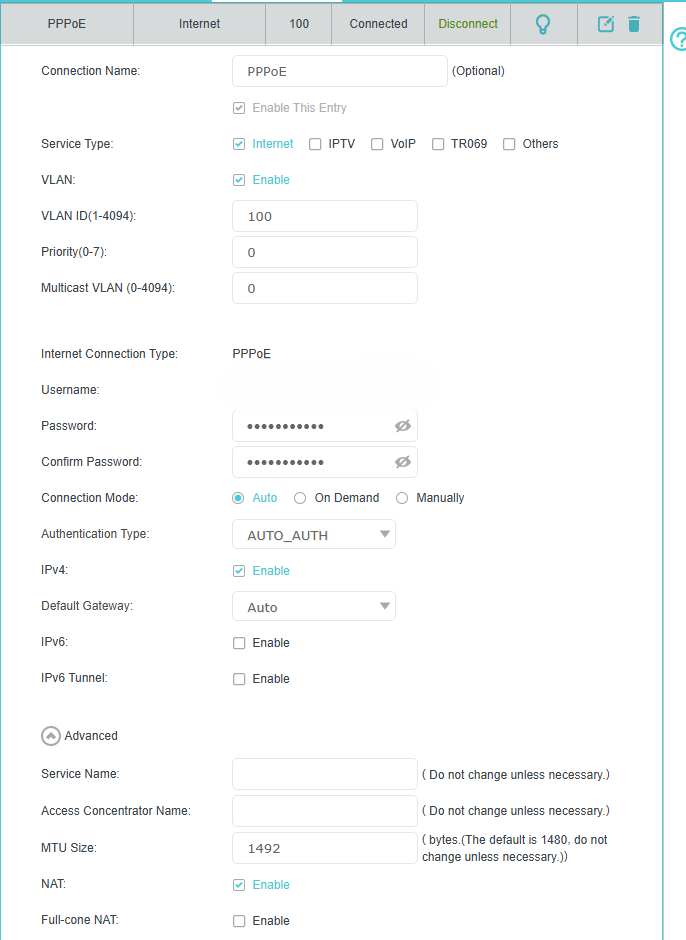
Additionally, dial the PPPoE instead of Static IP, and check the results.
PPPoE cred would be your _wifi value of the airtel thanks app on the format: xxxxxxxxxxxxx_wifi and password would be your account number.
keep MTU at 1492 instead of 1480 and do the tests again
- Copy Link
- Report Inappropriate Content
GM @IfranAli
I checked through the open speedtest server. Below are the results. The first screenshot shows the server connected to the router via Wi-Fi, and the second shows it connected via LAN.
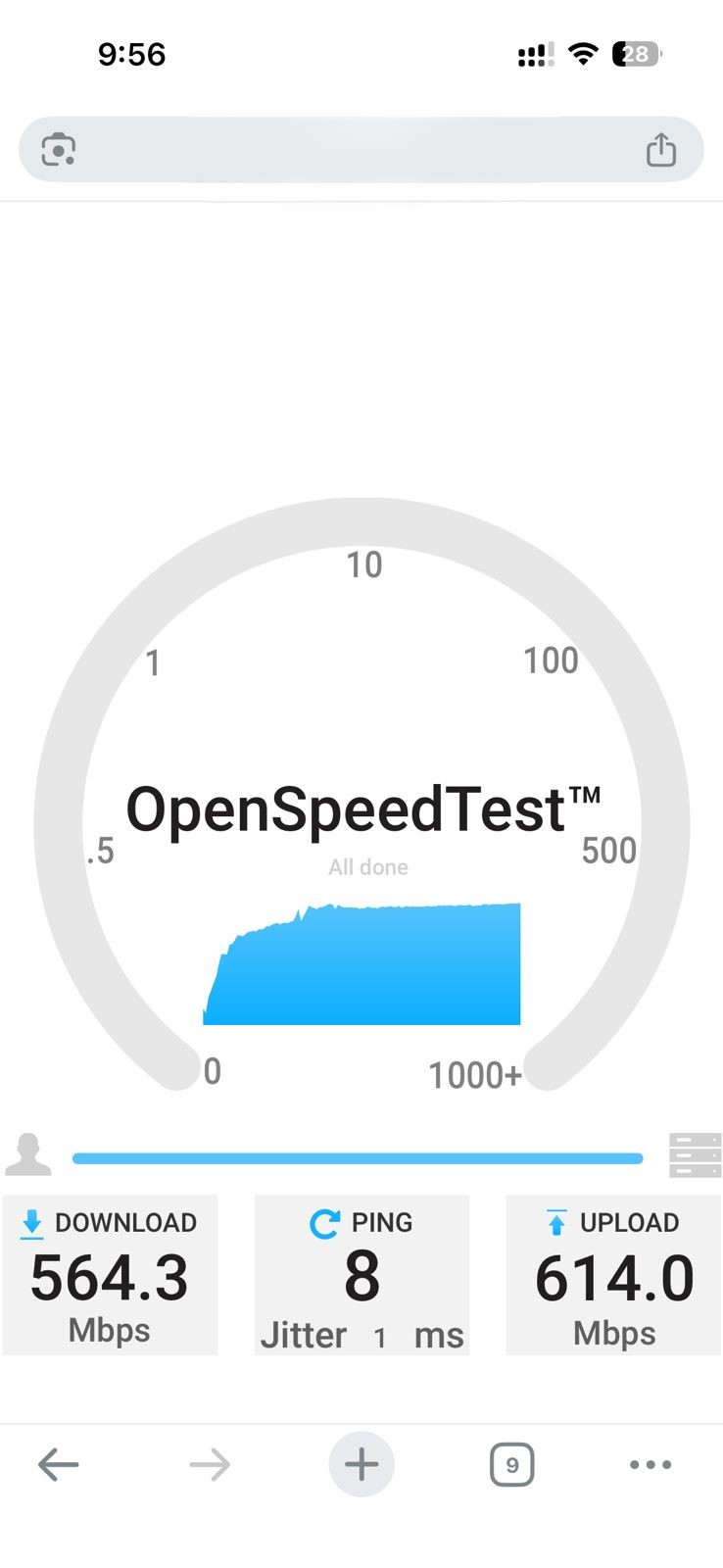
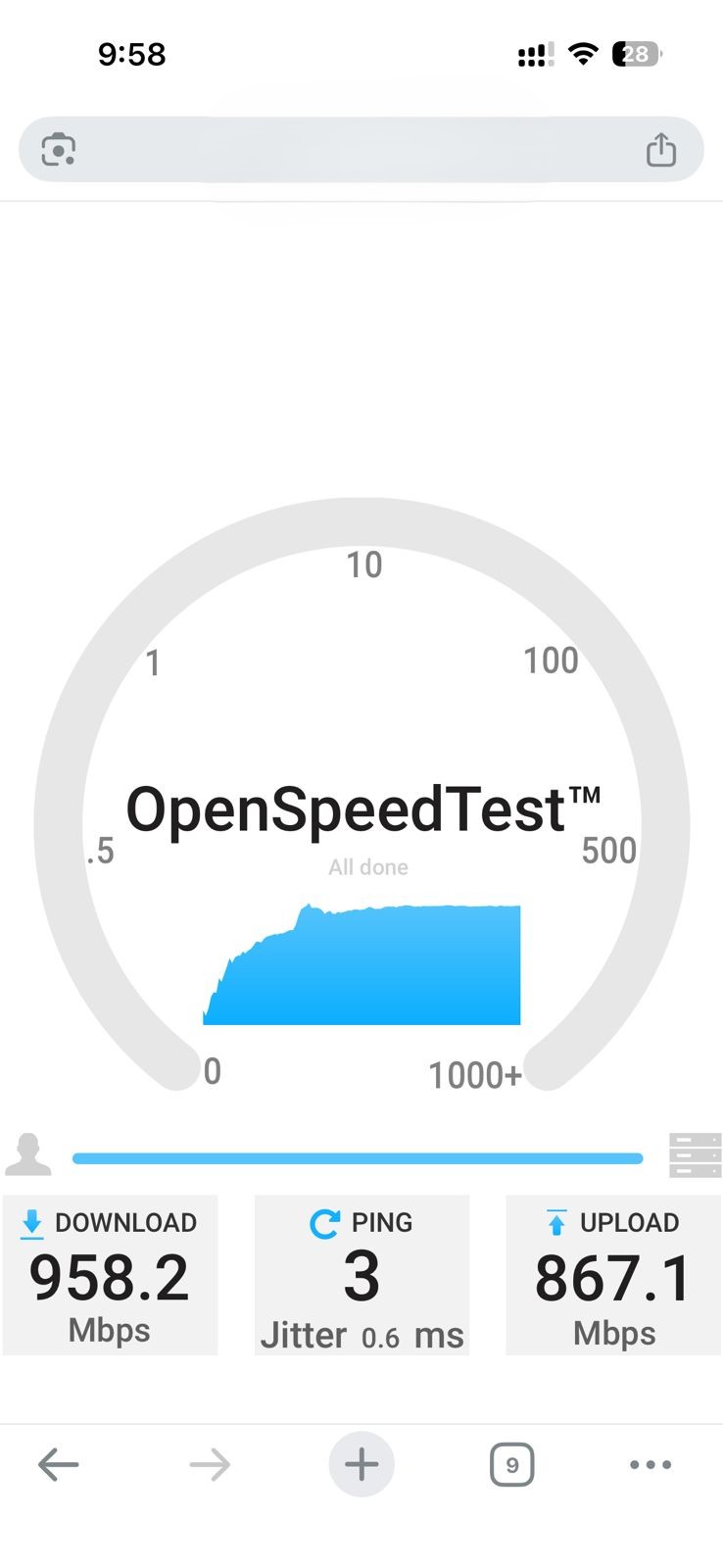
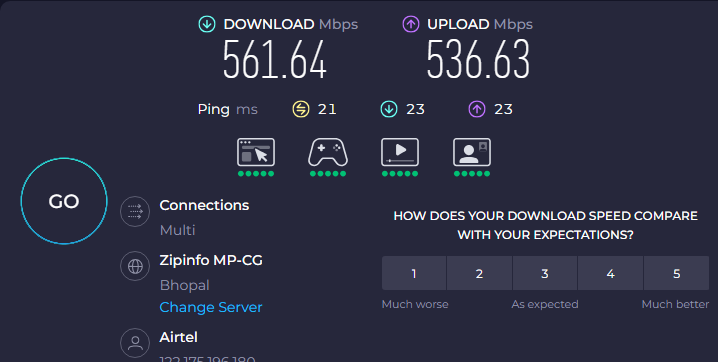
Below are the screenshots when the PPPOe is enabled and the server is not JIO
PPPOe Settings
Now I am more worried because on my Laptop, when connecting to the LAN with a TP Link Router, the speed is very lower compared to when I connect the same Laptop to the Airtel Router
Currently, I am sitting at the same table on which the router is kept, and the distance is hardly in MMs and the speed shown on the laptop is
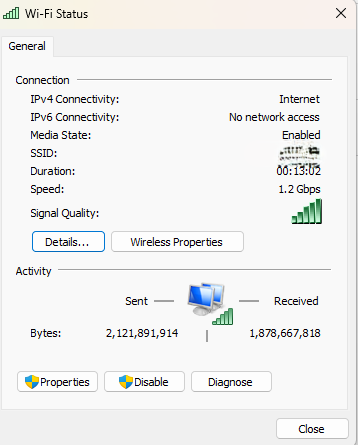
I need concrete statements to discuss with TP-Link and Airtel.
Also, is there any LAN setting on the Router that is obstructing the speed
Please help
- Copy Link
- Report Inappropriate Content
@AlokJain I highly suspect it's your Laptop, from the constant 1.2Gbps I am seeing.
I need another Laptop speedtest performance (if you have any). Until then, I can't blame tp-link or Airtel on this matter
As for your LAN: NO. LAN is never controlled, unless you enabled QoS.
- Copy Link
- Report Inappropriate Content
Information
Helpful: 1
Views: 4610
Replies: 45
Voters 1
