
how to setup mesh while RE205 is a mesh access point?

hi, got the RE205 setup as an access point and i want it to be a mesh for other devices to seamlessly connect from it to the main wifi router, i dont see any options to do that, when choosing wifi i see the main wifi connection and the extender both seperately only the extender has no password to join it, any help here would be awesome, i dont really want to go back to using it as an extension since it kept dropping out even when close enough for a good connection to the main wifi router
the router im using is the TP-Link Archer AC2100 VR2100v v1 running the latest firmware 1.13.0 0.9.1 v009e.0 Build 220623 Rel.61658n
- Copy Link
- Subscribe
- Bookmark
- Report Inappropriate Content

Unfortunately, this can't be done. The VR2100v with its OneMesh does not support Mesh via wired connection.
The VR2100v and RE205 V4 together can only build a Mesh network via wireless connection.
- Copy Link
- Report Inappropriate Content
Hi,
The RE205 V4 supports "OneMesh" and "EasyMesh".
Therefore, for the RE205 V4 to be able to create a Mesh network the Wi-Fi router (i.e. main Wi-Fi network) also needs to support OneMesh or EasyMesh, like many modern TP-Link Archer routers do.
So, to be able to give you a better answer we would first need to know the make and model of the Wi-Fi router your RE205 is currently connected to.
- Copy Link
- Report Inappropriate Content
@woozle ill add that to the main post now but the router im using is the TP-Link archer VR2100v v1
- Copy Link
- Report Inappropriate Content
bump, post kept getting put under review
- Copy Link
- Report Inappropriate Content
The VR2100v should support OneMesh.
Can you please doublecheck that the "One Mesh" menu exists in your firmware version? (like shown in the screenshot)
Also, some firmware versions have an ON/OFF toggle switch in the OneMesh menu. In case it exists, then make sure it is switched on.
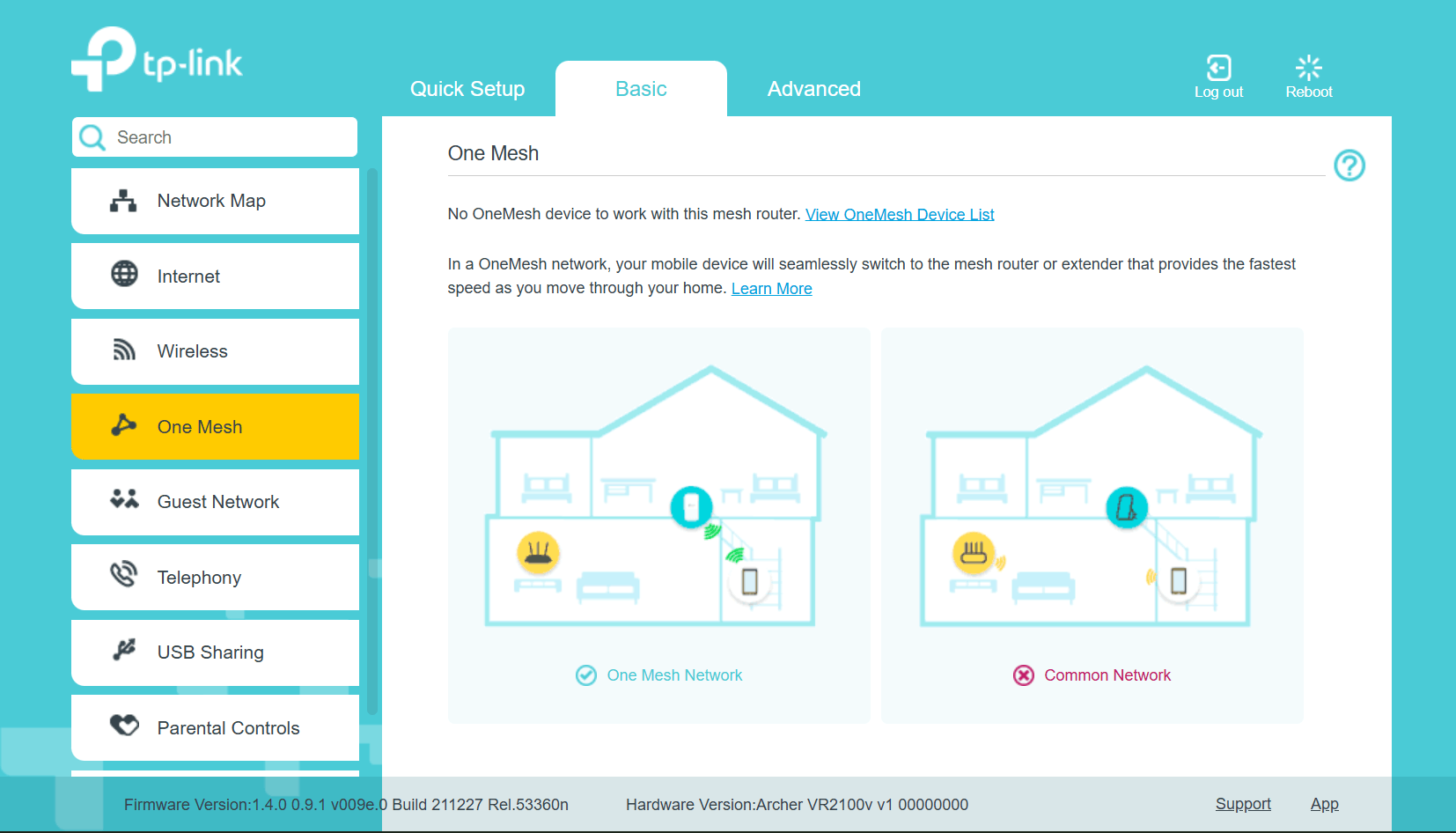
- Copy Link
- Report Inappropriate Content
@woozle yes it is enabled in the router settings
- Copy Link
- Report Inappropriate Content
Do you have the RE205 connected to the VR2100v by Ethernet cable or wirelessly? I may have misinterpreted your original post.
If you meant you want to connect the RE205 V4 to the VR2100v by cable (which the RE205 V4 supports with the recently released firmware version 1.0.50), then this will only work with one of the router models shown in the list in the following thread. https://community.tp-link.com/en/home/forum/topic/593722
- Copy Link
- Report Inappropriate Content
@woozle at the moment its setup in range extender mode connected wirelessly to the main router, want to connect it by an ethernet cable and use that while having mesh active but i cant seem to get that to happen
- Copy Link
- Report Inappropriate Content
Unfortunately, this can't be done. The VR2100v with its OneMesh does not support Mesh via wired connection.
The VR2100v and RE205 V4 together can only build a Mesh network via wireless connection.
- Copy Link
- Report Inappropriate Content
@woozle well that is unfortunate, ill make another post to help solve the issue im having to keep things clean
- Copy Link
- Report Inappropriate Content
Information
Helpful: 0
Views: 882
Replies: 9
Voters 0
No one has voted for it yet.