
Deco P7 gets opffline due to PLC
Deco P7 gets opffline due to PLC

Hello,
Short infrastructure description:
- I got a mixture mesh of Deco 3x X50 and 2x P7
- Main deco is x50 (as it supports WiFi 6)
- one of the p7 has a good WiFi connection to the main Deco.
- second P7 has got a weak signal from the main Deco.
Problem description:
up to some ago both p7 had no PLC connection to each other (led on power supply was always orange) and everything worked fine. The "weak" P7 could still serve the smart-home devices, which are wired to this P7.
Since some time (unfortunately I cannot say exactly as I discovered the issue by trying to update the Firmware of smart-devices) the PLC LED turned to green and the "weak" P7 got offline. If I switch off the "strong" P7 - the "weak" P7 PLC gets to orange and it gets back to online. Basically I would even expect that "weak" P7 gets a boost due to suddenly supported PLC.
could you please clarify haw to fix the issue with PLC?
X50 FW Version 1.7.1 Build 25080612 Rel. 70421
P7 FW Version 1.4.11 Build 20231227 Rel. 66020
BR,
Pavel
- Copy Link
- Subscribe
- Bookmark
- Report Inappropriate Content
@Paffka I hope TP-LINK will fix your issue ASAP.
- Copy Link
- Report Inappropriate Content

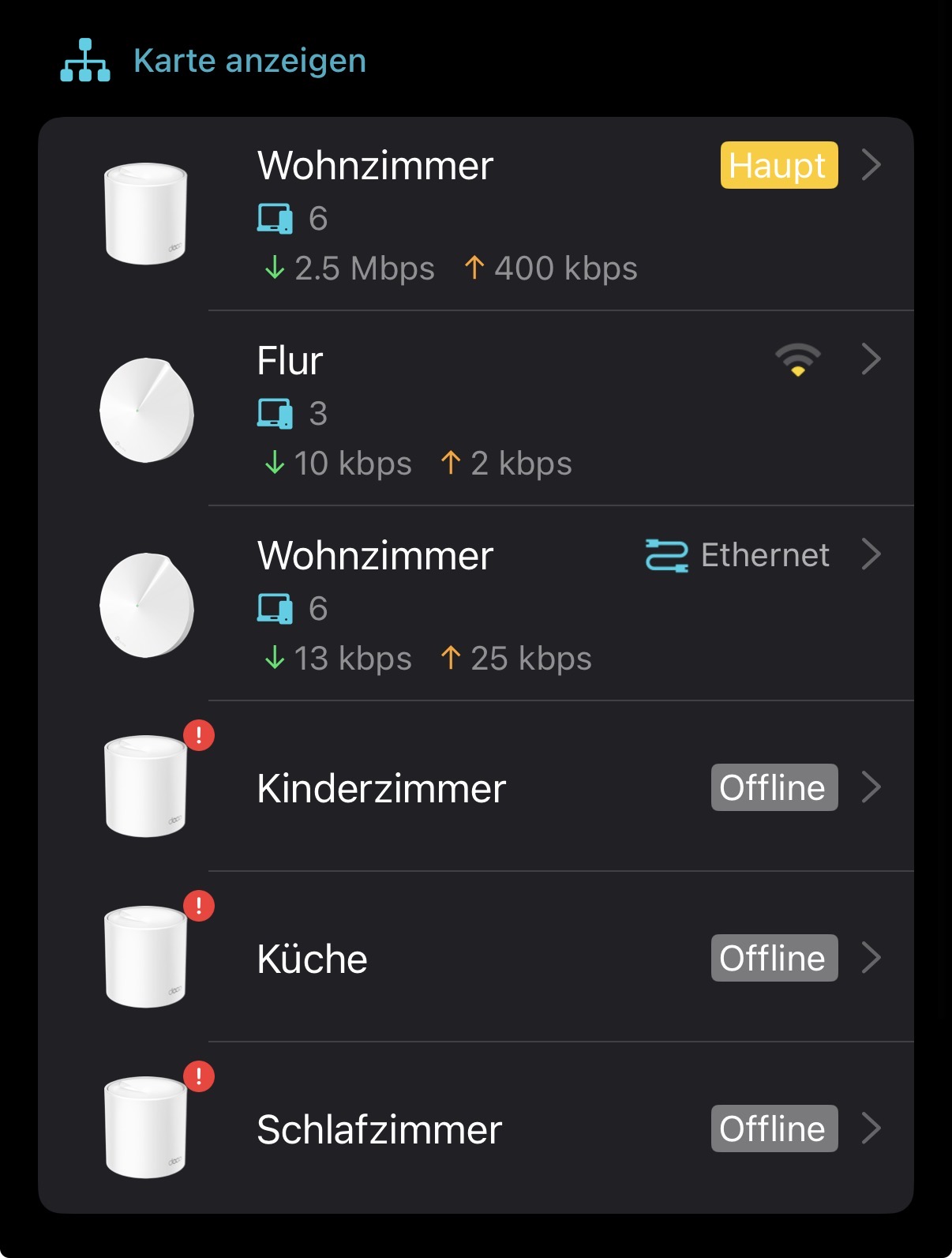
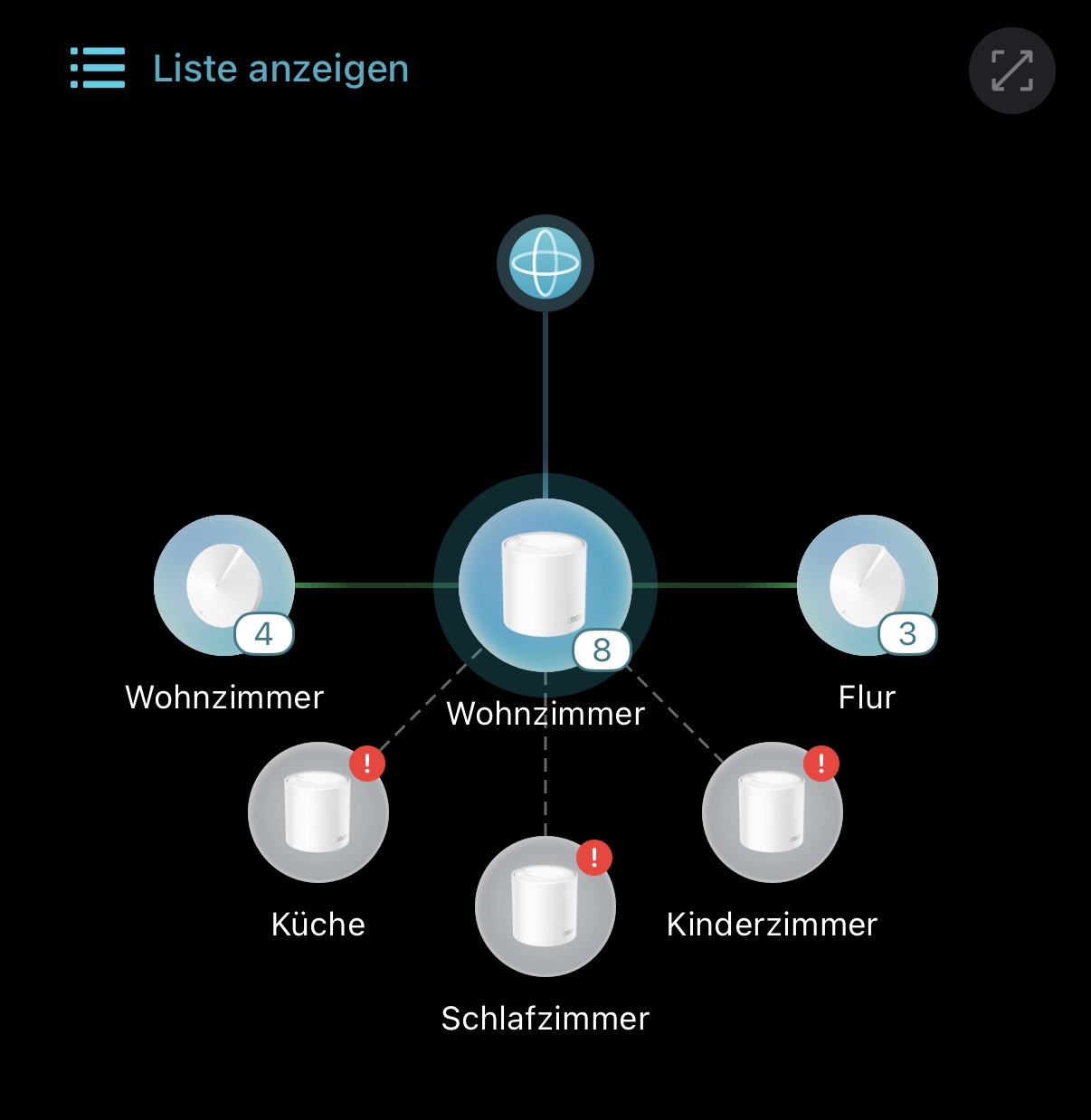
@PaffkaHi, can you run an Ethernet cable to connect the first Deco P7(Wohnzimmer) to the main Deco X50, then temporarily power off the rest three satellite Deco X50s(only leave the main Deco X50+2*Deco P7)?
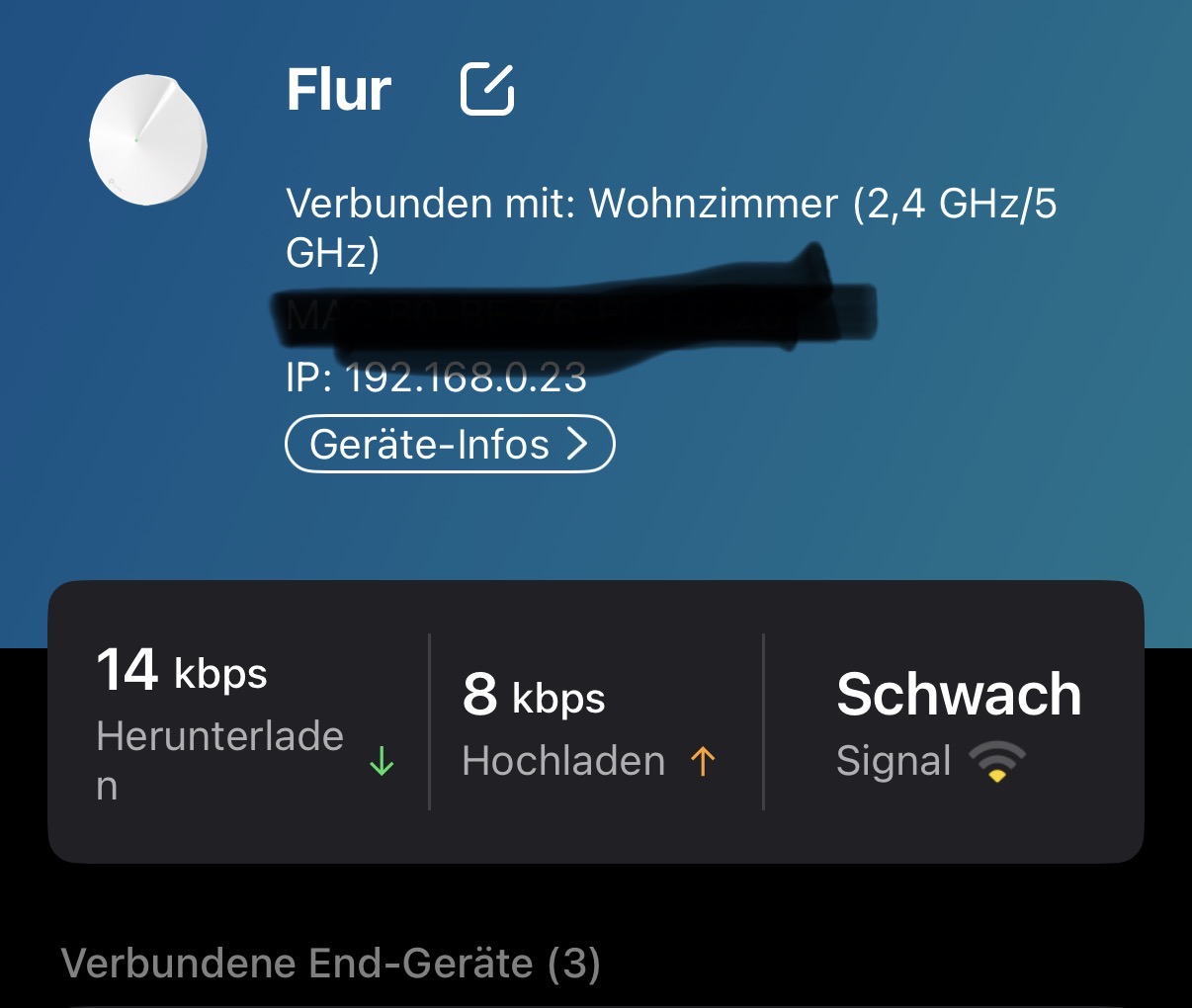
From the attached picture, the Mesh Backhaul type on the remote P7(Flur) is 2.4+5GHz, and the Powerline Backhaul didn't seem to work at all, which is quite strange since the power supply LED is green.
By the way, how long have you had the Deco P7?
Wait for your reply.
Best regards.
- Copy Link
- Report Inappropriate Content
hey David,
just made a setup you suggested - the "Flur" P7 after some time got online, however I do not see the PLC- connection in its status even Power supply LED is green. One of the Smart Home Servers (wired to Flur P7) shows that it has no access to the cloud, probably due to weak signal, however YouTube works if I my smartphone is served by Flur P7 mesh.
BR,
Paffka
- Copy Link
- Report Inappropriate Content
@David-TP the Deco P7 are in use since March 2019.
- Copy Link
- Report Inappropriate Content
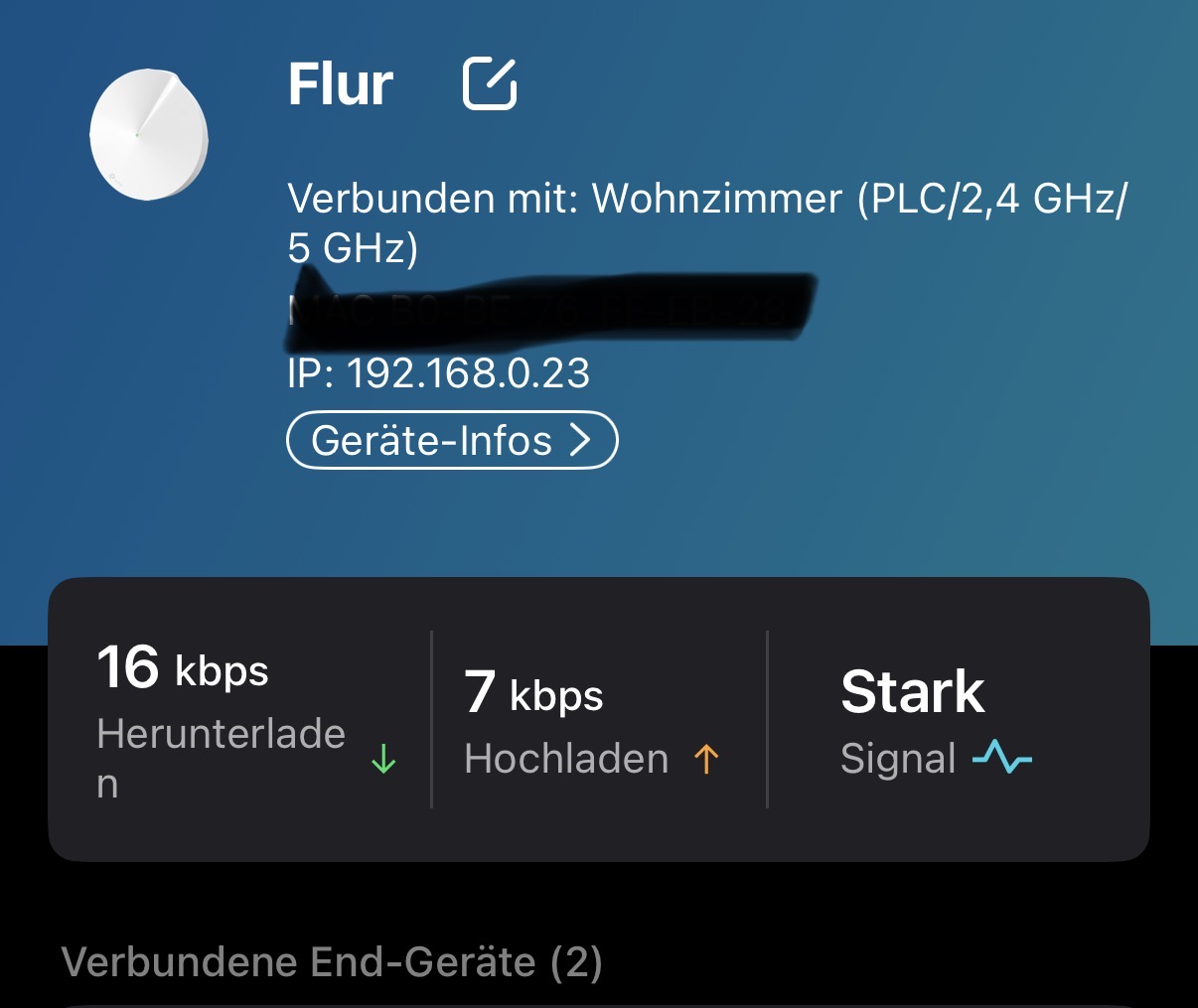
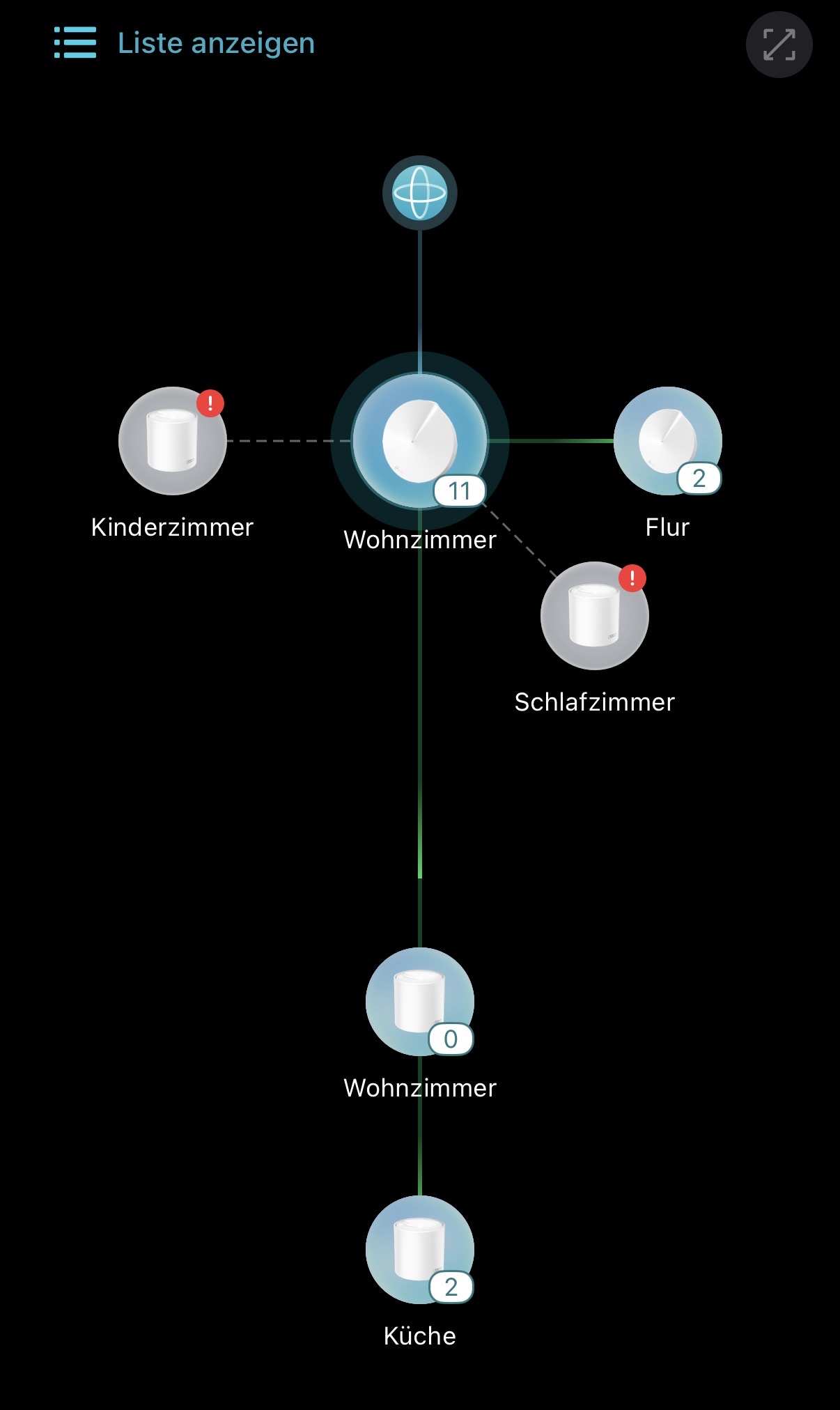
Just performed another test:
1. Set Deco P7 as a main
2. Connected x50 to P7 via Ethernet
3. Let another x50 running.
Result: The Flur P7 is online and says it has strong PLC connection. Apparently PLC works properly when P7 is a main Deco.
In case when x50 is a main Deco, could be that both P7 perform a proper handshake (reason for green power supply LED), the WiFi mesh gets refused by Flur P7 (assuming PLC works), but PLC finally does not work since P7 is nit the main Deco?
BR,
Paffka
- Copy Link
- Report Inappropriate Content
Now I try to roll back the settings to setup x50 as a main deco and I cannot manage it - it complains that one of the Decos does not support EasyMesh and it offers me to deactivate it. Finally it does not allow me to deactivate it. Is there any way to change the main deco?
- Copy Link
- Report Inappropriate Content
Information
Helpful: 3
Views: 800
Replies: 16
Voters 2

