
Deco M9+ Starling Gen3
Deco M9+ Starling Gen3

I am experiencing connectivity issues with my Starlink setup and would like your assistance. My configuration is as follows:
Starlink with Gen 3 router, currently set to bypass mode
The rest of my network consists mainly of 8 Deco M9+ units running the latest available firmware (one of them is the main deco) and one Deco X50-outdoor
The issue I am facing is that my internet connection is not stable. I notice sudden drops in speed, occasional interruptions, and streaming services do not function smoothly.
Could you advise on possible causes for these interruptions and recommend any troubleshooting steps or adjustments to improve stability?
Thank you for your support.
- Copy Link
- Subscribe
- Bookmark
- Report Inappropriate Content

@Chky Are you sure you are facing internet issues because of Deco M9+ ? What about direct connection to starlink router? Have u check starlink app for optimization? Have u check which obstacles are blocking the signals? How much speed are you getting on starlink router through starlink app? Also you can checkout the steps in the link below. 👇🏻
https://community.tp-link.com/en/home/forum/topic/675946
- Copy Link
- Report Inappropriate Content
@ARGamingPK1 If I am using the Gen3 router in normal mode without connecting my deco's No problems were noticed.
- Copy Link
- Report Inappropriate Content
@Chky Have u tried Deco in AP Mode if the other features are not important for you in Router Mode.
- Copy Link
- Report Inappropriate Content
@ARGamingPK1 I haven't tried that because some connected devices have a fixed IP address that is assigned by the Deco router.
This would require changing everything that previously worked without problems with the DSL connection.
- Copy Link
- Report Inappropriate Content
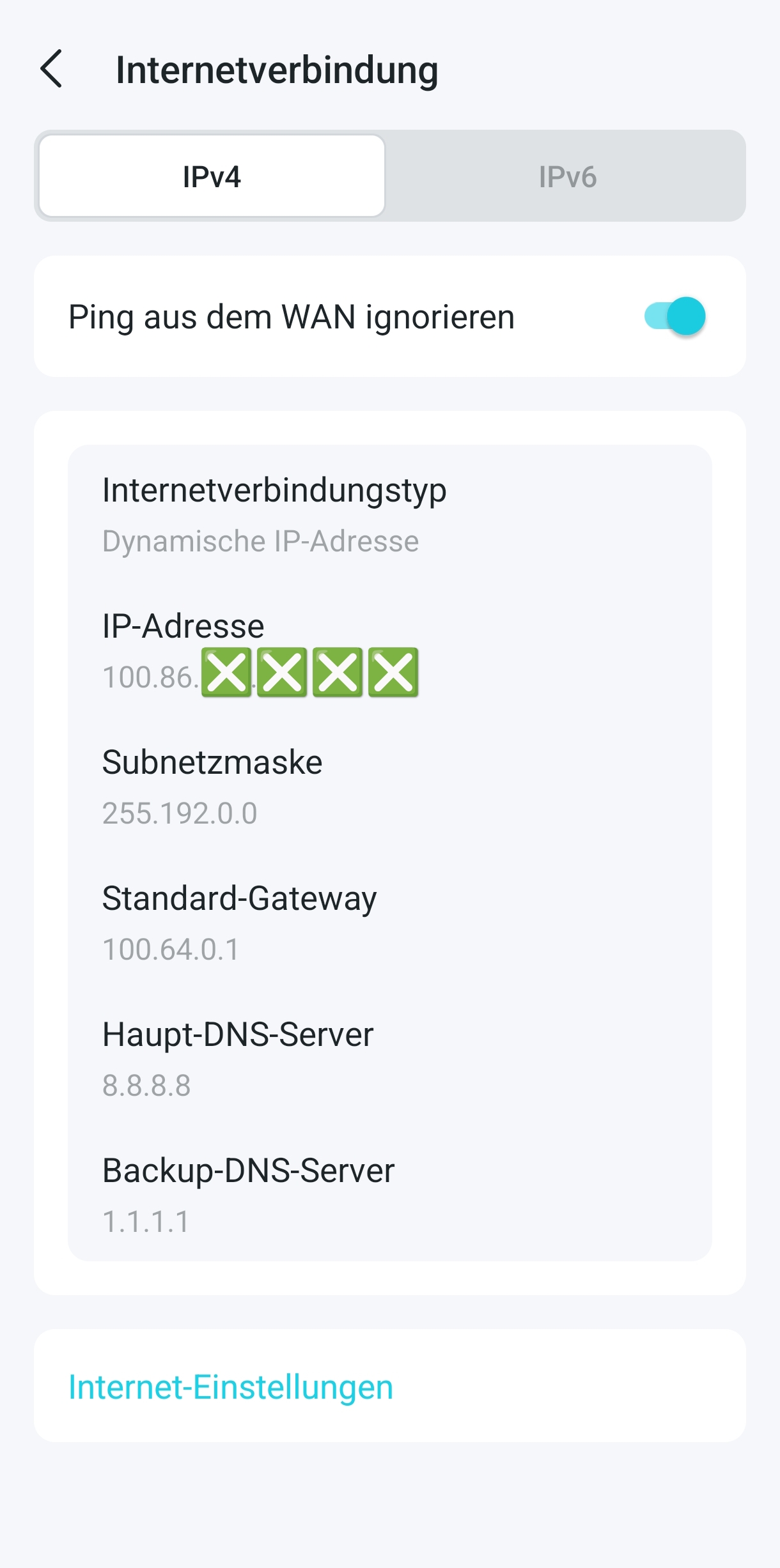
@Chky Hmmm right.....So have u tried to change DNS servers in Starlink? Like Google DNS 8.8.8.8 and 8.8.4.4
- Copy Link
- Report Inappropriate Content
- Copy Link
- Report Inappropriate Content
@Chky Hmmm i think there is an issue related to subnet mask. You can check the link below.
https://community.tp-link.com/en/home/forum/topic/848116
- Copy Link
- Report Inappropriate Content

@Chky Hi, thank you very much for the feedback.
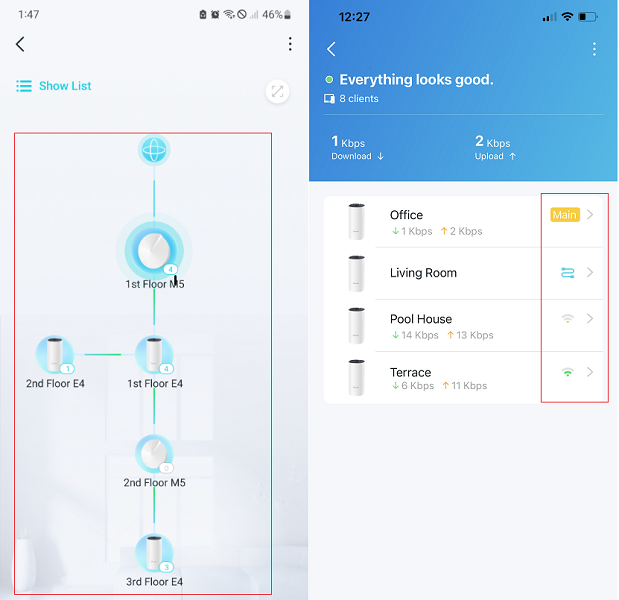
Can you add some screenshots of the network map on the Deco APP, such as the following picture:
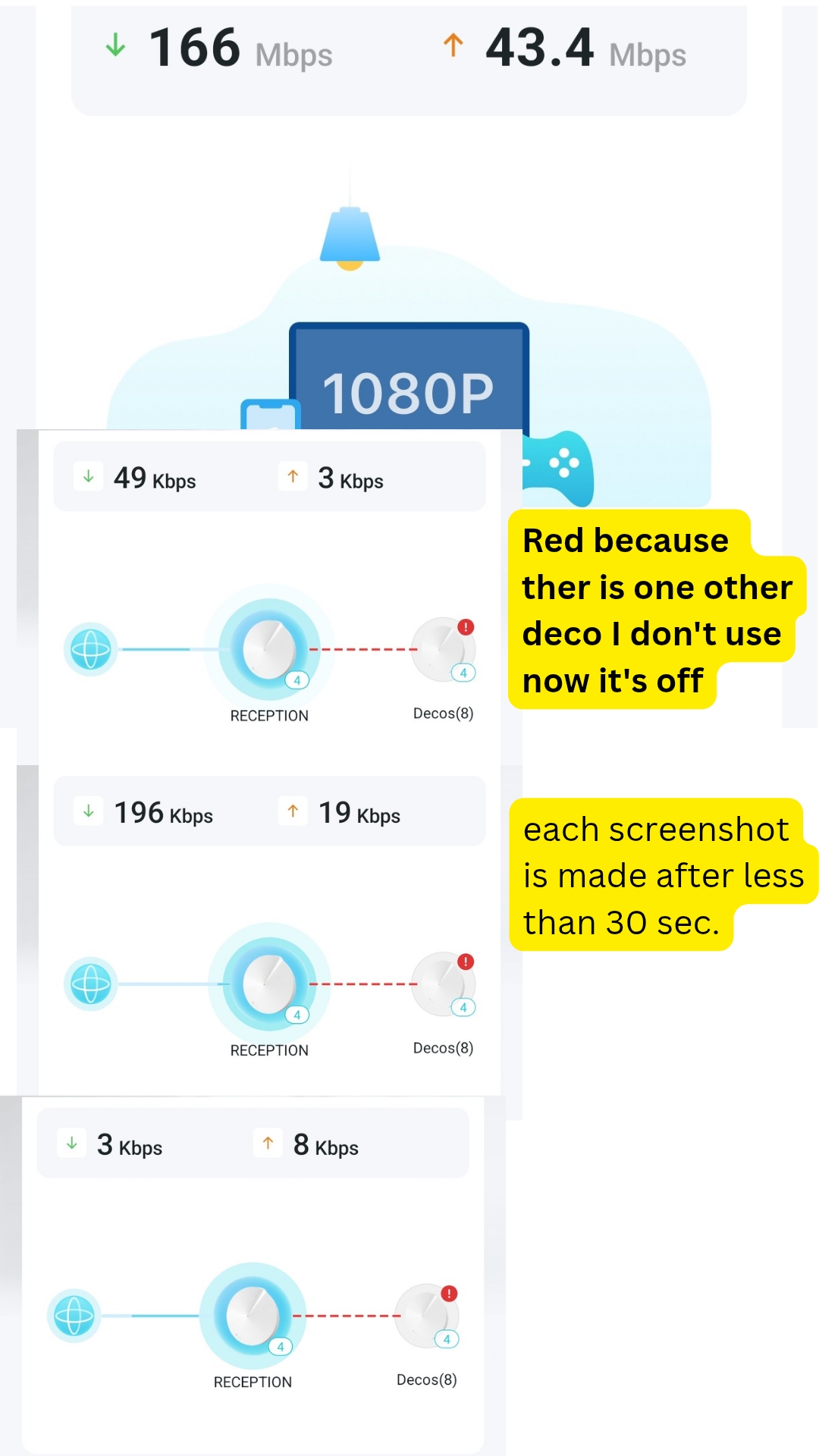
Have you seen any Deco turn red during the disconnection?
By the way, can you add more details about the reported issues here:
" Internet connection is not stable. I notice sudden drops in speed, occasional interruptions, and streaming services do not function smoothly."
- Can I have the model number of the devices that randomly dropped out?
- What kinds of streaming services that you run into issues with?
Wait for your reply.
Best regards.
- Copy Link
- Report Inappropriate Content
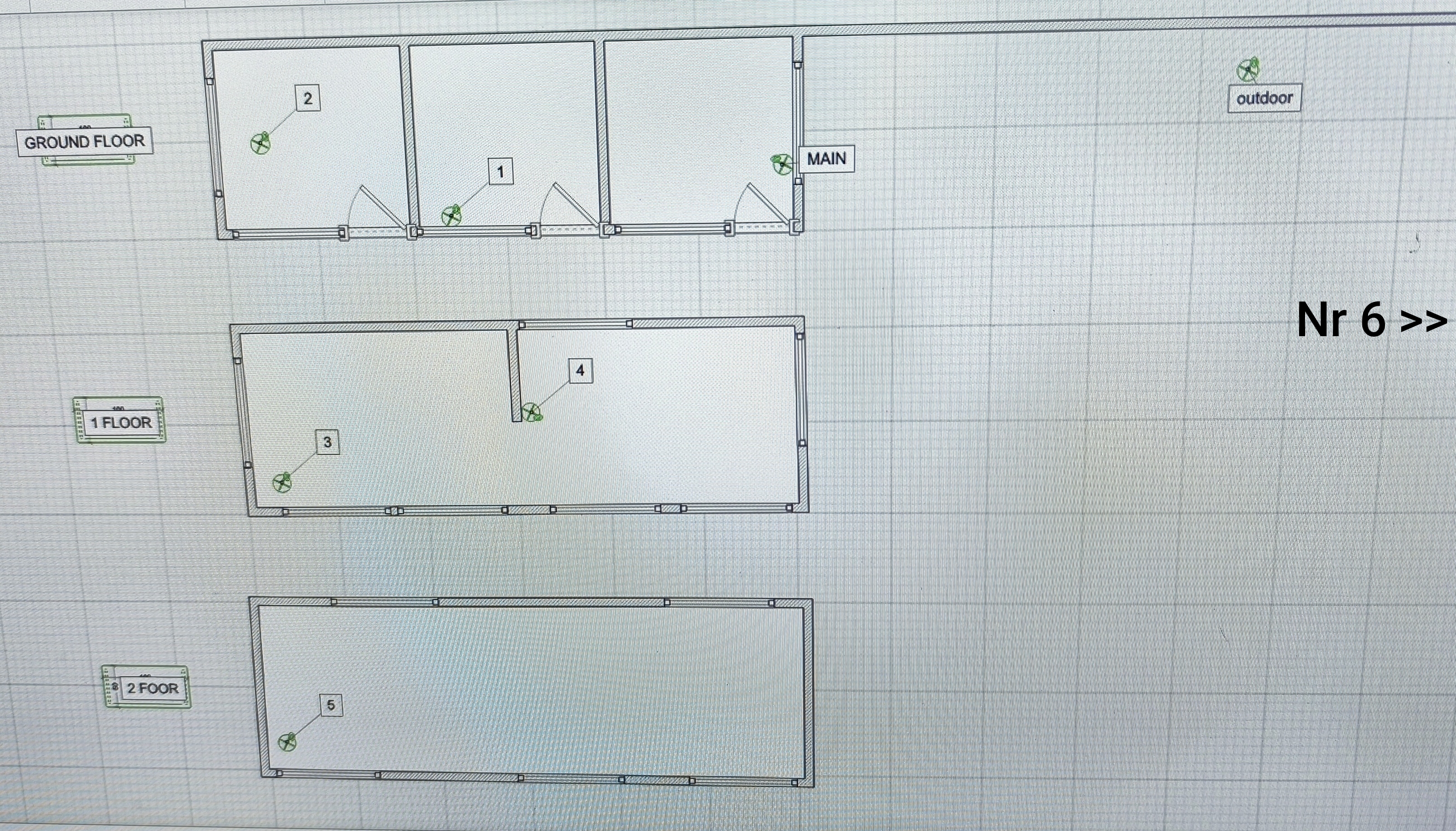
The frustration about things not working is getting stronger. I’ve already changed the DNS settings back to automatic in the internet options. I’m attaching a few pictures of the setup as well. The distance from the main Deco to unit #1 is about 4 meters, and from unit #2 to unit #3 it’s also around 4 meters, and so on. So the devices are actually not very far apart, but they still show different signal strengths.
- Copy Link
- Report Inappropriate Content
- Copy Link
- Report Inappropriate Content
Information
Helpful: 1
Views: 983
Replies: 17
Voters 1
