BE230/BE3600 WAN link issue: Only 100 Mbps works with ISP

BE230/BE3600 WAN link issue: Only 100 Mbps works with ISP

BE230/BE3600 WAN link issue: Only 100 Mbps works with ISP
11 hours ago
Model: Archer BE230  
Hardware Version: V2
Firmware Version: 1.1.0 Build 20250718 rel.16043(4555)

Hello,


I am experiencing a repeated issue with the TP-Link Archer BE3600 / BE230. This is already the second unit with exactly the same behavior.


Model: Archer BE3600 / BE230

Firmware: 1.1.0 Build 20250718 rel.16043(4555)

Hardware: Archer BE230 v2.0

Connection type: Dynamic IP with MAC binding

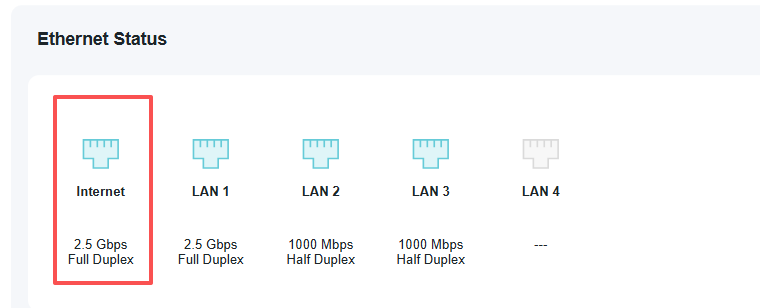
Issue: WAN port does not establish a link with the ISP line at any speed except 100 Mbps


Description of the problem:


When connecting the ISP’s Ethernet cable directly to the WAN port of the Archer BE3600/BE230, the router cannot establish a 1 Gbps or 2.5 Gbps link.


– On Auto (Auto-Negotiation), the WAN LED does not turn on and no link is established.

– If I manually set the WAN speed to 1000 Mbps or 2500 Mbps, the link also does not come up (WAN LED stays off).

– Only when I manually force the WAN port to 100 Mbps does the link become active, and the router successfully receives an IP address and has internet access.


At the same time, my old router (SNR CPE ME2 Lite) establishes a stable 1000 Mbps link with the same ISP cable without any issues.


Furthermore, the Archer BE3600/BE230 is able to establish a stable 1000 Mbps link when connected to my old router (old router LAN → new router WAN). In this scenario, it immediately receives an IP address and works normally. This confirms that the WAN port itself is capable of 1 Gbps, but it cannot negotiate a 1 Gbps link with the ISP’s equipment.


To summarize:


– Two different Archer BE3600 / BE230 units show identical behavior.

– The ISP line supports 1 Gbps and was tested by their support.

– The old router consistently negotiates 1 Gbps with the same cable.

– The Archer BE3600/BE230 negotiates 1 Gbps only when connected to another home router, not directly to the ISP line.

– Changing cables does not help.

– Resetting the router does not help.

– Manually forcing 100 Mbps works and internet is available.

– Forcing 1000 Mbps or using Auto results in no link (WAN LED is off).


The ISP confirmed that their line is fully functional, supports 1 Gbps, and that speeds greater than 100 Mbps reach my apartment.


I would like to know:


  1. Could it be a problem with an ISP's line?

  2. Is this a known issue with the BE3600 / BE230 series?

  3. Could this be related to the firmware, and can it be fixed?


Thank you.

  0      
  0      
#1
Options
2 Reply
Re:BE230/BE3600 WAN link issue: Only 100 Mbps works with ISP
6 hours ago

Hello @Opupupa ,

Welcome to our community.


May I know the model of your ISP modem/device?


If your network topology diagram is as follows:

ISP modem—BE230 )))((( client devices

(Note: — stands for wired connection,)))((( stands for wireless connection )


If there is a switch between the ISP modem and the BE230, please remove it and try again.

Since your old router can access 1G speed, it is recommended that you do Mac clone for the BE230: How do I configure MAC Address Clone on my TP-Link Archer Router?


Nice to Meet You in Our TP-Link Community. Check Out the Latest Posts: △Pre-release Firmware for Archer AX50 Introduces New Parental Control Features and Enhancements △Introducing AI QoS: Elevate Your Gaming Experience on the Archer GE800 Gaming Router △Connect TP-Link Archer BE550 to Germany's DS-Lite (Dual Stack Lite) Internet via WAN △Tether KidShield Test Recruitment - Safeguarding Children's Online Experience If you found the post or response helpful, please click Helpful. If an answer solves your problem, click "Recommended Solution" so that others can benefit from it.
  0  
  0  
#2
Options
Re:BE230/BE3600 WAN link issue: Only 100 Mbps works with ISP
47 minutes ago

  @Joseph-TP 

Hello,

Thank you for your reply.


There is no ISP modem in my setup. In my apartment, the ISP provides only an Ethernet wall socket (RJ-45) with a patch cord coming directly from their equipment in the building. I do not know exactly which device or switch the ISP is using on their side.


Regarding MAC address:

The MAC address of the new BE230 router was already registered by the ISP support team, and the router can receive an IP address when it is forced to 100 Mbps. Still, I can try the MAC Clone option as well. At the moment, all settings have been restored back to my old router so I can have internet access.


The topology you described is correct.


Let me know if you need any additional details or tests.


  0  
  0  
#3
Options