
Replacement M7350 unable to connect to internet

I have recently replaced my previous M7350 travel modem which was lost. I also replaced the iD mobile SIM card, which links to the 3 network in the UK. Since then, I have been unable to connect to the internet with the SIM in the M7350 ("no internet connection"), but it works when slotted into a Sumsung Galaxy mobile phone. The M7350 shows a connection with the 3 network, so I am guessing it must be a setting on the modem that is not allowing the internet connection. I have tried rebooting and a factory reset without success. I have checked the APN settings shown on the iD mobile web site are correct when the SIM card was put into the Samsung Galaxy phone.
Any ideas?
- Copy Link
- Subscribe
- Bookmark
- Report Inappropriate Content
@David-TP David. Finally, it works! Changing the APN Protocol to IPv4 made all the difference. Thank you ever so much.
Regards
Martin
- Copy Link
- Report Inappropriate Content

Hi, can I have a screenshot of the internet status on the M7350, such as:
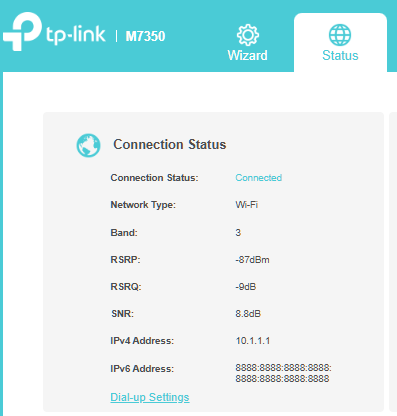
By the way, did you also use an IDM SIM card on the first M7350?
have you tested the new M7350 with the SIM cards from another SIM ISP?
Wait for your reply.
Best regards.
- Copy Link
- Report Inappropriate Content
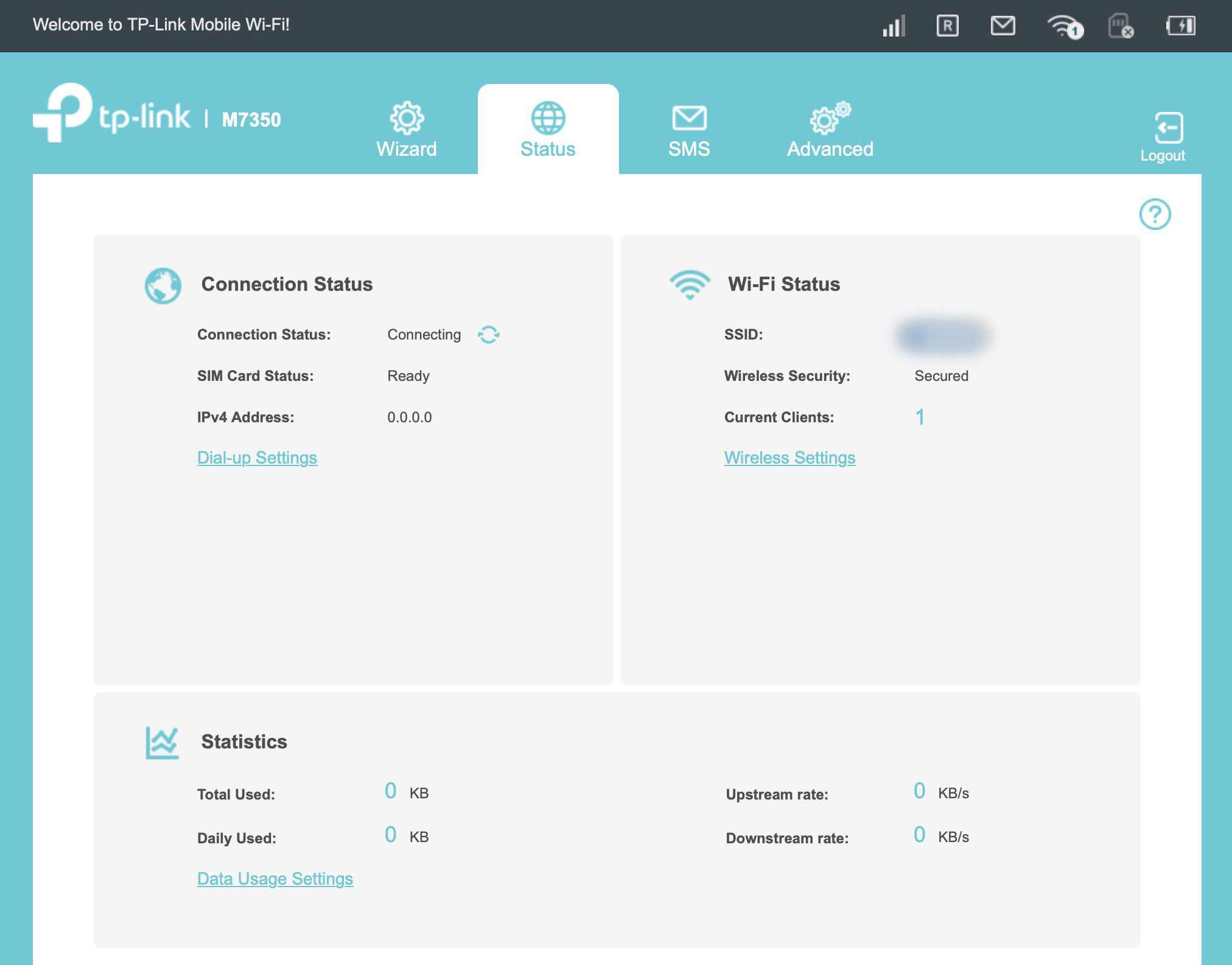
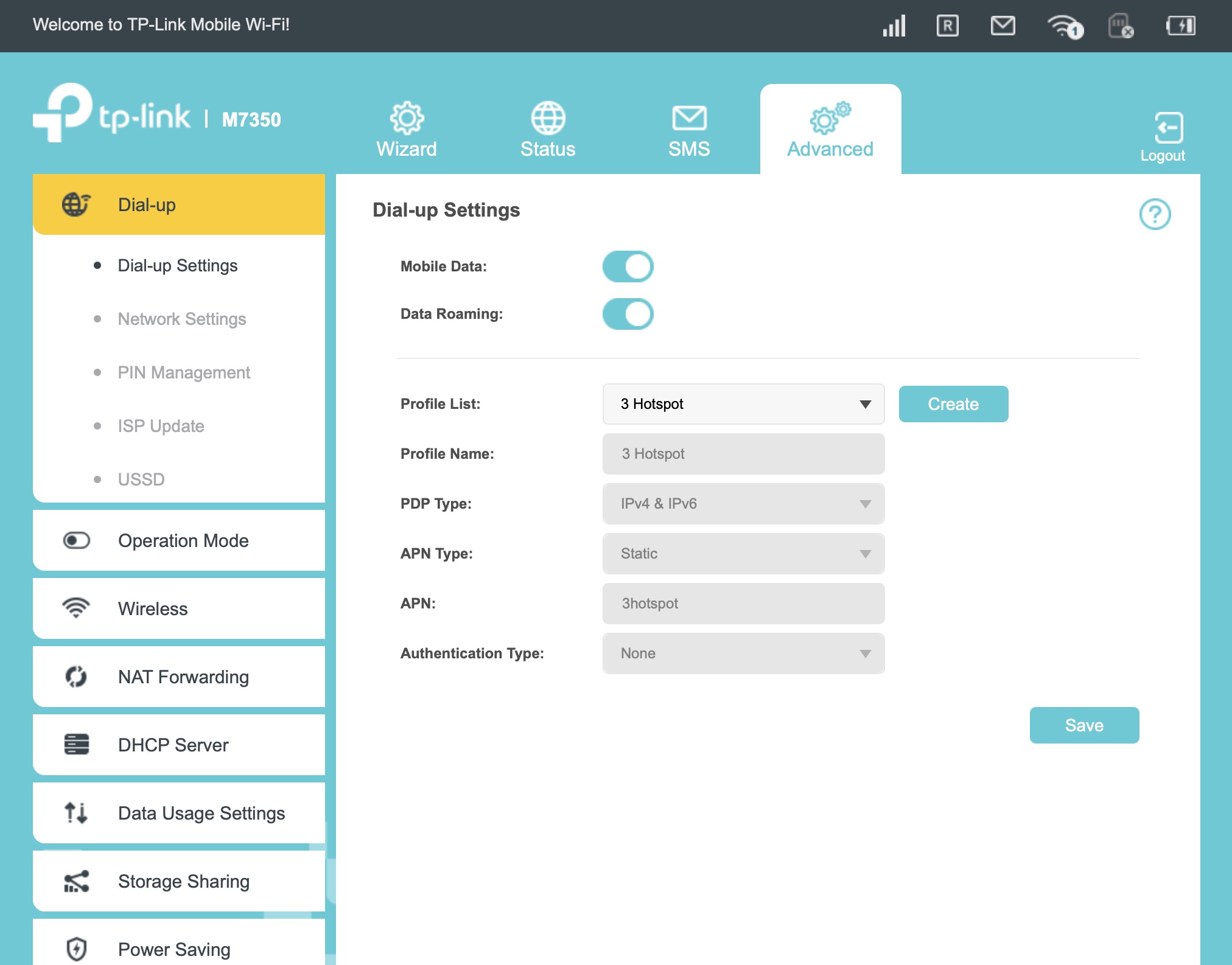
@David-TP Thank you for your usual helpful response. Although I could not re-create the status page in your screenshot, I attach two screenshots that I made by directly connecting the M7350 to the laptop. I can confirm that I was successfully using an iD Mobile SIM card in my previous M7350 modem.
As suggested, I swapped the iD Mobile SIM with one from my mobile phone (a different ISP) and that did connect OK to the internet when inserted into the M7350.
I also checked the iD Mobile APN settings whilst the SIM card was in my mobile phone, but again no internet connection.
Regards
- Copy Link
- Report Inappropriate Content
Hi, thanks for the update.
Can you change the "PDP Type" here to "IPV4" only to see whether it helps?
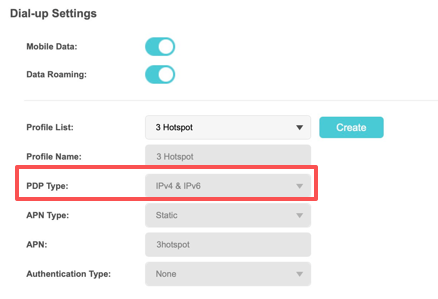
Wait for your reply.
Best regards.
- Copy Link
- Report Inappropriate Content
@David-TP David. Finally, it works! Changing the APN Protocol to IPv4 made all the difference. Thank you ever so much.
Regards
Martin
- Copy Link
- Report Inappropriate Content

@Lusitania Sorry you’re having trouble connecting. Have you tried rebooting the M7350 and reinserting the SIM card? Also, please check that the APN settings match your mobile provider and that the SIM has an active data plan. If the issue continues, a firmware update or network reset may help.
- Copy Link
- Report Inappropriate Content
@zainikhan Thanks for your interest. Already solved, thanks to David-TP's tip (see above).
- Copy Link
- Report Inappropriate Content
Information
Helpful: 1
Views: 486
Replies: 6
Voters 1
