
Bufferbloat issues on GE550
Bufferbloat issues on GE550

Hello everyone,
I recently replaced my old ASUS RT-AC86U with a TP-Link Archer GE550, expecting a noticeable improvement in performance and stability under heavy traffic. My main reason for upgrading was recurring bufferbloat issues on the ASUS, especially when running Stremio on a TV while gaming, which caused latency spikes during gameplay.
After installing the GE550 and placing my ISP modem in bridge mode (no double NAT), I started testing the connection using the Waveform bufferbloat test. To my surprise, with QoS enabled, the GE550 consistently scores a bufferbloat grade F, caused almost entirely by extreme latency increases during upload (hundreds of milliseconds).
I have already tried the following troubleshooting steps:
-
Enabling bandwidth-based QoS
-
Manually limiting upload and download bandwidth well below my actual line speed
-
Prioritizing my gaming PC using Game Accelerator
-
Disabling traffic analysis and monitoring features
Despite these adjustments, the issue persists whenever QoS is enabled. Upload saturation causes massive latency spikes, making gaming and other real-time applications unusable under load.
However, when I disable QoS completely, the behavior changes drastically:
the bufferbloat disappears, latency remains stable, and I consistently achieve an A+ rating on the Waveform test.
This suggests that the problem is not related to my ISP, modem, or double NAT, but rather to how QoS / queue management is implemented in the GE550 firmware. This is disappointing, as the GE550 is expected to be significantly more powerful and modern than the RT-AC86U, yet in my environment it only performs well with QoS turned off.
At this point, if this behavior cannot be improved via configuration or firmware updates, I am seriously considering returning the GE550 and reverting to my ASUS, or moving to a different solution altogether.
My questions are:
-
Have other users experienced similar upload bufferbloat issues with QoS enabled on the GE550?
-
Is there any plan to improve queue management or implement proper SQM (fq_codel, CAKE, or similar) in future firmware updates?
Any feedback from TP-Link staff or other users would be greatly appreciated.
- Copy Link
- Subscribe
- Bookmark
- Report Inappropriate Content
- Copy Link
- Report Inappropriate Content


Hello @NandoAoT ,
The relevant departments are paying close attention to your case.
Generally speaking, reproducing a case scenario and analyzing its details takes time. Please give us a little more time; the engineers will get back to you as soon as there is any progress.
- Copy Link
- Report Inappropriate Content
- Copy Link
- Report Inappropriate Content
Hi @NandoAoT ,
I noticed your case was previously handed over to an engineer, and you were unable to reproduce your problem. Is that right?
Are there any new problems now, or have you been able to successfully reproduce the problem? You can also update it to the engineer.
- Copy Link
- Report Inappropriate Content
I could not reproduce the P2P issues, but, my follow up is regarding the bufferbloat issue..
- Copy Link
- Report Inappropriate Content

@NandoAoT Hello. I also have a GE550. Please try to disable the Security Web Atack Protection or put one device in the exception as a test.
I had some issues in the past because that feature was blocking the connections, and as the result, some devices were getting the "wrong password or cannot connect this network" mensages.
Thank you.
- Copy Link
- Report Inappropriate Content
- Copy Link
- Report Inappropriate Content
Hello @NandoAoT ,
As I know, it's currently impossible to successfully reproduce the anomaly of high bufferbloat and high latency caused by enabling QoS on this device.
Could you please provide a comparative test of download and upload speeds before and after enabling QoS, along with ping results, etc.
- Copy Link
- Report Inappropriate Content
@Joseph-TP impossible to reproduce? common..
QOS on, Limits 850MBs download / 400 Upload
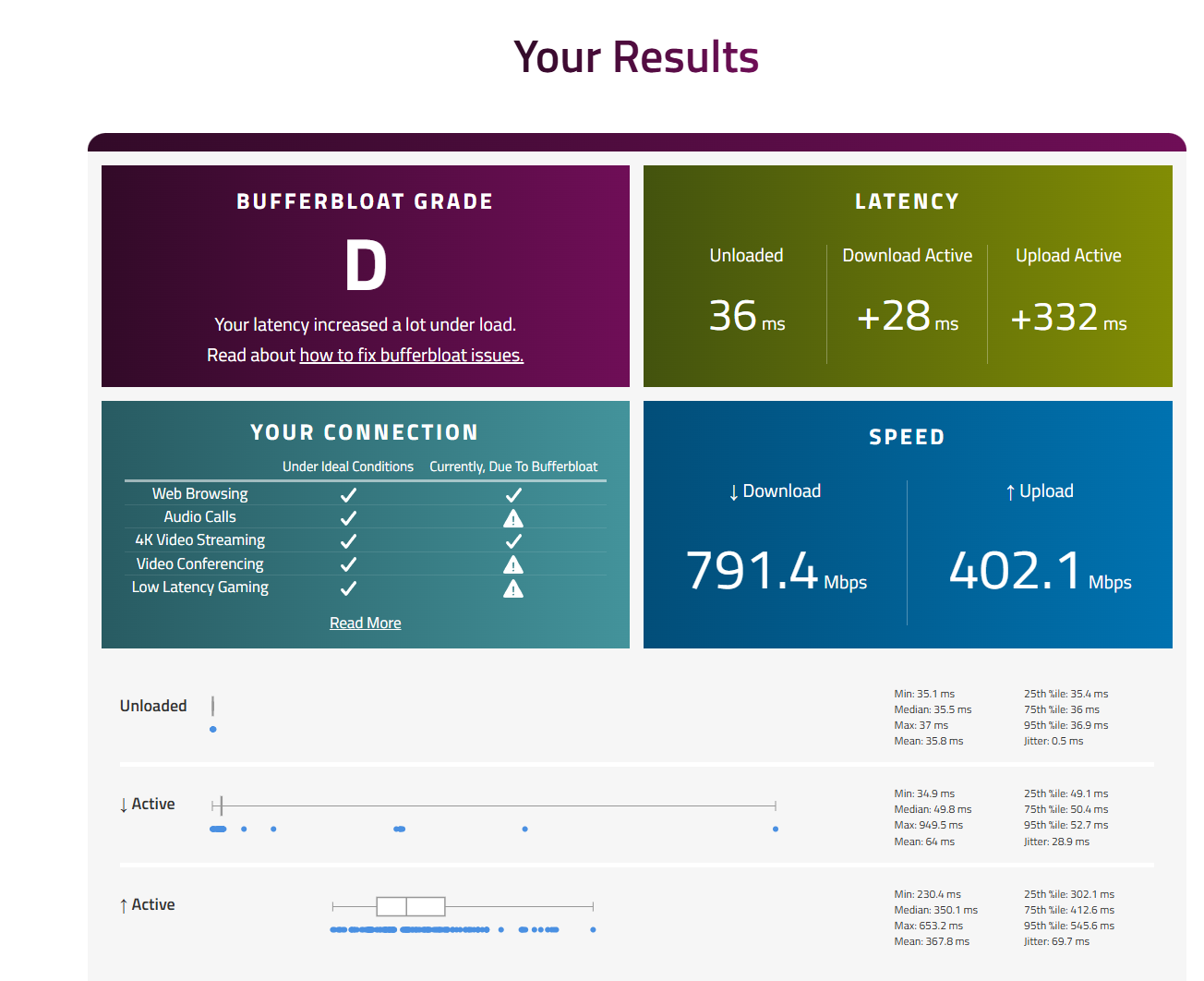
QOS OFF
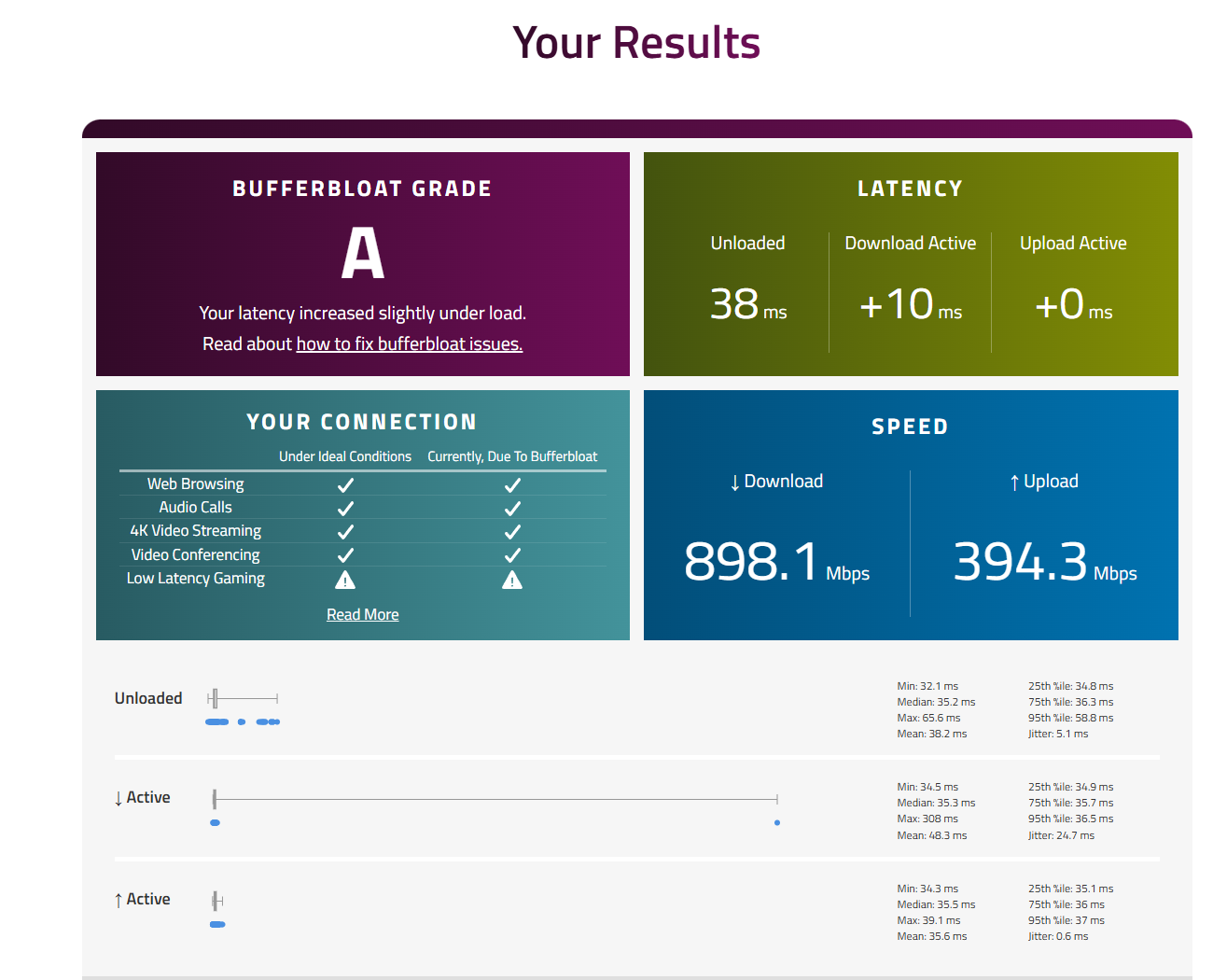
QOS ON Limits 850MBs download / 400 Upload
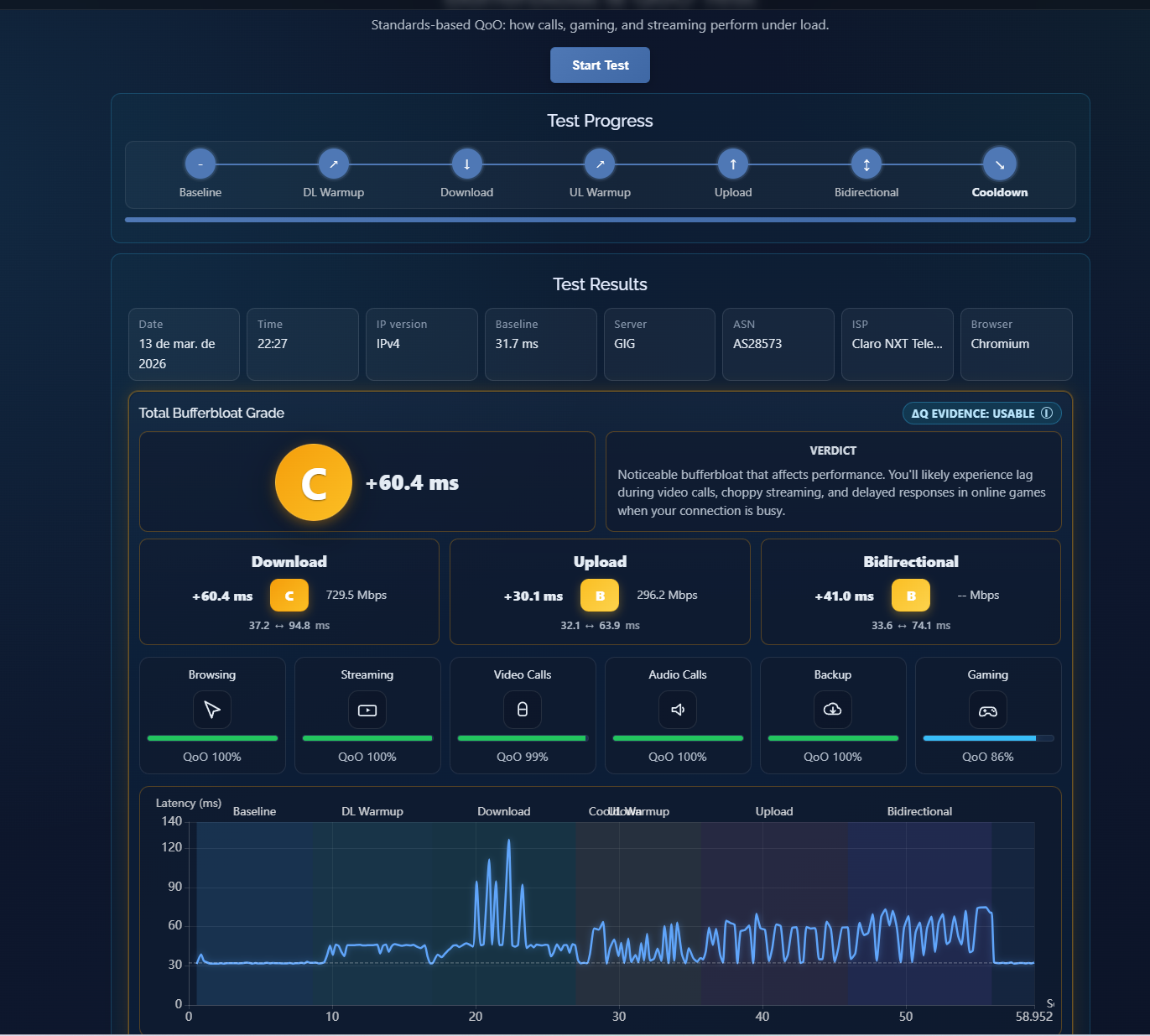
QOS OFF

- Copy Link
- Report Inappropriate Content
Information
Helpful: 0
Views: 2780
Replies: 19
Voters 0
No one has voted for it yet.