
New Firmware issue, unable to connect to router's SMB sharing by using Wireguard VPN server tunnel

After upgraded to the new firmware version, found unable to access my router's SMB usb storage (192.168.0.1) via Wireguard VPN server tunnel
Both windows/Android clients were unable to access router's SMB using wiregaurd VPN, but Lan access is working fine (example: 192.168.0.10)
- Copy Link
- Subscribe
- Bookmark
- Report Inappropriate Content


As far as I know, a new firmware has been released. Please update it promptly and verify if the new firmware can fix it.
- Copy Link
- Report Inappropriate Content
Hello @terrylau ,
Thanks for contacting our community.
Please test the following steps and send back the results:
1. It is recommended to confirm whether you can ping the router's LAN IP (e.g., 192.168.0.1) from the VPN client after the VPN server connection is established.
2. Please compare the FTP service test. Specifically, when accessing a USB device, replace the access address with the VPN interface address.
By default settings, the OpenVPN address is 10.8.0.1, and the WireGuard address is 10.5.5.1.
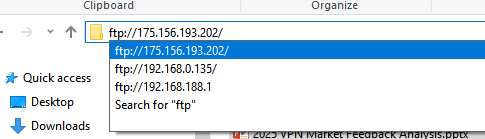
For further analysis, contact Local Support or email the test results, and prioritize upgrading the case accordingly.
You can send emails in the following format:
Subject: [Forum Escalation][ID 853030] New Firmware issue, unable to connect to router's SMB sharing by using Wireguard VPN server tunnel
Forum Nickname: terrylau
Thread URL: https://community.tp-link.com/en/home/forum/topic/853030
Model&Version: Archer BE230-v1-1.2.3
Description:
- Copy Link
- Report Inappropriate Content
Hi Joseph,
Please find the result as below:
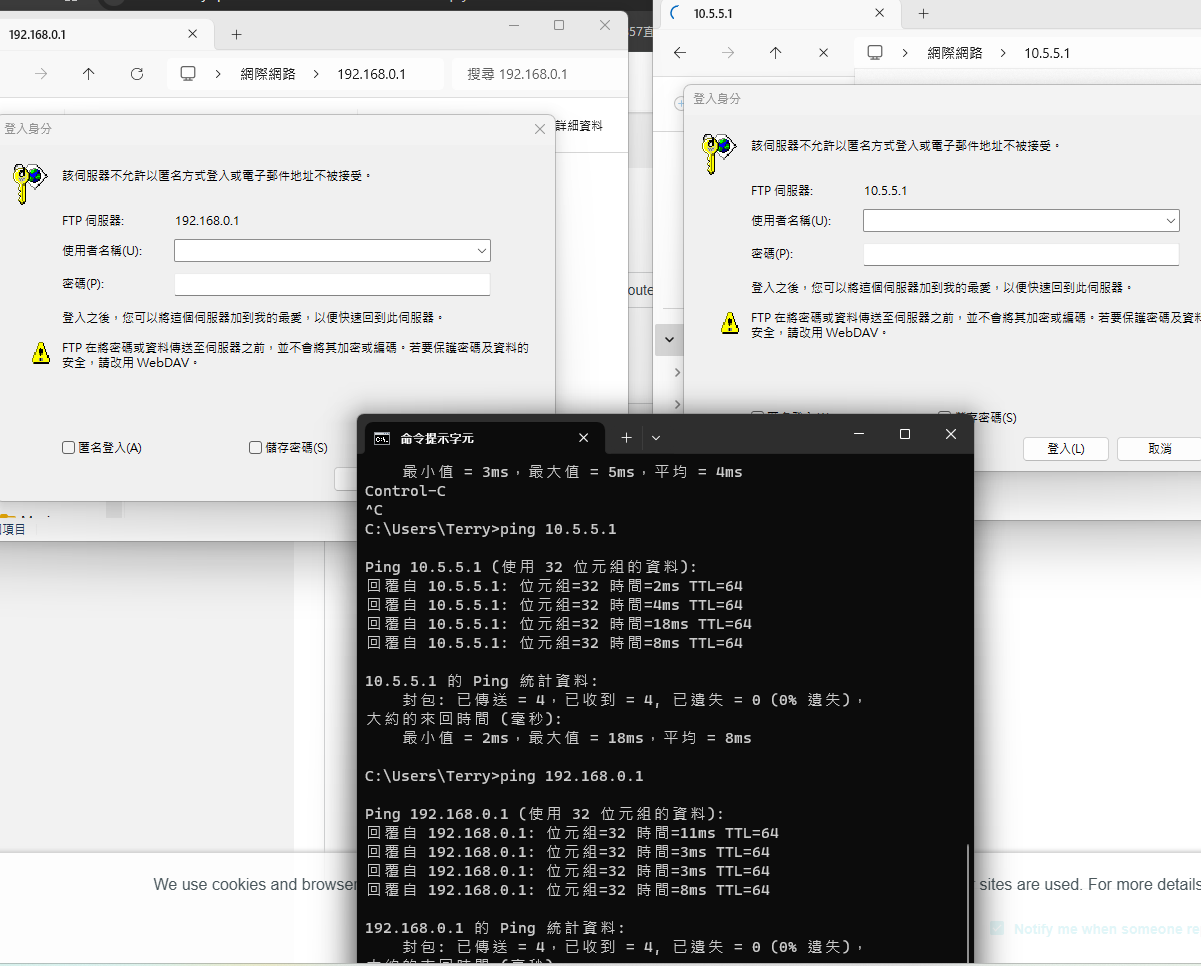
1. I am able tp ping 192.168.0.1 from client devices which have established wireguard VPN connection
2. I am able to connect ftp server with IP:192.168.0.1 and 10.5.5.1 from client devices which have established wireguard VPN connection
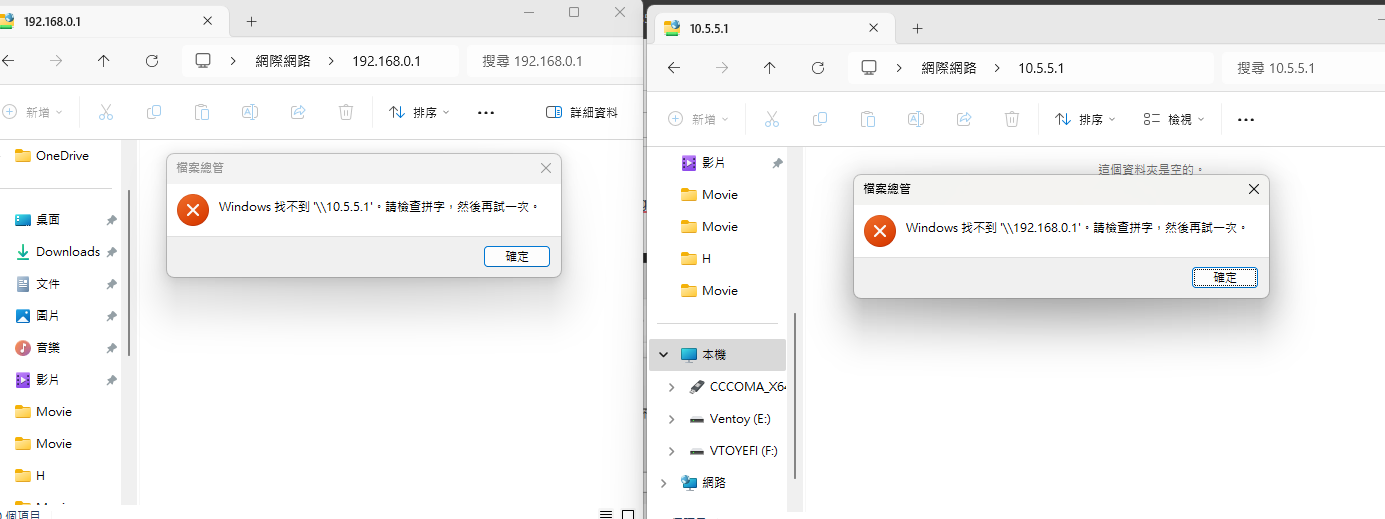
Furthermore, I am able to connect to other Lan devices by using SMB via wireguard VPN connection, but failure to connect to router's SMB
Thank you
- Copy Link
- Report Inappropriate Content
Supplement the captured screen
Ping and FTP successfully to established Wiregaurd VPN connection with IP: 192.168.0.1 and 10.5.5.1
but failed to connect via SMB
- Copy Link
- Report Inappropriate Content
As far as I know, a new firmware has been released. Please update it promptly and verify if the new firmware can fix it.
- Copy Link
- Report Inappropriate Content
- Copy Link
- Report Inappropriate Content
Information
Helpful: 0
Views: 609
Replies: 5
Voters 0
No one has voted for it yet.