No internet connection

No internet connection

No internet connection
Thursday
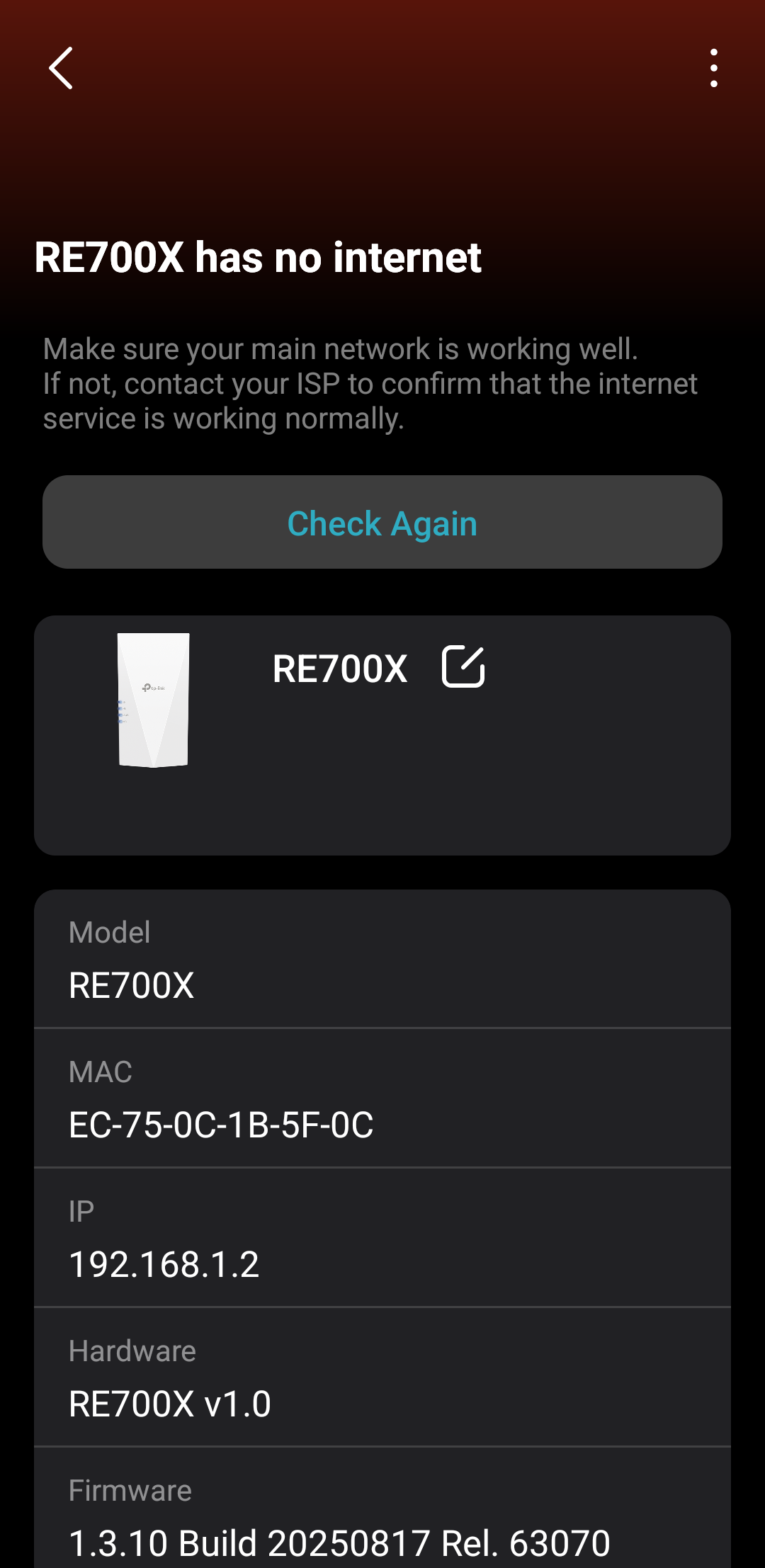
Model: RE700X  
Hardware Version: V1
Firmware Version: 1.3.10 Build 20250817 Rel. 63070

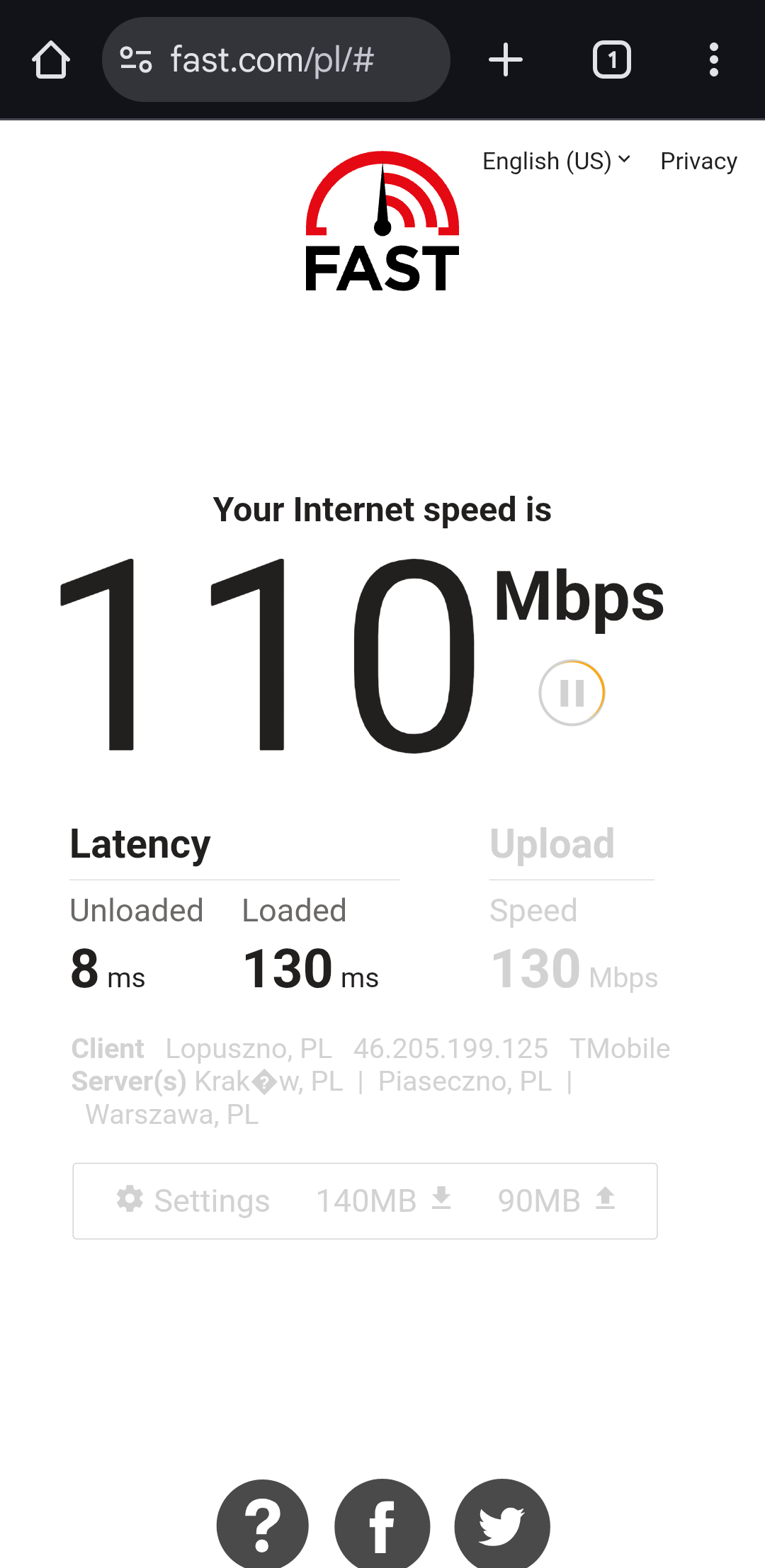
Hi, for the past month I've been having connection issues with RE700X. I bought it in May 2025 and apart from occasional IP conflicts it was working fine. Now it won't connect to the Internet, in tether app it says there is no connection through the main network. The thing is, the main network works fine - I connected to it directly and while not fast, the connection works. 

Nothing about the main network's hardware has changed recently so I am confused why the issues have started appearing.

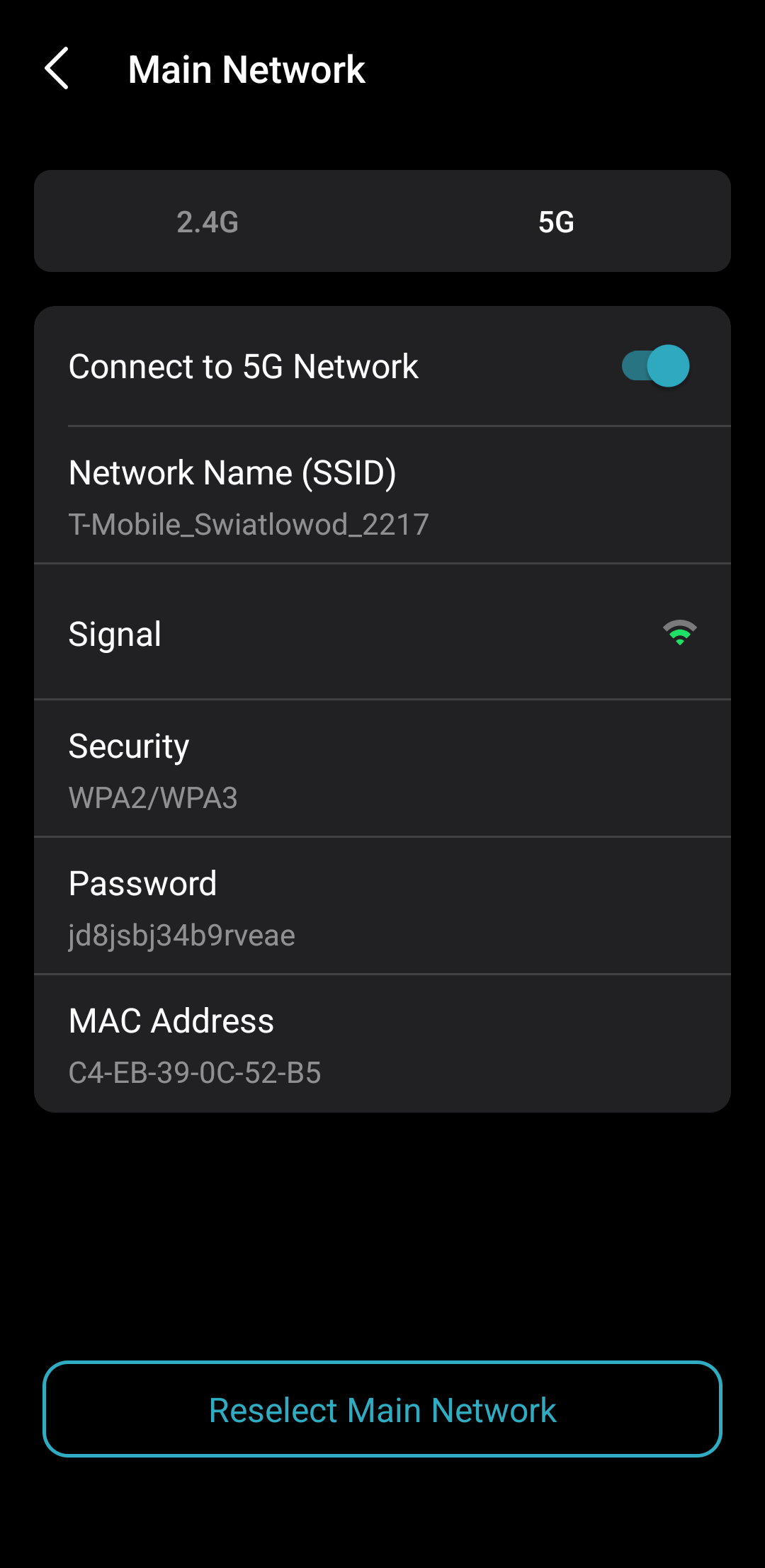
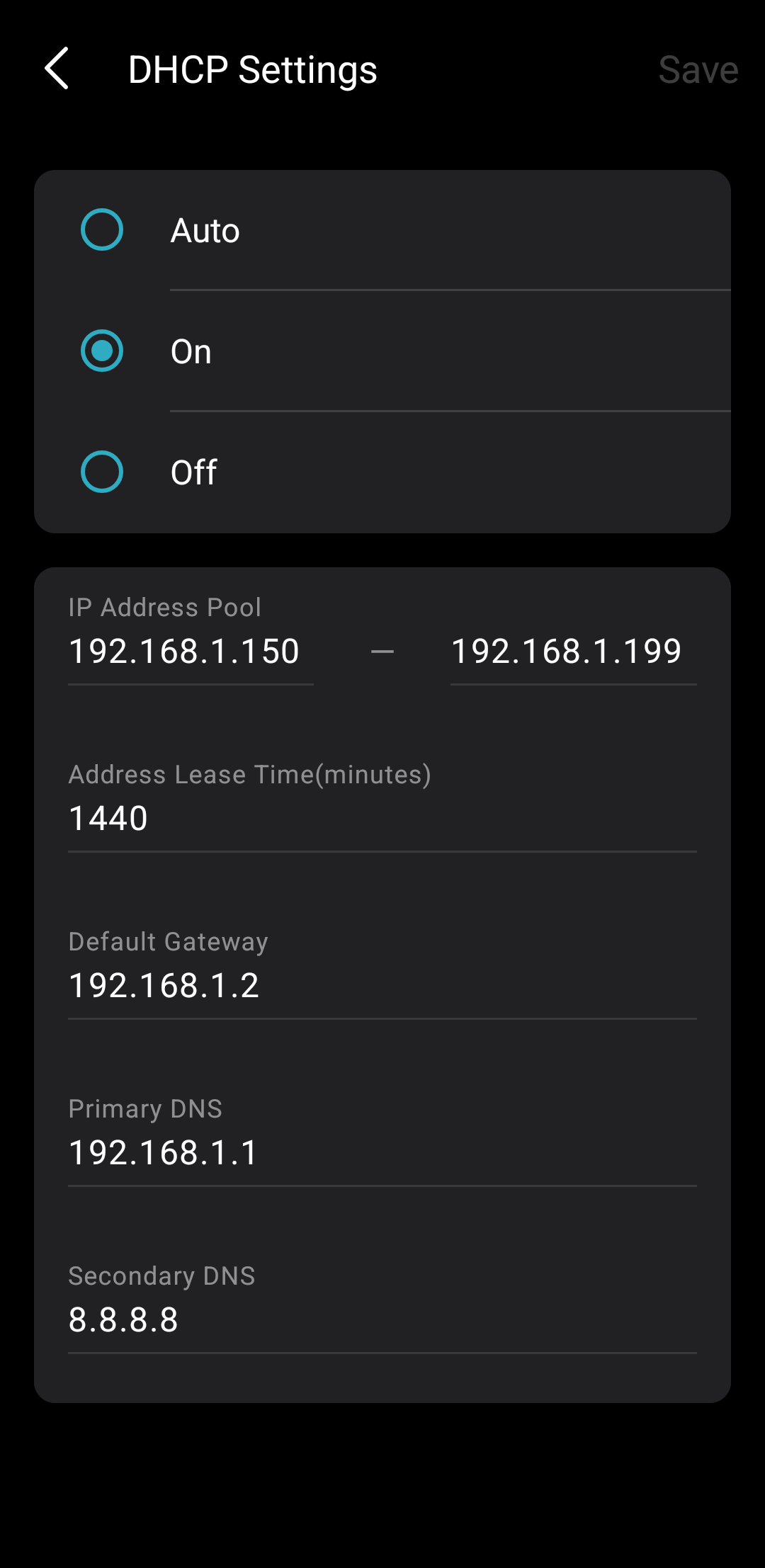
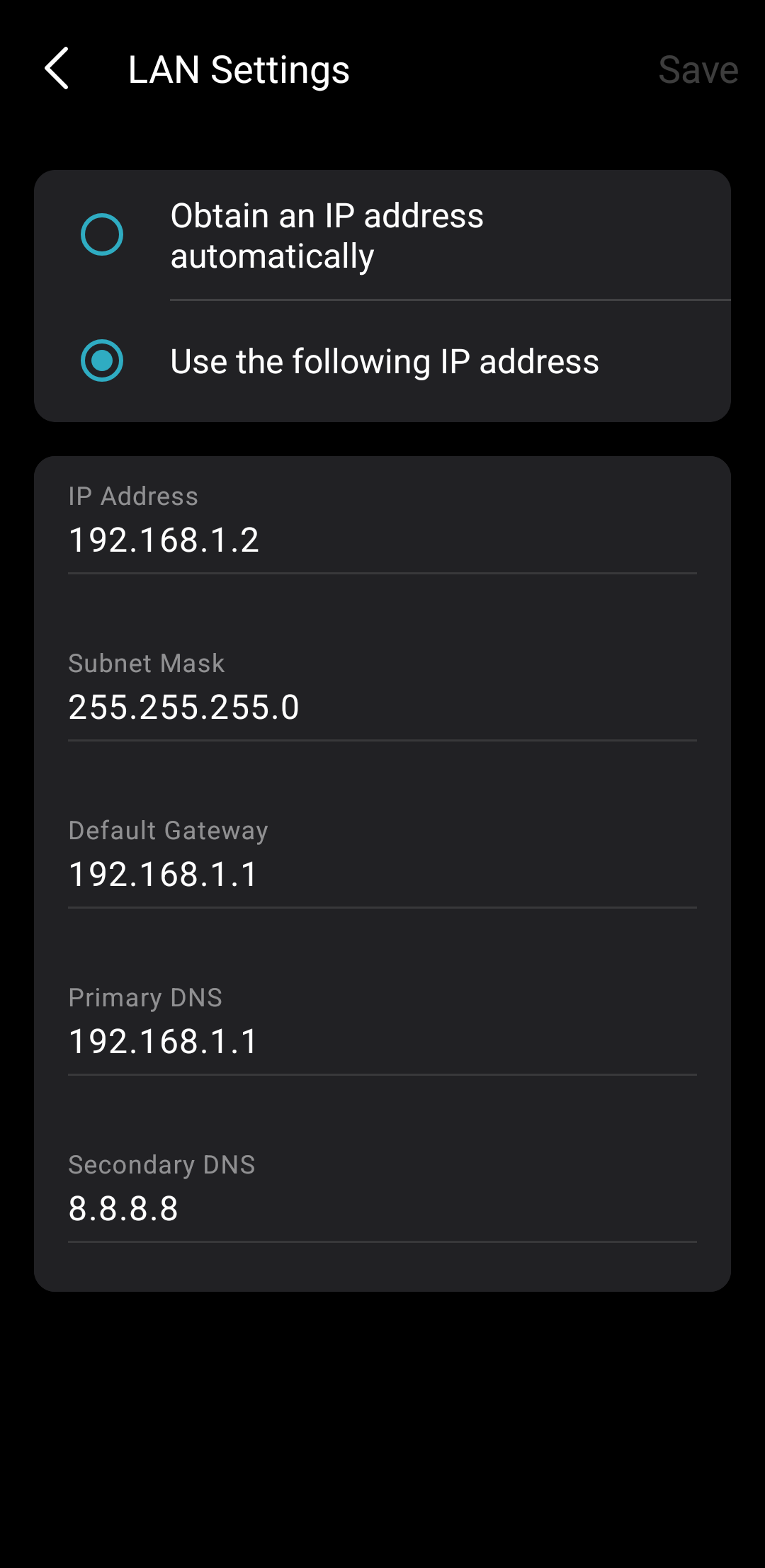
I tried almost all settings I can in Tether App - I started with "Auto" settings and also tried to set LAN and DHCP manually using this article:

https://www.tp-link.com/en/support/faq/2965/

And while it worked for a couple of days, the issue has reappeared. 


Is there something I can do to better diagnose this problem? Maybe my settings are wrong? I attach screenshots from Tether and a result from fast.com of my main network. 

Unfortunately I have no access to the main router - all I know is SSID and password (don't worry, I'm not stealing the wifi, this is the only way I can get fiber Internet on my rented apartment and has been approved by the owner). There is no way for me to change main router settings like channels, separate SSIDs for different frequencies etc. 


File:
Screenshot_20260101_154340_Tether.pngDownload
  0      
  0      
#1
Options
5 Reply
Re:No internet connection
Thursday

  @matpor1912 

Other screenshots, cant attach more than one at the same time

File:
Screenshot_20260101_154355_Tether.pngDownload
  0  
  0  
#2
Options
Re:No internet connection
Thursday

  @matpor1912 

Turns out I can post all pictures at once, sorry for the mess

  0  
  0  
#3
Options
Re:No internet connection
Yesterday

Hello @matpor1912 ,

Welcome to our community.


Have you tried a hard reset on the RE700X? Use a pin to press the button for 1 second to reset the extender.

For comparison, you can connect the RE700X to a different network, like a hotspot.

If the RE700X can be connected to a different network, that's likely due to changes in connection permissions on the main network. You can consult your landlord for more details.

But if you still can't connect to other networks, there may be some hardware malfunctions in the RE700X. We recommend contacting Local Technical Support.

Nice to Meet You in Our TP-Link Community. Check Out the Latest Posts: △New Firmware Update for Archer BE260/Archer BE400 to Support VPN Merge, New ECO Mode, and More △Connect TP-Link Archer BE550 to Germany's DS-Lite (Dual Stack Lite) Internet via WAN △Tether KidShield Test Recruitment - Safeguarding Children's Online Experience If you found the post or response helpful, please click Helpful. If an answer solves your problem, click "Recommended Solution" so that others can benefit from it.
  0  
  0  
#4
Options
Re:No internet connection
Yesterday
Hi, I tried to do hard reset many times, unfortunately it didn't work. The last time I reset the extender, it wouldn't let me connect to its WiFi at all. Landlord says nothing changed, besides RE305 that I also own works fine - it's been about a week since I switched to RE305 and has been stable since. I already returned the RE700X under warranty through my retailer, still waiting for their opinion.
  0  
  0  
#5
Options
Re:No internet connection
9 hours ago

Hi @matpor1912 ,

If that's the case, it's possible that the RE700X really does have some anomalies.

Please feel free to share any updates.

Nice to Meet You in Our TP-Link Community. Check Out the Latest Posts: △New Firmware Update for Archer BE260/Archer BE400 to Support VPN Merge, New ECO Mode, and More △Connect TP-Link Archer BE550 to Germany's DS-Lite (Dual Stack Lite) Internet via WAN △Tether KidShield Test Recruitment - Safeguarding Children's Online Experience If you found the post or response helpful, please click Helpful. If an answer solves your problem, click "Recommended Solution" so that others can benefit from it.
  0  
  0  
#6
Options