
TP link archer AX55 update (newest one)

I have updated my router from the previous version to this new version as it says alot of things have been fixed, then realised this new version for the Archer AX55 resets the router back to factory settings and you have to setup the router as if it came out of the box, not a great start, but also with the new firmware version I am getting 150mbps, but the package I pay for is 1000mbps, my speed test isnt reaching this atall.
The version my router was on was build:
1.4.1 Build 20250821 rel.70686
And this worked a treat with the speed and was getting 800+ on speed.
Can anyone from tp link reach out to me with the old version of firmware for this router as it worked fine before or a new update that allows my speed how it was back to normal, now the new update has decreased my network speed entirely, I cant even play a game of warzone without it lagging 😅 getting each game od 550ms of ping 🤮
Or is there a setting I'm missing and thats why its not back to its original speed.
- Copy Link
- Subscribe
- Bookmark
- Report Inappropriate Content

In my case the cable was faulty. I was not knowing about it until I rechecked today. With a correct cable between AX55 and desktop, the network speeds got restored. I am not facing internet speed limitation. Apologies for unknown cable defect.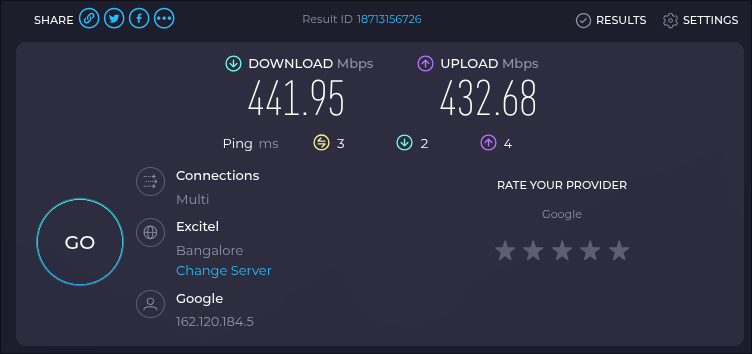
- Copy Link
- Report Inappropriate Content

@Joseph-TP
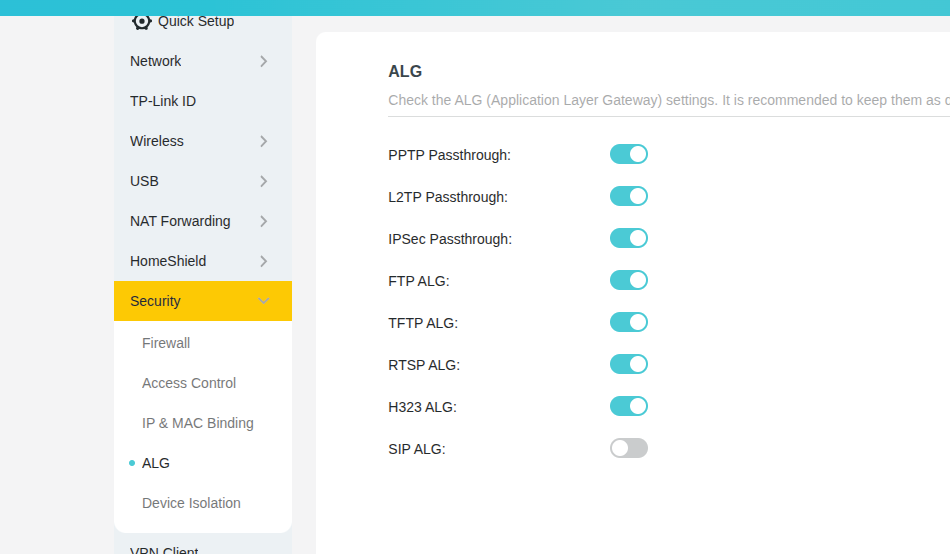
I am currently on 1.4.1 Build 20250821 rel.70686(4555) and I am going to update my router to see if I have the same problem. It's a risk but want to help to fix this. I have included screenshots of my current setup and speeds.
1Gbs Internet 1000/100mbps
ALG is Off and Upnp is Off
Fibre -> ONT -> AX55 -> Lan(This PC 1000mbps)
Will report back with an update. Wish me luck
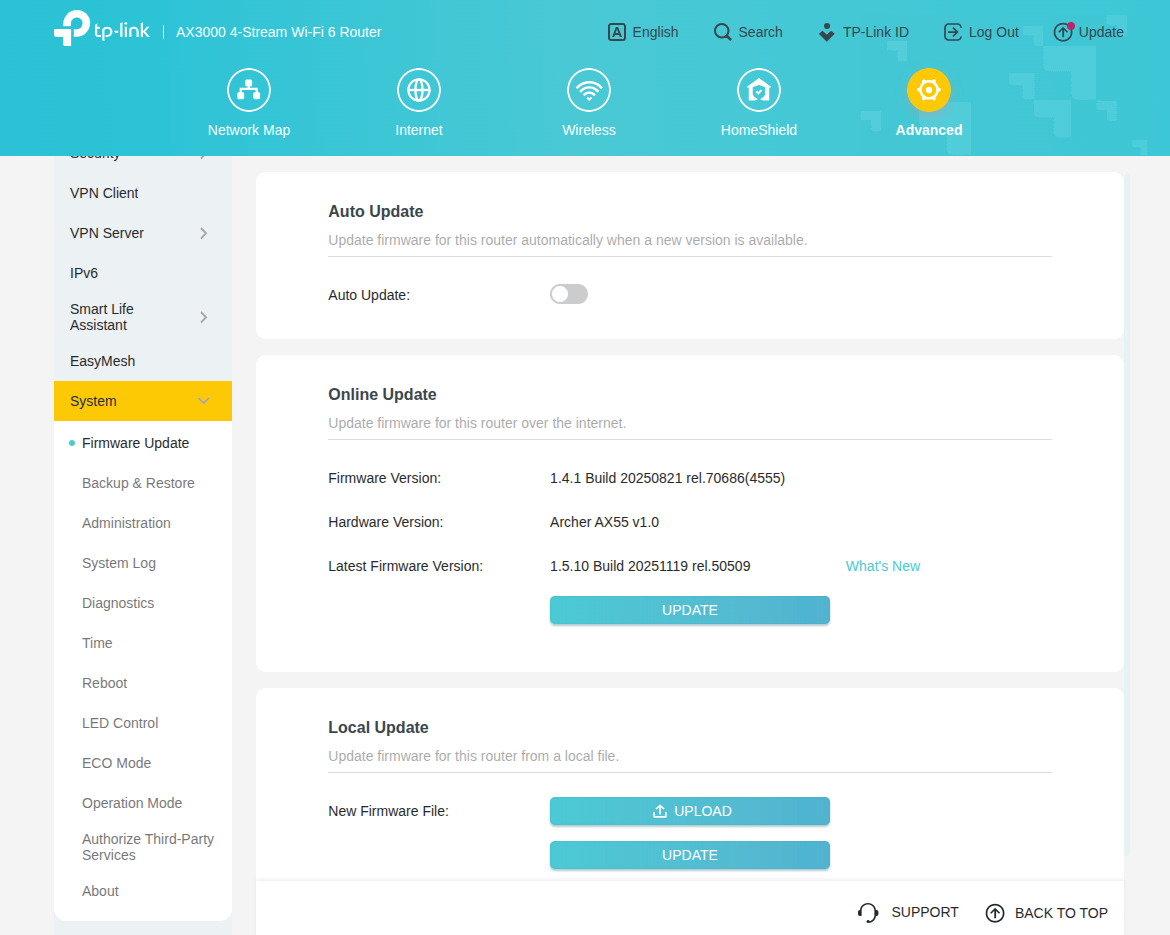
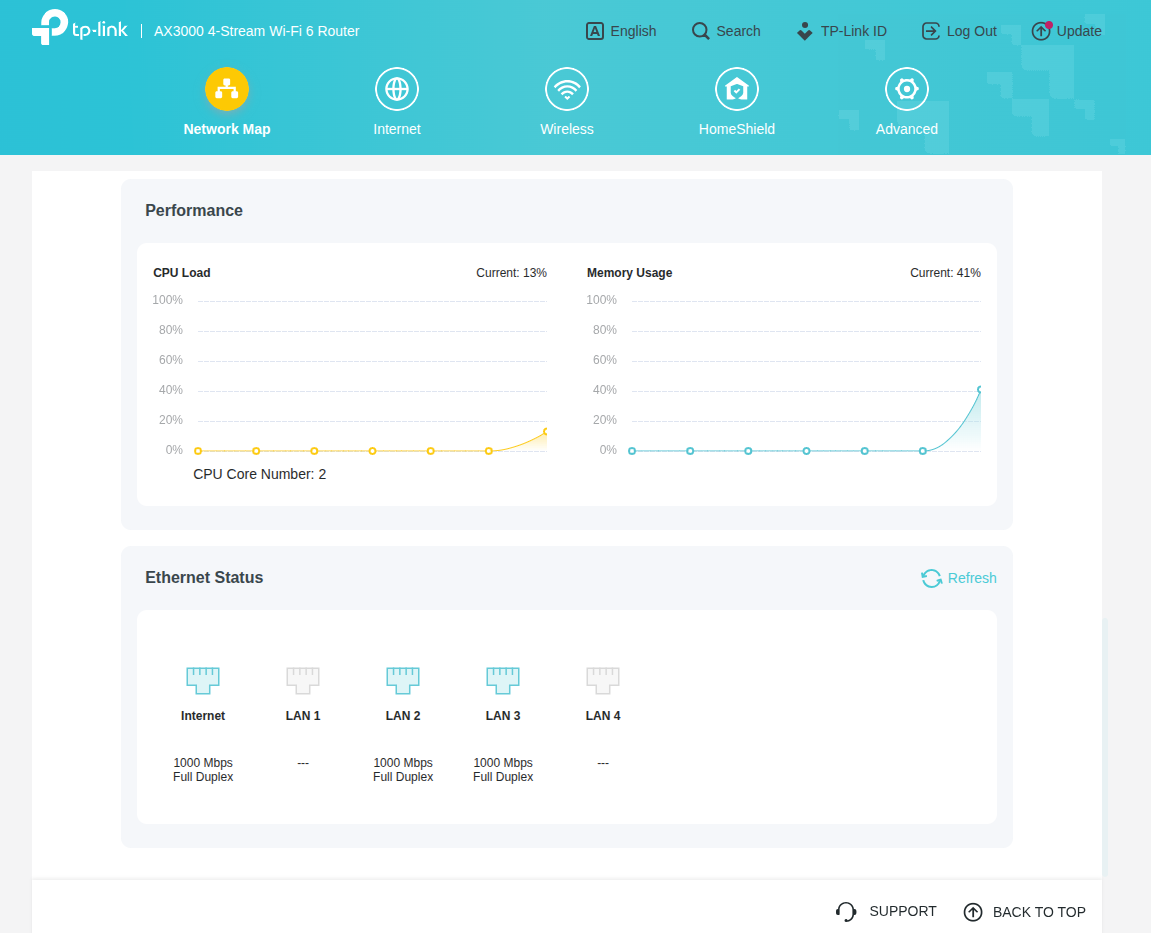
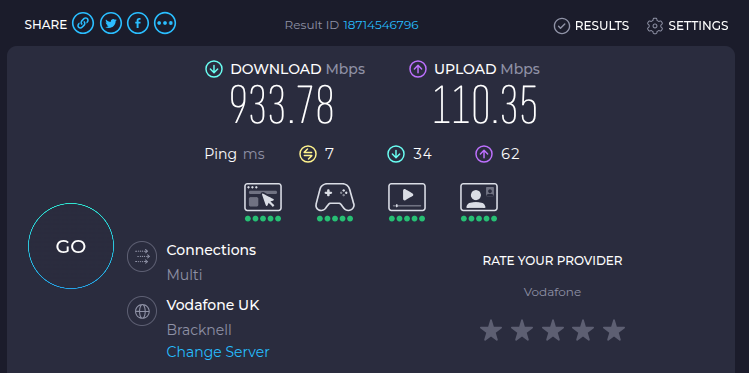
- Copy Link
- Report Inappropriate Content
@DanishSweets90
On updating my router I have not so far encountered any problems yet. I did notice when you updated it was blank and you had to put your details back in. When I did it nothing like that happened to me. I wonder if you have a dodgy firmware update and wondered if this could be a solution. How to recover the router when it bricked. Will need to get the updated .bin file tho.
If there is any settings I have that differ from yours. Unfortunately I don't use a VPN or Mesh on my router so maybe that could be the issue. Will keep monitoring it and if I get something will let everyone know.
- Copy Link
- Report Inappropriate Content
Tp link support remoted into my router yesterday for 2 hours, and found lots of things needs improving, maybe my cable needs renewing, but unsure still, but I think mt cat 5e might need a change, as its a very cheap network cable,
But also might be my actual FTTP connection, but also unsure.
Yet to have another update with a newer firmware version than what I have now, which I got downgraded to 1.4.1 which is alot better than the version 1.5.10, loads webpages and I can do gaming alot faster without hardly legging packet loss, my latency is also 6ms in quite a lot of games. Bur for now the internet with version 1.4.1 seems absolutely fine. The speed however does seem to deteriorated after time, but not sure why its doing so.
- Copy Link
- Report Inappropriate Content
@DanishSweets90
Im glad there is progress. I will say that I had to put my router on a schedule to reboot each morning as my speeds kept halving Wired/Wireless no idea why it still does it after all the firmware updates. very strange indeed. It's good they can downgrade you. So far at the moment I have not had any problems.
- Copy Link
- Report Inappropriate Content
Yes very good progress, the downgrade was a big improvement, but they should be fixing alot of the speed slowness, which is what needs doing, but anyhow they did test everything.
Just waiting on them getting back with me for an update, but I had no issues atall last night, the speed 2 nights before was so bad, I had to keep resetting the router or rebooting it as you have, but they will get it sorted as theyre very good at this.
- Copy Link
- Report Inappropriate Content


Hi @funmonkey ,
Welcome to our community.
Thank you for your feedback and for returning the detailed test results.
I'd like to confirm: regardless of whether it's version 1.4.1 or 1.5.10, your speed is consistently at half speed, right? So do you need to set a reboot schedule every day to restore full speed?
Have you noticed when or when the speed drops in half of the devices?
- Copy Link
- Report Inappropriate Content
Hi @Radheshyam ,
We are pleased that everything is back to normal.
Please feel free to contact us anytime for any further updates.
- Copy Link
- Report Inappropriate Content
Hi @DanishSweets90 ,
It seems your communication with the engineer is very effective, and you are welcome to share the latest progress here at any time.
- Copy Link
- Report Inappropriate Content
@Joseph-TP
I have disabled the reboot every night at 4am to test if this problem comes back. So far I am at 23 hours 42 minutes and so far the speeds are correct.
Will keep you updated if speeds drop.
Thank You
My Network Setting
- Qos Disabled
- Upnp Disabled
- Mesh Not Used
- Homeshield Not Used
- SIP ALG Disabled
- Device Isolation Enabled (IP Cams)
- IPv6 Disabled
- Ultra Power-Saving Mode Enabled 1AM - 6:30AM
- Copy Link
- Report Inappropriate Content
Information
Helpful: 1
Views: 12123
Replies: 48
Voters 0
No one has voted for it yet.