
Activation of QOS causes very high latency

Hello,


I have the BE230 v2 EU and am also experiencing this QoS issue, which only makes things worse.

As soon as I activate QoS, at 90-95% of my speed, I experience ping shots greater than 1000 ms, QoS is worse than when I turn it off.

I use the following configuration: FAI box in bridge mode -> tplink BE230 router


I would have liked to test the beta version, but I have the European version. What should I do?


I tried all the solutions suggested by the community, but nothing worked.


Thanks you
- Copy Link
- Subscribe
- Bookmark
- Report Inappropriate Content


The beta firmware of Archer BE230 v2 has been released. Please click here and test if it helps.
| Archer BE230_V2_1.1.3 Build 20260127 (Beta Firmware) |
- Copy Link
- Report Inappropriate Content
Hello @Gamingdave ,
Welcome to our community.
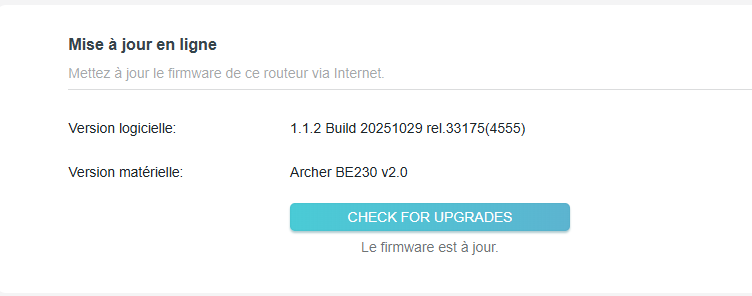
Could you confirm the firmware version of your router?
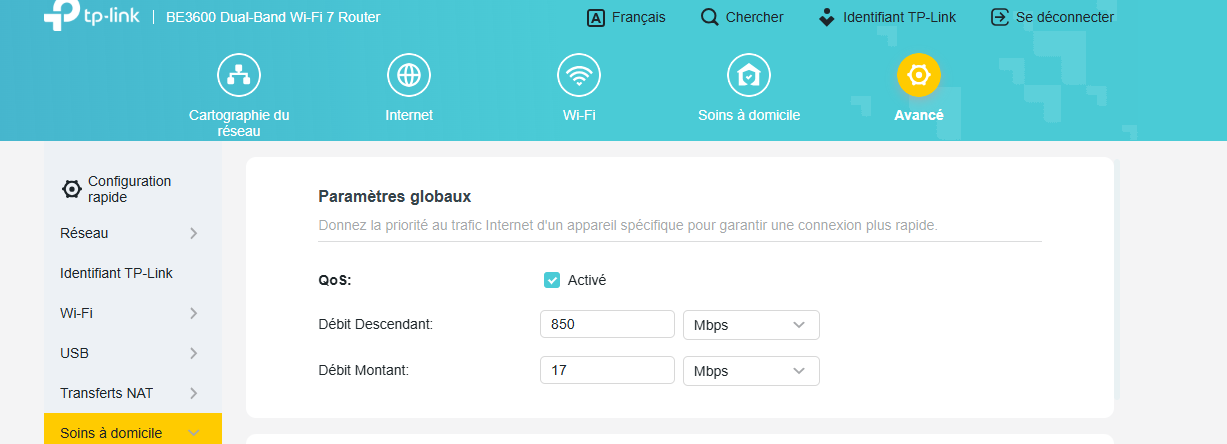
What if you set the QoS speed to 85% of your speed?
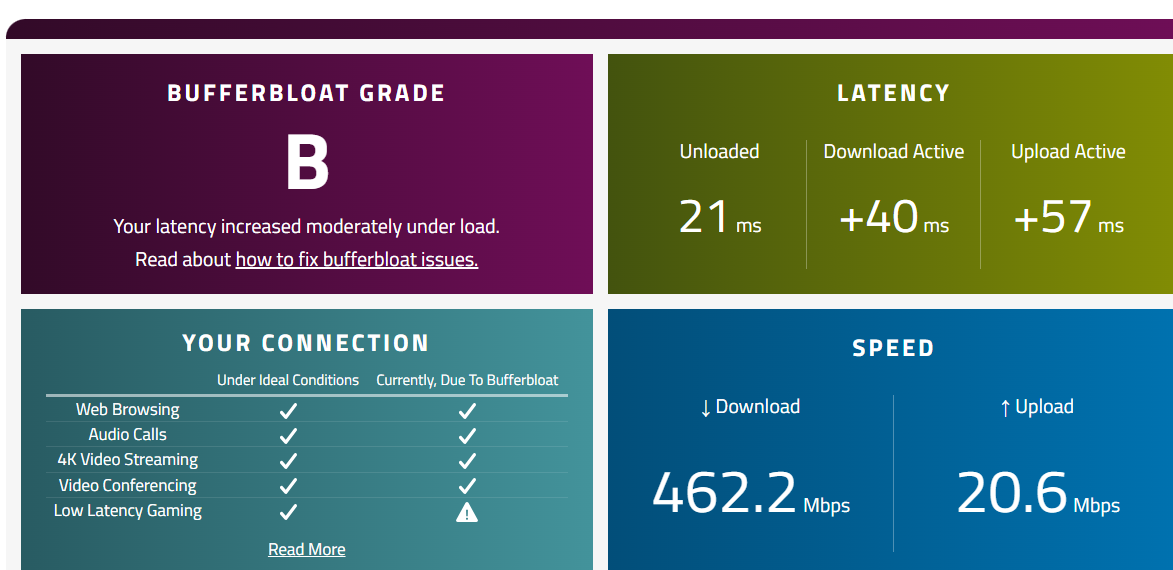
If possible, please take screenshots of the speedtest results, including the QoS feature enabled and disabled. By the way, did you compare the bufferbloat and latency before and after the QoS feature was enabled?
- Copy Link
- Report Inappropriate Content
Hello,
Here is my current version :
Here is my config at 85% for a 1000mbps/20mbps Provider connection.
Then without QOS :
and here with QOS activated :
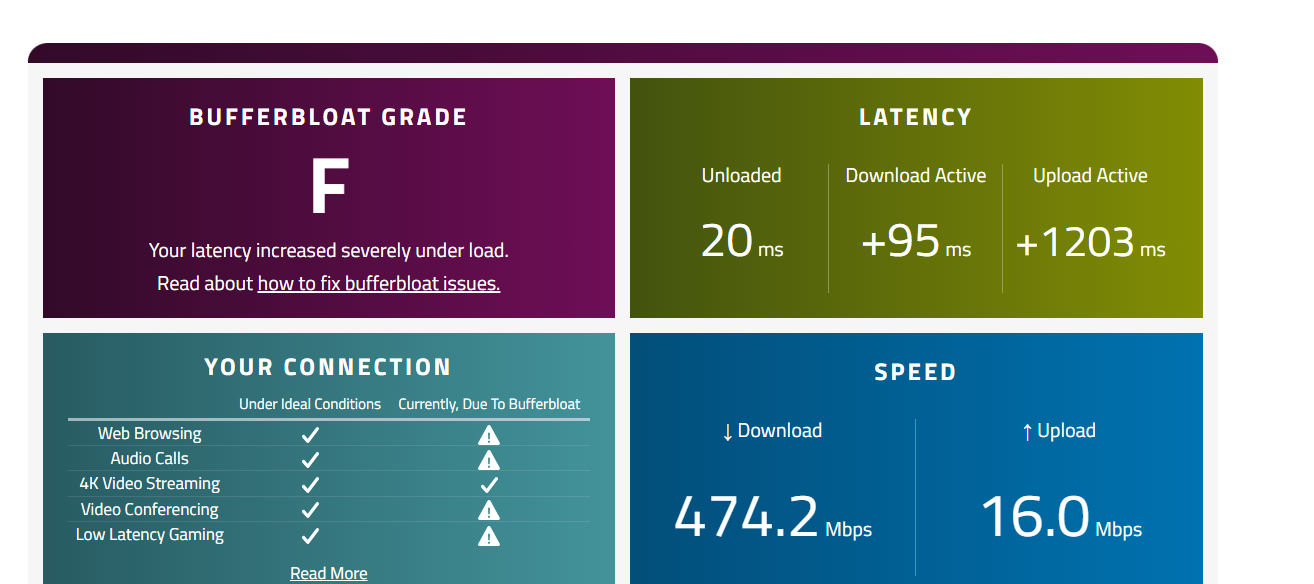
Here I carried out a wifi test with my PC, but that doesn't change anything via cable I get exactly the same ping peak. Simply that with cable my download speed is higher.
- Copy Link
- Report Inappropriate Content
Hello@Gamingdave ,
Thanks for your feedback.
I have reported your case to the relevant department.
If there are any updates, I will reply here.
Best Regards.
- Copy Link
- Report Inappropriate Content
- Copy Link
- Report Inappropriate Content
The beta firmware of Archer BE230 v2 has been released. Please click here and test if it helps.
| Archer BE230_V2_1.1.3 Build 20260127 (Beta Firmware) |
- Copy Link
- Report Inappropriate Content
Information
Helpful: 0
Views: 1038
Replies: 5
Voters 0
No one has voted for it yet.