
AX73 connection poor to extender

AX73 connection poor to extender

AX73 connection poor to extender
Saturday
Model: RE700X   Archer A7  
Hardware Version:
Firmware Version:

Hi I'm trying to add an RE700X to my AX73 and RE550 system.


AX73 is hard wired into my sky router which has the WiFi switched off but it isn't set up as an AP. All are using the same SSID and password.
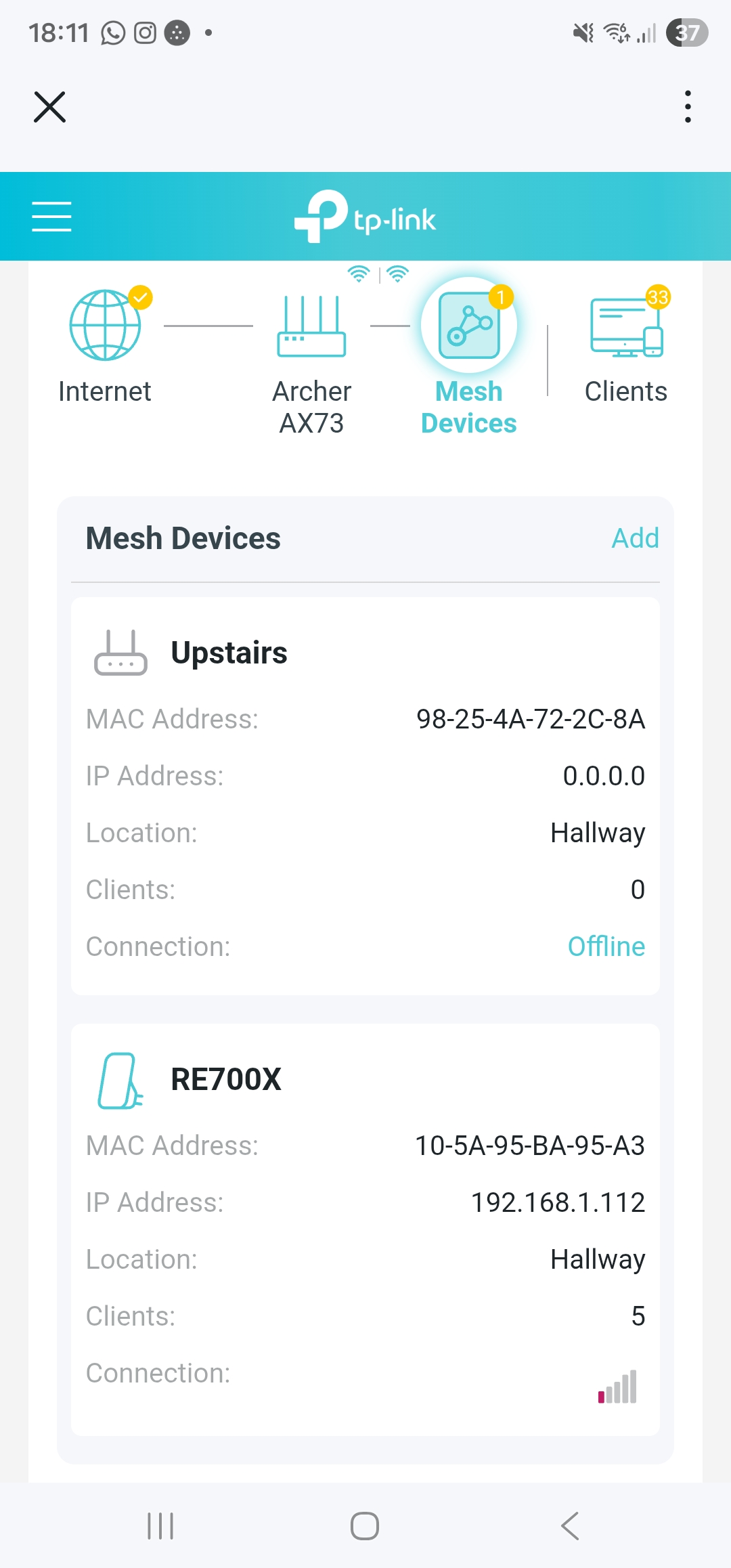
 

It is connected but no matter if it is next to the AX73 or 10 feet away the connection is 1 bar.


I removed the RE550 from the network to see if there was an issue but still no joy.


What am I doing wrong?


As an additional question... if I reset the RE500 and re add it - do I want it to run from the AX73 or the RE700X?

  0      
  0      
#1
Options
3 Reply
Re:AX73 connection poor to extender
Yesterday

  @Orangebloss 


Hi,


If it always shows 1 bar, no matter the distance, then this could be a visual bug.


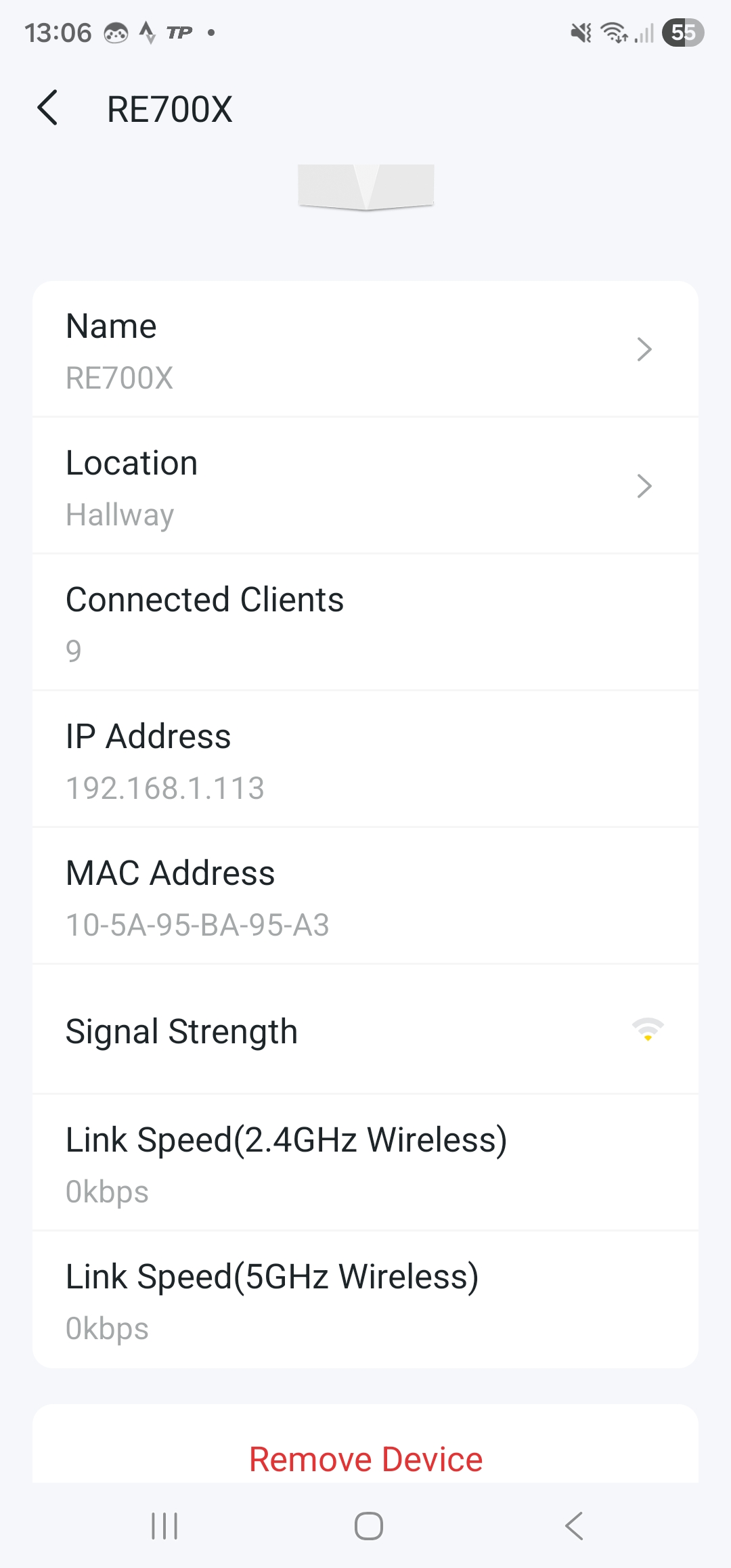
More important than the signal indicator are the actual link speeds. Please go to the Advanced -> EasyMesh menu. There you will see the Mesh Devices like in your screenshot, but with additional options. Click on the  to open another screen that shows the link speeds. When the extender is placed right next to the router you should see something like 576 Mbps (2.4 GHz), 2402 Mbps (5 GHz).
 

  0  
  0  
#2
Options
Re:AX73 connection poor to extender
Yesterday

  @woozle  sadly it says this...

  0  
  0  
#3
Options
Re:AX73 connection poor to extender
Yesterday

  @Orangebloss 


TP-Link have released beta firmwares for users who got their extenders shown as "offline" when they are actually connected.


I know your case is different (i.e. "low signal" instead of "offline"), but I wonder if you might still want to give it a try.


https://community.tp-link.com/en/home/forum/topic/845714


  0  
  0  
#4
Options