
[Feature Request] Reset device name

I've renamed my device to something else in the clients interface, but there's no way for me to restore the original name (their hostname). I'd like to be able to reset it so it uses the device's hostname again.
- Copy Link
- Subscribe
- Bookmark
- Report Inappropriate Content

Hi,
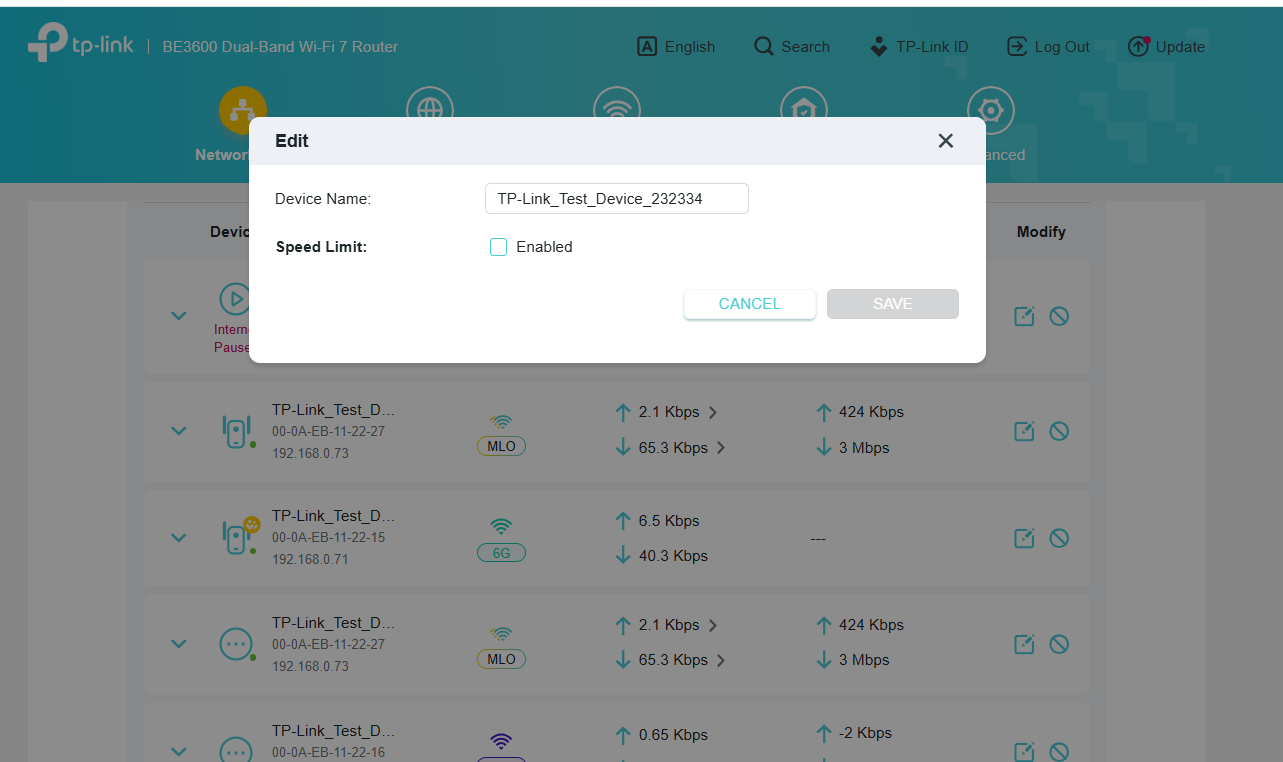
If you still remember the computer's real hostname, then the quickest way would be to just type it into the dialog field shown in Joseph-TP's screenshot and save it.
In case you don't know that computer's hostname and want to restore it, then you could do the following:
1) make sure the computer in question is disconnected from the Archer BE3600's network
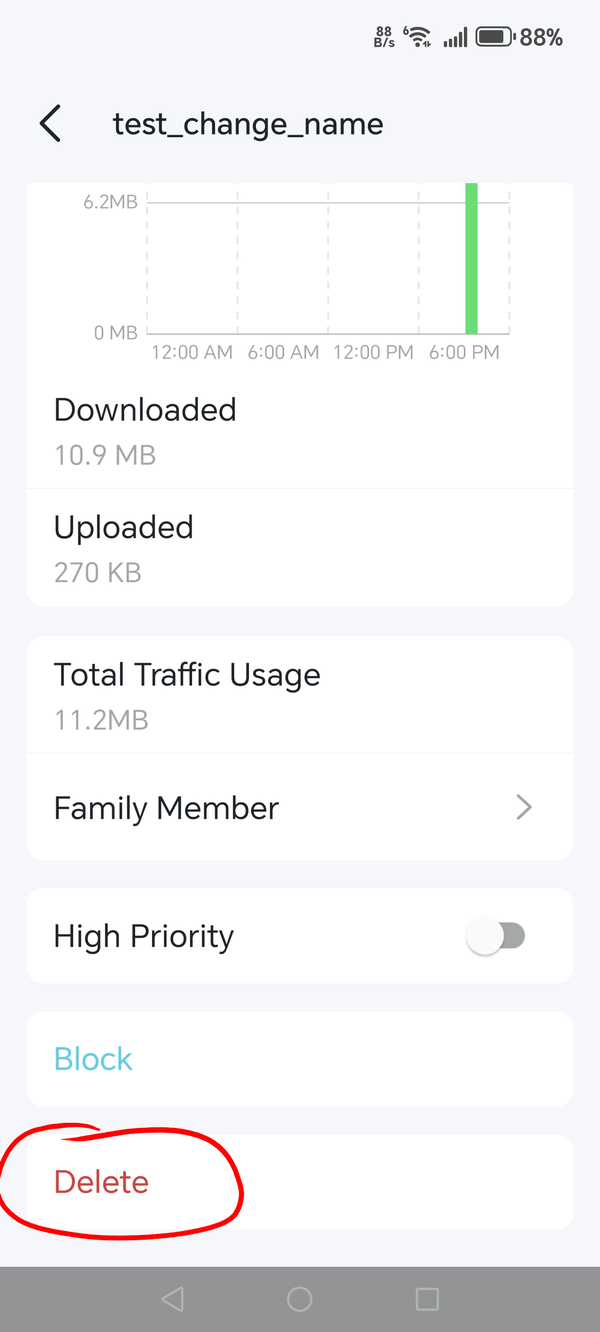
2) open the Tether app, log into the Archer BE3600, tap on the "Clients" tile, scroll all the way down to "Offline Clients" and tap on "Show"
3) find the client device you are looking for (like "windows-pc") in the list and tap on it
4) tap on "Delete" to remove it from the Archer BE3600
5) the next time the computer connects to the Archer BE3600 again it should obtain the hostname from the computer
- Copy Link
- Report Inappropriate Content


Hi @caupatoakosamas ,
Welcome to our community.
Are you saying that after you change the device name, you want to be able to restore the device name to its original default name immediately?
For example, your PC was initially identified as 'PC', but you changed it to Device A, and you want to be able to reset the device name to restore it to 'PC', right?
- Copy Link
- Report Inappropriate Content
@Joseph-TP Yes, I manually changed the name of the "Client" using the dialog you're showing to e.g. "windows-pc". I'd like to tell the router to forget that I changed it and ask my computer for its name and use the computer's real hostname.
- Copy Link
- Report Inappropriate Content
Hi,
If you still remember the computer's real hostname, then the quickest way would be to just type it into the dialog field shown in Joseph-TP's screenshot and save it.
In case you don't know that computer's hostname and want to restore it, then you could do the following:
1) make sure the computer in question is disconnected from the Archer BE3600's network
2) open the Tether app, log into the Archer BE3600, tap on the "Clients" tile, scroll all the way down to "Offline Clients" and tap on "Show"
3) find the client device you are looking for (like "windows-pc") in the list and tap on it
4) tap on "Delete" to remove it from the Archer BE3600
5) the next time the computer connects to the Archer BE3600 again it should obtain the hostname from the computer
- Copy Link
- Report Inappropriate Content
Hello @caupatoakosamas ,
Thanks for getting back to us.
You can refer to Woozle‘s suggestions. Also, you can send your feedback to Feature Request (Routers).
- Copy Link
- Report Inappropriate Content
Information
Helpful: 0
Views: 587
Replies: 4
Voters 0
No one has voted for it yet.