
X50-5G setup for Three

Hello,
I have just bought a Deco X50-5G to replace a Huawei CPE Pro 2. I went for this as I already had 3 x Deco M4R and has issues with bridge mode with the Huawei. So far the performance of the Deco has been terrible. The speeds I get are lower than I get on my phone and considerably lower than I get on the Huawei (and a D-Link DWR-978), all with the same SIM, in the same spot using a wired connection (for the routers). The Deco is also dropping connection throughout the day, where the Huawei maybe did this once a week.
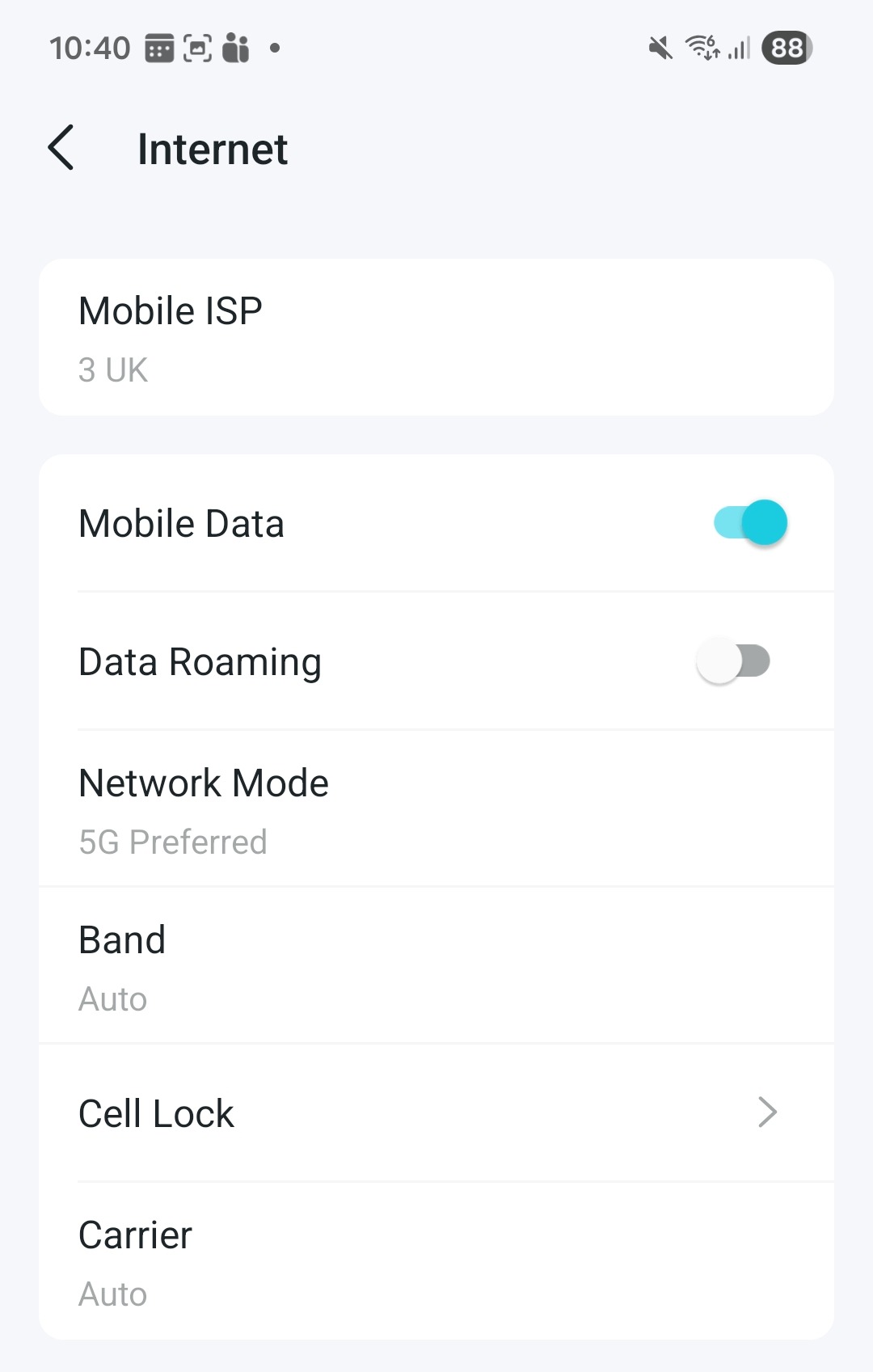
I have updated the firmware to 1.3.1 which looks like it is the latest. I have been changing the settings and have it set at the moment to 5G preferred, Band N78 and B1 (I cannot deselect B1), Carrier Auto. After setting this it does seem more stable but the speeds are still way slower than the Huawei.I would set the Cell lock to N78 but I don't know what settings to add so can't do that so nothing is set at the moment.
Before I go any further or return the device can someone confirm what settings I should be using please? Happy to send screenshots and logs.
- Copy Link
- Subscribe
- Bookmark
- Report Inappropriate Content
@97browng I should say that this is for Three in the UK. I went to edit but helpfully I got the message 'Post only once every 24 hours. If you have additional questions, consider searching the community for answers or adding them as replies to an existing topic.' Customer service at it's finest.
- Copy Link
- Report Inappropriate Content

Hi, welcome to the community.
Can you add more details about the speed differences on the Deco X50-5G vs. Huawei CPE Pro(and mobile phone)?
Have you checked the 5G bands on the Huawei CPE Pro when using the same SIM card?
If possible, it is also recommended to send an email to support.forum@tp-link.com with the following details:
- A screenshot of the internet status on the web admin UI, such as
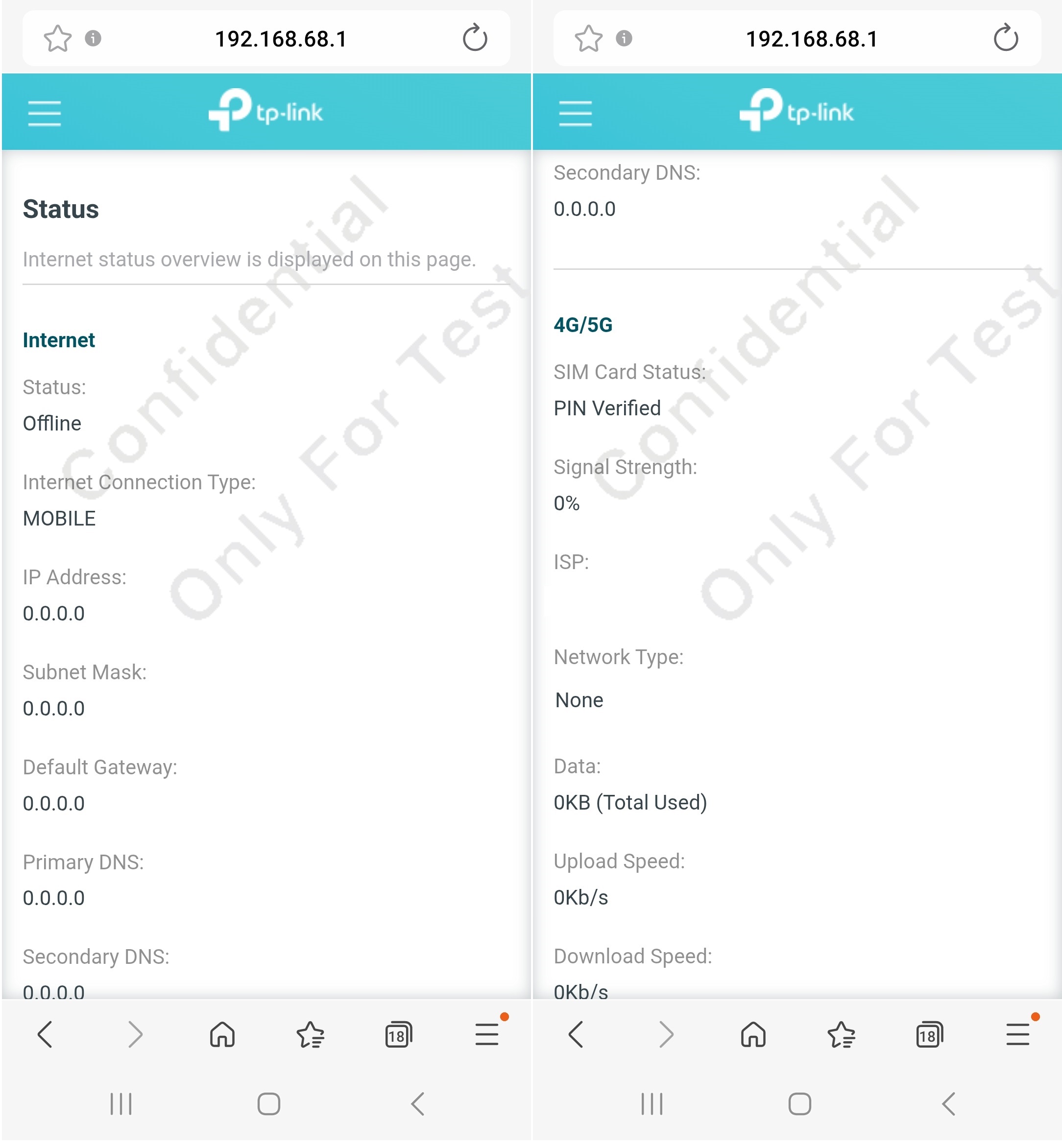
Wait for your reply.
Best regards.
- Copy Link
- Report Inappropriate Content
@David-TP Here you go I have uploaded images of both the Huawei and Deco X50-5G. As you can see the upload difference especially is killing me as it's so slow. I do sometimes get better settings with the Deco but several times a day it either drops completely and goes red or I get speeds like this.
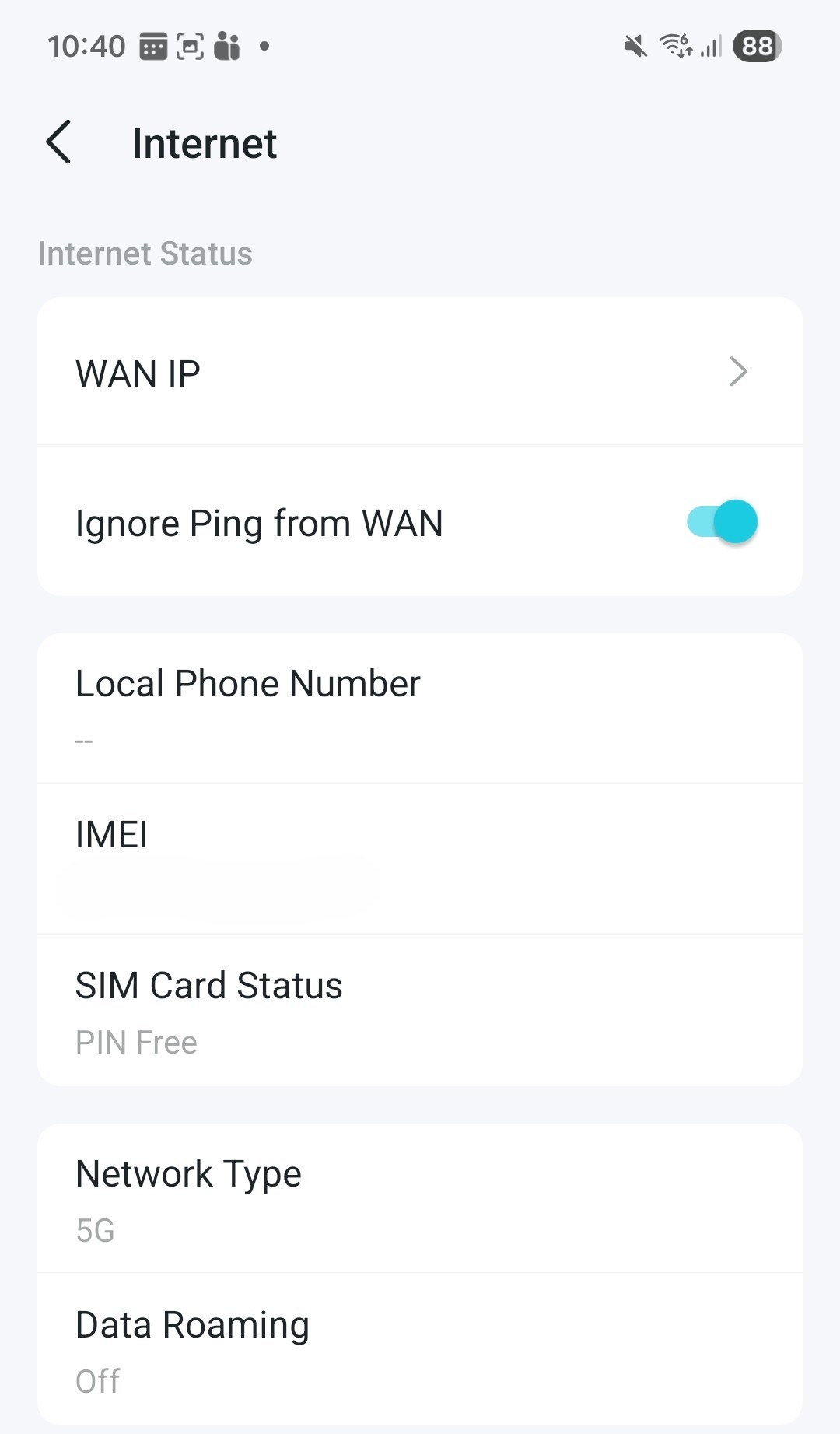
Both of these were taken only a few minutes apart in the same place on my windows which is on a hill with sight of the mast with no houses in front of me. They are the only thing there so interference should be limited and my laptop is approximately 50cm away from both routers. The Huawei is only using it's internal antenna which is the same for the Deco. Both have the sam APN details which are three.co.uk with no username or password. I have removed the IMEI from the images.
Google Speet Test Results
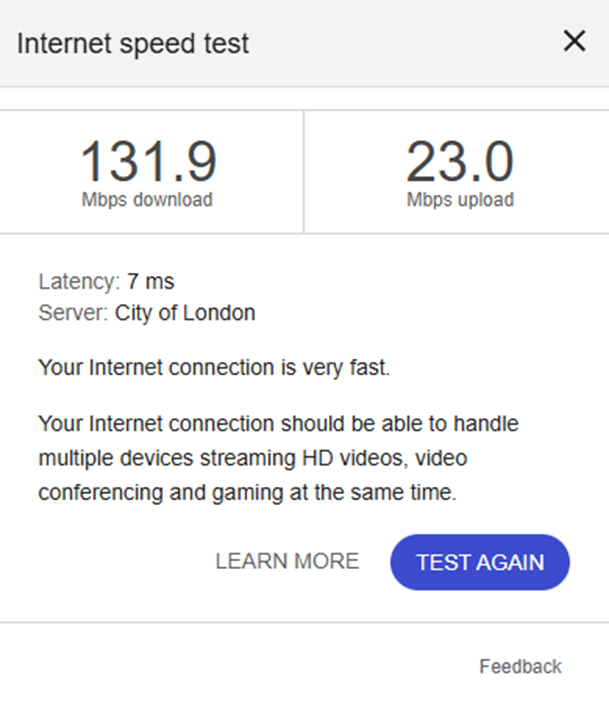 Huawei Google Speed Test (Wifi) Huawei Google Speed Test (Wifi)
|
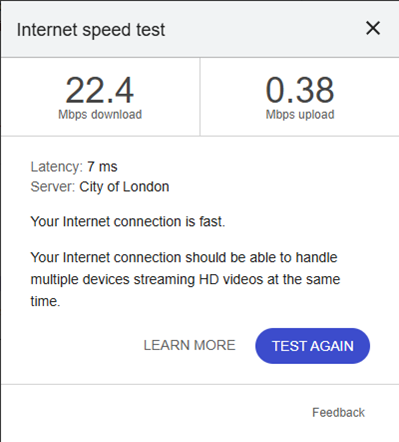 Deco X50-5G Google Speed Test (Wifi) Deco X50-5G Google Speed Test (Wifi)
|
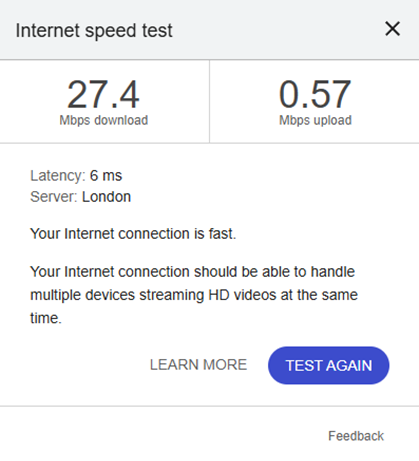 Deco X50-5G Google Speed Test (Wired) Deco X50-5G Google Speed Test (Wired)
|
Speedtest.net Results
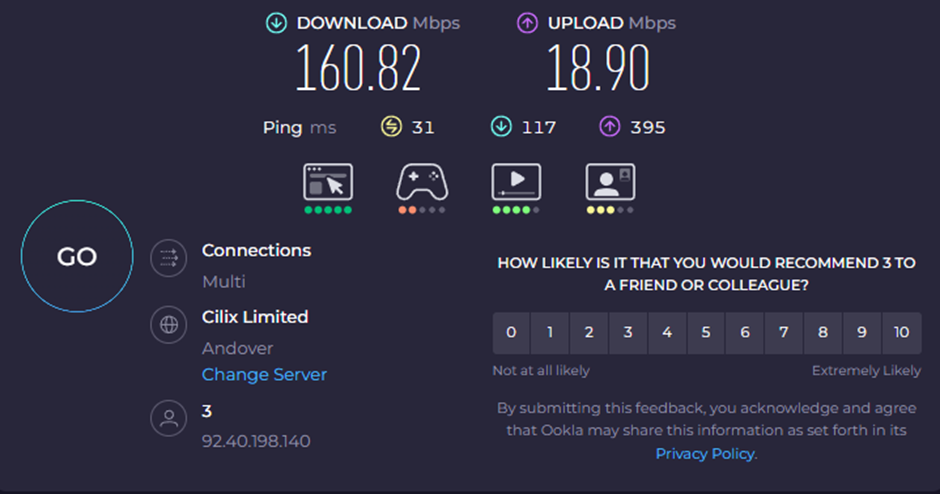 Huawei Speedtest.net (Wifi) Huawei Speedtest.net (Wifi)
|
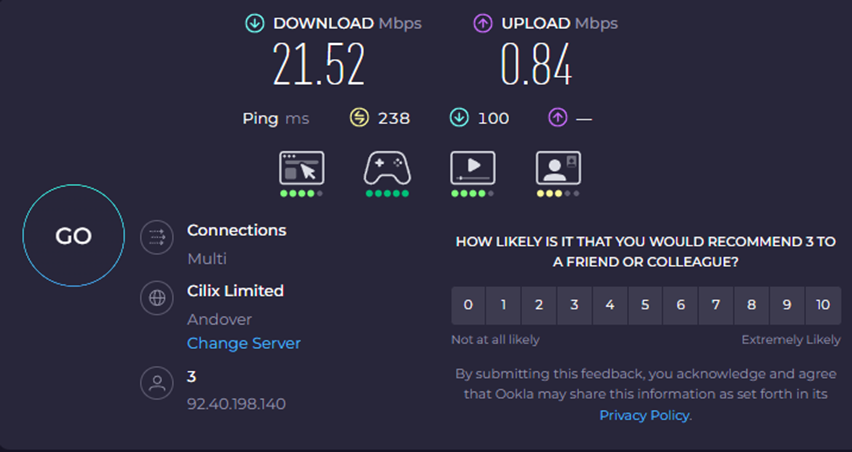 Deco X50 -5G Speedtest.net (Wifi) Deco X50 -5G Speedtest.net (Wifi)
|
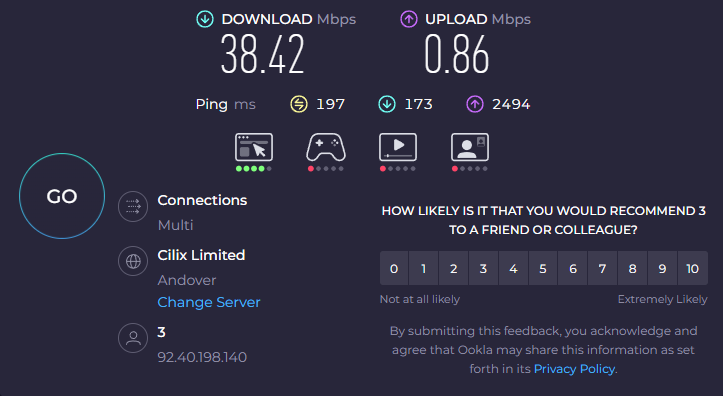 Deco X50 -5G Speedtest.net (Wired) Deco X50 -5G Speedtest.net (Wired)
|
Huawei Information
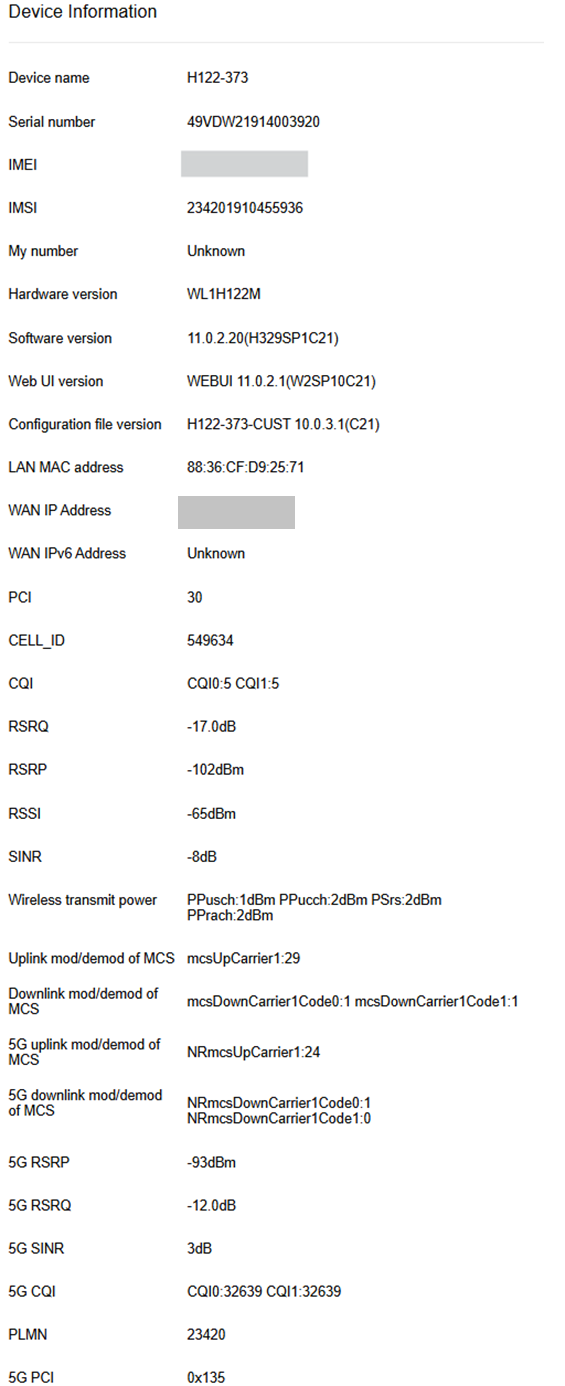
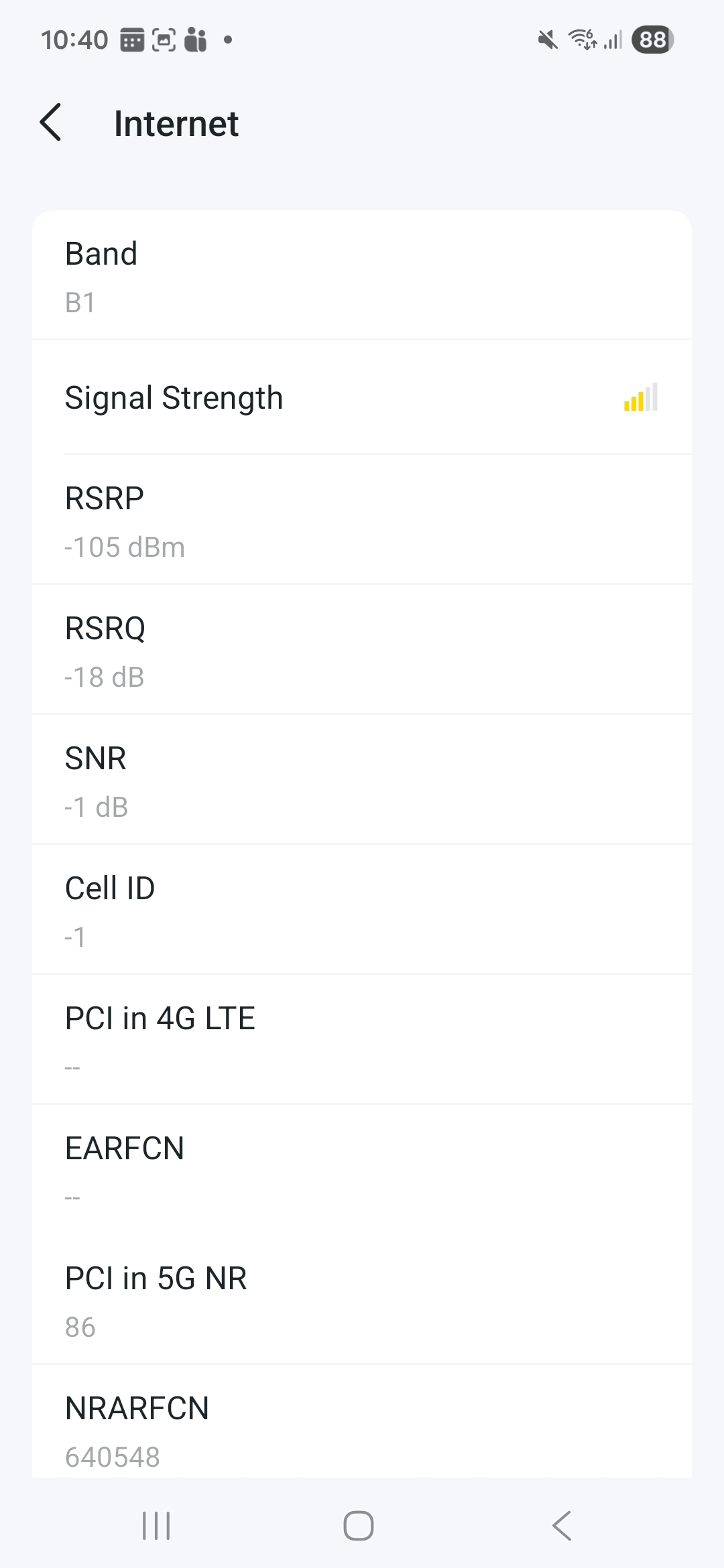
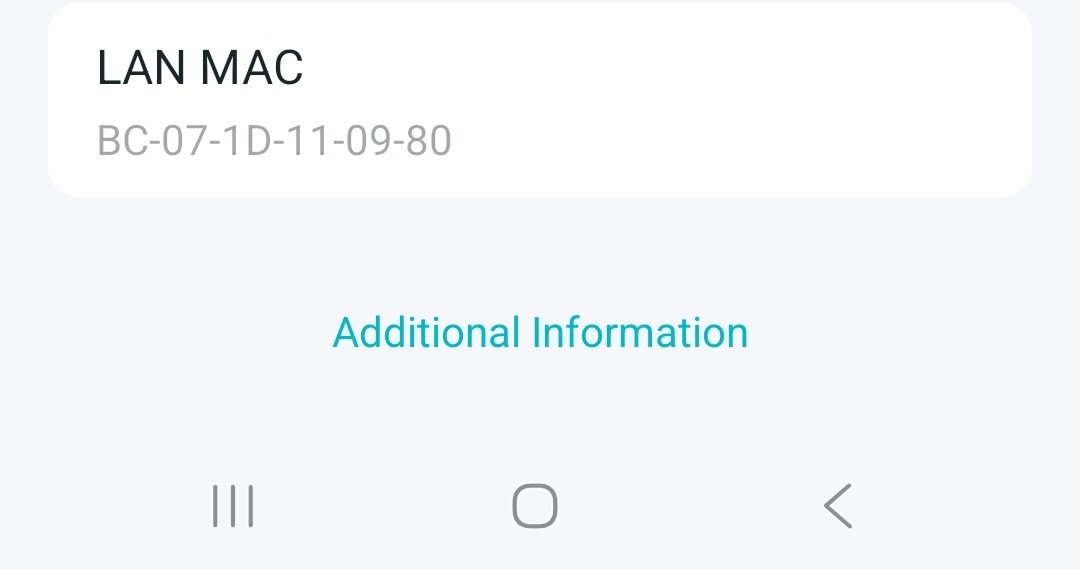
Deco X50-5G Information
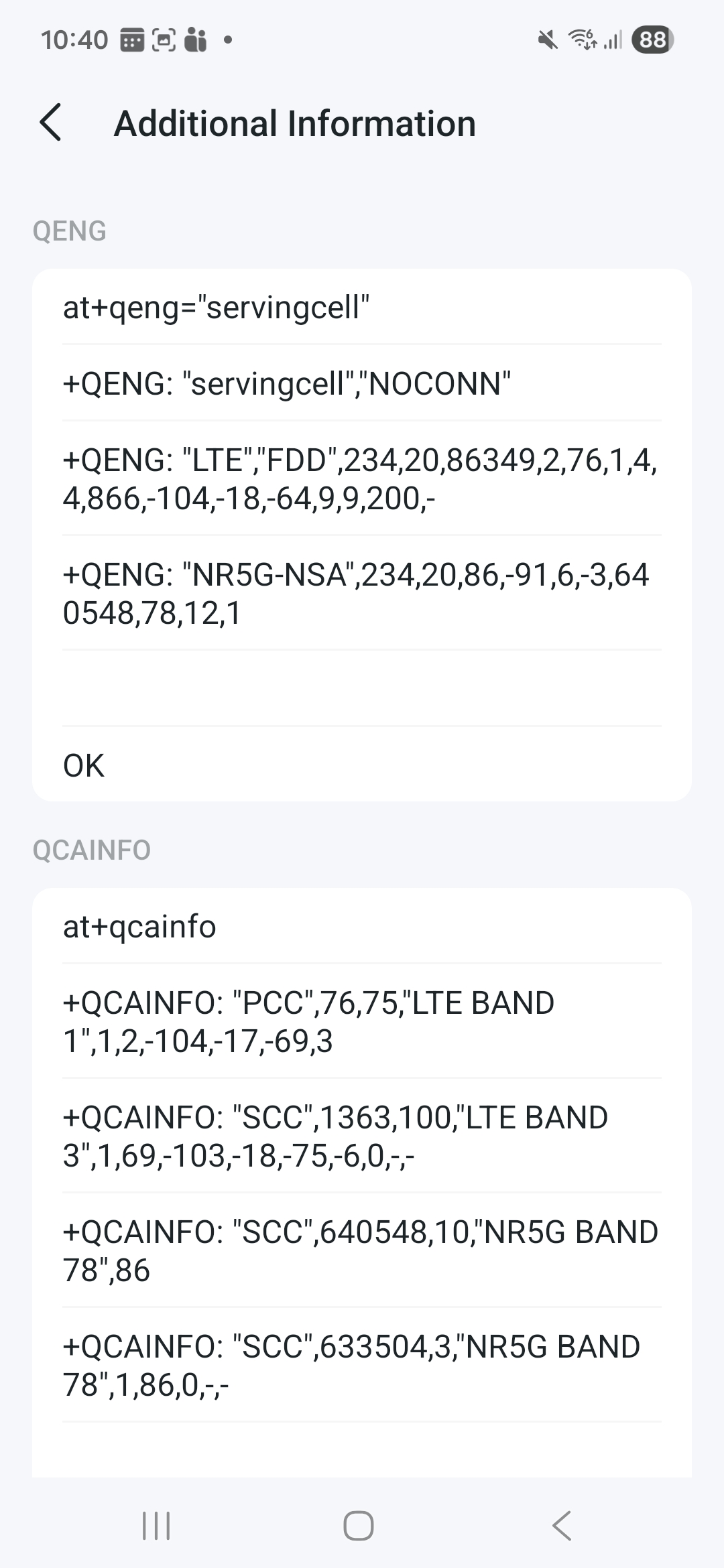
- Copy Link
- Report Inappropriate Content
Hi, thank you very much for the details. They're very helpful!
I'd like to follow up on your case via email and forward it to the senior engineer for further assistance.
Please check whether you've received my email.
Best regards
- Copy Link
- Report Inappropriate Content
@David-TP yes the email has been recieved thanks.
- Copy Link
- Report Inappropriate Content
Hi all I have had the email form support which is basically use a third party tool to find a good signal on your mobile phone and then cell lock to that signal. There was no information on how to test bands so I ended up looking myself and came across this ISPReview Article which was very useful.
Using the Deco X50-5g I tried all the bands listed for Three UK (B1, B3, B20, B28, B32, N1, N28 and N78). For me band B3 was the clear winner as I consistently had decent speeds with the best being 220 down and 36 up, more than enough.
So I thought the next step was to cell lock on the best connection and I took a note of the settings when on that which was PCI in 5G 309 and NRARFCN 640548. But I cannot cell lock because if I choose 5G Cell Lock band B3 is not an option and if I choose 4G Cell Lock it asks for an EARFCN which I was not shown. How do I proceed form here?
Edit - So looking at another page NRARFCN 640548 is band N78 not B3 but it shows and Band B3 on the Deco when I have set the band to B3 only, s am I missign something?
- Copy Link
- Report Inappropriate Content

my serious suggestion; send it back while you can.
I spent three weeks trying to get a fast stable connection to Three using all the tricks you've used, with no success. TP-Link ran out of ideas and concluded these units don't work well on the Three network. It worked for a few hours, then failed, with the assistance of tp link we fiddled with various settings but nothing worked. I went back to my HUAWEI modem and all works fine again.
- Copy Link
- Report Inappropriate Content
Information
Helpful: 1
Views: 877
Replies: 7
Voters 1
