
G.hn network collapse as soon as I plug 3rd device

Hi,
I've upgraded to PG2400P from older adapters. If I plug in any two adapters they work well together, as soon as I add a 3rd one the network collapses (Powerline indicator goes Orange on all nodes). I tried all possible options - switching devices between them, disabling MIMO, downgrading etc.. Nothing seems to work.
This seems to be a software issue - I am guessing the master device flicks when a 3rd device is present and they can't establish a network.
Any insights? Happy to test beta software or anything which might be able to help. All adapters are on 1.1.0
Thanks
- Copy Link
- Subscribe
- Bookmark
- Report Inappropriate Content

Hi,
When all the Powerline LEDs are solid orange, have you tried whether re-pairing via the "Pair" buttons might turn them back to green? (i.e. press the "Pair" button on one of the adapters and right afterwards press the "Pair" button on another adapter)
Also, when testing the functionality of this kind of Powerline hardware it is highly recommended to have all adapters plugged in sockets that are fairly close together, like within the same room. If the Powerline signal is marginal due to the distance between the Powerline adapters being large, then this can result in all sorts of weird behaviors.
Anyway, that's pretty much all you could do.
- Copy Link
- Report Inappropriate Content
@woozle thank you.
In line with my expectations.
I moved all adapters in a single room and they did not pair, but i managed to downgrade them to 1.0.3 and reset them to factory defaults and they paired. I then moved them to original positions and network collapsed again.
Distance and RCDs etc are definitely part of the problem, but what I expect is some consistency - these worked for weeks flawlessly over the same circuits before upgrading them to 1.1.0 and problems starting. Now they work only when two are online regardless of distance, as soon as I add a third the network collapses.
I'm back to original 1.0.3 firmware but stuck on the 1.1.0 behaviour; unsure if the 1.1.0 code didn't update something irreversibly. I'm reading that downgrading should not be actually possible.
i am considering going back to AV1000
- Copy Link
- Report Inappropriate Content
MD337 wrote
i am considering going back to AV1000
If you can't get the three PG2400P to connect with each other when placed at the locations where you need them, then going back to the AV1000's would be your best option.
Out of personal interest. When you use two of the PG2400P adapters (so that the Powerline LEDs stay green), do they actually provide a significantly higher data throughput (i.e. speed) than the AV1000 adapters?
- Copy Link
- Report Inappropriate Content
@woozle they do get roughly a 30% boost but I think it's because of MIMO vs single stream and not because of AV vs G.hn. However latency spikes occur on G.hn even when they work while I had no latency spikes on AV. I believe G.hn sacrifices stability for speed by design, while AV behaves exactly opp
- Copy Link
- Report Inappropriate Content
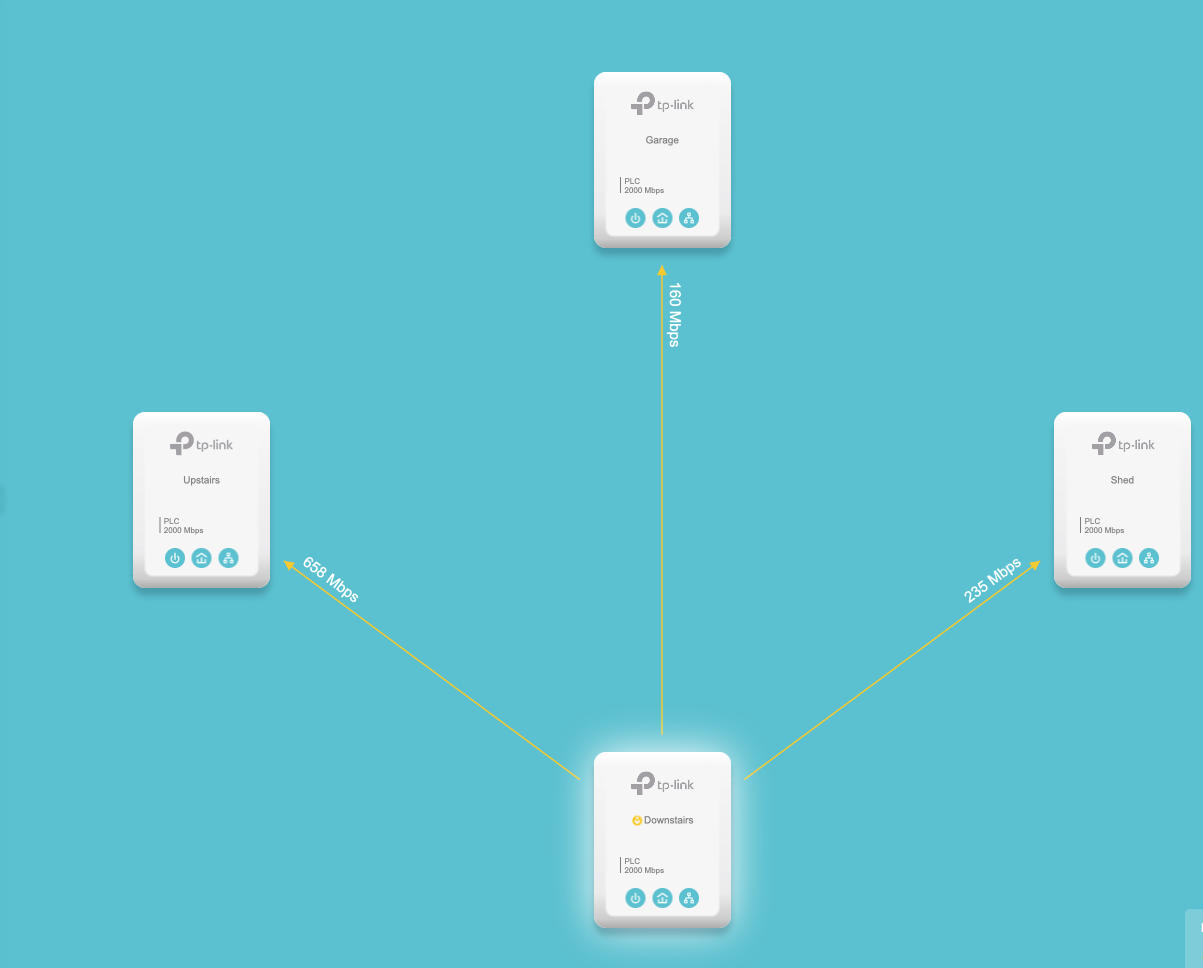
Just as an update, I have now procured 4x AV2000 devices and they work much better in my environment compared to the PG2400P. Wiring in the house is new-ish (10 years old). I think presence of RCDs are messing up G.hn lot more than they do AV2
Grid seems stable. Speeds are not a concern to me, as I link mainly IoT devices.
- Copy Link
- Report Inappropriate Content
- Copy Link
- Report Inappropriate Content
Information
Helpful: 0
Views: 676
Replies: 6
Voters 0
No one has voted for it yet.