
Issue with Parental Control After Firmware Update – Deco X50 (1.3.1 Build 20251122 Rel 36074)

Hello TP-Link Support Team,
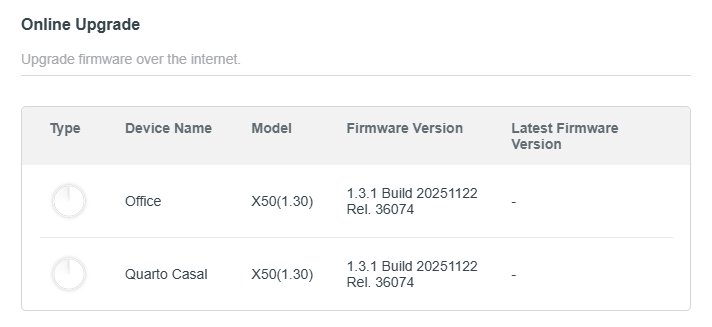
I am experiencing an issue with my Deco X50 router after updating it to firmware version 1.3.1 Build 20251122 Rel 36074 on Feb, 2nd 2026.
After this update, the Parental Control feature stopped working correctly. Any device that is added to a Parental Control profile immediately loses internet connectivity, even when no filters, schedules, or restrictions are configured.
I have been using the Parental Control feature for a long time, including the premium version, which I currently pay for and I never had this problem before this firmware update.
Could you please investigate this issue and provide a fix or workaround as soon as possible? This feature is essential for my daily usage.
Thank you in advance for your support.
Best regards,
Marcio
- Copy Link
- Subscribe
- Bookmark
- Report Inappropriate Content
Hi @David-TP ,
I have an update regarding my case.
Yesterday I performed a full backup of my current configuration, then executed a hard reset on both of my Deco X50 routers. After that, I imported the backup again and, so far, the issue seems to be resolved.
Parental Control features are now working as expected. I’m continuing to run additional tests to confirm stability, and if I notice any new problems I will update this thread.
Thank you very much for your support.
Best regards,
Marcio
- Copy Link
- Report Inappropriate Content
@David-TP Could you please support me with this issue? Many Thanks!
- Copy Link
- Report Inappropriate Content

Hi, welcome to the community.
I'd like to follow up on your case via email and ask the senior engineer for further assistance. Please check whether you've received my email.
By the way, if you temporarily remove the devices from the Parental Control profile, will they start working properly?
Can you also try to update the email with some screenshots of your Parental Control configuration?
Thanks a lot.
Best regards.
- Copy Link
- Report Inappropriate Content
Hi David,
Yes, when the devices are removed from the Parental Control profile, they immediately regain normal internet access and work properly.
Please find attached the screenshots showing the current configuration of my Parental Control section for your reference.
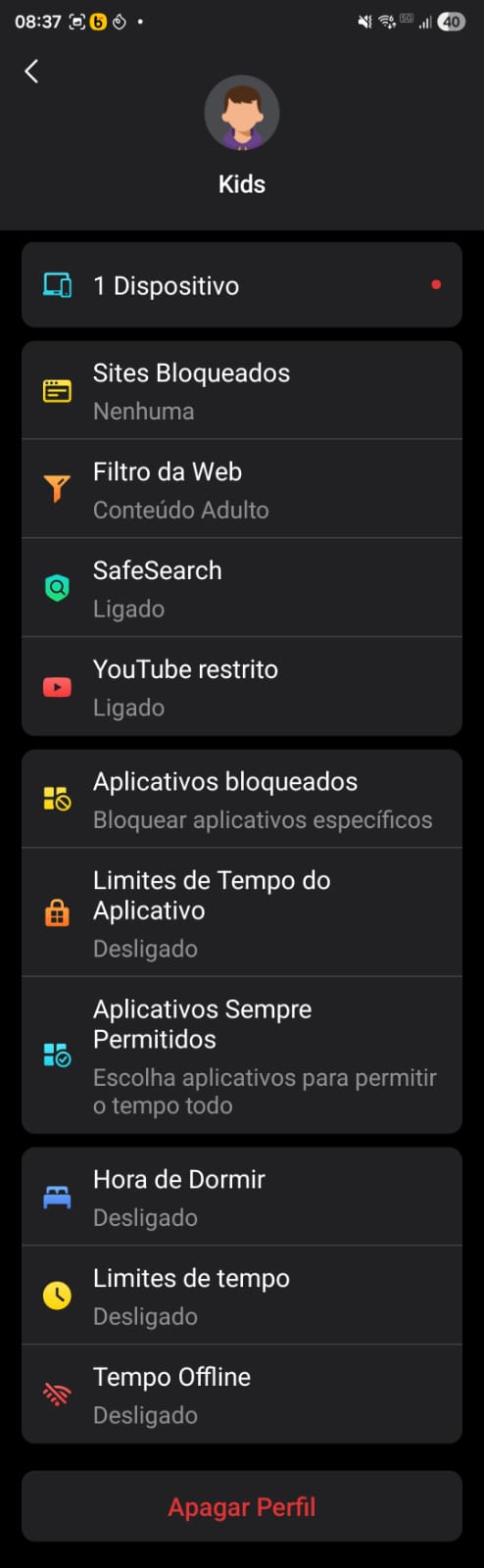
Let me know if you need any additional information or further tests from my side.
Best regards,
Marcio
- Copy Link
- Report Inappropriate Content
Additional information
Hi David,
One additional point I noticed: when I disable SafeSearch and YouTube Restricted within the Parental Control profile, the devices are able to connect to the internet normally.
However, even with these options disabled, if I try to use the App Block section and block an app (for example, YouTube), the block is not enforced and the devices can still access and use the application without any restriction.
So currently:
-
If SafeSearch or YouTube Restricted is enabled → devices lose internet connectivity.
-
If they are disabled → internet works, but app blocking does not function.
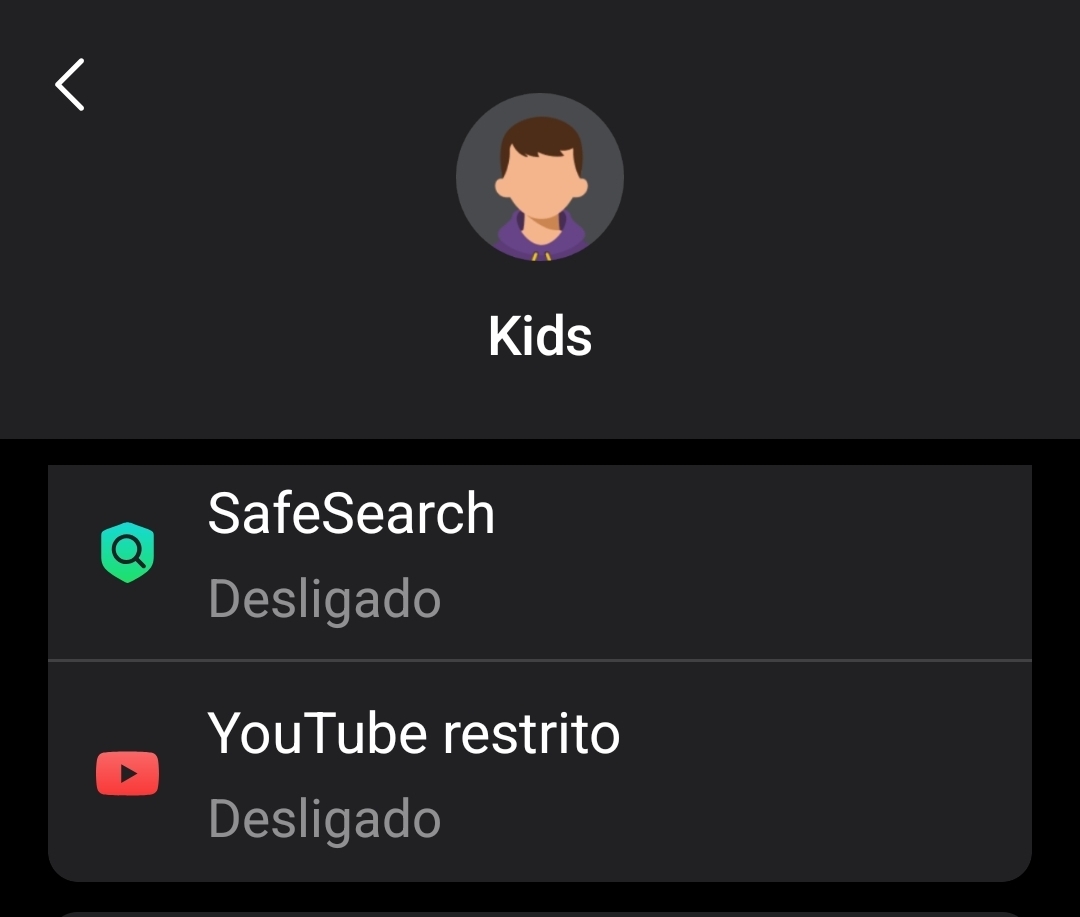
This behavior started only after the firmware update and seems related to the Parental Control feature overall.
Please let me know if you need any additional tests or logs from my side.
Best regards,
Marcio
Marcio
- Copy Link
- Report Inappropriate Content
Thank you very much for the update.
I saw the engineer is requesting the App logs. Please also try to submit the Deco App log here:
Best regards.
- Copy Link
- Report Inappropriate Content
- Copy Link
- Report Inappropriate Content
Hi @David-TP ,
I have an update regarding my case.
Yesterday I performed a full backup of my current configuration, then executed a hard reset on both of my Deco X50 routers. After that, I imported the backup again and, so far, the issue seems to be resolved.
Parental Control features are now working as expected. I’m continuing to run additional tests to confirm stability, and if I notice any new problems I will update this thread.
Thank you very much for your support.
Best regards,
Marcio
- Copy Link
- Report Inappropriate Content

There is a problem also whit private relay. I have no internet when is activated. Everytime i return home i have to desactivate that. The new feature of doh and dot is desactivated.
- Copy Link
- Report Inappropriate Content
Hi, do you also have Deco X50_1.3.1 Build 20251122 Rel 36074?
Did you set parental control rules for the Apple devices with private relay enabled?
-If yes, what settings did you enable under parental control, such as the selected web filters/blocked websites, etc?
Thank you very much.
Best regards.
- Copy Link
- Report Inappropriate Content
Information
Helpful: 1
Views: 1146
Replies: 9
Voters 1
