
Parental Controls Not Working
Parental Controls Not Working

Hello, I'm trying to set up and testing out the 30-day trial period but looks like it will end shortly.
I've created a profile in my router Teather app adding the device by their MAC
After creating it I've read some posts here and:
- Randomized MAC is not selected, only Device MAC
I've tested adding the device to the Blocked Device list and it works immediately.
- Private DNS option has also been disabled from device.
- Date and time are configured correctly on the Router.
Back to the profile created I've added Time limits.
Blocked all youtube apps and Netflix available from the App list. Even added "youtube.com", "www.youtube.com" or "youtube" as blocked sites.
Save.
After device exceeds online time limits, it is still online and still able to browse, stream youtube and Netflix.
I've rebooted the router, the device, so, if you can share some possible way to make this work I would appreciate it.
Otherwise will have to look for other options and turn down the subscription.
Thank you,
- Copy Link
- Subscribe
- Bookmark
- Report Inappropriate Content

Ok, I did some more testing and I seem to have found one condition when Parental Controls is not working.
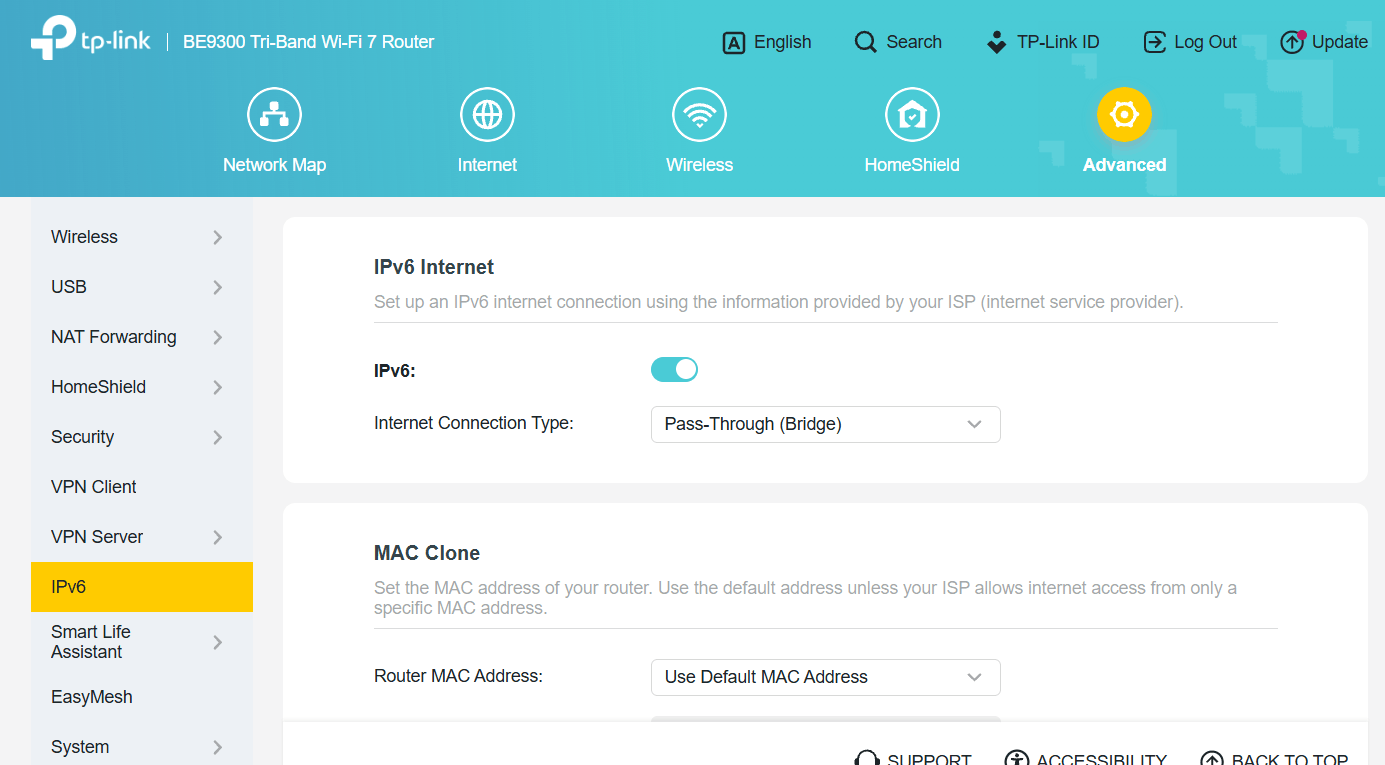
If I set IPv6 connection type to "Pass-Through (Bridge)", then IPv6 traffic apparently remains untouched by the router.
So, please also verify you don't happen to use this particular setting.
- Copy Link
- Report Inappropriate Content
Oh and just in case, device is a Samsung Galaxy Tab A9+ running Android 16.
- Copy Link
- Report Inappropriate Content
Hi,
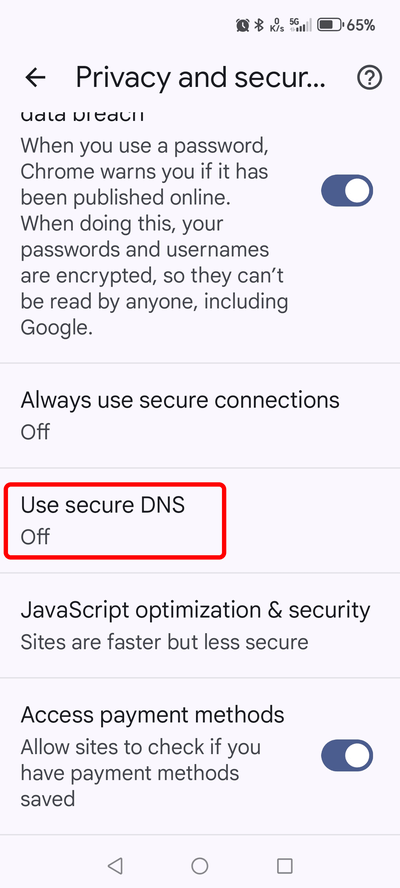
I am not sure if that is what you already meant by "Private DNS option has also been disabled from device", but make sure that "secure DNS" is disabled in the web browser.
- Copy Link
- Report Inappropriate Content
@woozle Thanks for the response. I don't know if that screenshot is from IOS but in my Android devices the option is "Private DNS" and it has already been turned off on the Tablet.
Thanks,
- Copy Link
- Report Inappropriate Content
The screenshot was taken from the Google Chrome web browser. This is not the setting of the operating system.
- Copy Link
- Report Inappropriate Content
@woozle thank you for that! I've disabled that on the Chrome config for the Tablet.
Should I do anything else for the profile settings to take effect?
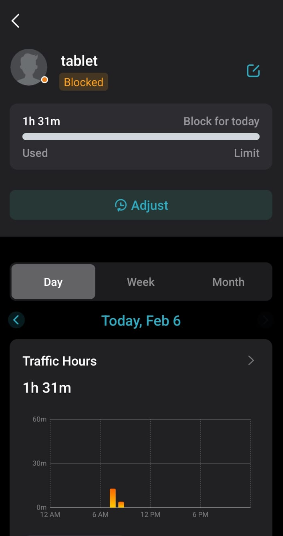
In the Teather app the device shows as "blocked" but I can still browse in chrome and stream both youtube and Netflix.
Thank you!
- Copy Link
- Report Inappropriate Content
Anything else that can be suggested as solution to make Parental Controls and Time Limits work? Thanks
- Copy Link
- Report Inappropriate Content
ihshinron wrote
@woozle thank you for that! I've disabled that on the Chrome config for the Tablet.
Should I do anything else for the profile settings to take effect?
In the Teather app the device shows as "blocked" but I can still browse in chrome and stream both youtube and Netflix.
Thank you!
While content filtering relies on DNS, completely blocking a device should be done purely based on the MAC address.
If you can't even block the Samsung tablet, then I recommend you double-check that the MAC address of the item you selected in the list of the Parental Controls does indeed have the same MAC address as the one currently shown for the Samsung tablet under "Network Map" -> Clients".
If you already had the Samsung tablet connected to the BE550 when it was still using randomized MAC addresses, then those old items will still be part of the list you pick from in Parental Controls and you have to be sure to pick the correct one.
Anyway, I've just tested bed time blocking on my own BE550 V1 again and I couldn't notice any problem with it.
- Copy Link
- Report Inappropriate Content
Hello @woozle thanks for the response.
I have checked that the MAC is correct and even tested blocking the device completely adding it to the Blocked device list. It works and the device goes immediately offline so I assume that means the MAC is correctly set up.
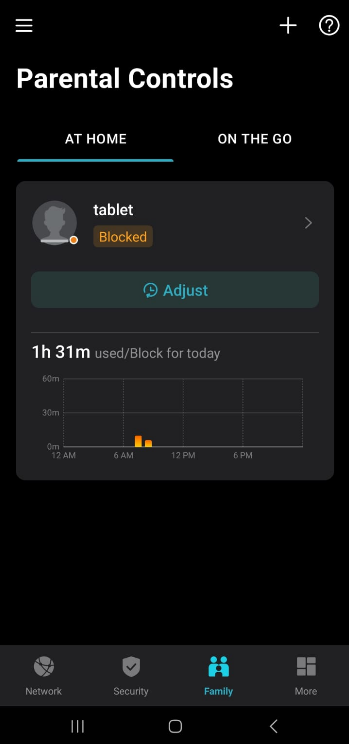
When I set up Time limits and the time is exceeded, nothing happens. Teather App shows as the device is blocked (as in screenshot from earlier posts), but in fact nothing has changed on the device.
Once the time limit is reached it should end the connectivity just like adding it to the Blocked List?
I have also tried adding a Bed Time schedule, and it does not work either. I set it for 1 hour before current time until midnight (more than 6 hours to go). I've waited for it to update, disconnected wifi and even rebooted both router and device and still device is still able to go online despite showing as Blocked on Teather app.
Just in case, there's no alternative Wifi, the device is logged in to the router with configured parental controls.
- Copy Link
- Report Inappropriate Content
I cannot test Time Limits, because I don't have any subscription. But the free Bedtime feature works fine for me.
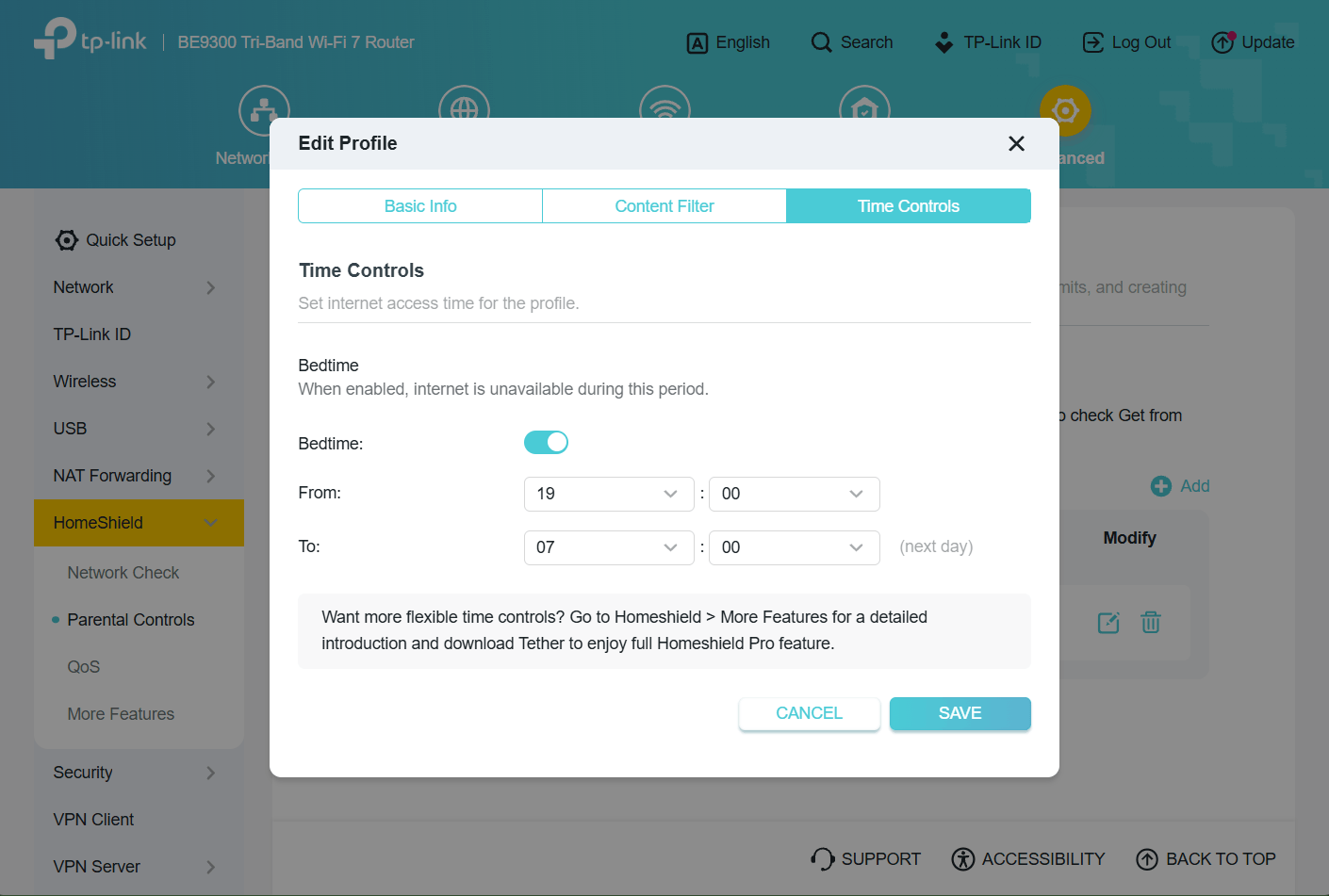
As a last check, can you please log directly into the BE550 and verify the routers settings are indeed is sync with what the Tether app shows?
- Copy Link
- Report Inappropriate Content
@woozle Yes, they match.
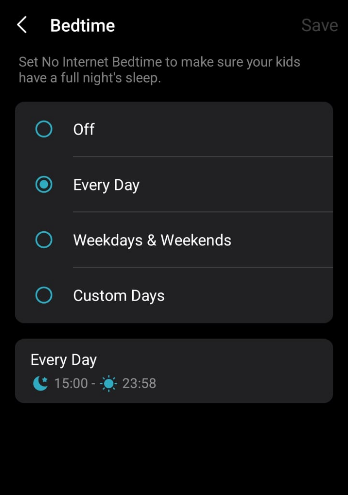
Bedtime is showing the same on both ends.
However, the Time Limit is a subscription function and does not show on the Router's UI, only on Teather
Bedtime should be kicking in too as I've scheduled it to test it out but device is online with no problem.
Here is Bedtime set up showing on the Router's UI:
Here's Bedtime for same profile on Teather:
Here's current status for the device, Blocked. Despite that I can browse on Chrome with no issues or even play videos in Youtube (the app is set to be blocked as well).
- Copy Link
- Report Inappropriate Content
Information
Helpful: 0
Views: 1156
Replies: 15
Voters 0
No one has voted for it yet.