
Parental Controls Not Working
Parental Controls Not Working

Hello, I'm trying to set up and testing out the 30-day trial period but looks like it will end shortly.
I've created a profile in my router Teather app adding the device by their MAC
After creating it I've read some posts here and:
- Randomized MAC is not selected, only Device MAC
I've tested adding the device to the Blocked Device list and it works immediately.
- Private DNS option has also been disabled from device.
- Date and time are configured correctly on the Router.
Back to the profile created I've added Time limits.
Blocked all youtube apps and Netflix available from the App list. Even added "youtube.com", "www.youtube.com" or "youtube" as blocked sites.
Save.
After device exceeds online time limits, it is still online and still able to browse, stream youtube and Netflix.
I've rebooted the router, the device, so, if you can share some possible way to make this work I would appreciate it.
Otherwise will have to look for other options and turn down the subscription.
Thank you,
- Copy Link
- Subscribe
- Bookmark
- Report Inappropriate Content

Ok, I did some more testing and I seem to have found one condition when Parental Controls is not working.
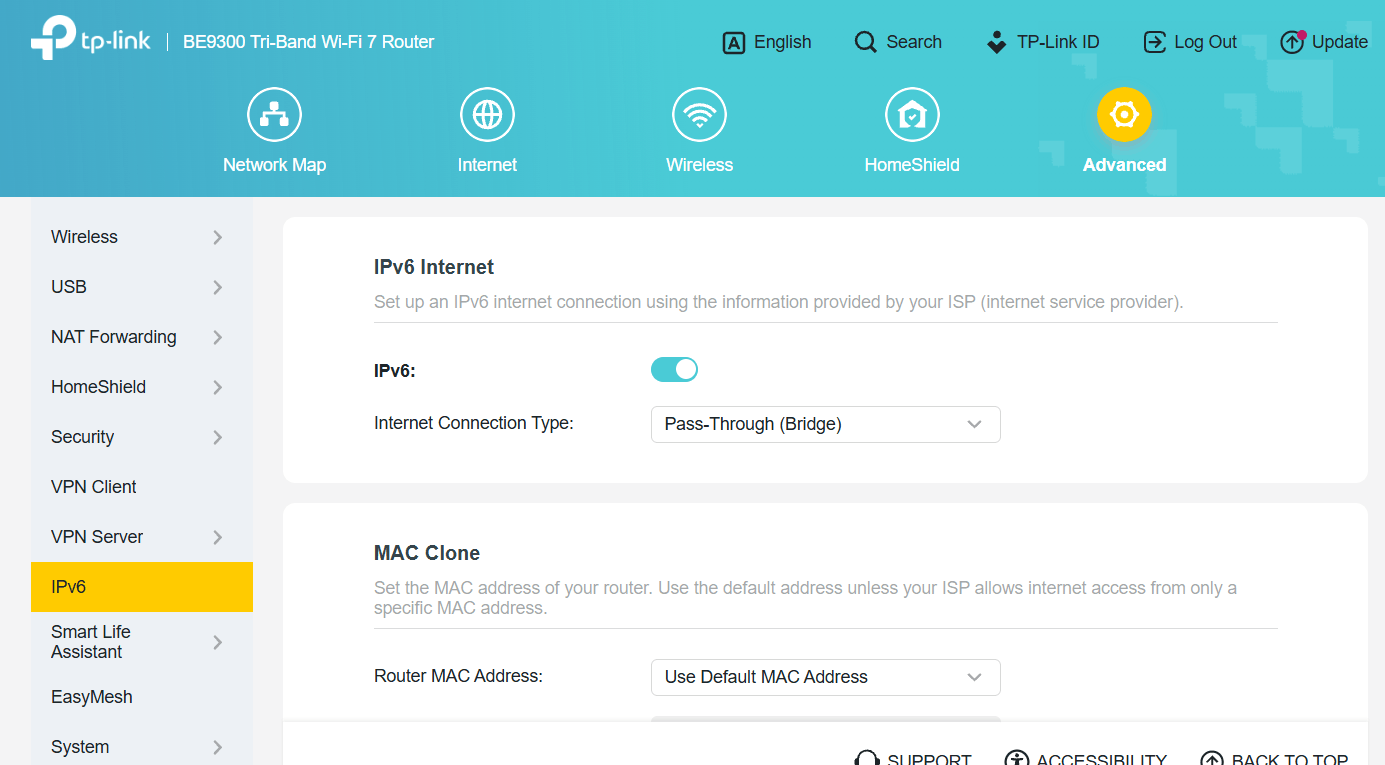
If I set IPv6 connection type to "Pass-Through (Bridge)", then IPv6 traffic apparently remains untouched by the router.
So, please also verify you don't happen to use this particular setting.
- Copy Link
- Report Inappropriate Content
@woozle YES! I have that setting selected.
Here caption.
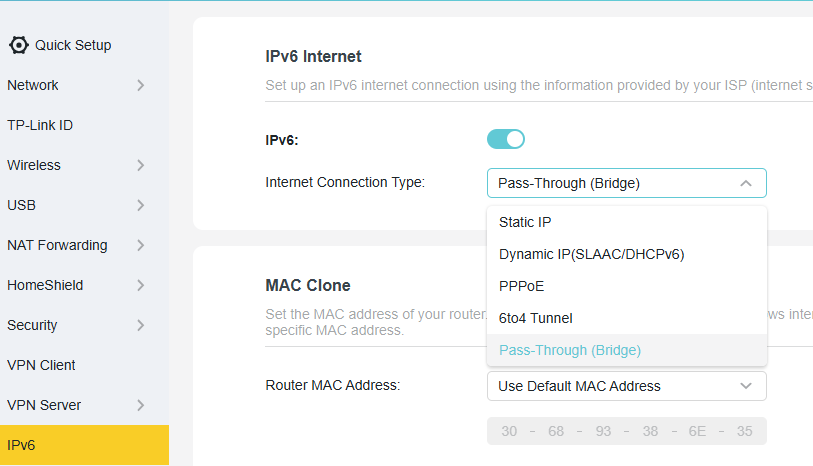
What option should I choose instead? Static IP?
- Copy Link
- Report Inappropriate Content
"Static IP" won't work for a typical consumer Internet connection.
Since you obviously had Internet without selecting "IPv6 PPPoE", we can assume that is not what your ISP requires.
"6to4 Tunnel" would be used if your ISP didn't support native IPv6.
That only leaves "Dynamic IP(SLAAC/DHCPv6)", which is what I use, for example.
But better than guessing the correct IPv6 settings would be to follow instructions provided directly by the ISP.
- Copy Link
- Report Inappropriate Content
@woozle You beauty! It all seems to work now. I've selected the Dynamic IP(SLAAC/DHCPv6) option. Saved and then hitted the Renew button. Waited a minute or so and everything started to work as it should. THANK YOU!
Internet seems to be working fine on other devices.
Could I expect some older devices to have some issue with wifi connectivity or internet access after the change done?
Thanks again!
- Copy Link
- Report Inappropriate Content
The change shouldn't affect devices because of their age.
However, in case you notice further things not working as expected, then you might try with IPv6 switched off completely.
For example, we know that on most current TP-Link routers the "Speed Limit" feature only works for IPv4 traffic, but does not limit the speed of IPv6 traffic.
- Copy Link
- Report Inappropriate Content
Information
Helpful: 0
Views: 1154
Replies: 15
Voters 0
No one has voted for it yet.